StudyFetch vs Quizlet vs RemNote: Which Is Best for Flashcards?

Forgetting is an inevitable part of learning. But retaining something in your memory for a long time isn’t impossible either. Especially not anymore with easy-to-use flashcard apps available.
StudyFetch, Quizlet, and RemNote are three very similar apps in this category.
If you’re looking for a flashcard maker, one of these might suit you well.
This article will review the flashcard feature of the three platforms as well as their flashcard review techniques to let you decide which one is worth using.
Let’s start with an overview of each tool.
TL;DR
Quizlet, StudyFetch, and RemNote are all flashcard makers, but they're not equal. Quizlet is best for ready-made decks, StudyFetch for AI-generated study material, and RemNote for serious long-term retention thanks to its advanced spaced repetition and note-taking combo. If you are a serious learner who wants to actually remember things, RemNote is the best choice.
What is StudyFetch?
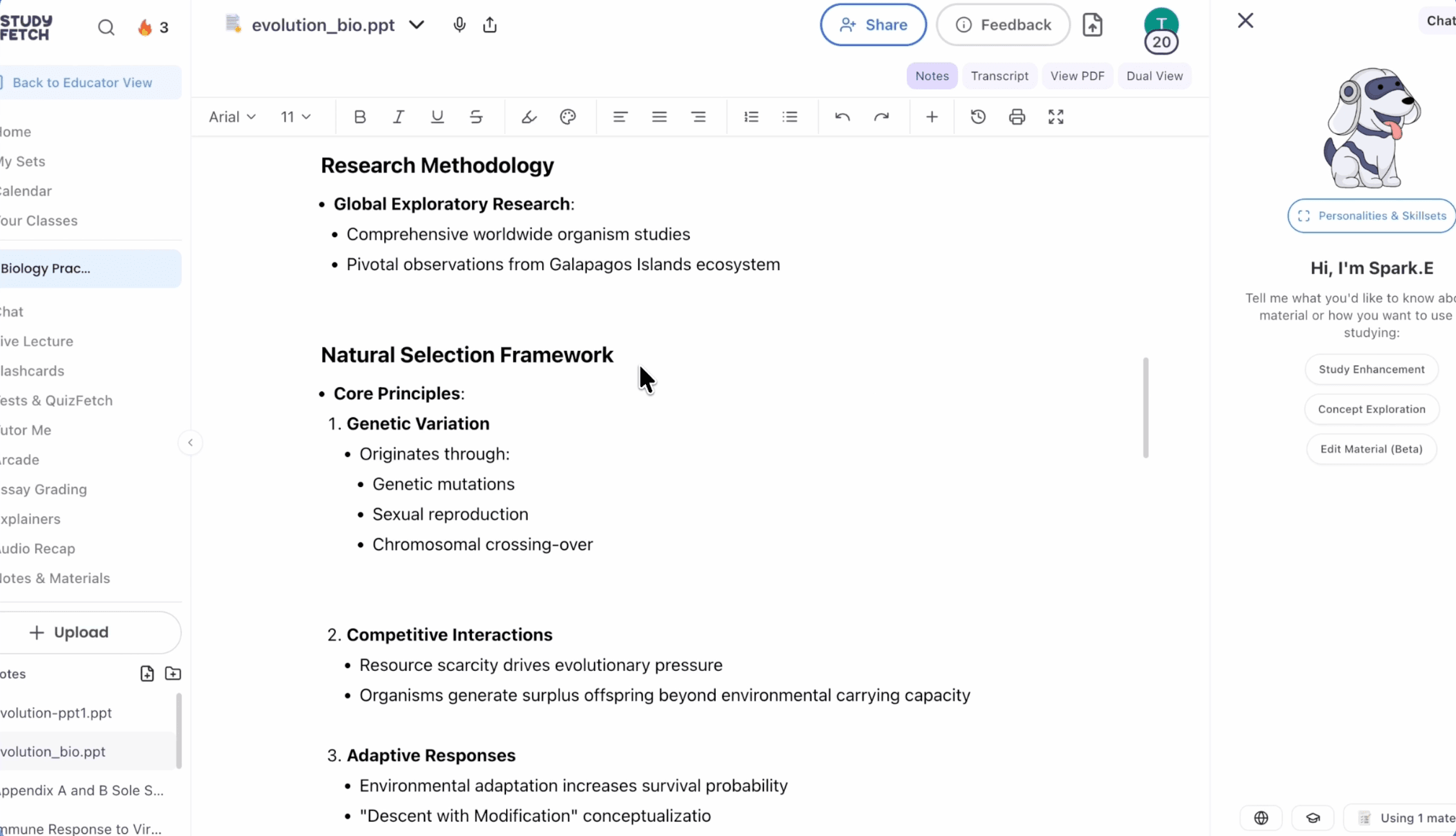
StudyFetch is an AI-powered learning platform that was founded in 2023. All the tools that the platform offers are powered by AI.
For example, the tool can generate notes from your documents and recorded lectures using AI. It can also take your study material and generate flashcards, quizzes, and practice tests.
StudyFetch offers an AI tutor called Spark.E, which gets trained on your uploaded study material. You can then interact with it through text or voice and ask anything. This bot can also generate videos, audio, and visuals to explain concepts.
What is Quizlet?
Quizlet started when a teenager named Andrew Sutherland built it to memorize French vocabulary for a test. It was a personal tool. But later on, he released the tool to the public in 2007.
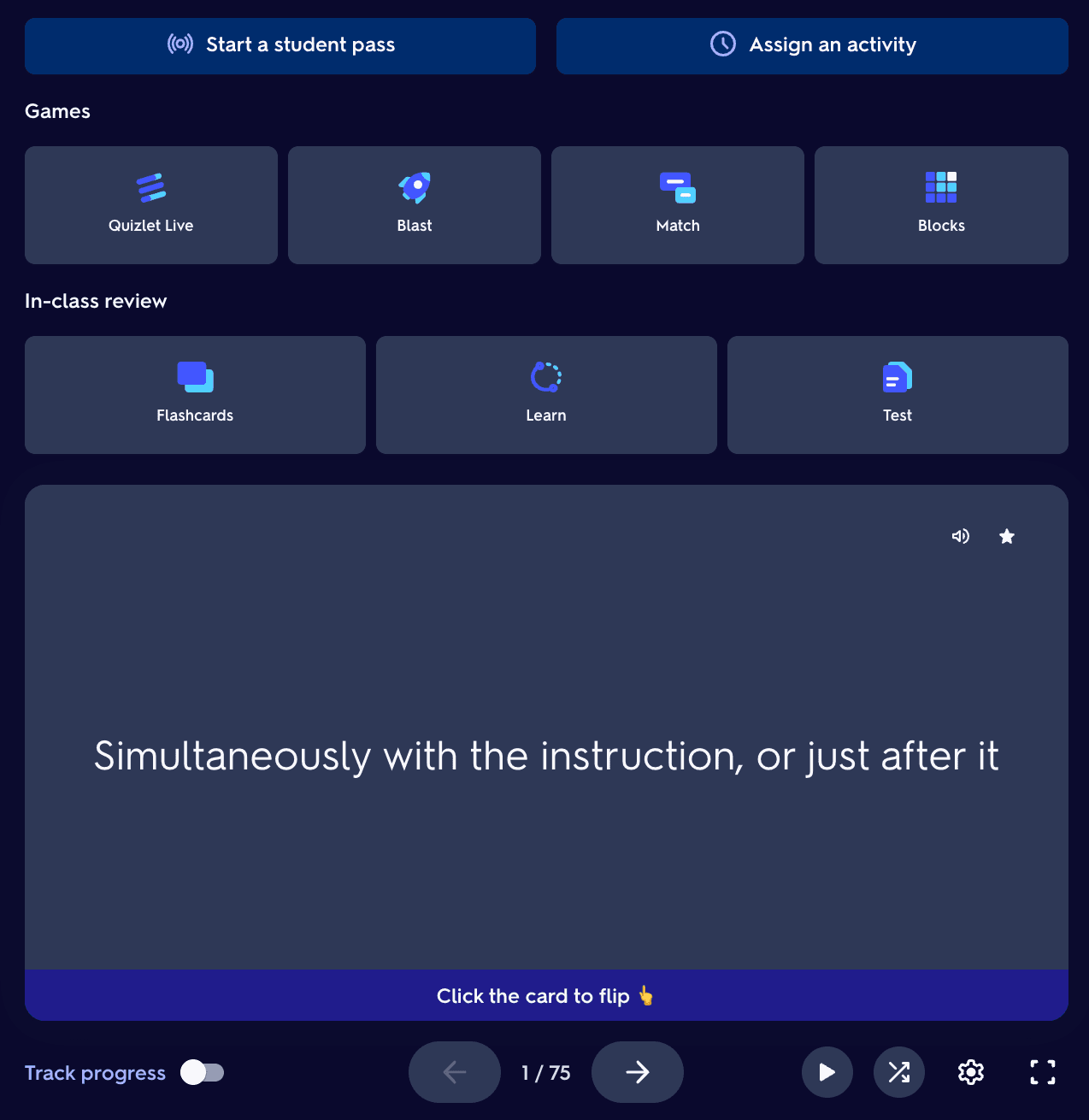
Today, Quizlet has a number of study tools for students and a few tools for teachers.
For students, there is a flashcard generator, a learning mode to prepare, and a test mode to test themselves. There’s also a library of flashcard decks made by other students and teachers. If you don’t feel like generating flashcards, you’ll often find a deck of interest in the library.
Students can also create Study Groups with other students to practice with flashcards and track each other's progress.
Teachers have two gamification features to make studying engaging for their students.
Quizlet has an app for both iPhone and Android users.
What is RemNote?
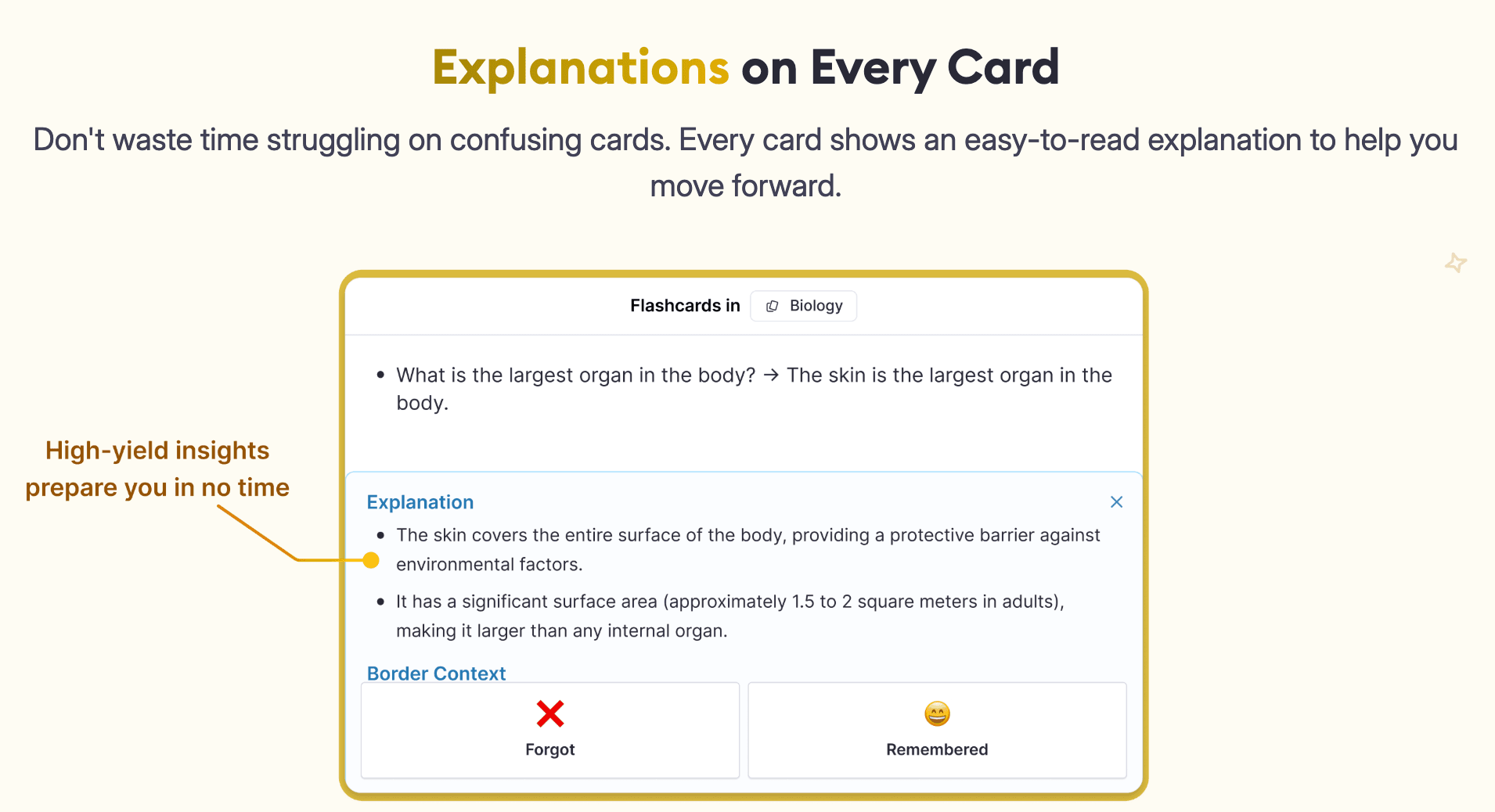
RemNote is a note-taking and flashcard-generating app. You take notes in RemNote and then create flashcards from those notes using the app. But that’s not the only way to create flashcards.
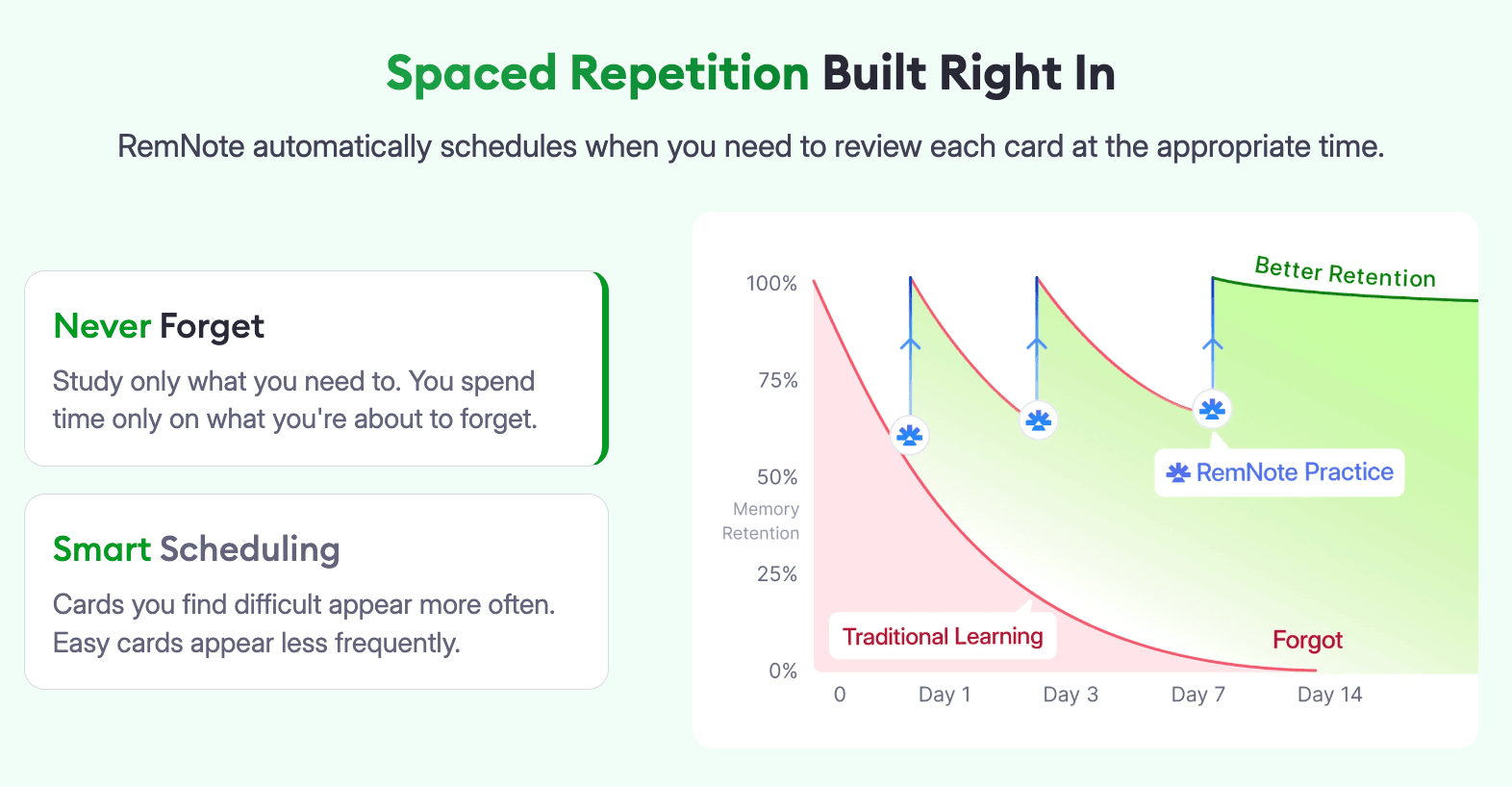
RemNote can also generate cards from uploaded documents or using AI in response to a prompt. Those cards then get shown to you using the spaced repetition method.
The algorithm remembers what cards you know well and which ones you’re weak at. Based on that, it schedules cards for you at the right time to ensure maximum memory retention. RemNote’s flashcard management and spaced repetition algorithm are among the most advanced of any competitor.
On top of all that, RemNote offers PDF annotation, a lecture recorder, an exam scheduler, and a few other study tools.
The best part about RemNote is probably the ability to use the tools even when offline.
The download options are also quite flexible. You can use it on Windows, Mac, Linux, Android, iOS, and Chrome. It also allows Android and iPhone users to beta test new features.
StudyFetch vs Quizlet vs RemNote: Core features
Flashcard creation
All three tools have similar ways of creating flashcards, with some differences.
StudyFetch
StudyFetch gives you 5 ways to create flashcards, which are:
- Create from scratch (manual)
- Create from materials
- Create from topic
- Import Quizlet
- Import Anki
Each of these methods allows you to create five types of flashcards, which are:
- Term & definition
- Audio
- Multiple choice
- Fill in the blank
- Cloze deletion
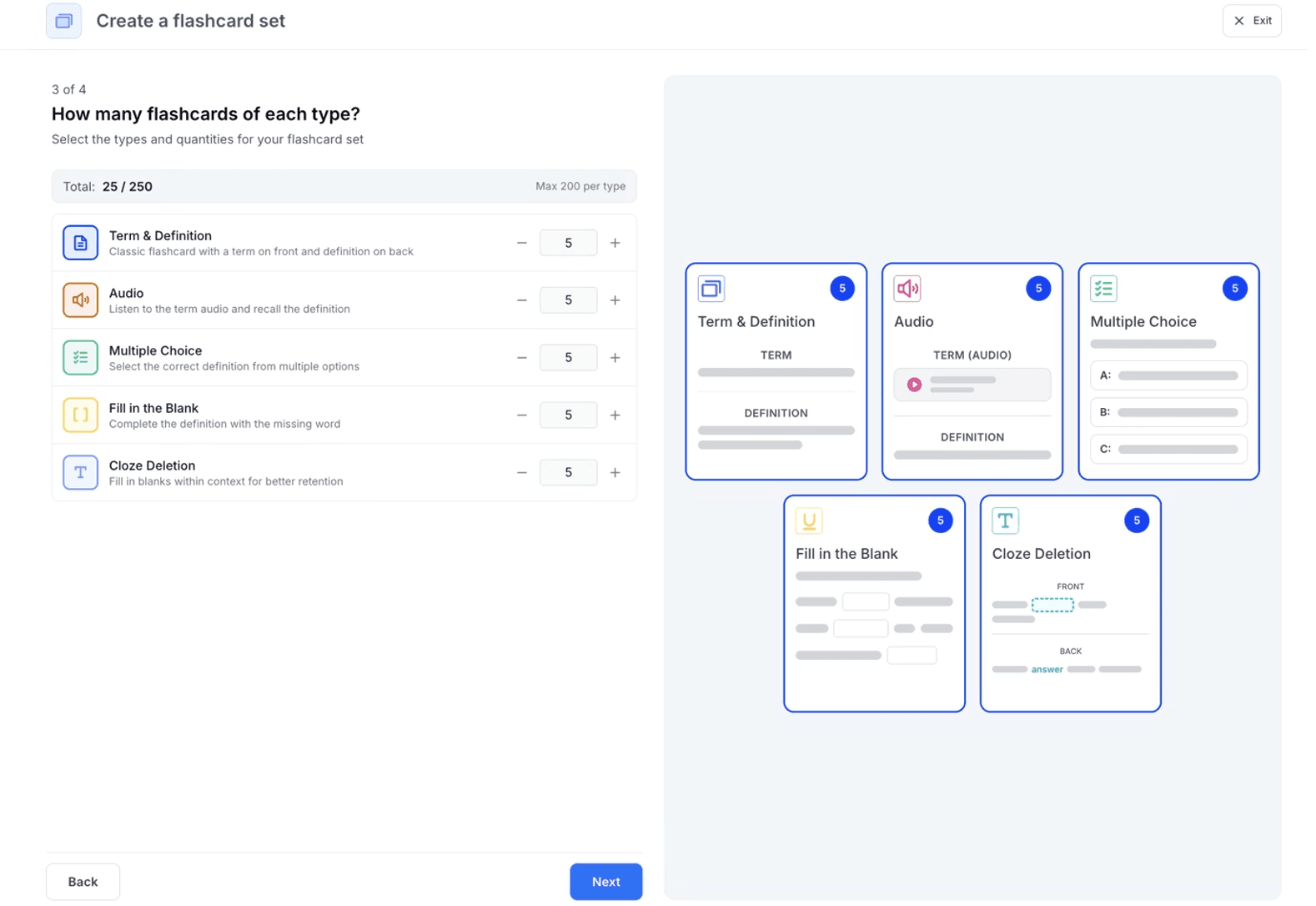
If you are creating flashcards from materials or from a topic, you can create 250 cards at once, which can include a mix of all types of flashcards.
The manual method allows you to create image occlusion flashcards as well, in addition to the mentioned types.
Learn Image Occlusion Cards in Under 2 Minutes - RemNote
Once you have created flashcards, you can study them in four different ways:
- Standard mode (you review cards in the order in which they’re arranged)
- Spaced repetition (cards are scheduled based on your performance)
- Confidence (you rate your confidence level for each card)
- Bookmarked flashcards (you bookmark cards in standard mode and then review them here)
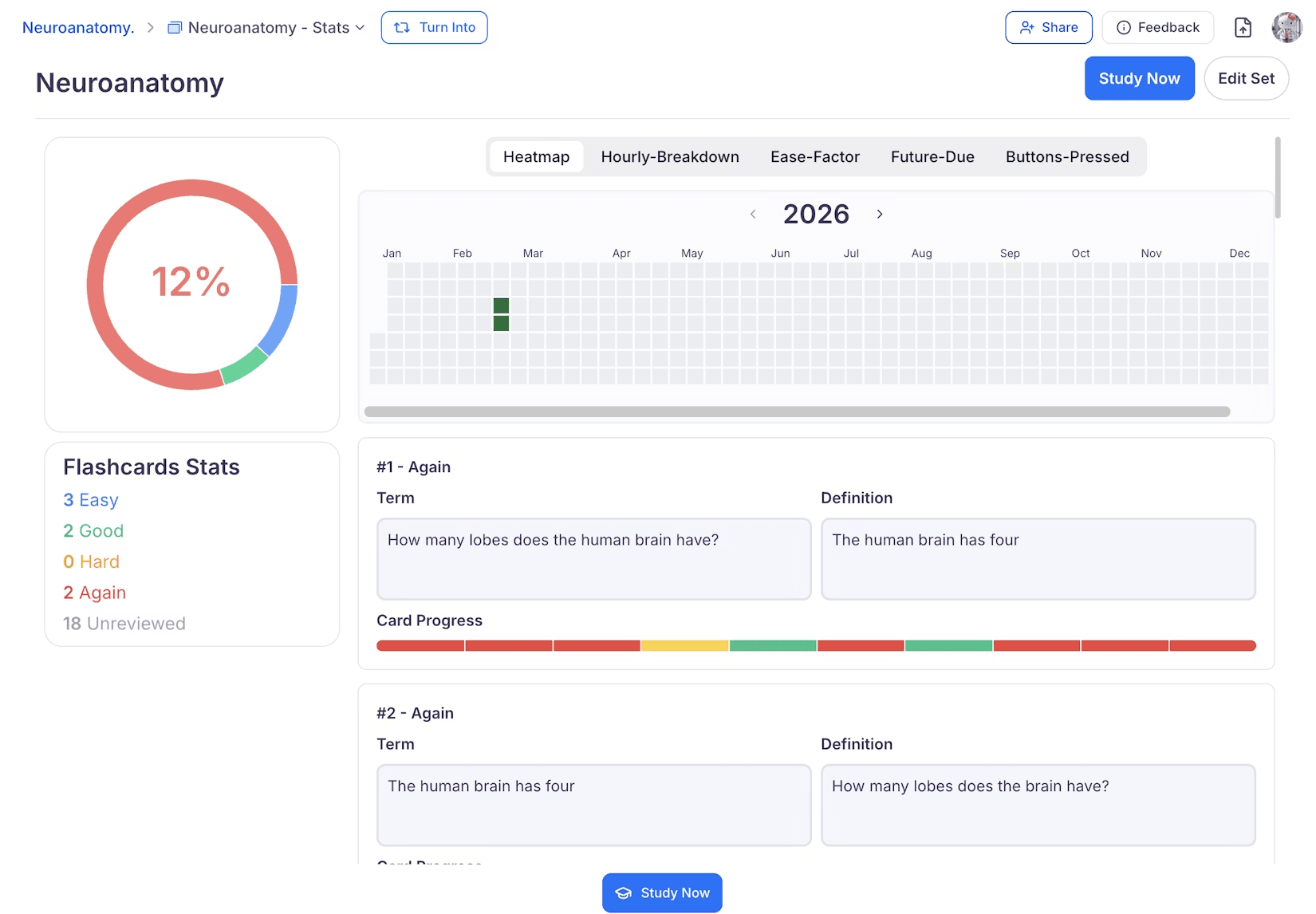
StudyFetch’s AI tutor is always there to provide hints or explanations for cards. StudyFetch also shows detailed statistics for the cards.
Quizlet
In Quizlet, you can create flashcards in three ways.
You can create term & definition flashcards using the manual method, in which you are given separate fields to enter the term and the definition.
There’s also an option to add an image to your card. Another flashcard type that Quizlet supports is diagram sets. These are the only two types of flashcards that Quizlet supports.
Another method is creating flashcards from uploaded material. But it’s not that simple. The document must be a Word file or a spreadsheet. And the Word file needs heavy formatting before you upload it.
For example, you have to add a comma or a dash or press tab between a term and a definition. The content for the next card has to be added in a new line, and a line change is indicated by a semicolon.
The third method is creating flashcards using AI. The AI, which is called Smart Assist, can generate flashcards from uploaded documents or from user prompts.
Supported documents include PowerPoint docs, Google Slides, scans of handwritten notes, typed notes, PDFs, and documents from Google Drive. These documents don’t need formatting like in the previous method.
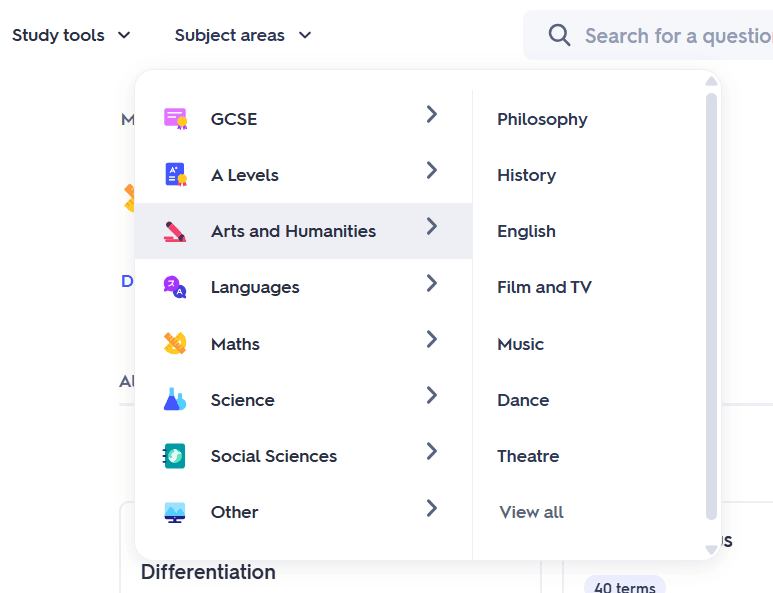
Quizlet also has a massive library of flashcard decks made by other students or teachers on the platform. You’ll find flashcards on a wide range of niche topics spanning all sorts of subjects.
RemNote
RemNote gives you three ways to create flashcards and supports six card types:
- Question and answer cards
- Cloze (fill-in-the-blank) cards
- Multiple choice cards
- Image Occlusion cards
- Multiline cards
- Concept cards
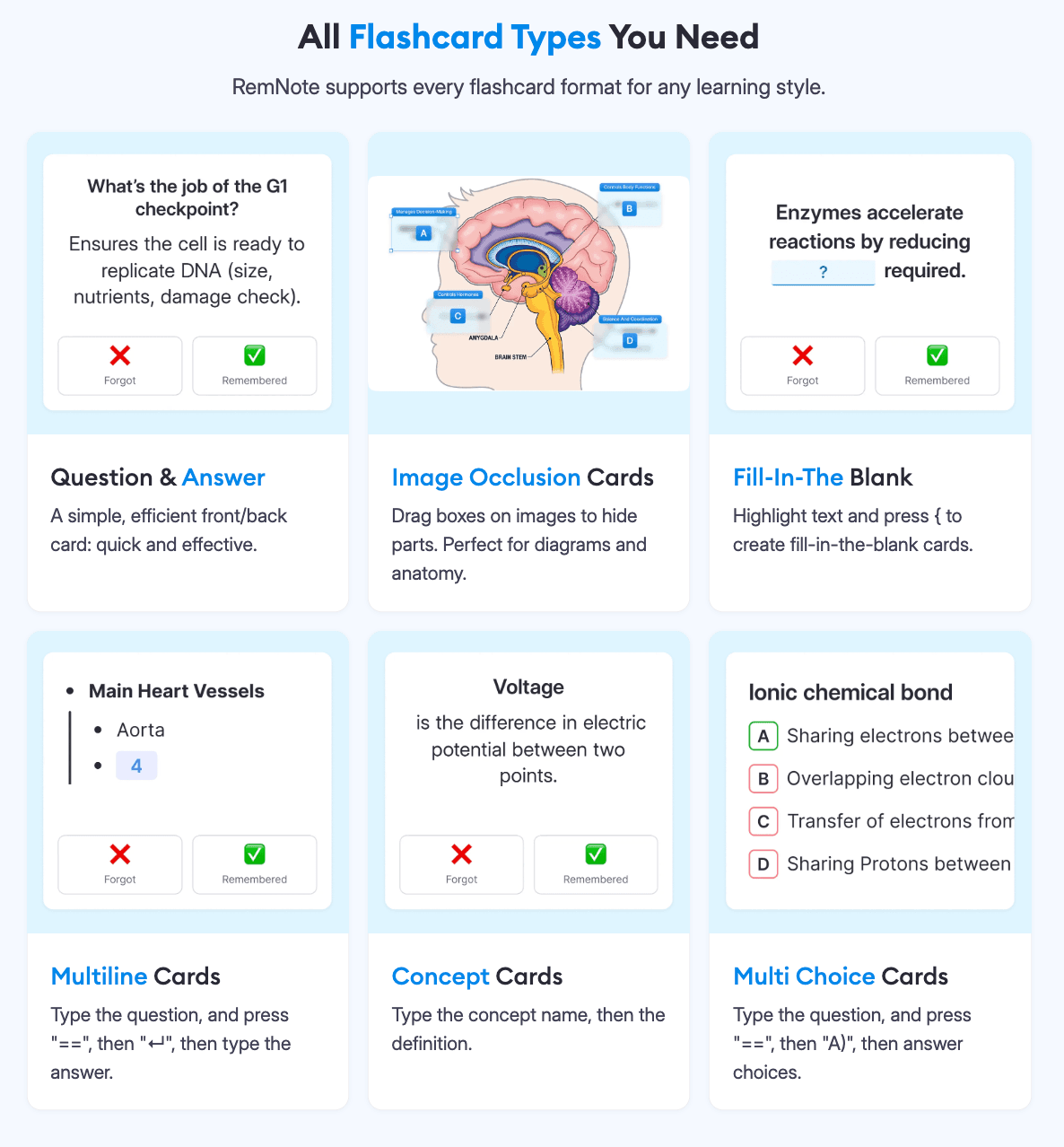
RemNote might be the only flashcard creator that supports code blocks on flashcards.
The three methods of creating flashcards are as follows:
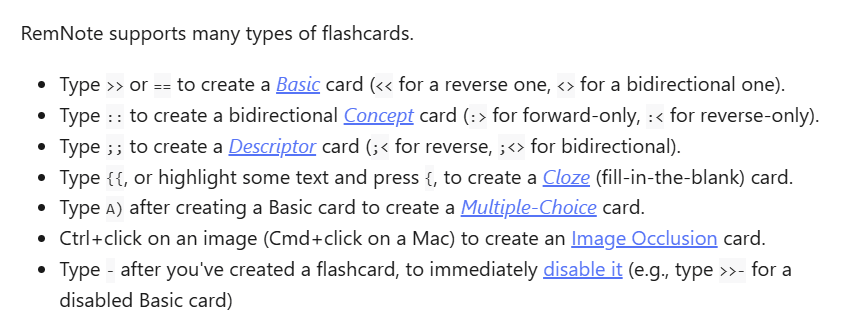
- RemNote allows you to take notes inside the tool and make a card from whichever piece of information seems worth memorizing. To turn a piece of information into a flashcard, you simply have to type a special character (>>, ==, <<, :>, etc), depending on the type of flashcard you want to create. RemNote refers to these special characters as “flashcard triggers.”
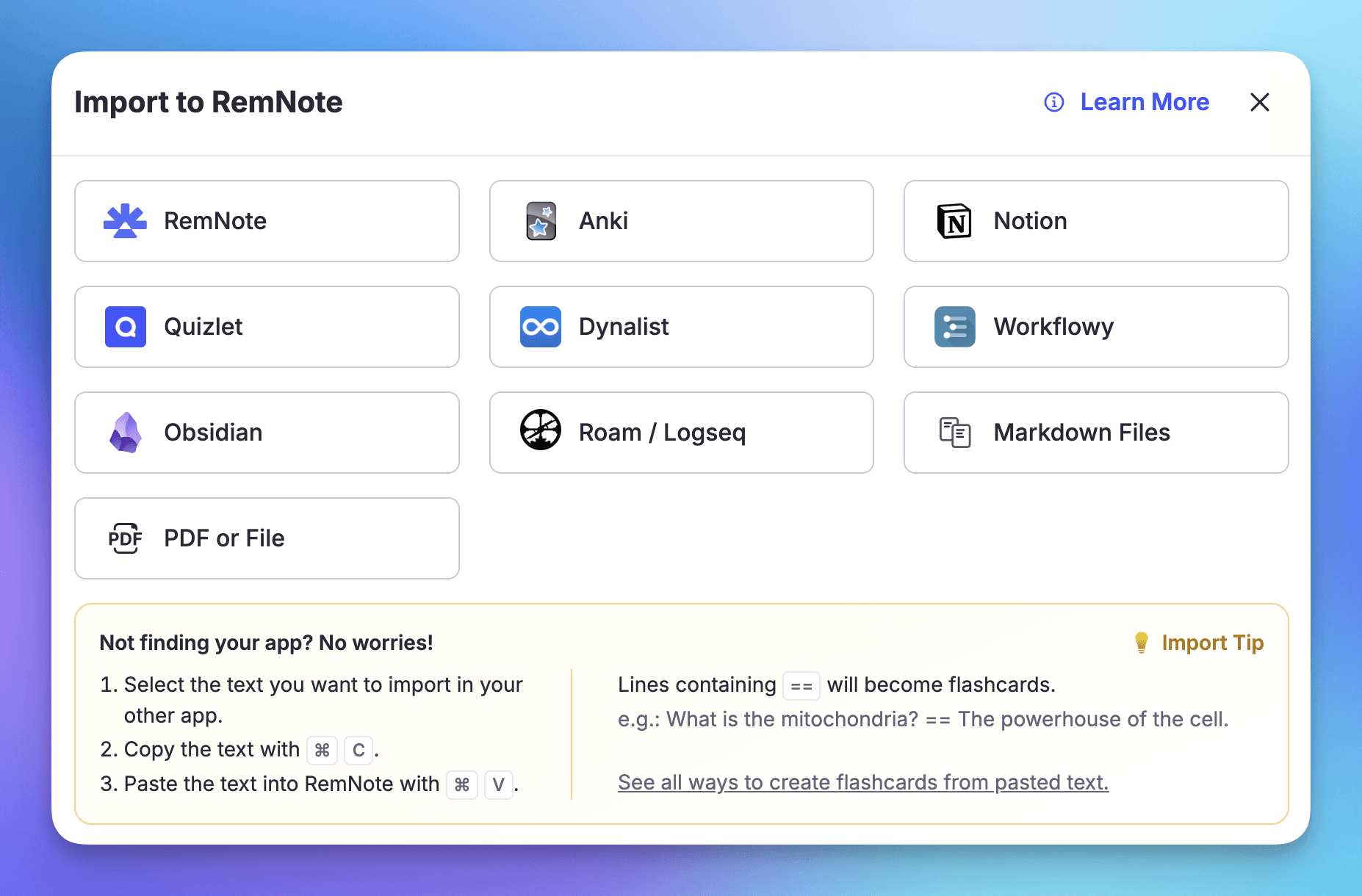
- RemNote can also automatically generate flashcard decks from uploaded content. A wide range of file formats is supported. You can also import content from other apps like Quizlet, Anki, Notion, Obsidian, etc. If an app or file isn’t supported, you can simply copy and paste its text into RemNote.
- In this method, you annotate text in PDFs, web pages, and YouTube videos, and RemNote suggests flashcards based on selected text. You can keep or discard those cards. You can edit those cards later if you keep them.
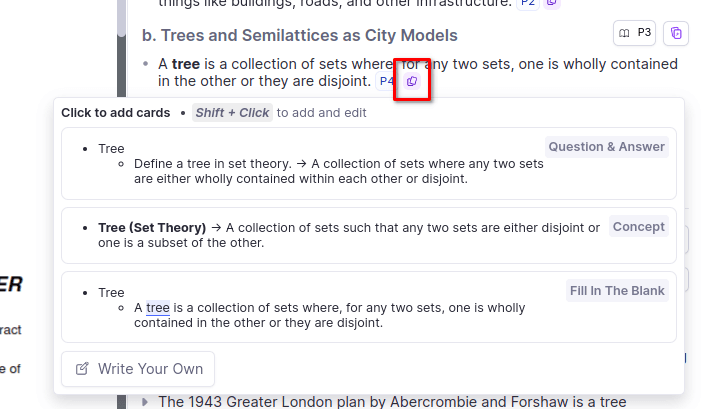
Flashcard review techniques
StudyFetch
As mentioned earlier, StudyFetch offers four ways to study cards, which are called Study Modes.
- Standard mode: It shows you flashcards in the order they are already arranged. There’s an option to shuffle the cards. You cannot rate your performance on a card. You can simply flip cards to reveal the answer or move to the next or previous flashcard. The thumbs up and thumbs down are there for providing feedback on AI-generated flashcards.
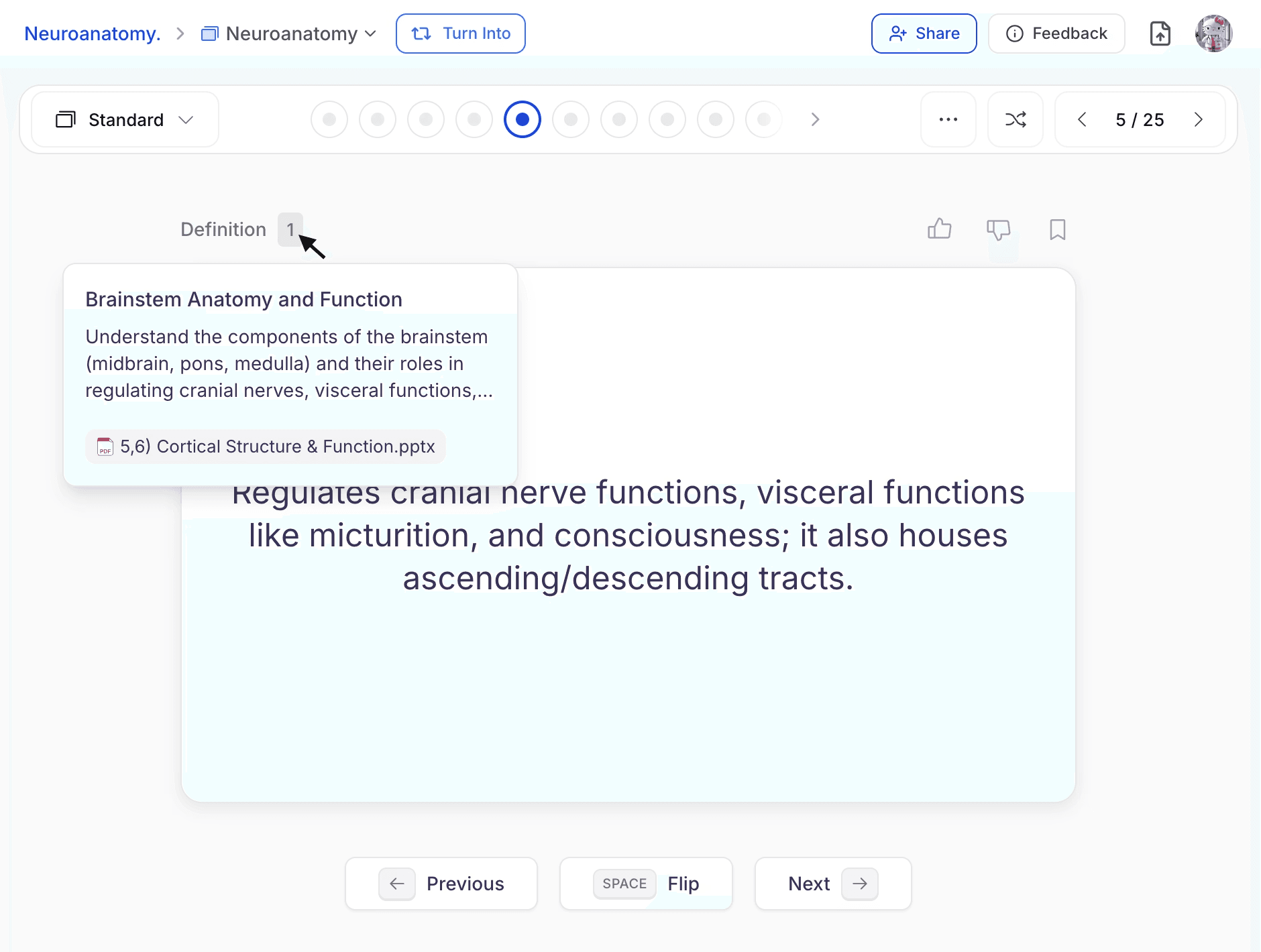
Spaced repetition: In spaced repetition, you are given four options to rate each card (Again, Hard, Good, Easy). A card is shown to you based on how you rated it. Here’s how it is:
- Again: Shows again in 1 minute
- Hard: Shows again in 10 minutes
- Good: Shows again in 1 hour
- Easy: Shows again in 24 hours
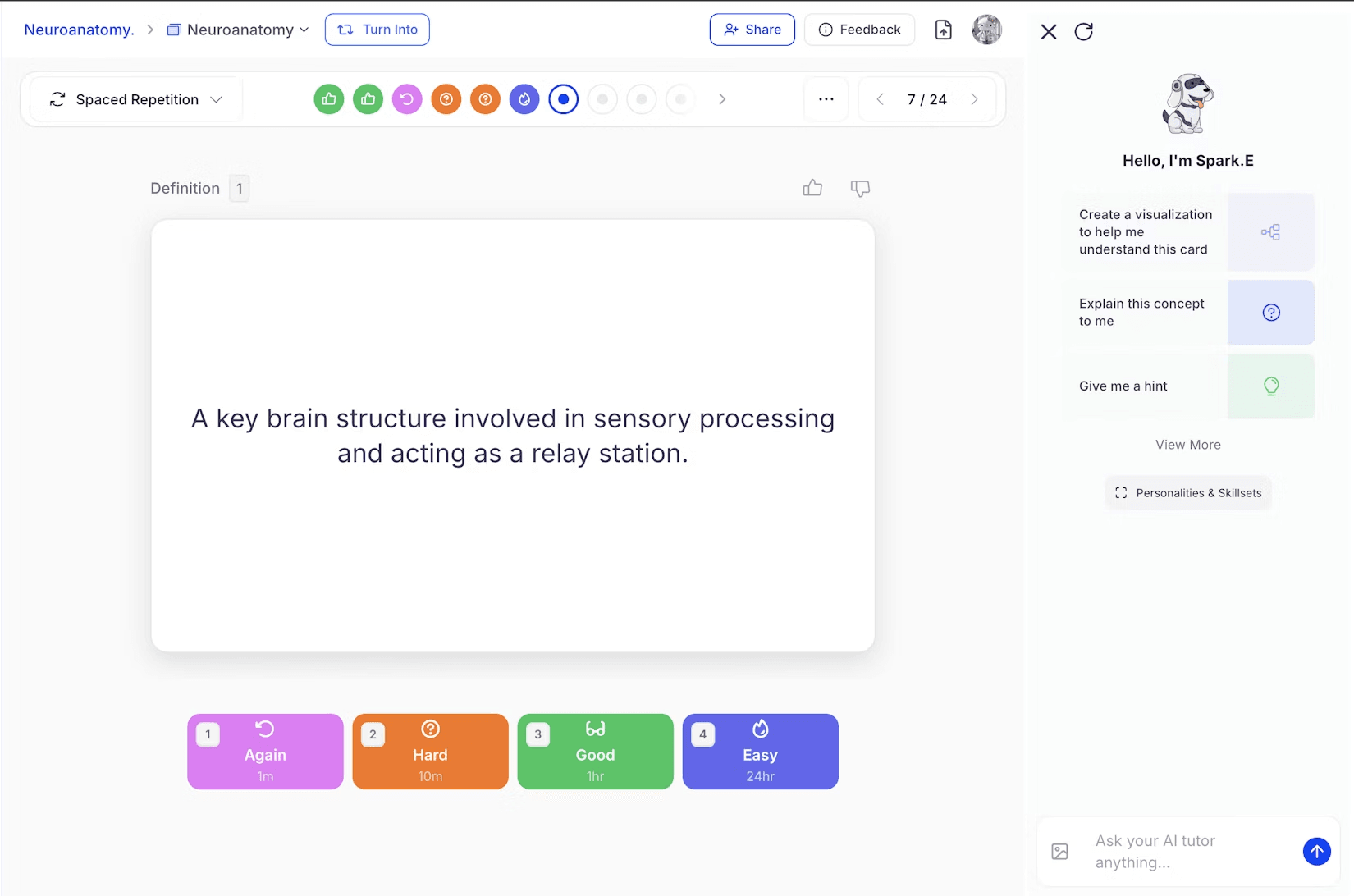
- Confidence mode: In confidence mode, you can give three types of ratings to flashcards. The response is saved, and it is not used to reschedule a card.
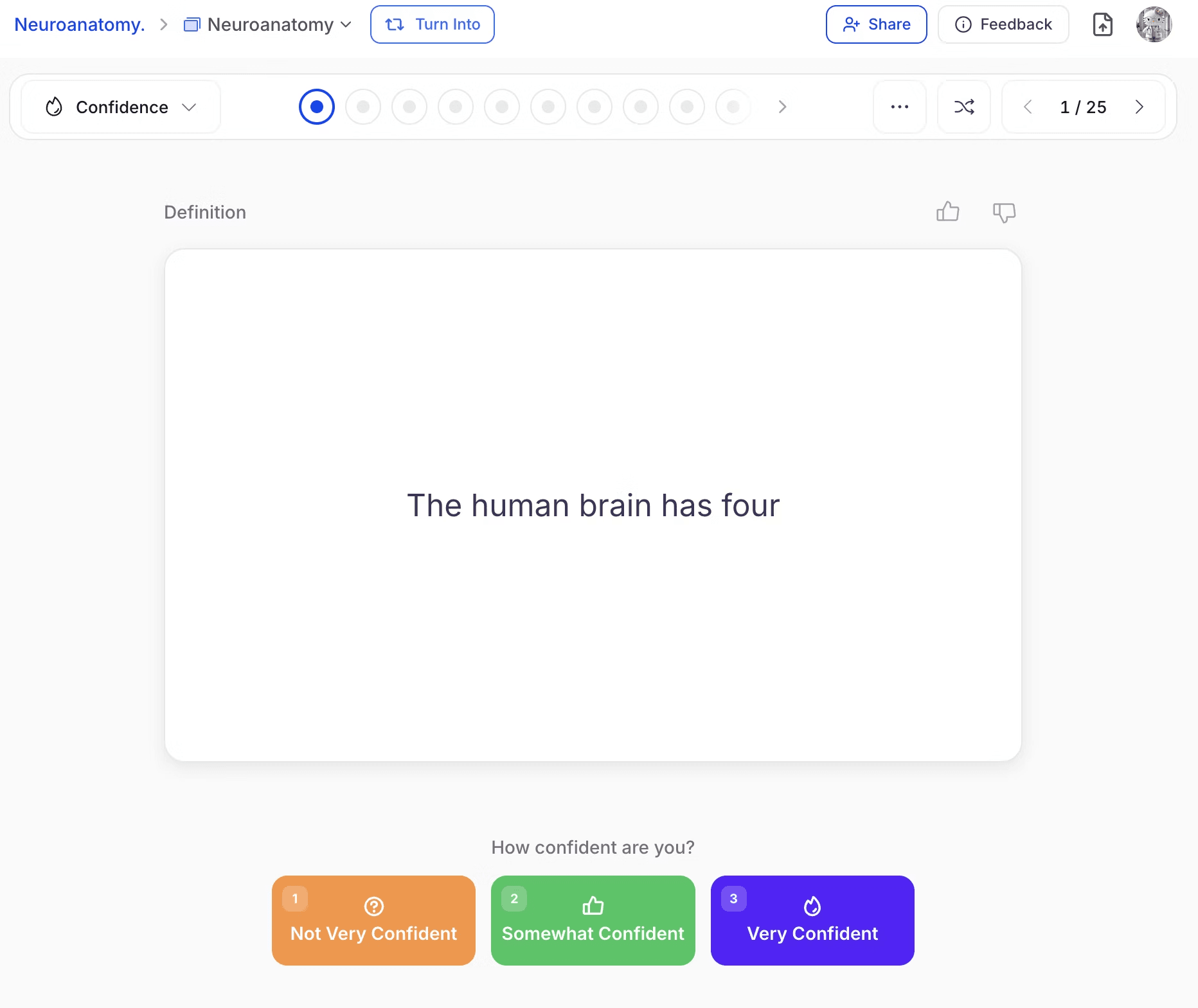
- Using bookmarks: In the standard mode, you can bookmark flashcards, which you can then review in this mode.
Quizlet
Quizlet offers two main ways to review flashcards. One is the same as the Standard mode of StudyFetch. You review cards in a sequence.
The second is a basic implementation of spaced repetition. You review cards, and the ones you did poorly on are reshown to you after a certain time. Quizlet refers to this as the Learn mode.
There are two ways to review cards in Learn mode:
- Write mode: You read the card and type in the full answer
- Spell mode: Quizlet reads out a term or definition, and you type the correct spelling of it.
RemNote
There are multiple ways to practice cards in RemNote.
The ways can be broken down into two categories:
- All cards from all documents: These are cards from all documents that are due for review. RemNote uses the spaced repetition technique to estimate that a card is due for review if there’s a 10% chance you have forgotten it (read more about how RemNote estimates this value). You have to rate cards once you have flipped them to tell RemNote how difficult it was for you to recall the answer. Each rating option mentions the time the card will appear again.
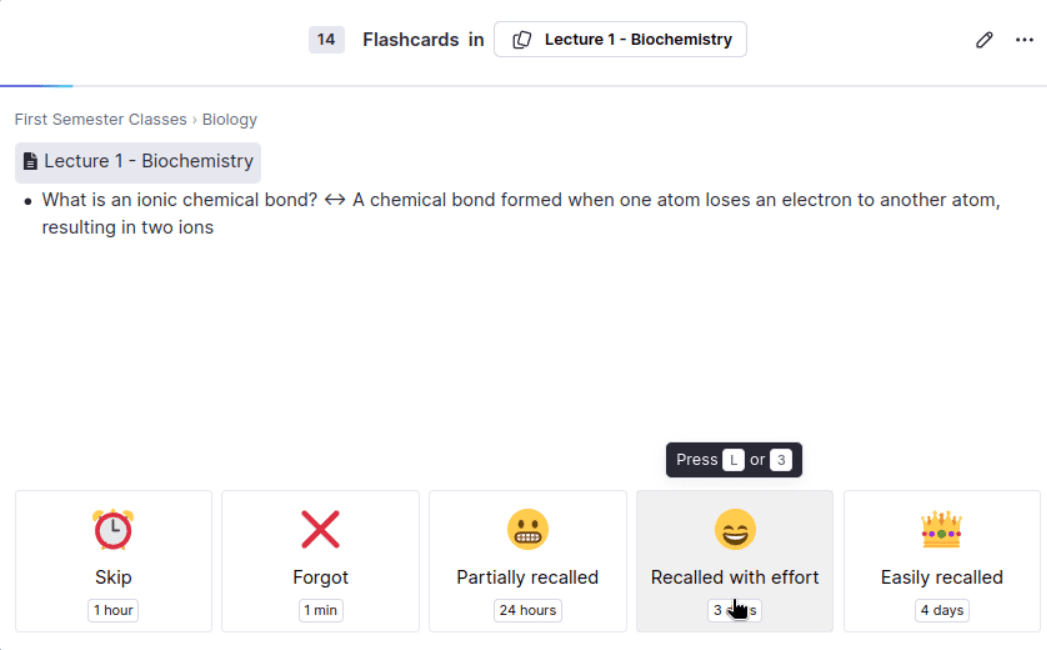
Specific flashcards: To study flashcards from specific documents or notes, you have three options:
- Practice All Flashcards: All cards from a specific document are shown in a random order.
- Practice All Flashcards in Order: All cards from a document are shown to you in the sequence they are present inside the document.
- Practice Without Recording Answer Choices: When you review flashcards in this mode, your answers don’t impact the progress you made in the spaced repetition mode.
Pricing of StudyFetch vs Quizlet vs RemNote
RemNote and Quizlet have a clear and transparent pricing structure. But StudyFetch has no pricing page on its website.
To see the pricing of StudyFetch, you will have to sign up on the platform, and then you will see the pricing pop-up.
RemNote, StudyFetch, and Quizlet’s pricing is as follows:
| RemNote Plan | Price |
| Free plan | $0/month |
| Pro | $10/month (billed monthly) or $8/month (billed annually) |
| Pro with AI | $20/month (billed monthly) or $18/month (billed annually) |
| Quizlet Plan | Price |
| Quizlet plus | $7.99/month |
| Quizlet Plus Unlimited | $9.99/month |
| Quizlet plus for teachers | 30-day free trial, then $35.99/year |
| StudyFetch Plan | Price |
| Free plan | $0/month |
| Premium | $19.99/month |
What Makes RemNote Stand Out
Quizlet and StudyFetch both have some limitations when compared to RemNote.
While StudyFetch has a comprehensive flashcard feature, it can only create flashcards in one language at a time. This means you cannot create flashcards for language learning with it. That’s a big limitation because language learners make up a big chunk of flashcard app users.
Quizlet’s limitations, on the other hand, are many. It can only create two types of flashcards: term & definition and diagram.
Then, the flashcard creation process is time-consuming. Its spaced repetition implementation for studying the flashcards is also very basic.
RemNote has none of these issues. You can create several types of flashcards in multiple ways. The spaced repetition method of studying the flashcards is also advanced. And other methods of flashcard studying are also well-implemented.
Sign up for RemNote for free now.
FAQs
What is better, Quizlet or StudyFetch?
The answer depends on what your specific study needs. StudyFetch is a better option if you want AI to turn your documents and lectures into flashcards, quizzes, and an AI tutor, while Quizlet is better if you want a huge library of ready-made decks and a free app on both iOS and Android.
Is RemNote better than Quizlet?
Yes, RemNote is a better study tool than Quizlet. RemNote supports more flashcard types and a far more advanced spaced repetition algorithm, whereas Quizlet only offers term-and-definition and diagram cards with a basic review system. Quizlet has an edge when it comes to pre-made decks made by other students.
Is there a better study tool than Quizlet?
If you’re after serious memorization of your study material, RemNote and StudyFetch are both better study tools than Quizlet. RemNote combines note-taking with powerful spaced repetition software, and StudyFetch leans into AI-generated study material, so either is worth considering if Quizlet feels too basic.
Which AI app is best for studying for free?
RemNote offers one of the most generous free plans, including notes, flashcards, and spaced repetition at no cost. StudyFetch and Quizlet both have free tiers too, but they restrict their AI features more tightly, so RemNote tends to give you the most usable free experience.