
5 Quizlet Alternatives That You Should Definitely Try In 2026


Quizlet says that “you can sign up for a free account to study with flashcards, practice questions, interactive diagrams, and activities.”
But in reality, this free plan is bare bones. Because everything that made Quizlet useful now requires payment. Namely, the Learn mode, Test mode, Expert Solutions, and other popular features were made premium features. You can only test these features for free now.
And not to forget, the free version also includes ads, which is the last thing you’ll want in a study app.
User reviews on Trustpilot give Quizlet 1.4 out of 5 stars. That’s not the best rating considering it’s an aggregate of 600+ reviews.
Users largely complain about the recent paywall, saying they had built study habits around the free version of the platform, which isn’t there now.
Quizlet’s starter plan costs $7.99/month, which isn’t much, but if you look closely, the plan is very limited. For instance, you can only have 3 practice tests per month.
In short, Quizlet gives many reasons for users to look for Quizlet alternatives. And that’s what we’ll introduce you to in this article.
We have covered the top five Quizlet free alternatives, each of which solves one or multiple problems that Quizlet created.
But before you explore the options, here’s how they made it to the list.
How we evaluated the alternatives
Before adding platforms to the list, we made sure they either solve a pain point that Quizlet users face or offer a better solution.
- The paywall situation with Quizlet is a major pain point. So we placed tools with genuinely usable free tiers at the top.
- Quizlet's user-generated sets are a gamble because anyone can upload anything. For this pain point, we prioritized alternatives that offer verified content.
- Quizlet also displays ads in the free version. All platforms in our list offer ad-free experiences in both free and paid versions.
- The platforms in this list are also rich in features. They support flashcards of several formats. They also support adding different types of multimedia to their learning content.
Top 5 Quizlet alternatives that you should consider
| Quizlet alternative | Best For | Learning medium | Free Plan | Starting price |
| RemNote | Taking notes, creating quizzes, and practicing flashcards in one place (best Quizlet alternative overall) | Flashcards | Yes (forever free) | Pro: $10/mo, Pro with AI: $20/mo |
| Brainscape | Prepping for high-stakes exams | Flashcards | Yes | $19.99/mo |
| Anki | Being free | Flashcards | Yes (except iOS) | iOS app costs $24.99 one-time purchase |
| Kahoot | Competitive learning sessions | Quizzes | Yes | Starting from $3/month |
| Wayground | Teacher-first quiz sessions with accommodation features for students with different abilities | Quizzes | Yes | You have to request a quote |
1. RemNote (Best for taking notes and practicing flashcards in one place)
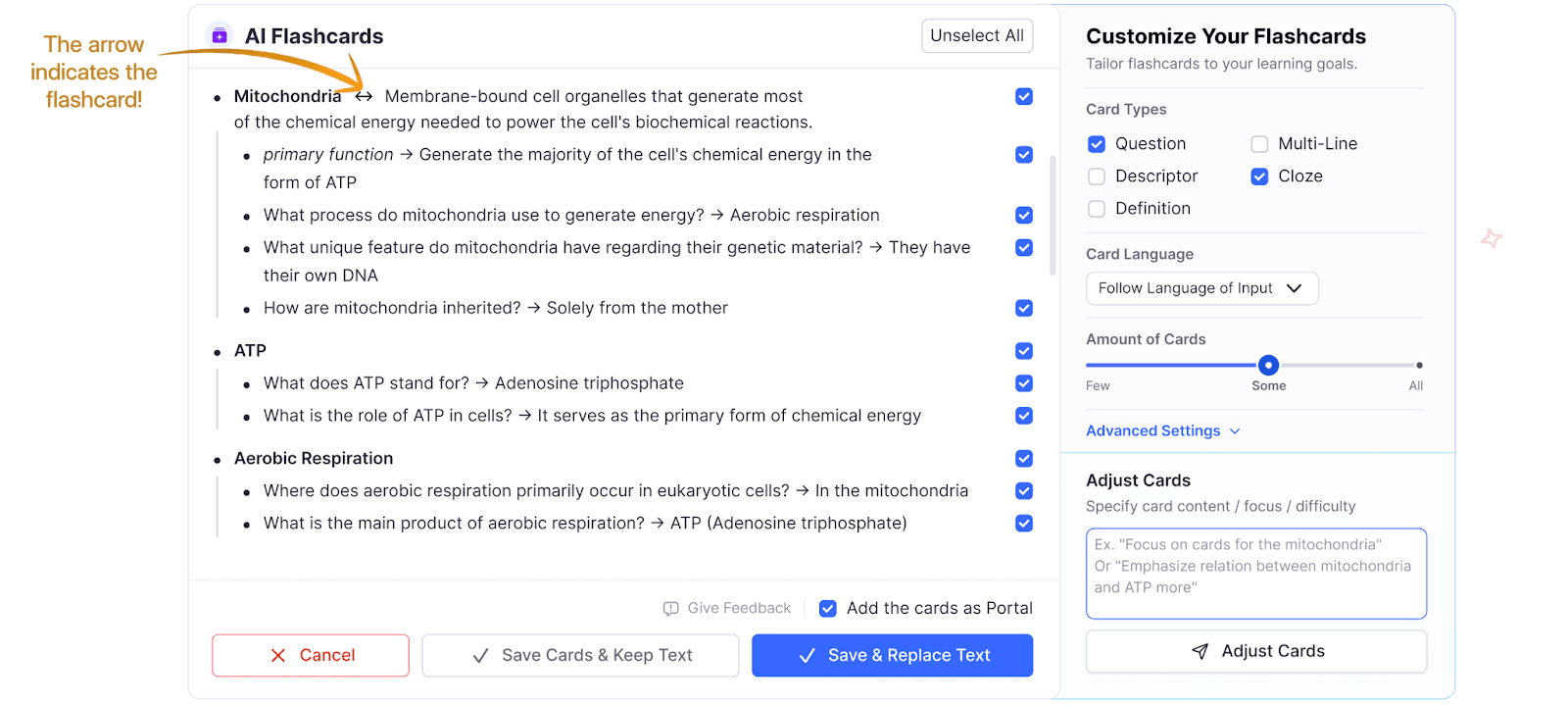
On RemNote, you take notes, and the app turns those notes into flashcards automatically.
All you need to do is type a specific marker (↔) while taking notes. That specific piece of information will become a flashcard.
Then, RemNote makes you practice those flashcards using the spaced repetition method. In simple words, you are shown those flashcards that you're about to forget. How does RemNote know what cards you need to practice more? Your past performance tells RemNote that.
This is the spaced repetition method, and it has been replicated in psychology studies for decades now. RemNote just makes it accessible.
Moreover, RemNote gives you a daily target for how many cards to review. You can also set an exam date, and the system will tell you what cards need practicing each day.
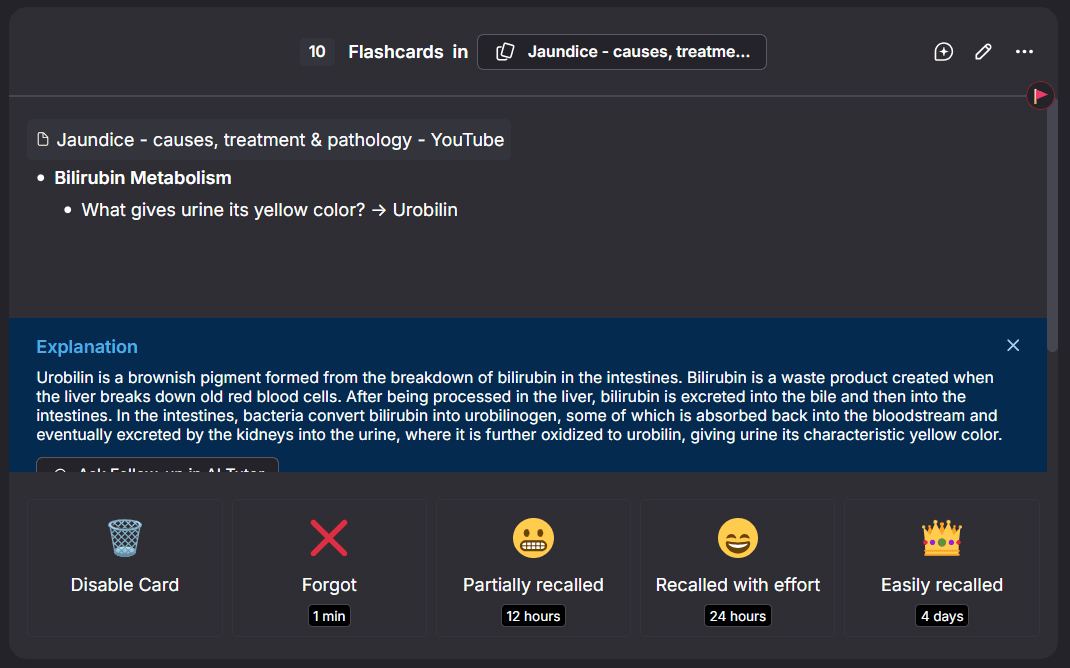
RemNote’s features are extensive and that’s why it’s one of the best alternatives to quizlet. Its flashcard feature alone is quite comprehensive. Watch our walkthrough video of the Flashcards dashboard to get a good idea.
Key features
- Multiple flashcard types supported (Questions, multi-line, descriptor, cloze, definition, image occlusion)
- AI feature that offers additional explanation on flashcards from your documents.
- The system prepares you for exams. Set an exam date, and RemNote makes a schedule to present you with flashcards accordingly.
- PDF annotation is supported. Your annotations become flashcards, too.
- You have multiple ways to practice the cards: Spaced repetition, practice all, practice all cards in order they appear in the document.
- RemNote shows your progress via graphs and charts.
Pros & cons
| Pros | Cons |
| Quick flashcard creation from notes | Learning curve due to being feature-rich |
| Multiple ways to practice cards in addition to spaced repetition | |
| Make cards from PDF annotations | |
| Syncs across devices | |
| Multiple flashcard formats | |
| Free plan is genuinely useful | |
| 25% discount for students | |
| Availability across all platforms and devices | |
| Lifetime plans |
Pricing
RemNote offers three pricing tiers:
- Free forever
- Pro: US$10/month
- Pro with AI: US$20/month
RemNote also offers lifetime plans.
2. Brainscape (Best for prepping for high-stakes exams)

Brainscape has its own unique approach to learning with flashcards.
It makes you rate your confidence on each card from 1 to 5. Based on your rating, the system decides when to show you each card again.
For example, if you mark a card as a 1, that means you barely know it. So the system brings back that card quickly. But if you mark a card as a 5, you won’t see it for a while.
Another unique thing about Brainscape is its massive library of pre-made decks. You'll find comprehensive decks for MCAT, Bar Exam, NCLEX, AP tests, law, fine arts, language learning, and several other subjects and exams.
And these decks aren’t all user-generated. Most of them are provided by vetted publishers and educators that Brainscape partners with.
Key features
- AI suggests you flashcards from your uploaded study materials
- Expert-certified library with thousands of flashcard decks
- Add images, audio files, and animated GIFs to your cards
- Share card decks with others and let them add or make edits
- Cards are organized in chapters or topics under classes
Pros & cons
| Pros | Cons |
| Confidence based rating allows for nuanced practice | Self-reporting can be inaccurate if you aren’t honest with yourself |
| Large library of certified flashcard decks | AI-generated cards sometimes miss important context |
| Clean interface without games or unnecessary features | Lack of gamification makes it boring for younger students |
| Supports multimedia inside flashcards | Expensive |
Pricing
- Forever free plan
- $19.99/mo starting price
- Lifetime and enterprise plans are available
3. Anki (Best free option)
Anki is the “OG” of flashcard-based learning, and barely anyone hasn’t come across it.
While the platform is senior and powerful, creating flashcards on it involves a steeper learning curve compared to modern tools. Creating a single card involves multiple steps:
- Click add
- Select the note type (e.g., Basic)
- Choose the target deck
- Enter your information into the Front (question) and Back (answer) fields
- Finalize by clicking Add
Aside from these multiple friction points, the rest of the platform is efficient.
You study the cards based on the spaced repetition method. And the good thing is, you can customize almost everything about the algorithm.
In addition, you can extend Anki’s functionality with add-ons for things like:
- Image occlusion
- Enhanced statistics
- Better editing tools
- Speech synthesis
- Gamification elements, etc.
Key features
- Powerful spaced repetition algorithms (SM-2 & FSRS)
- Decks can contain 100,000+ cards
- Plenty of add-ons
- Massive pre-made decks library covering all areas
- Deep customization
Pros & cons
| Pros | Cons |
| Completely free Quizlet alternative available on desktop and Android | Steep learning curve |
| Highly accurate learning algorithms | Interface looks outdated |
| Massive decks are supported | Card generation process isn’t quick |
| Complete data ownership | |
| Massive community |
Pricing
- Free on Windows, Mac, Linux, and Android
- iOS app (AnkiMobile) costs $24.99 one-time purchase
4. Kahoot (Best for competitive learning sessions)
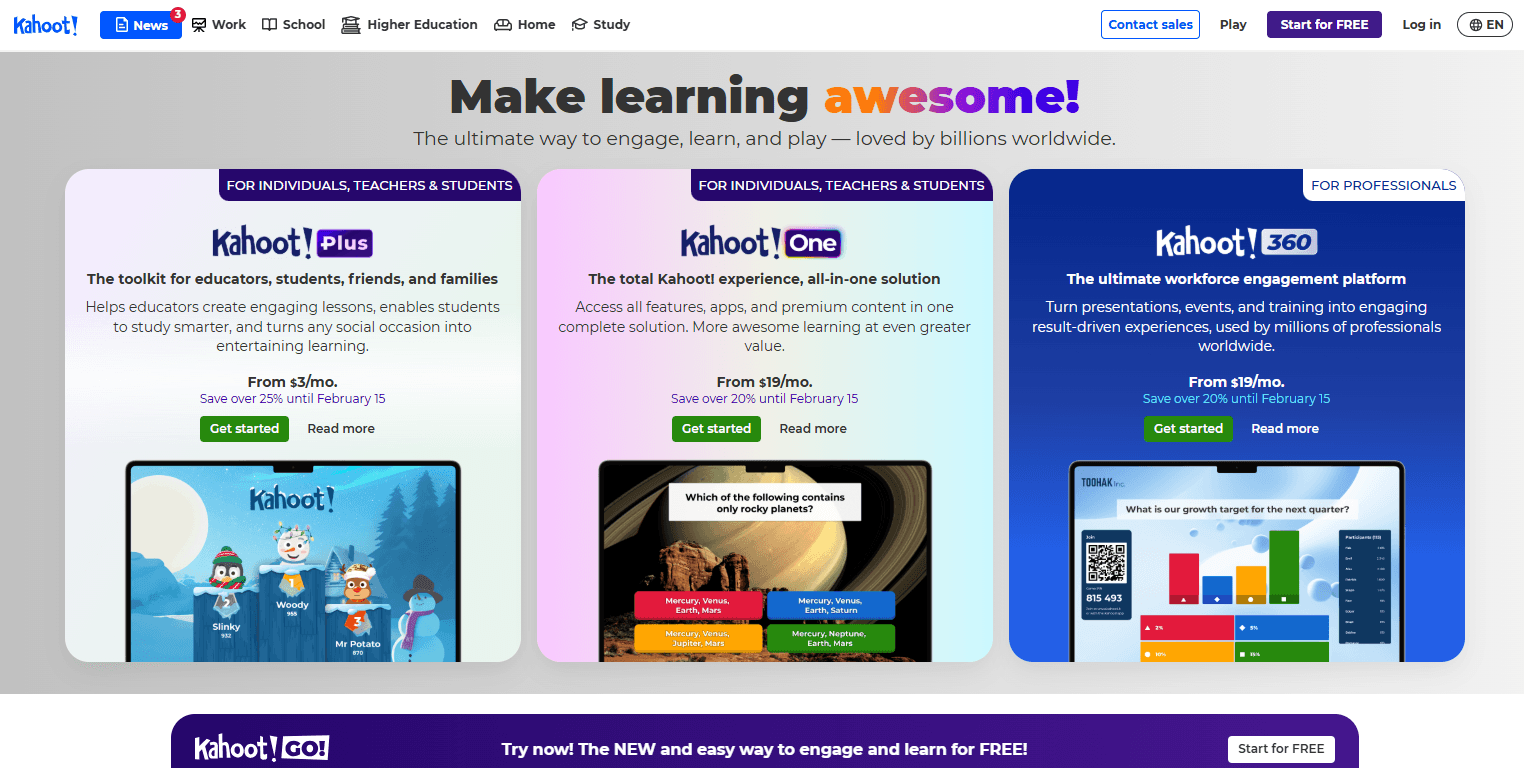
Kahoot is different from traditional Quizlet alternatives. Instead of flashcards, its product is quiz games.
Teachers or hosts can create gamified quizzes on any topic. Then they invite students to join the quiz using a game PIN from their phones or tablets. Whichever student answers correctly and fastest gets the most points. And these points are shown in a leaderboard after each question is answered.
So Kahoot is a better fit for classrooms. But the app also offers solo game modes for students to practice independently.
A quiz game is called a Kahoot. And you can build one either from scratch or using templates from the library. The platform supports multiple-choice questions, true/false, puzzles, polls, and word clouds.
Key features
- Competitive quiz games-based learning
- Template library with millions of pre-made Kahoots (i.e., a quiz game)
- Multiple question types supported
- Each question can have a different time limit
- AI can generate Kahoots using study material
- Solo game modes for independent learning
- Students can compete as groups
- Works with Zoom, Google Meet, Microsoft Teams, and other platforms
Pros & cons
| Pros | Cons |
| Fun for students | Public library can have inaccurate content |
| Requires minimal training | Interface is loud and chaotic |
| Huge Kahoot library | No flashcards |
| Video conferencing integration |
Pricing
- Free plan available for students, participants, and teachers
- Paid plans start at $3/month
5. Wayground - formerly Quizizz (Best for accommodating all skill levels)
Wayground (formerly Quizizz) is also a different kind of Quizlet alternative. It is similar to Kahoot in the sense that it also allows teachers to create quizzes for students.
What’s different is that, unlike Kahoot, where quizzes involve competition, Wayground’s quizzes are attempted by students at their own pace.
Teachers can run a quiz in class with everyone participating at the same time. Or they can assign it as homework, where students complete it whenever it works for their schedule. The deadline can be set up to 15 days out.
Quizzes can be created either from scratch or selected from the massive library that covers basically every subject.
The platform has a special focus on accommodating students of all abilities. You can choose specific accommodation settings for individual students. For instance, you can apply a dyslexia font for specific students, translate for immigrants, extra time for slow learners, hints, and more.
Key features
- Quiz-based learning
- Classroom and homework modes
- Pre-made quizzes library
- 18+ question types
- Gamification elements include leaderboards, timers, points, power-ups, and memes that pop up when students answer. You can turn off most of these features.
- AI can generate quizzes
- Detailed performance analytics for the entire class
Pros & cons
| Pros | Cons |
| Accommodates students with different abilities | Students can’t use the platform independently |
| Huge quizzes library saves time | The interface can feel busy |
| Several question types test different skills | |
| Class performance reports can be exported |
Pricing
- Free plan
- Individual teacher plan and School and District both have custom pricing
How to choose the best Quizlet alternative?
While the best Quizlet alternative differs from case to case due to individual preferences, these factors will help make the decision easier for you.
- What’s your subject matter? If your subject(s) involve visuals, you’ll need a Quizlet alternative that allows adding multimedia to flashcards or quizzes.
- Check whether you need collaborative features. Some Quizlet alternatives allow multiple users to work together on shared flashcard decks or take quizzes together.
- Will you be using the platform for independent learning? If you want to study solo, your options are limited to RemNote, Brainscape, and Anki. Kahoot and Wayground require the involvement of teachers.
- Choose between quizzes vs flashcards. Kahoot and Wayground are quizzing platforms. RemNote offers quizzes as well as flashcards. The other two are flashcards based.
- Ease of creating flashcards or quizzes. Make sure the platform you choose offers a quick and easy flashcards/quiz creation process, especially if you’ll be creating more content from scratch and using the template library less often.
Why RemNote is the best Quizlet alternative out there?
RemNote addresses a major pain point for students. The platform doubles as both a note taking app as well as a flashcard-generating app. Both of these features are comprehensive.
Thanks to this combination, students won’t waste time by writing the same information twice, once in notes and again in flashcards.

They’ll simply take notes in class and let RemNote worry about making flashcards from those notes. You’re also given heavy control of customizing the flashcards. Heck, there’s a separate hub for flashcards, where you manage them for each subject and track your progress and performance through statistics.
In short, RemNote respects how busy students are without cutting corners on its features.

