
7 Best AI Study Tools for Students in 2026


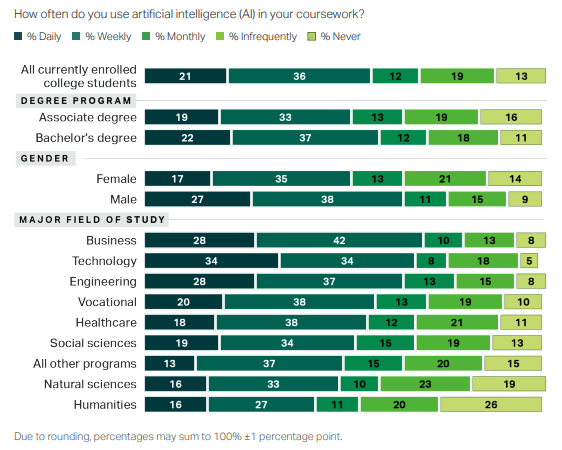
AI has had a significant impact on all aspects of our lives. Out of everything it impacted, studies are probably among the areas where AI tools were adopted the quickest. In fact, the Lumina Foundation-Gallup 2026 State of Higher Education study found that 57% of U.S. college students are using AI in their coursework at least weekly.
But now the AI study tools market has become saturated with all sorts of good and useless tools. It has become an overwhelming task to find tools with the best AI for study purposes.
In this guide, we narrow down your search to only the 7 best AI study tools that have implemented AI in genuinely useful ways.
Read and choose the best free AI study tools to include in your stack without struggling through trial and error by yourself.
How did we evaluate the best AI tools for students?
The list of best AI tools for students coming ahead was curated by keeping in mind the following factors:
- A lot of students are struggling with paywall fatigue, so we made sure we only include tools that offer a free forever plan.
- We also picked tools that either use your own documents as their only source of information or have a proven track record for accuracy in technical subjects.
- We made sure to choose tools with as few distractions as possible.
- Most of these tools work across all your different devices and don't require reading any manual just to get started.
7 best AI study tools for students (Free)
Here's a quick comparison before we dig into each tool:
| AI Study Tool | Primary Use | Best For | Key AI Feature |
| RemNote | Flashcard creation and review | Students preparing for high-stakes exams | Auto-generates flashcards from your notes and schedules them via spaced repetition |
| NotebookLM | Source-based research | Deep dives into dense papers and books | Answers questions only from materials you upload, with citations |
| Notion | Academic workflow organization | Managing projects, subjects, and notes in one place | AI database builder that creates and fills tables from natural language prompts |
| Otter.ai | Lecture recording | Students who struggle to take notes during class | Real-time speech-to-text with automated speaker identification |
| Wolfram Alpha | STEM problem solving | Math, science, and engineering students | Direct computation engine that solves equations from plain English |
| Khanmigo by Khan Academy | Foundational learning | Building strong fundamentals across K-12 and early college | Khanmigo AI tutor that asks guiding questions instead of giving answers |
| Napkin.ai | Visualizing ideas | Creating diagrams and graphics for presentations | Turns plain text into flowcharts, diagrams, tables, and roadmaps |
1. RemNote (Best for creating and studying with flashcards)
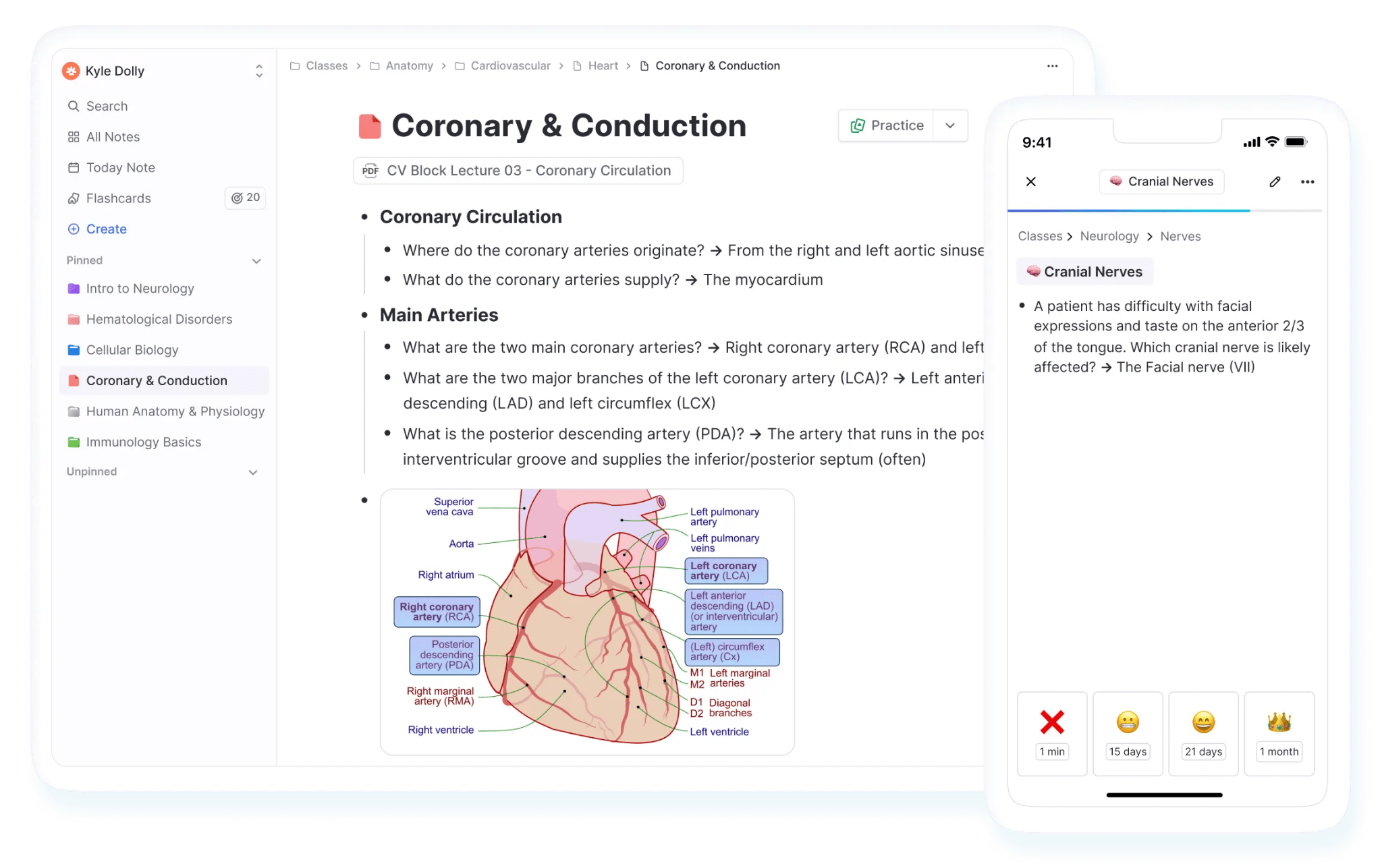
Flashcards are one of the best ways to memorize study material. It has been scientifically proven many times. But to this day, students find it hard to incorporate flashcards into their studies. And it’s not hard to see why it’s like that. The biggest barrier is the amount of time it takes to create paper flashcards from your notes.
That’s the problem RemNote addresses. Although RemNote is an all-in-one study system, its most promising feature is that it speeds up digital flashcard creation from your notes.
You can take notes during your class, and then upload them to the RemNote app. RemNote will make flashcards from those notes in real-time. You only have to type your notes in a certain way.
For instance, to make a question-answer flashcard from an information piece, you use two greater-than signs (>>) in that line. For other types of flashcards, you use different symbols.
You can read our detailed guide to learn how to create all kinds of flashcards in RemNote.
You can also upload your study materials and let the AI scan them to suggest what parts should become flashcards. RemNote then also makes you practice those flashcards using spaced repetition.
You can try RemNote for free.
Key features
- Multiple flashcard types (Questions, multi-line, descriptor, cloze, definition,
- image occlusion)
- AI can provide further explanation for the cards you struggle with
- An exam scheduler that builds a custom study plan for you based on the exam date
- You can annotate PDFs. Your highlights become flashcards
- Multiple ways to practice flashcards (spaced repetition, in order, etc)
- You can track your progress across different subjects via stats and graphs.
Pricing
RemNote offers three pricing tiers:
- Free forever
- Pro: US$10/month
- Pro with AI: US$20/month
RemNote also offers lifetime plans.
Pros
- Very fast flashcard creation
- Syncs your data across all your different devices
- 25% discount for students
- Works on almost every platform and device
- The free plan is actually useful for most students
Cons
- Has a steep learning curve since there are a lot of features
2. NotebookLM (Best for deep research)
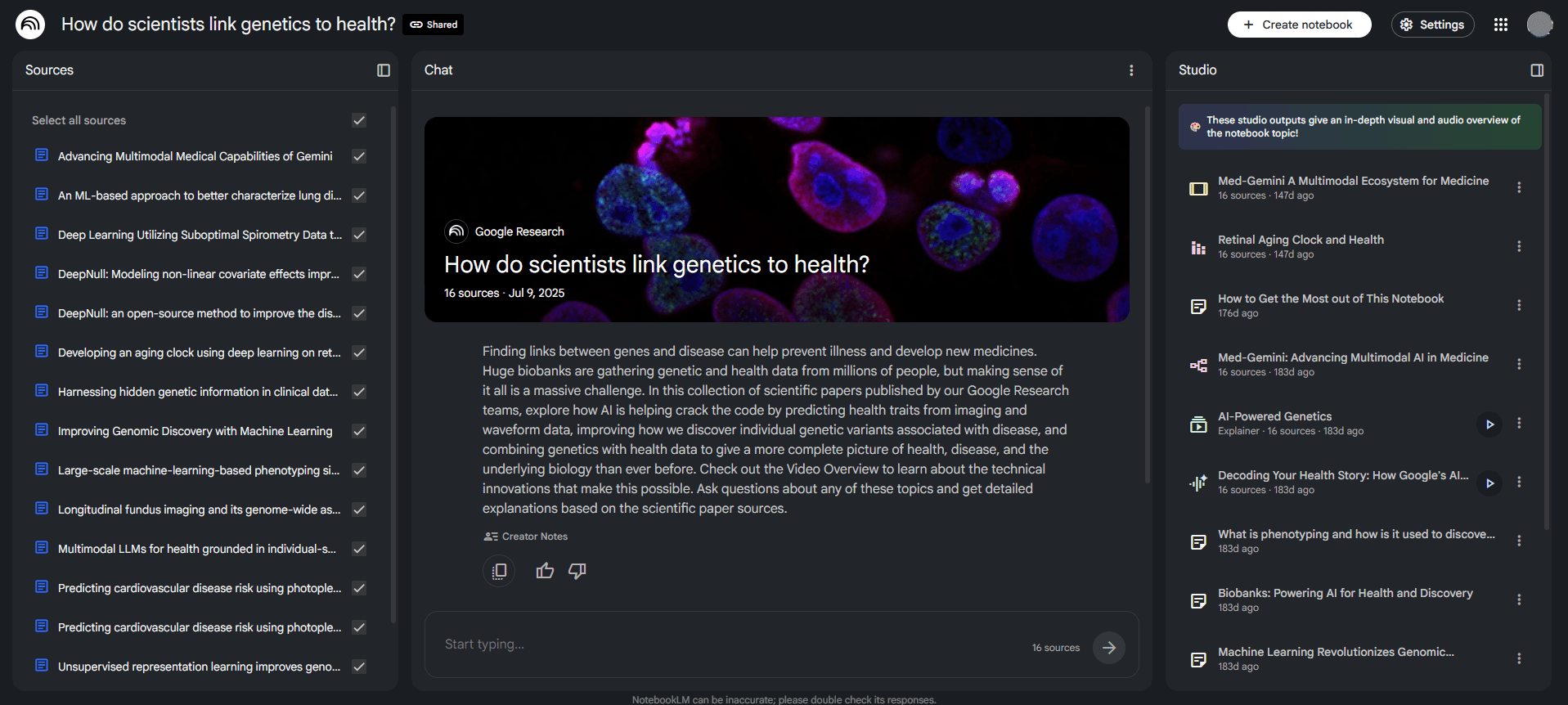
NotebookLM is a product of Google.
It is best defined as a research assistant that only answers your questions from the materials you have uploaded.
First, you create a notebook for a certain subject or a project. Then you upload your study materials to this notebook.
The tool supports a diverse set of file formats. You can upload PDFs, Word docs, images, audio files, website URLs, YouTube links, plain text, and a lot more. You can see all supported file types in the screenshot below.
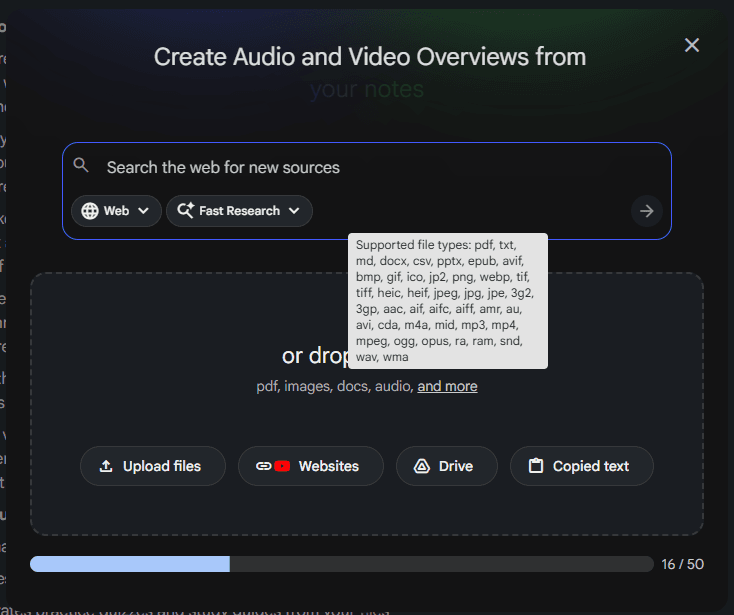
Once you have uploaded everything, NotebookLM scans your sources and becomes an expert on them. You can then start asking absolutely anything about the content in those sources.
If you ask a question and the answer isn't in your files, the AI will usually admit it doesn't know instead of making things up.
Using those sources, you can create mind maps, flashcards, quizzes, and audio/video overviews.
Key features
- Summarizes multiple sources at once to find common themes
- Create podcast-style audio overviews of your notes
- Generates practice quizzes and study guides from your files
- Supports a wide range of file types
- Built-in slide deck and infographics generator
- Can create flashcards
- Can add sources to notebooks from the web
Pricing
NotebookLM has a free version that allows creating 100 notebooks with 50 sources per notebook.
You can bypass these limits with the paid plans.
NotebookLM is available through Google AI plans.
- Google AI Plus: $7.99/month (100 sources per notebook)
- Google AI Pro: $19.99/month (300 sources per notebook)
- Google AI Ultra: $249.99/month (600 sources per notebook)
Pros
- Doesn’t hallucinate like AI chatbots
- Generous free plan
- Supports several file formats
- Responses always include citations
- Generates different types of media
Cons
- Media generation is very slow
- Can't answer questions beyond what you've uploaded
3. Notion (Best for organizing projects)
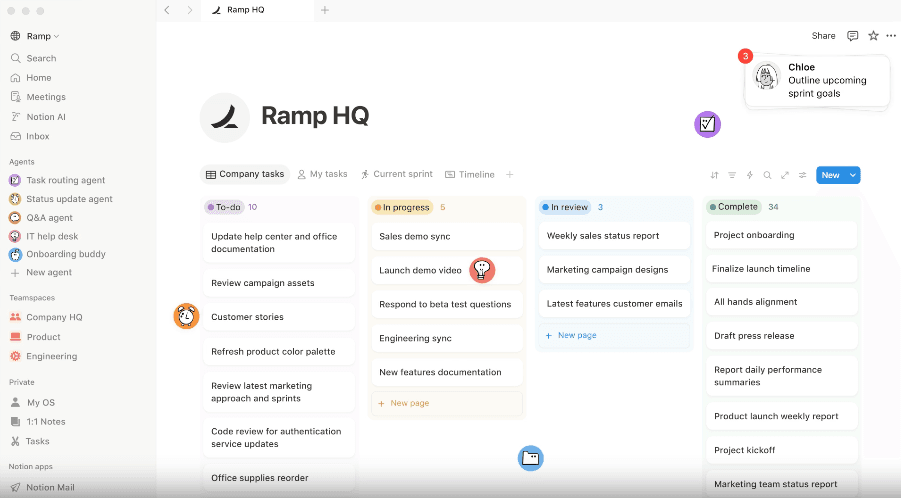
Most students know Notion as a basic place to keep their class notes. But the platform does a lot more than that.
It can manage your entire academic life. You can take notes in it and store them in separate subject-specific folders and subfolders. Notion also allows students to test themselves on their study material. There’s a toggle that hides the answers to questions and makes you actively recall the answer.
You can even set up automated formulas that calculate when you should review a certain topic again based on the spaced repetition method.
Lately, Notion has added AI as well. Now you can just ask AI to build a complex database for you using a natural language prompt instead of manually doing it. The AI is also capable of filling in the blanks in your database from the files in your workspace.
Key features
- AI database builder
- Automatically extract data and fill in notes
- Customizable study trackers for your entire semester
- Includes active recall tools
- Supports collaboration with classmates on group projects
- Integrated portfolio builder
Pricing
Notion has the following plans and pricing:
- Forever free
- Plus: $12/member/month
- Business: $24/member/month
- Enterprise: custom price
Pros
- Replaces several different apps
- Highly customizable
- Can organize massive amounts of information
- Syncs your data across your phone, tablet, and computer
- Can help build long-term memory
Cons
- The mobile app can be a bit laggy
- Steep learning curve because there are so many different options to explore
4. Otter.ai (Best for lecture recording)
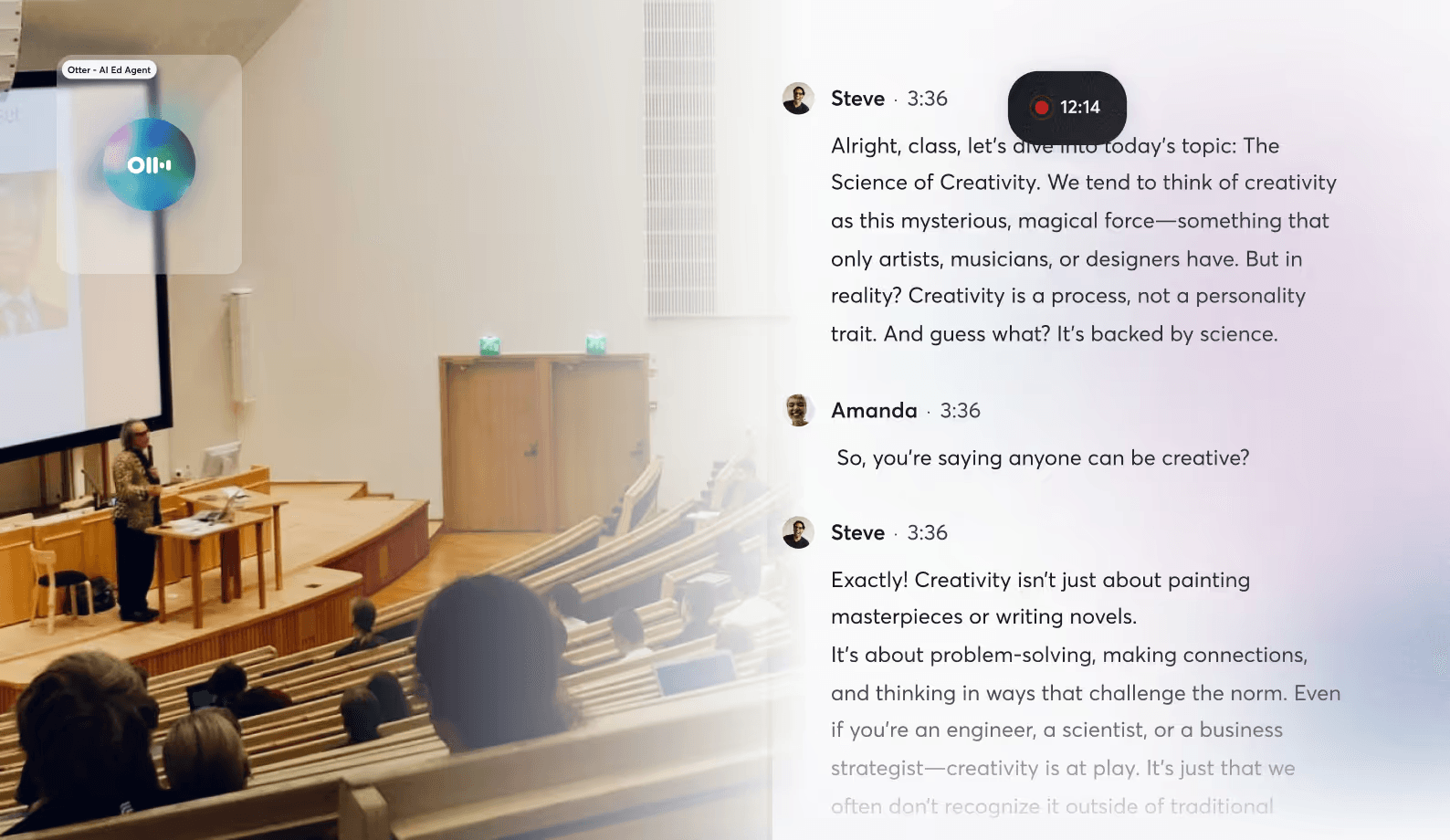
Taking notes while a professor is talking isn’t everyone’s cup of tea. Most of us usually end up missing half of what was said because we were too busy writing down a definition from two minutes ago.
Otter.ai solves that problem by doing the note-taking on your behalf. With the app on your phone, you audio-record the lecture with it, and the app turns whatever it hears into a text transcript in real time.
The coolest part is that it can tell different speakers apart. Imagine the potential of this in a small group discussion or a seminar where several people are talking.
Otter.ai also integrates with apps like Zoom or Google Meet to support lecture recording during online classes. It can even listen for specific things, like when your teacher assigns a due date or mentions a surprise quiz, and then turns those into action items for you.
Key features
- Speech to text in real-time
- Automated speaker identification
- Integration with platforms like Zoom and Microsoft Teams
- Identifies the main topic of the lecture from keywords
- AI-generated summaries
- Auto-generates action items
- Searchable transcripts
Pricing
Otter.ai offers the following plans and pricing:
- Free forever
- Pro: $16.99/user/month
- Business: $24/user/month
- Enterprise: custom
Pros
- Reduces the stress of taking notes in class
- Extremely helpful for students with hearing or language barriers
- Syncs with your calendar to automatically join and record meetings
Cons
- Transcriptions can sometimes be inaccurate
- Struggles with heavy accents
- Currently only supports transcription for the English language
- The free version has strict limits
5. Wolfram Alpha (Best for STEM subjects)
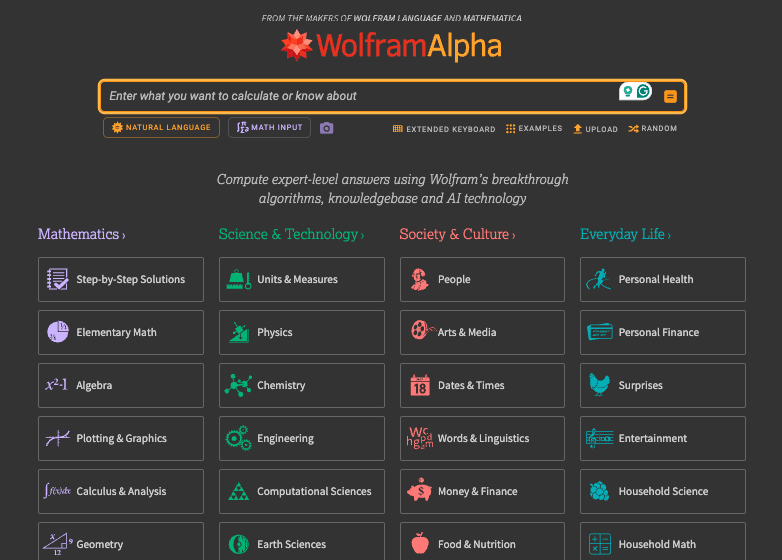
Wolfram Alpha is a computational knowledge engine with its own massive database of curated information.
The tool is best for studying math and other science subjects, mainly. But the fields of society and culture are also supported.
You can ask questions in plain English about any subject without caring about including the right symbols.
For example, you can just describe a complex integral in words, and Wolfram will calculate its integral instantly. Apart from the answer, you’re also shown the steps leading up to the answer.
The tool can even generate high-quality graphs.
Key features
- Translates plain English into math
- Shows the logic behind every answer
- Offers graphing tools
- Advanced computation for complex calculus and differential equations
- Massive database covering science, engineering, finance, etc
Pricing
Wolfram Alpha has the following plans:
- Basic free forever
- Pro: $9.99/month
- Pro Premium: $12/month
Pros
- Extremely high accuracy for math and science problems
- Very easy to use
- Helps you learn the process of a problem
- Reliable for factual data because it uses curated sources
Cons
- Struggles with niche topics
- Step-by-step solutions are locked behind the paid subscription
6. Khan Academy’s Khanmigo (Best for foundational learning)
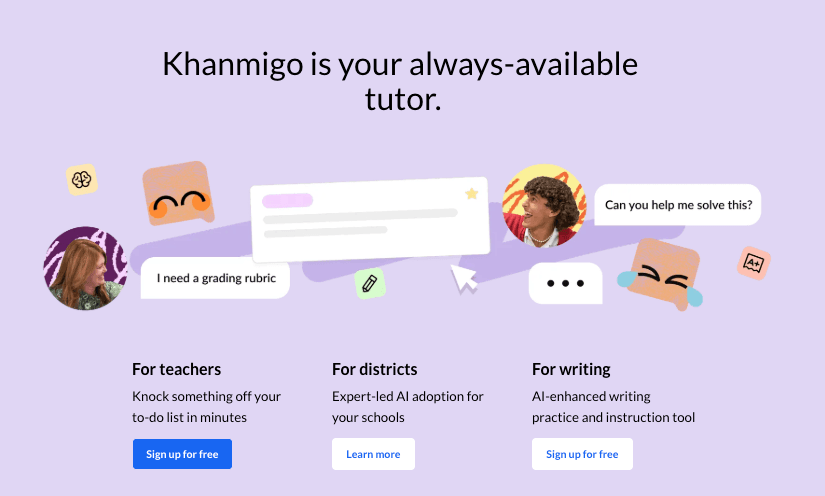
We all have used Khan Academy at least once in our lives for one thing or another.
It is well known for being a non-profit that offers completely free lessons on just about every subject you can think of.
In 2023, they added an AI tutor called Khanmigo. You can use this AI tutor as your 24/7 study buddy to work through tough problems. For instance, if you were solving a chemistry equation, Khanmigo would ask you questions to lead you to the right answer.
The AI can even mark your college admission essays.
Key features
- Guides you to answers without giving them away
- Real-time feedback on creative writing assignments
- Practice quizzes
- Debate mode
Pricing
Khan Academy is 100% free for students and other independent users. But Khanmigo has paid plans for individuals, families, and districts.
There are three plans:
- For Individuals: $4/month
- For Families: $4/month
- For Districts: Custom
Pros
- Encourages active learning
- Designed specifically for an educational environment
- Covers a massive range of subjects
- Excellent for building strong fundamentals
Cons
- Sometimes makes silly mistakes
- Most of the advanced AI features are currently limited to English
- Can feel a bit too simple for students doing very high-level university math
7. Napkin.ai (Best for visualizing ideas)
Sometimes we have a really great idea in our heads, but we just can't seem to draw it out so others can understand it. Or we can, but it’ll take us too much time.
You can turn to Napkin.ai to turn your ideas into visuals.
The tool simply requires you to paste in a paragraph or a few messy notes from a lecture. Based on your content, it instantly generates visuals such as diagrams, flowcharts, tables, roadmaps, and much more.
The tool has a built-in AI that can generate the text for you based on what you want to create visuals.
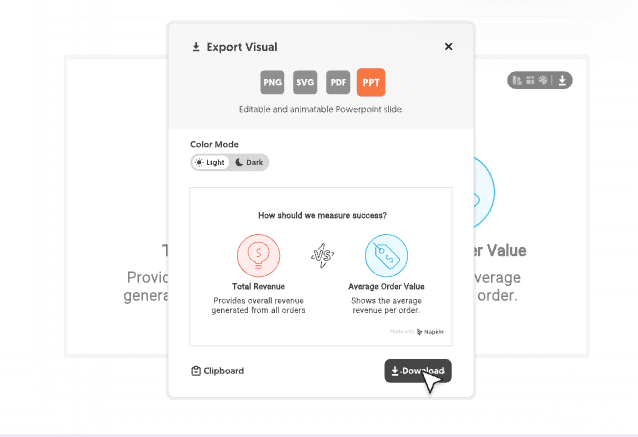
When you are finished, you can download your work as a picture or a PowerPoint slide to use in class.
Key features
- Text to visual generation
- Built-in AI helps you brainstorm ideas
- Export formats include PNG, PDF, SVG, etc
- Library of different icons and fonts
- Prompts can be written in more than sixty different languages
- Drag and drop canvas for making quick edits to your visuals
Pricing
Napkin.ai has the following plans:
- Free forever
- Plus: $12/person/month
- Pro: $30/person/month
Pros
- Extremely fast at making graphics from text
- Very easy to use
- Generous free plan
- Makes dense information easier to understand
Cons
- AI-generated text can be basic
- Design options can feel repetitive after a while
- Advanced features like SVG exports are behind a paywall
- Only works on desktop browsers at the moment
RemNote: The best AI tool for studying
All the tools we covered are best at what they do. They all form a complete toolkit of the best AI study tools.
One app you cannot miss out on from this list is RemNote. That’s because in studies, everything boils down to memorization at the end of the term.
So you must have a memorization tool in your toolkit.
RemNote makes sure you’re learning things for the long run. It makes flashcards from your study materials and makes you study them using the spaced repetition method, so the knowledge stays in your long-term memory.
Go ahead and sign up for RemNote for free today and try it out.

