Quizlet vs. Revisely: A Comprehensive Comparison (2026)

Research conducted on memory shows that most newly learned information fades within 24 hours without any active recall.
That’s exactly why flashcard makers like Quizlet and Revisely exist in the market.
But Quizlet vs Revisely is a lopsided comparison. Not because the tools are different. But because Quizlet offers a lot of features that Revisely doesn’t.
They are similar in some key areas. For example, both allow you to create flashcards in some similar and unique ways. You also study with flashcards inside the tool.
But other than that, there’s a huge imbalance. Revisely either entirely lacks some features that Quizlet offers or supports them in a limited way.
This Quizlet vs Revisely comparison takes the similar features of both and discusses how they differ. By the end, you'll see exactly where these two tools overlap, where they don't, and what alternative might serve you better.
Let’s start with an overview of both platforms.
What is Quizlet?
Quizlet was founded by a high school student named Andrew Sutherland. He was 15 at that time and wanted to study for a French vocabulary test.
Andrew memorized 111 animal words with his tool and aced the test. Upon popular demand, he launched the tool to the public in 2007.
Almost two decades later, Quizlet is still thriving. But the tool has grown a lot in terms of the features and user experience it offers.
It is an educational platform where you learn things mainly through flashcards. It has other ways to learn as well, but the emphasis is on learning through flashcards. You can create your own flashcards from scratch on the platform or find a pre-made deck in its vast library.
Practicing those flashcards also happens through the tool using the spaced repetition method.
Now, flashcards aren’t the only feature of Quizlet.
There’s a Learn mode where you study with multiple choice questions, true or false questions, written questions, and more. Then, when you have learned enough, you can test yourself in the Test mode.
Other than these, the platform offers learning games, solution textbooks made by Quizlet, and the ability for students to create Study Groups where they share flashcard decks and track each other’s progress.
Quizlet also offers two gamification features for teachers to engage their students, namely Quizlet Live and Blast.
Quizlet can be used on a desktop and is also available as an Android and iOS app.
This was an overview of Quizlet. We’ll discuss its key features in more detail later.
Let’s now learn more about Revisely.
What is Revisely?
Revisely was an educational resource website for UK students, which later introduced AI-powered study tools. Those tools are what define the platform today.
Those AI tools include the following 3 core ones:
- AI flashcard generator
- AI quiz generator
- AI notes generator
Revisely also supports the spaced repetition method for practicing your flashcard decks. But its support isn't as comprehensive as Quizlet’s. That’s why Revisely has an integration with Anki. You can move your flashcard decks to Anki to take things further.
Aside from the core features, Revisely also has an AI video summarizer that can condense any kind of video into summaries. Apparently, this requires the video to be present on YouTube.
That’s it. Revisely has limited features. And those features are limited in themselves as well. They aren’t as thorough as Quizlet’s features.
The site also hosts education resources, which mainly include past question papers for all subjects, their marking schemes, and sometimes the answers to a selection of questions. All of this material is available in PDF format.
Revisely is available as an iOS app, and there’s no Android app as of March 2026.
Quizlet vs. Revisely: Key features comparison
With the overview out of the way, let’s get into the details of the features that we mentioned in passing.
Starting with the core feature of both platforms: flashcards.
Flashcards creation
Quizlet and Revisely both let you create and practice flashcards.
The difference is the depth of support. Let’s talk about Quizlet first.
Quizlet Flashcards
Quizlet gives you three ways to create flashcards, to be specific:
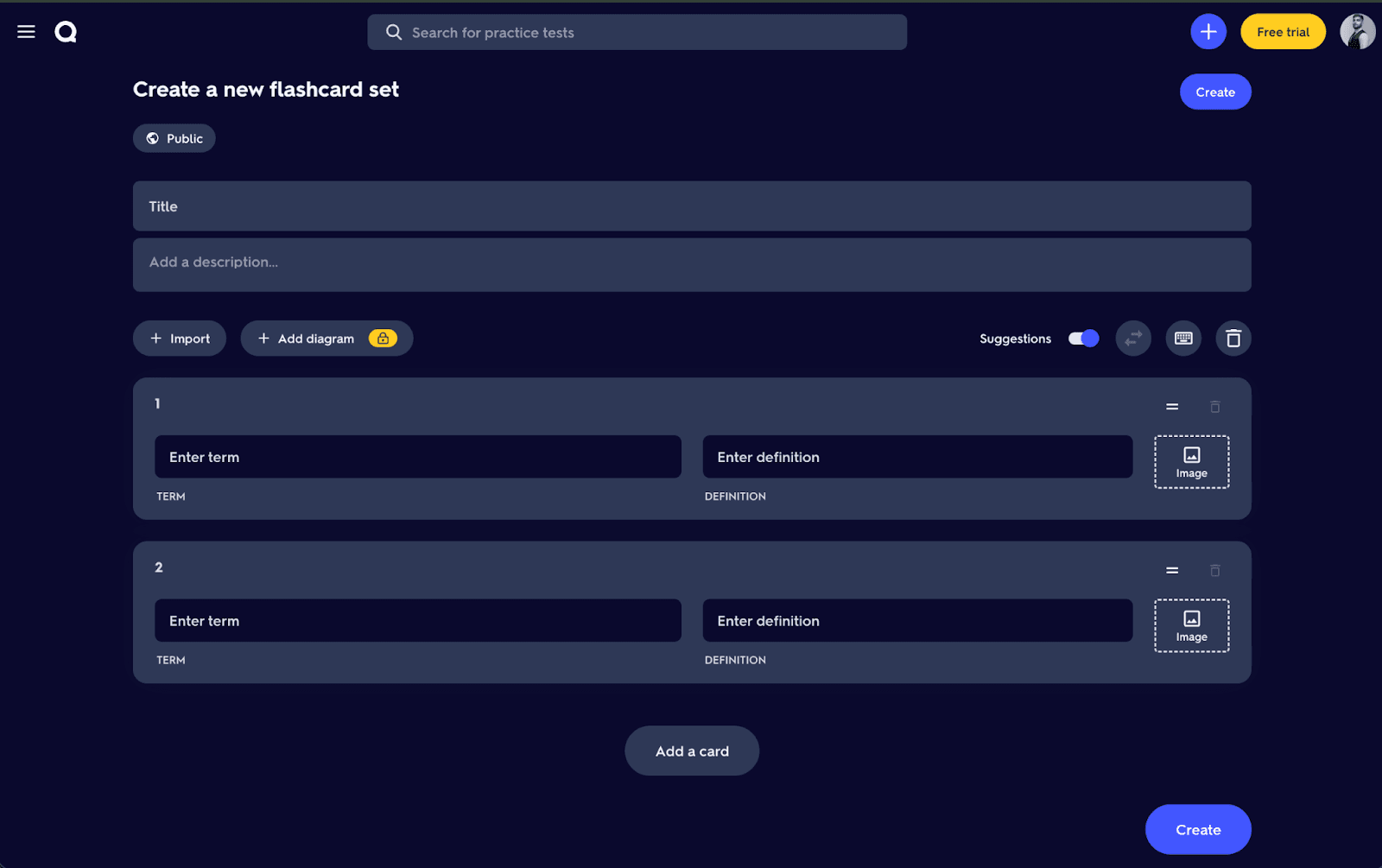
- The most basic way to create a flashcard is to manually type its content in the card creator. The card creator gives you two columns for the content of each side of a flashcard. Special symbols for Chemistry and Maths are also available to use in your cards.
- If you want to save time, you can import a Word or spreadsheet document and let Quizlet make flashcards from it automatically. But this method isn’t entirely automatic. The content in your docs should be formatted in a certain way required by Quizlet. You’ll have to do that formatting manually, of course. Quizlet will just turn each row of your document into a flashcard.
- Create flashcards with AI: This is the genuinely automatic method. The AI feature responsible for creating cards is called Smart Assist. You can upload PowerPoint docs, Google Slides, scans of handwritten notes, typed notes, PDFs, and documents from Google Drive. The AI analyzes the docs and makes flashcard decks. Or you can simply generate flashcards by giving the AI just a topic name or a prompt.
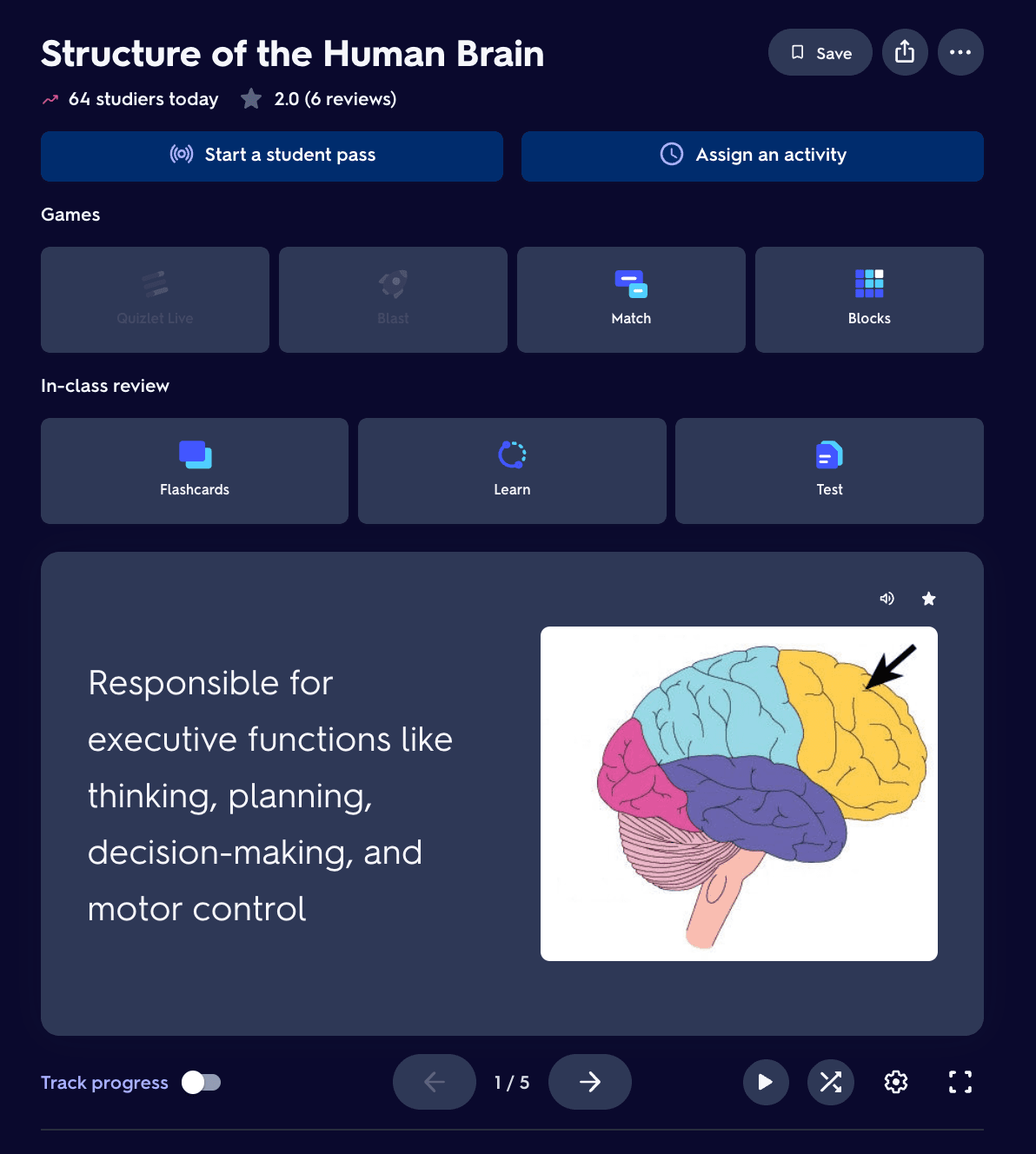
That’s not all. You can also create flashcards from diagram sets.
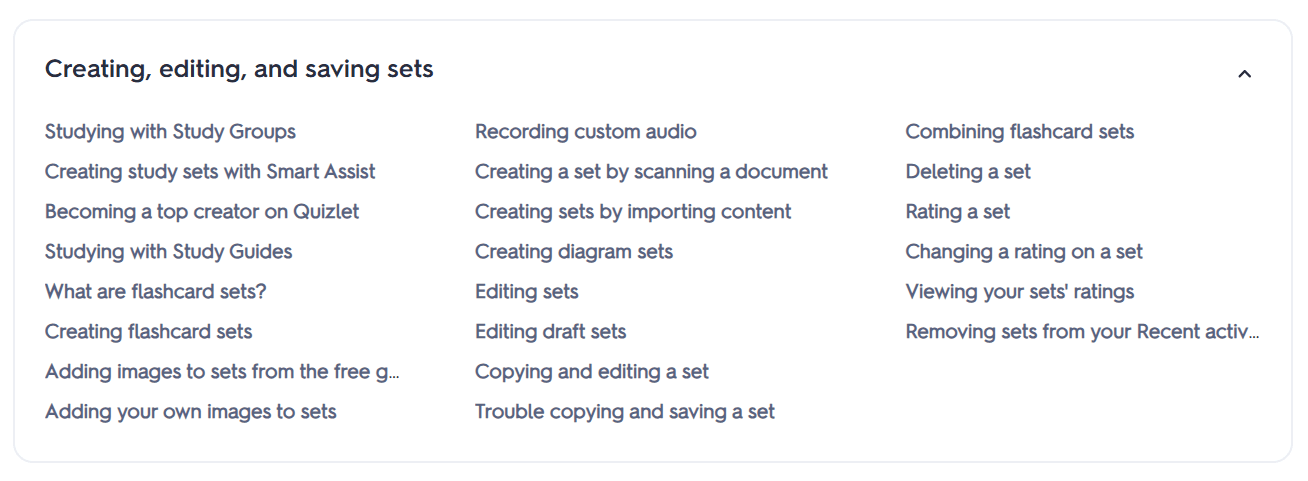
As I said, Quizlet’s flashcard feature is thorough. To get an idea, look at the screenshot below from Quizlet’s help center that lists tutorial articles for the creation phase of flashcards.
What’s more interesting is that you might not need to create any flashcards at all. Quizlet’s flashcard library may have the flashcard decks you’re looking for. That library consists of flashcard sets made by students and teachers throughout the world.
Now let’s talk about Revisely.
Revisely Flashcards
Revisely's flashcard creation is almost entirely AI-driven.
You upload your material, which can be a PDF, a Word doc, a PowerPoint, or even a photo of handwritten notes, and the AI makes flashcard decks from it for you.
These cards are editable. You can customize a card entirely into something else.
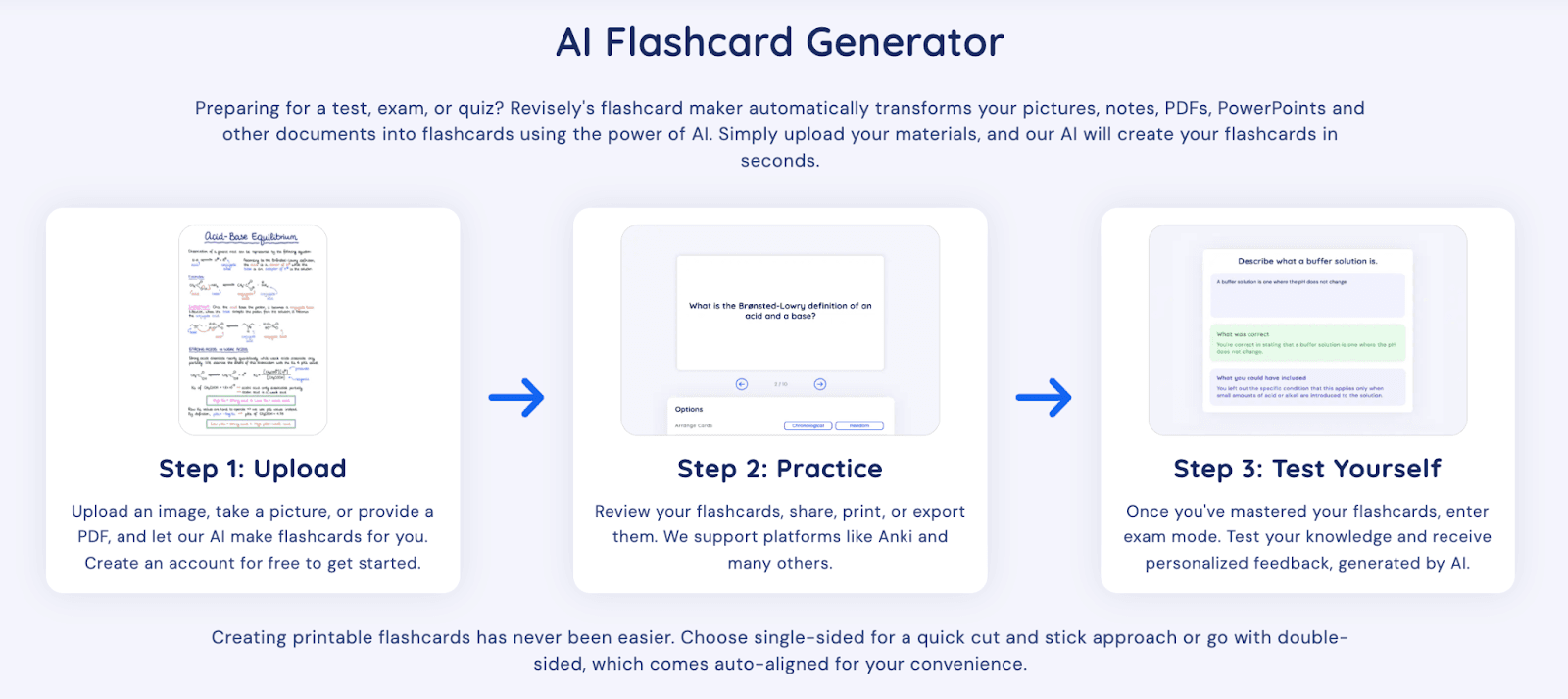
After creating flashcards, you can then practice them inside Revisely or export them to Anki or other platforms and practice there.
Printing your flashcards is also supported. But that’s just about it when it comes to Revisely’s flashcard creation features.
Ways of studying
On Quizlet, you have multiple ways to study your flashcards.
You can review flashcards the way you would with traditional flashcards.
Or you study with Learn mode, which has two sub-modes within itself.
When you practice cards in Learn mode, the system creates a personalized study path based on your goals and how familiar you are with the set’s content.
This is basically a soft implementation of the spaced repetition algorithm.
The two modes within Learn are:
- Write mode: You type the full answer to a question, which can be a term, definition, or a specific language (if applicable)
- Spell mode: You listen to a term or definition and type the correct spelling in response.
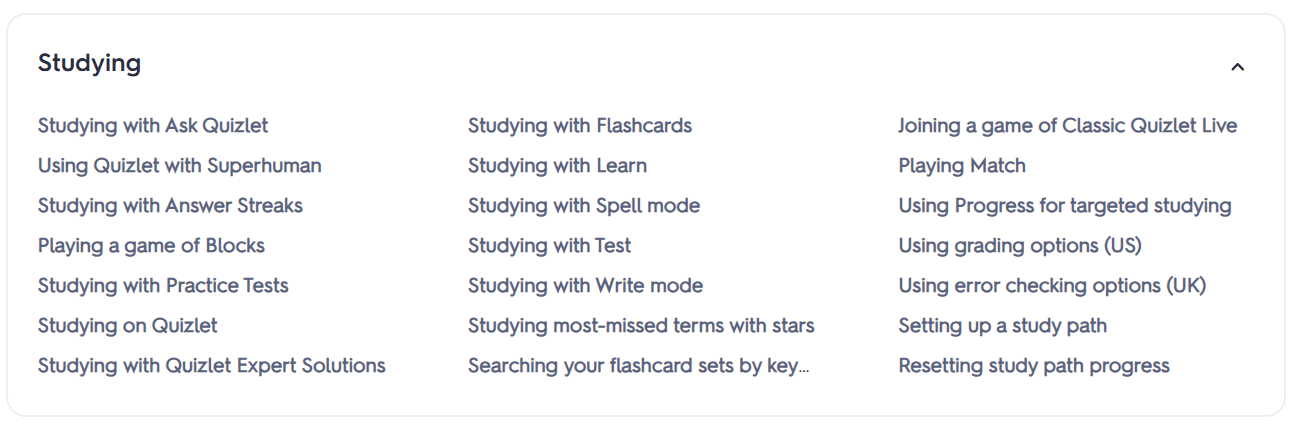
These were just two ways you study in Quizlet. The platform has many more ways that you can read about in the Quizlet Help Center. Some of them are shown in the image below.
In Revisely, there’s only one way to study flashcards. You go through a deck and rate whether you knew the card or not. Based on your response, the system adjusts how soon each card comes back up.
The cards return sooner if you gave them a bad rating.
For thoroughly studying your cards and managing them, Revisely offers easy export to Anki.
Quiz & testing
In Quizlet, quizzing is automatic and based on your flashcards. A quiz is called a Test in Quizlet.
You set the number of questions and select the types of questions you'd like to include in the test.
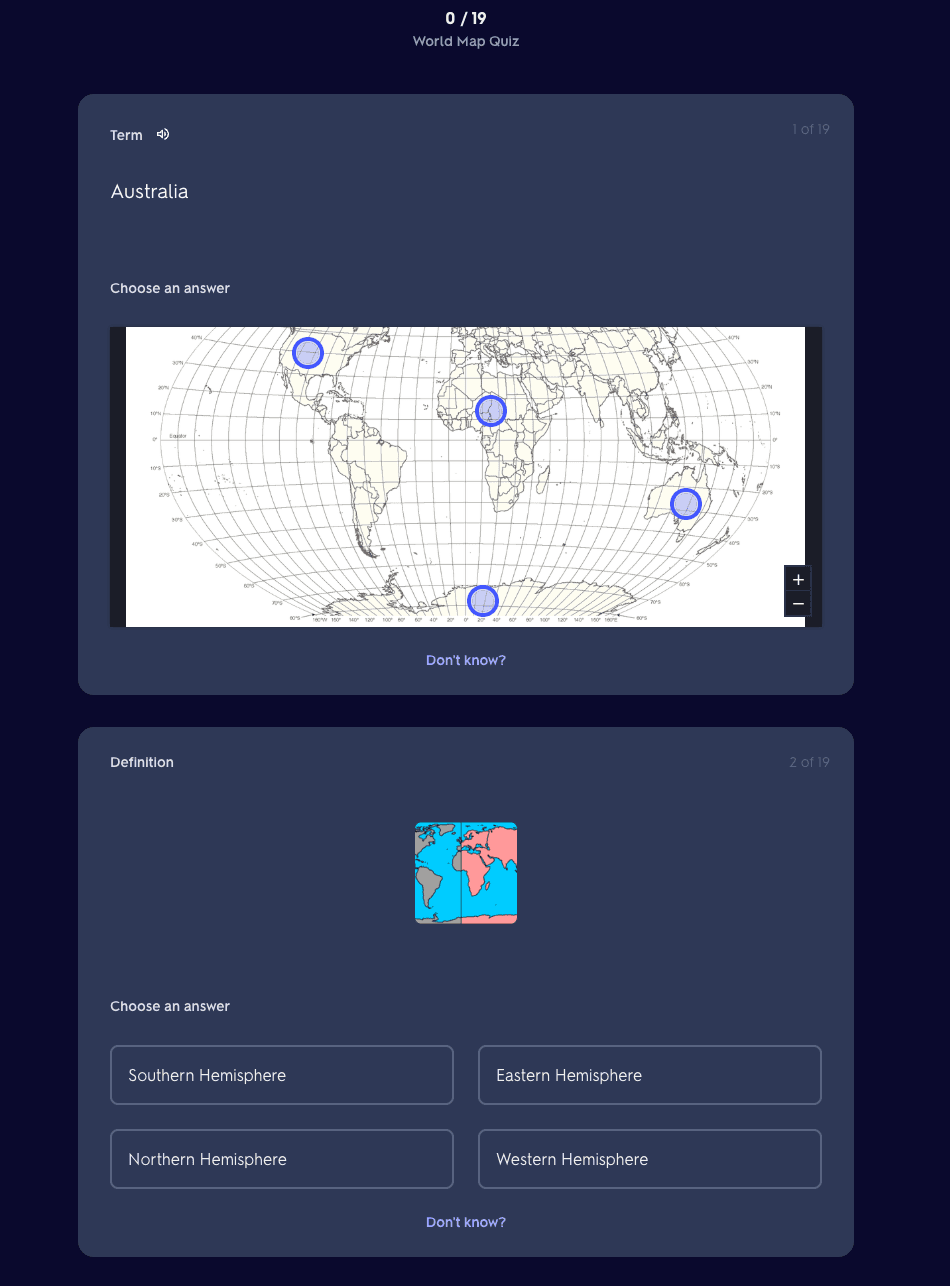
Once you have taken the test, you’re shown your grades and the correct answers.
There are also Practice Tests, which can generate questions from both uploaded notes and existing flashcard sets. This feature is powered by AI.
On the other hand, Revisely has an AI Quiz Generator as a core feature.
This feature can generate questions from notes, textbooks, PDFs, or PowerPoints.
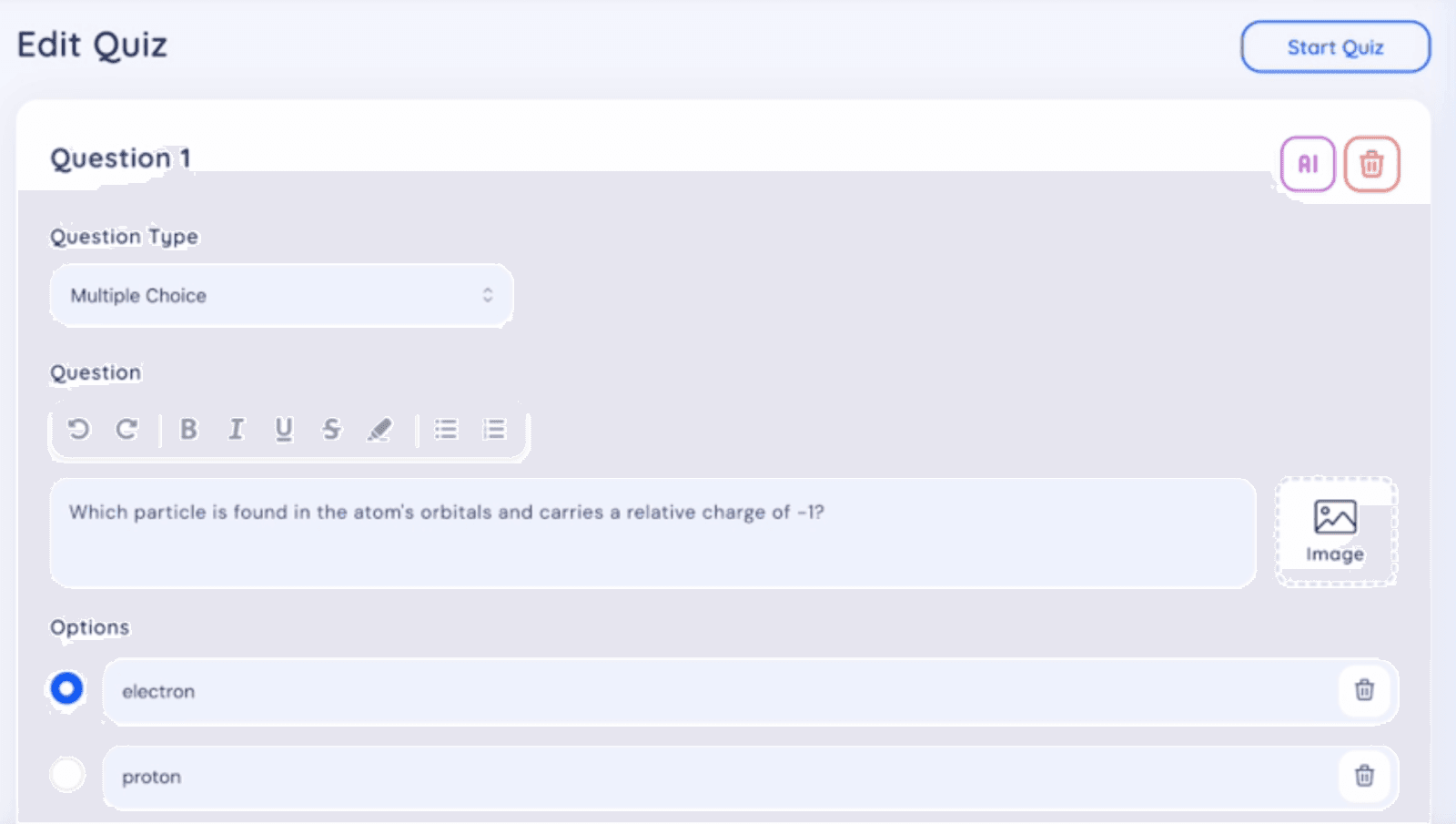
Question types are limited to three formats:
- Multiple choice
- True/false
- Open-ended questions
You can edit questions either manually or by chatting with AI.
Learning material library
Both Quizlet and Revisely have libraries.
However, Quizlet’s library is enormous and a lot richer.
It is entirely built from user-generated content.
There are hundreds of millions of study sets (flashcards and more) spanning basically every subject you can think of. Some examples of those subjects include:
- History
- Anatomy
- Organic chemistry
- AP exam prep
- Nursing certifications
- Foreign language vocabulary
- Law
- Coding
Quizlet also has a library called Expert Solutions. This library contains step-by-step solutions to exercises in popular textbooks. The good thing is these solutions are written by subject-matter experts and verified for accuracy.
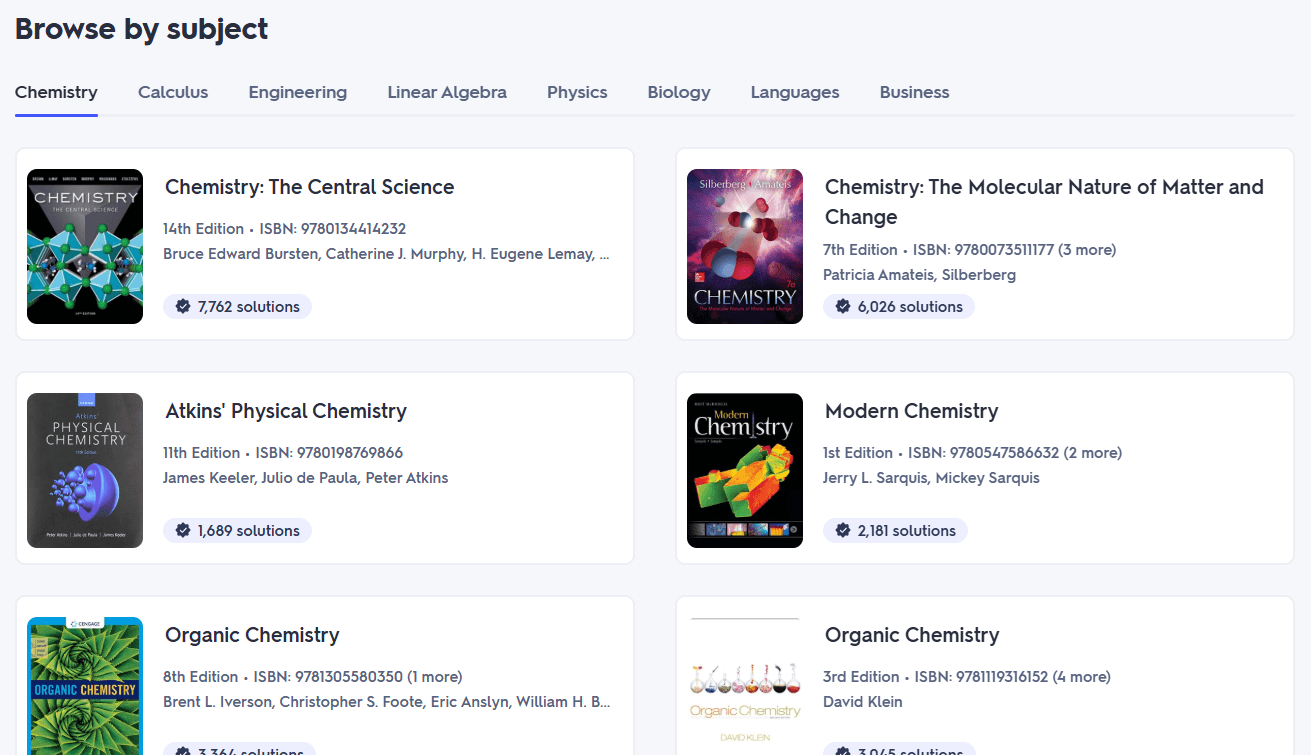 Revisely’s library is limited. It's organized around the UK curriculum, specifically GCSE, AS, and A-Level subjects.
When you go to a subject page, you'll find notes, topic questions, past exam papers, and revision videos organized by subject and exam board (AQA, Edexcel, OCR).
Flashcard decks are rarely found in those subject pages.
Quizlet vs. Revisely pricing
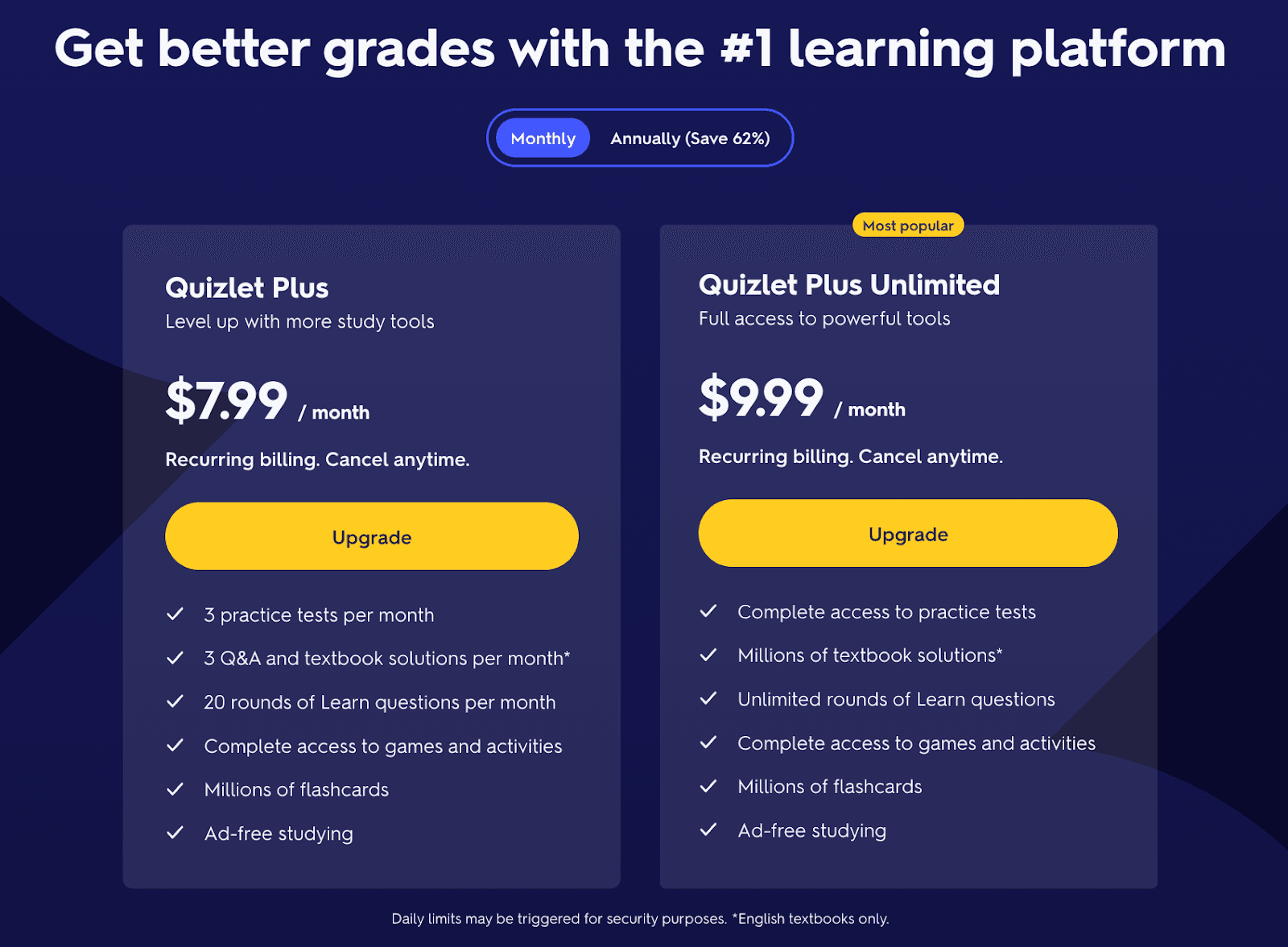
Quizlet’s pricing structure is simple.
It has Quizlet Plus ($7.99/month) and Quizlet Plus Unlimited ($9.99/month) for students.
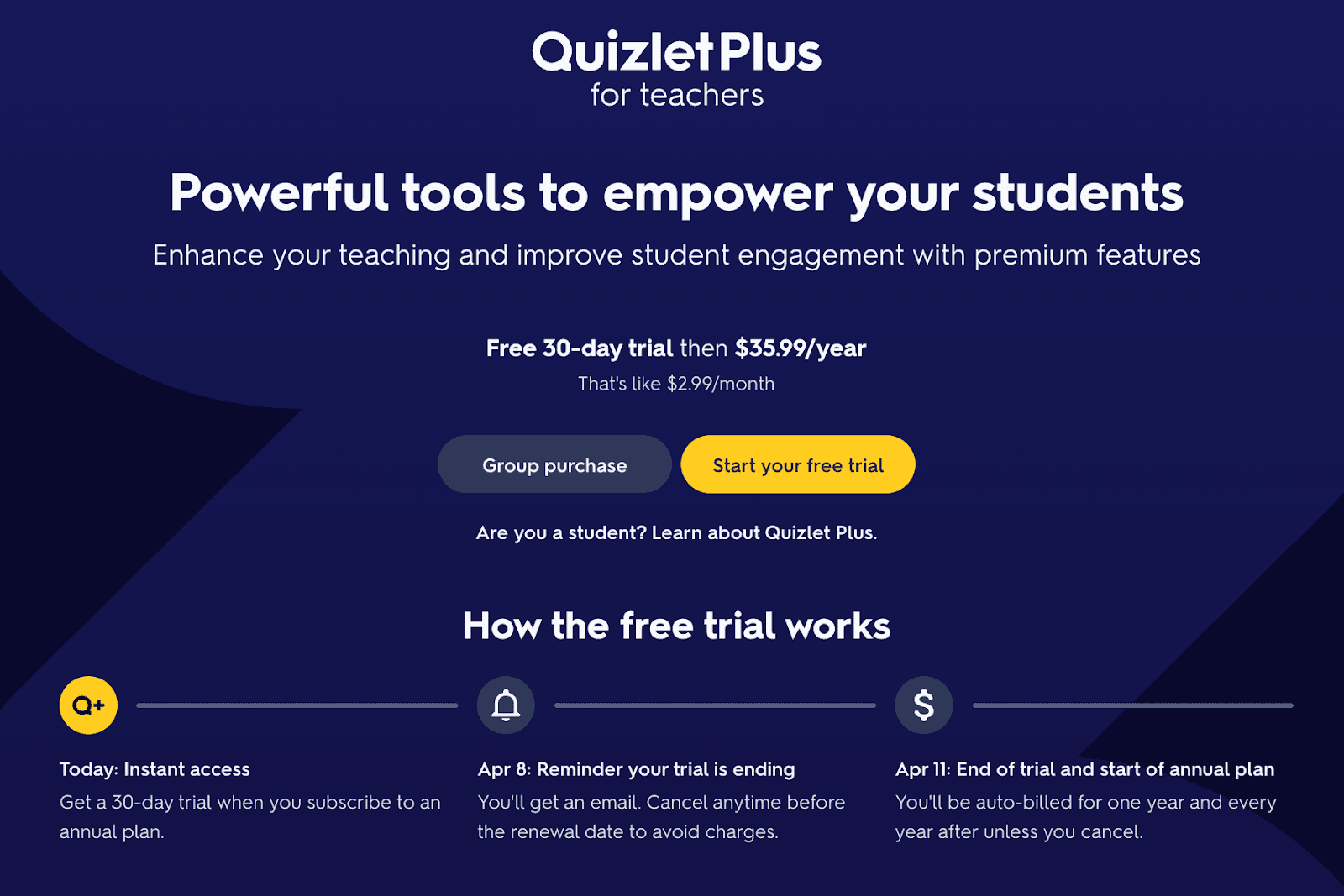
Then there’s Quizlet Plus for Teachers, which starts with a 30-day free trial before charging $35.99 per year.
That said, Quizlet gets a very bad rep for locking almost all useful features behind the paywall. This is the major reason why it has a 1.4/5 stars rating on Trustpilot based on 600 user reviews.
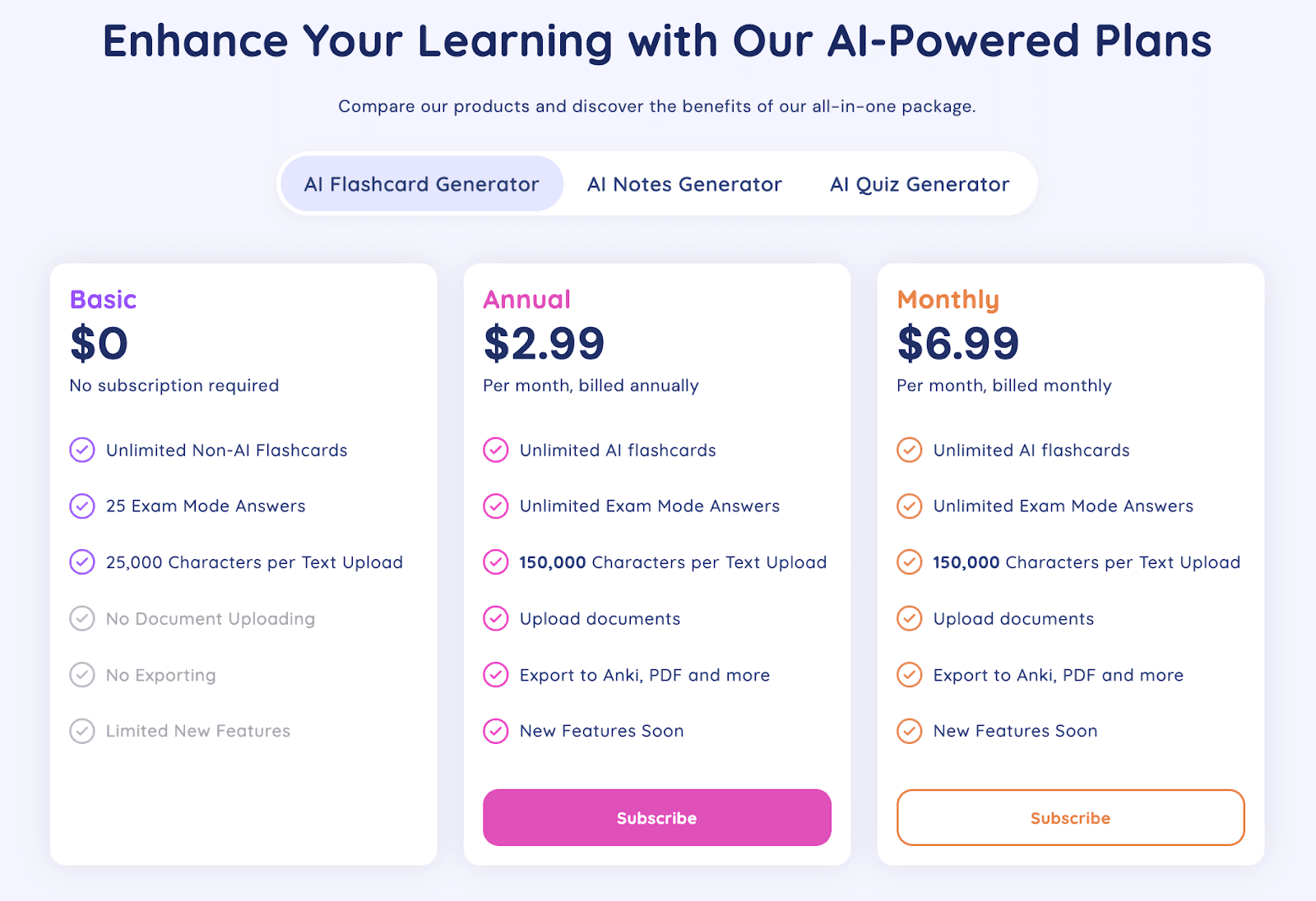
Revisely lets you use its features for a limited number of times before a paywall blocks you.
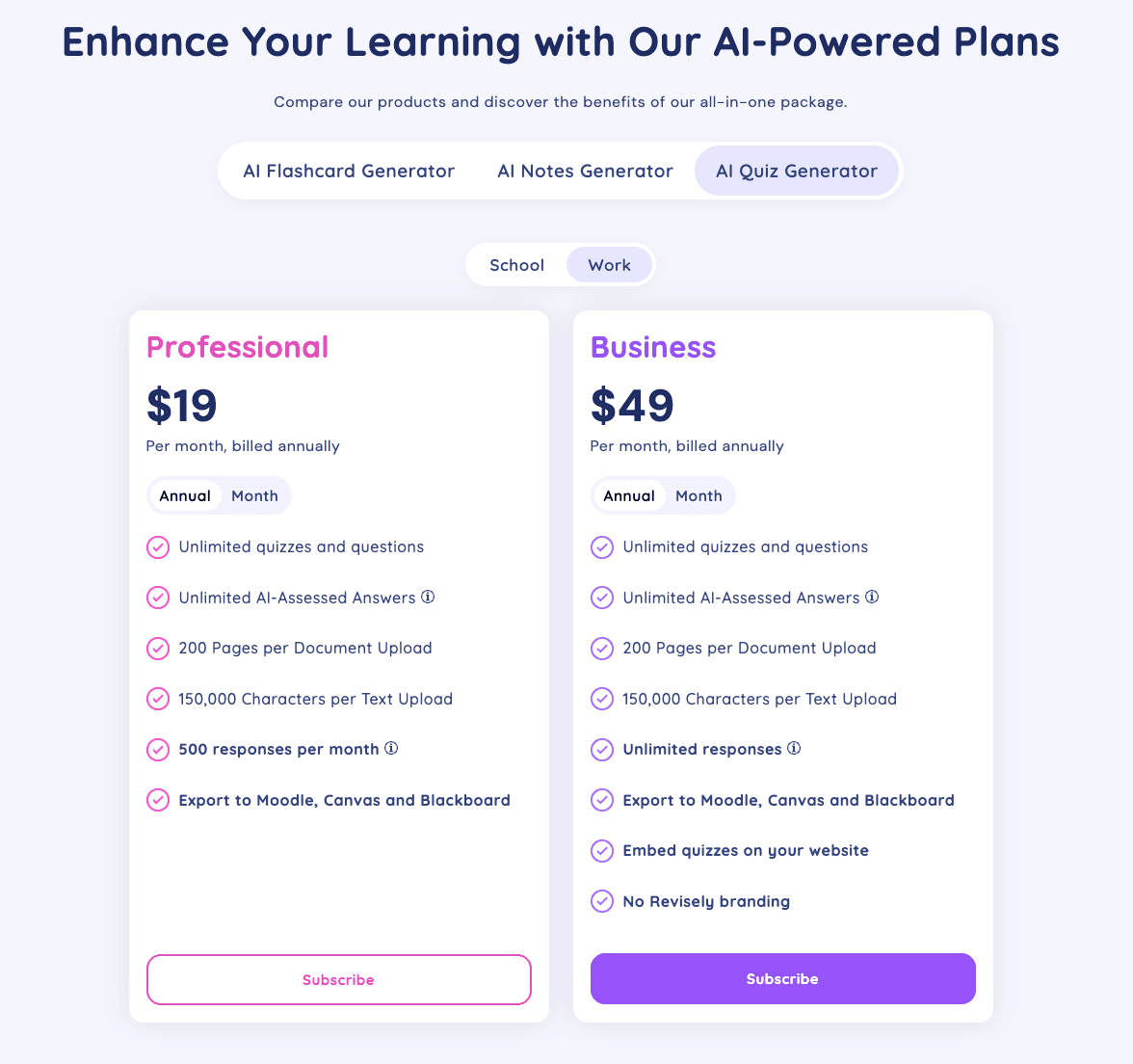
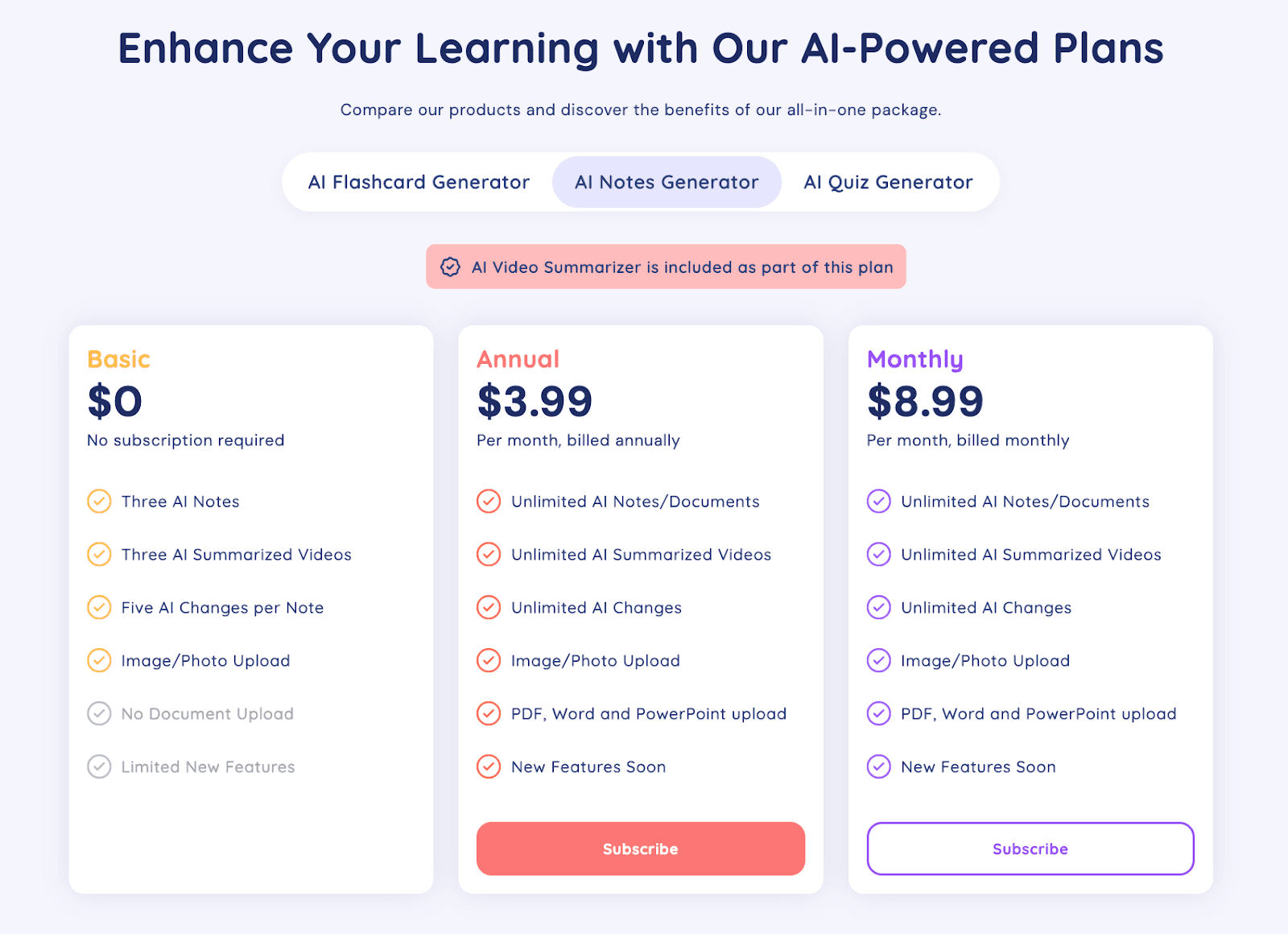
The pricing is different for each of its three core tools. There’s no plan that gives you access to all three of them.
Here’s what all three of them cost:
- AI Flashcard Generator: $6.99/month
AI Quiz Generator: $12/month
- For teachers and professionals: $29/month
- For businesses: $69/month
- AI Notes Generator: $8.99/month
RemNote: The best alternative to both Quizlet and Revisely
On both Quizlet and Revisely, your starting point is flashcard creation.
You cannot take notes in them in the classroom and then return to those notes later. Instead, you are required to upload your notes.
This creates friction and adds overhead.
You need a Revisely or Quizlet alternative flashcard tool that blends into your study workflow. You should be able to take notes on it during a class, and it can generate flashcards from it automatically in real-time.
Luckily, RemNote does all that and more. The platform doubles as both a note-taking app and a flashcard-generating app.
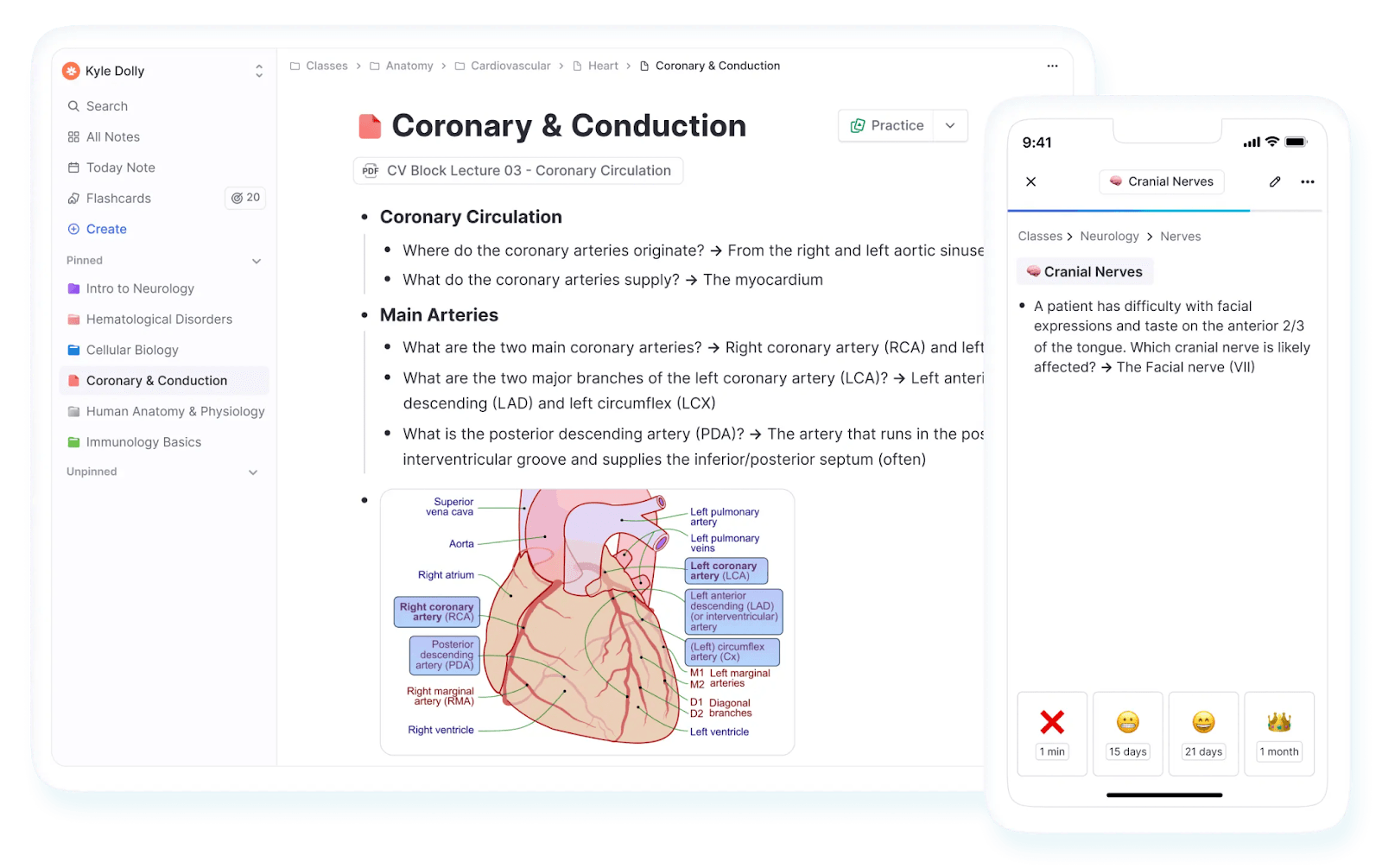
It offers all the main features found in Quizlet and Revisely. But it also goes beyond that.
There’s an entire hub for flashcards, where you manage them for each subject and track your progress and performance through statistics.
The platform has a proper implementation of the spaced repetition system (SRS) and also supports other ways to study your flashcards.
In short, RemNote is built with students’ utmost ease in mind.
Sign up for RemNote for free now.