
Top 10 Note Taking Apps For Students


Say your semester is about to end, and soon you’ll need your notes to prepare for exams. You open your notebook and realize it doesn’t have most of your notes.
That’s because on days when you didn’t have your notebook with you, you took pictures of your friend’s notes. Other days, you used Google Docs as a note taker.
So now your notes are everywhere. And a semester's worth of notes is a lot of information to gather and organize manually. Been there, done that!
What you need is a single place for all your notes, organized, clean, and quickly accessible.
A modern note taking app helps you avoid such problems. You can take detailed notes on them, and the app keeps them organized forever. If you vaguely remember noting down something six months ago, you look it up using a quick search, and every note containing that word shows up in seconds.
In addition, modern note taking apps offer a lot more. You can note down pretty much anything from text to hand-drawn sketches and labeled diagrams.
And there are dozens of these apps out there that claim to be the best. So we tested 10 of the best (air quotes) note-taking apps available. We narrowed four apps down to discuss them in detail, and the rest are mentioned in passing. But before you explore them, let’s give you an overview of a note taking app.
What is a note taking app (and how it works)?
A note taking app is software that lets you create notes digitally.
You press a button to open a new note and type down whatever you have to note. You have basic text formatting features like bold, italic, underline, bullets, and some pre-set font sizes. The first line of your notes becomes the title of a note. But some apps have a separate field to name your notes as well.
That’s almost all a basic note taking app offers. Most computers and smartphones come with a basic note taking app by default. You might know of Sticky Notes if you’re a Windows user.
In contrast, modern note taking apps are a lot richer. They aren’t just a replacement for a paper notebook.
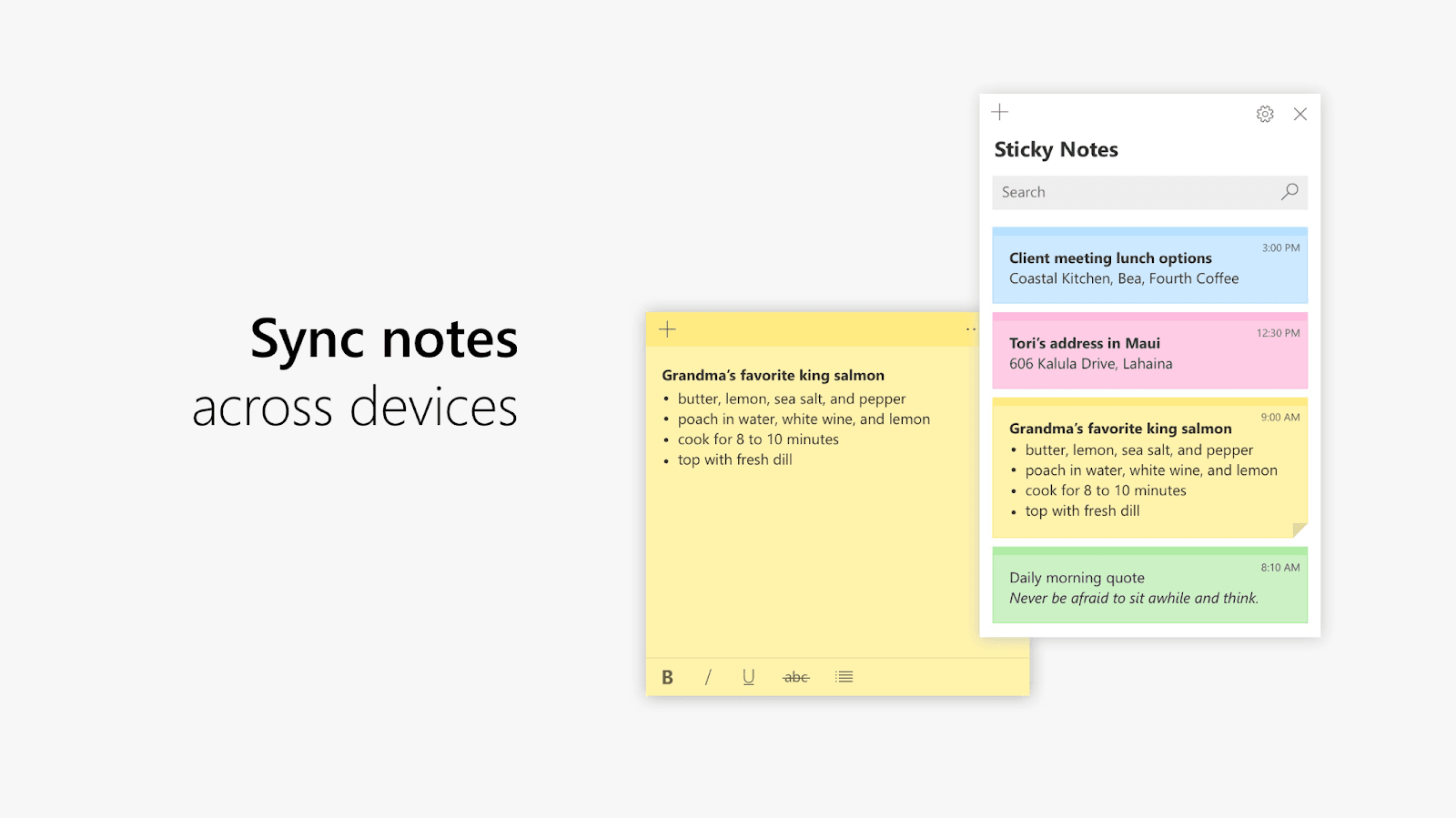
They give you more text formatting options, embedded images, file attachments, and even audio recordings. Some of them also come with AI, which you can use to surface relevant information from your notes when you need it.
They also support stylus pens. You have the option to either type using the keyboard or write using the pen. Pen support also means you can draw tables, shapes, diagrams, color, solve math problems without having to look for symbols, and a lot more.
One more thing that's become standard in many note taking apps is templates. If you don’t want to start from a blank page, you can pick a template for things like meeting notes, daily journals, project plans, habit trackers, etc, where the structure is already laid out, and you just have to fill in the details.
How we evaluated the apps?
Every note taking app on this list was evaluated based on how well it handles note taking mainly. Other features, such as whether an app offers team collaboration or flashcard generation, were secondary focuses and were discussed in passing.
Here’s what we looked at exactly to come up with this list:
- Note taking experience: We looked at the type of layout an app offers for taking notes. We also made sure essential text formatting and some extra features are available while taking notes.
- Organization: We also evaluated how the apps organize notes. Do they handle classification using folders or tags, or offer some other unique system? Almost all types were included.
- Unique secondary feature: We made sure the apps have at least one major unique feature. For some, it was a flashcard generator; others had password protection for individual notes and so on.
Best 4 note taking apps for students
| Tool | Best For | Free Plan | Pricing (Monthly) | Rating |
| RemNote | Taking notes and practicing flashcards in one place | Yes (forever free) | Pro: $10/mo, Pro with AI: $20/mo | 4.5/5 (Google Play Store)4.8/5 (App Store) |
| OneNote | Fully free | Yes | Fully free. You only pay for storage if the 5GB free storage is consumed. | 4.6/5 (Google Play Store)4.7/5 (App Store) |
| Apple Notes | Apple users | Yes | Freely available on Apple devices | 4.8/5 (App Store) |
| Evernote | Web clipping feature | Yes (limited) | $14.99/month starting price | 3.5/5 (Google Play Store) |
1. RemNote (Best for note taking & generating flashcards from notes)

In most note taking apps, you note down things in a document format.
But in RemNote, you take notes through an outliner. You write in bullet points that can be nested inside each other.
Every bullet you write becomes a node. You start with a broader topic, which becomes a bullet. Then, if you indent the second line and write something, that becomes a nested bullet and, by extension, a subtopic node.
If you keep going like this, you naturally create a hierarchy.
Before we move further, note that RemNote now also supports handwriting in notes. You can handwrite in a page document or an infinity canvas. Drawing, sketching, coloring, tables, everything is supported.
RemNote also lets you connect one note to another. This is called bi-directional linking, and its purpose is to allow connecting notes with overlapping or related concepts. For instance, you can link a concept in your biology notes to something in your chemistry notes.
Over time, all your linked notes form a knowledge graph. You’ll be able to see how all your notes relate to each other in a map-like visual interface.
When it comes to text formatting, all the essentials are there. You get headings, code blocks, images, LaTeX support for math equations, file embedding, among a few other things.
If you regularly take notes that follow the same overall structure, you can create a template once and reuse it every time.
Now, RemNote is also well known for its flashcard feature. The feature is built into your notes. You can turn any bullet point into a flashcard using a simple syntax, and RemNote's spaced repetition algorithm schedules reviews of those flashcards for you. You can generate flashcards even from handwritten notes.
Key Features
- Link notes if they have linkable content
- PDF annotation. Upload PDFs and create notes on their content.
- Take notes offline, and they sync up to your knowledge base when you’re online again
- A lecture recorder that converts the recording into notes in real-time
- Automatic flashcards creation from notes. The spaced repetition algorithm is also included.
- AI-powered features like note summarization
- Create reusable note templates for common note structures
- Ability to export your notes outside RemNote
Pros & Cons
| Pros | Cons |
| Free plan includes core features and limited trials of premium features | Because of many helpful features, you might feel overwhelmed initially if you only have a single use case |
| Rich note taking features | |
| Available across all platforms and devices | |
| 25% discount for students | |
| Lifetime plans |
Pricing
RemNote offers three pricing tiers:
- Free forever
- Pro: US$10/month
- Pro with AI: US$20/month
Lifetime plans are also offered.
2. Microsoft OneNote (Best free option)
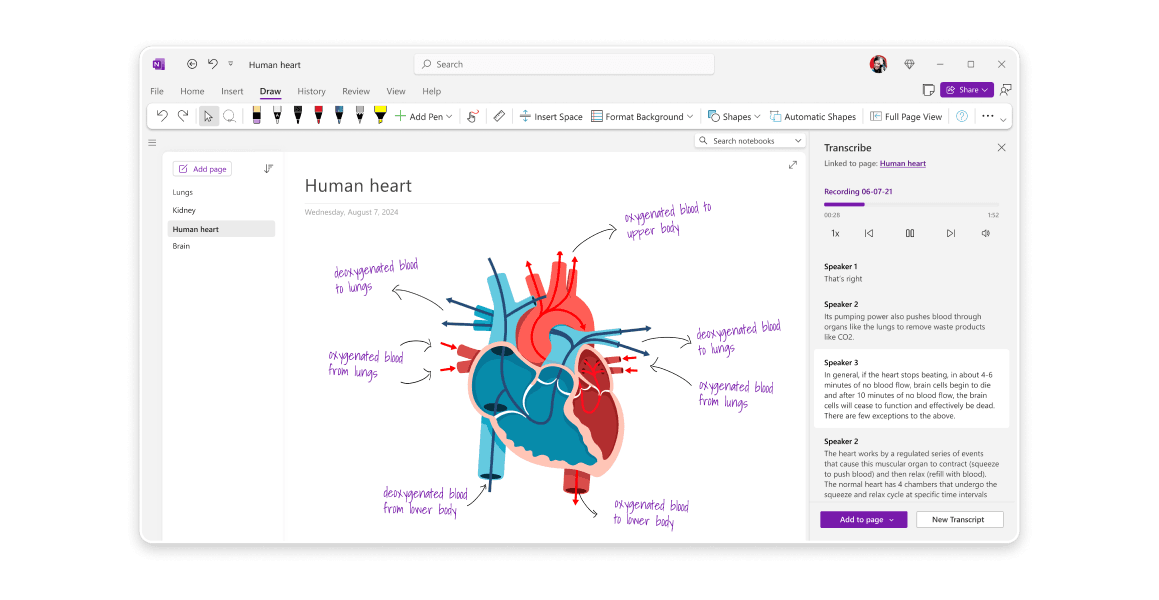
OneNote is Microsoft’s free-form notebook.
Free-form here means it gives you an infinite canvas, just like RemNote.
In an infinite canvas, you can click anywhere on the screen and start typing. You can drop text boxes, images, file attachments, and drawings wherever you want. Compare this to the document style fixed layout, where you fill pages from top to bottom.
The way OneNote organizes notes is also different.
You create notebooks at the top level. Inside each notebook, you create sections, which work like tabbed dividers. And inside each section, you add pages. Pages can also have sub-pages.
So if you’re a student, your notebooks can look like this. You might have one notebook per semester, one section per course, and individual pages within those sections for each lecture or topic.
The app also has voice transcription. You can turn on audio recording while writing or creating something inside a note. After the recording, you’ll be able to link parts of your audio to whatever you were writing or creating at that time in the note. You can click any line of your notes, and the audio playback jumps to that exact moment.
Key Features
- Infinite canvas layout by default
- Solid handwriting support
- OCR to search through handwritten notes
- Audio recording
- Multiple people can edit the same notebook simultaneously
- Its math assistant that can solve equations
Pros & Cons
| Pros | Cons |
| Completely free with full functionality | The interface can feel overwhelming at the start |
| Default integration with the Microsoft 365 ecosystem | Sync delays can occur when there are multiple contributors making changes |
| Strong search feature that can locate text across notebooks | |
| Excellent organization of notebooks |
Pricing
- Fully free
- You only pay for OneDrive storage if the free 5GB isn’t enough
3. Apple Notes (Best note taking app for Apple users)
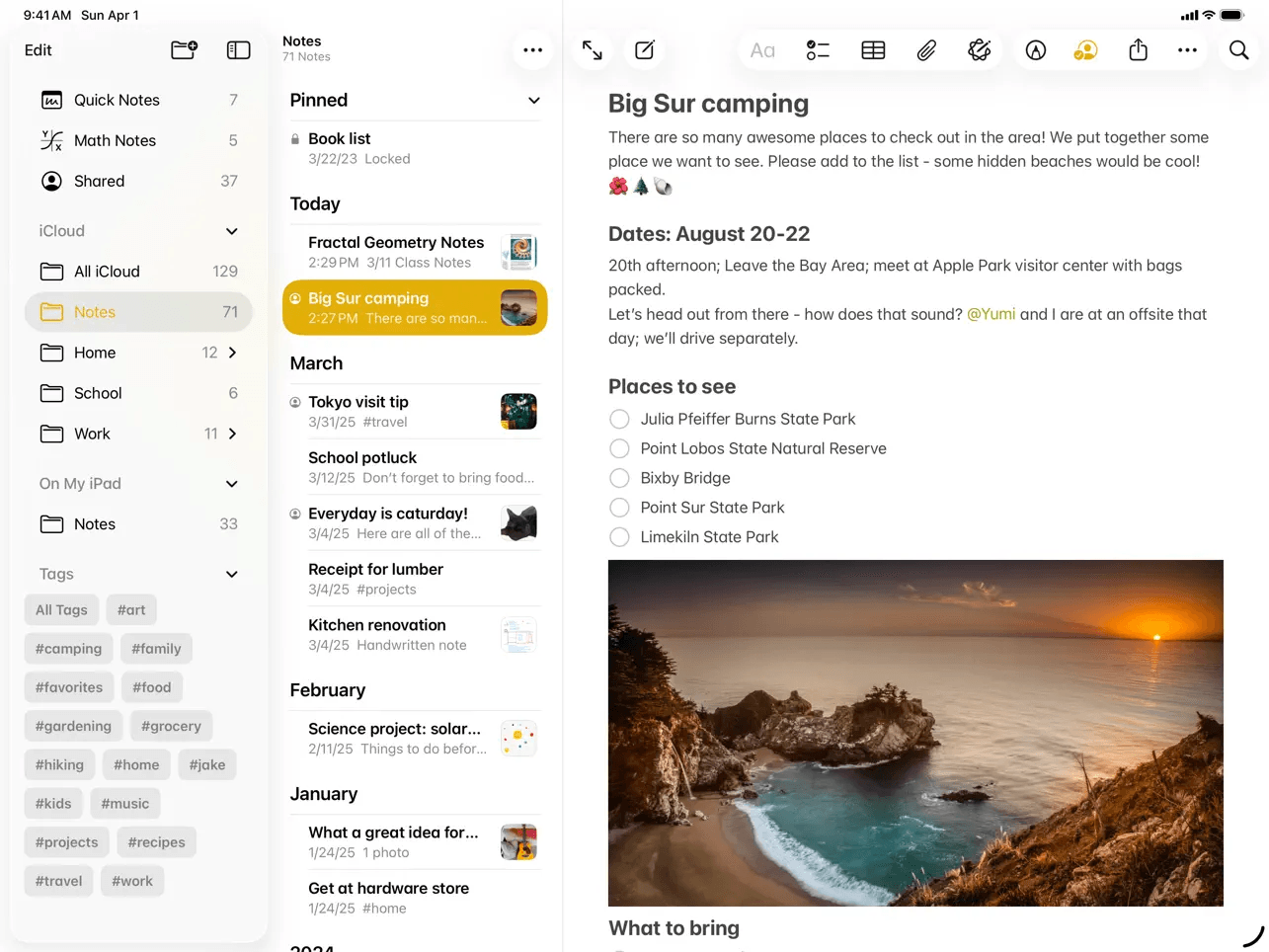
The Apple Notes app is already on all Apple devices.
The app used to be basic. It was the app you used to jot down a grocery list or save a Wi-Fi password.
But Apple has slowly turned it into a comprehensive note taking app.
You can create notes with rich text formatting, headings, checklists, tables, and embedded links. Apple Notes’ handwriting support is extremely good. It requires an Apple Pencil. You can draw, sketch, color, create tables, write, solve math, copy/paste, and do almost anything using the pen.
Speaking of maths, Apple Notes offers something called Math Notes. You can type an equation and let Apple Notes solve it for you.
There’s a built-in document scanner as well. You use it to scan pages, and the feature saves the page’s contents like a note.
The app also lets you lock individual notes with a password or Face ID, which is a helpful security feature for privacy-conscious students.
Key Features
- Rich text notes
- Audio recording with live speech-to-text conversion
- Math Notes can solve equations, even the ones with variables
- Quick Note feature. Avoid opening the full app to note down something small
- Individual note locking for sensitive content
Pros & Cons
| Pros | Cons |
| Completely free | Only available on Apple devices |
| Minimal interface | Notes are saved in a proprietary format. You’ll have difficulty exporting notes to another environment. |
| Instant sync across Apple devices via iCloud | |
| Rich text formatting |
Pricing
- Complete free
4. Evernote (Best for web clipping)
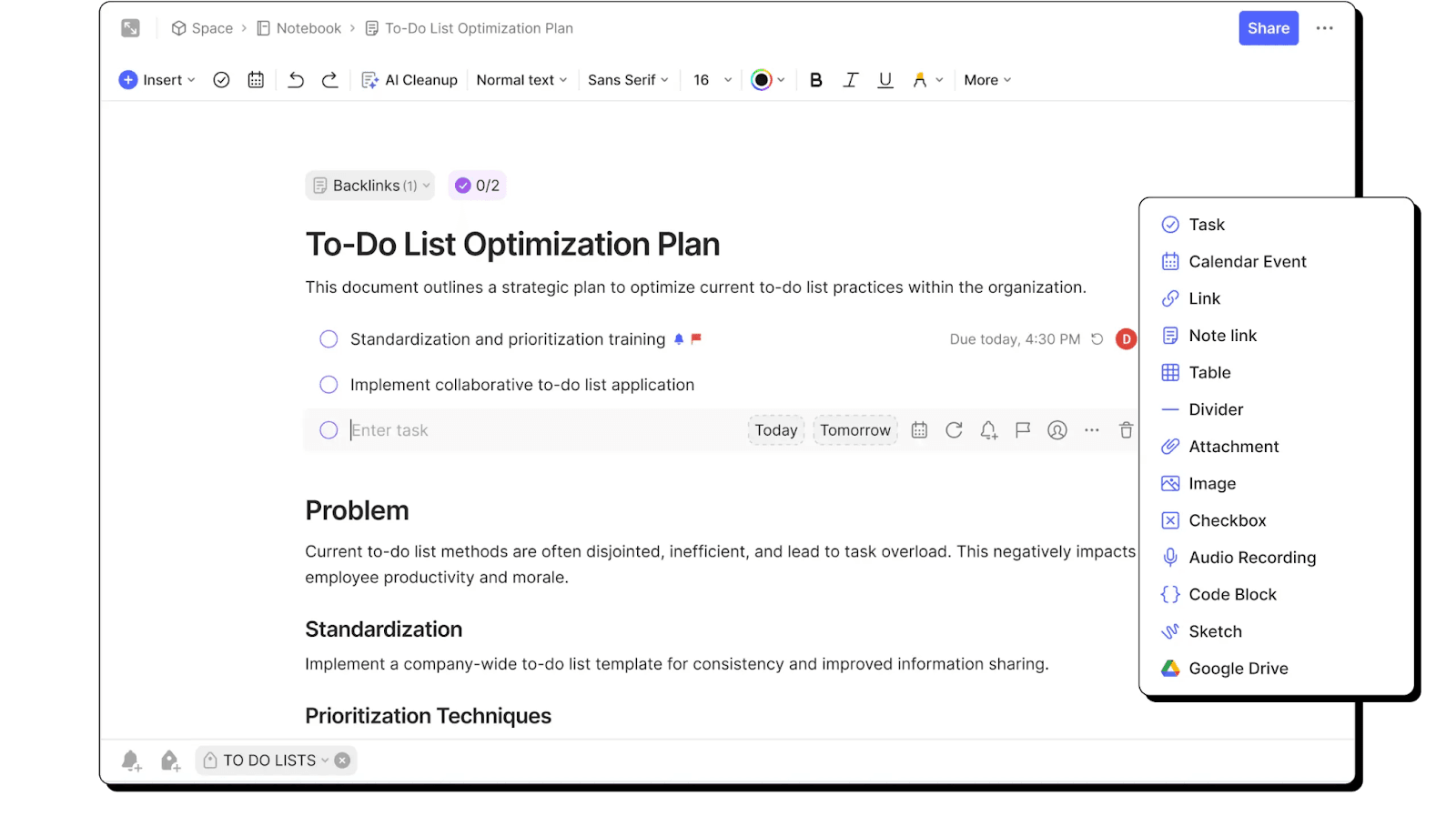
Evernote has been around since 2008. It was the default note-taking app for people for a long time.
And even today, with many options available, it offers certain unique features.
For instance, it has a browser extension that offers a web clipping feature. Using the feature, you can save entire web pages, articles, screenshots, or selected portions of a page into your notes without losing the content’s formatting or internal links.
Your notes are organized using tags. You can create notebooks for broad categories and assign tags to them.
The notebook’s editor is rich. Plus, you also have a rich text formatting dashboard. You can also include checklists, tables, files, images, handwriting, and audio recordings in any note. You can even create tasks inside notebooks related to the content of that specific notebook.
There's also a built-in document scanner on mobile for capturing handwritten notes or physical documents.
Key Features
- Rich text formatting toolbar
- Notebook and tag-based organization
- Built-in document scanner for capturing notes from paper
- AI-powered audio and video transcription
- Search can find text inside images, PDFs, scanned documents, and handwritten notes
- Web clipper browser extension
Pros & Cons
| Pros | Cons |
| Search is exceptionally powerful | Notes are difficult to export cleanly |
| Web Clipper is best-in-class | Very restricted free plan |
| Excellent audio & video transcription | Has become expensive compared to competitors |
Pricing
- Very limited free plan
- Paid plans start at $14.99/month
6 additional note taking apps that are worth mentioning for students
| Tool | Best For |
| Notion | Notion goes beyond notes and lets you manage tasks, databases, and projects in one workspace. |
| Google Keep | It lets you jot down quick notes, lists, and reminders without any setup or learning curve. |
| Obsidian | Obsidian can store your notes locally as markdown files and allows you link them into a connected knowledge base. |
| GoodNotes | It gives you the closest thing to a pen-on-paper handwriting experience on a tablet. |
| Notability | It records your lectures and syncs the audio to whatever you were writing at that exact moment. |
| Bear | Bear gives you a clean yet beautiful markdown writing space if you're in the Apple ecosystem. Unfortunately, it’s only available for Apple users. |
How to choose the best note taking app?
Your personal preferences and requirements will decide which one is the best note taking app for you. But still, you should look for the following things in an app before picking it:
- Do you like a free canvas layout or a linear document style one? Some apps offer only one of them. If you can’t decide on one, go with an app that offers both, like RemNote.
- Do you want to record lectures? If so, look for an app that offers audio recording with transcription. These apps can automatically make notes from audio.
- Make sure the handwriting support is strong if you have a stylus-supported device and take notes using that.
- Are you in the Apple ecosystem? If yes, then Apple Notes and Bear are considerable. But if not, you should consider the rest of the apps mentioned in this blog.
- Do you want to make flashcards from your notes and practice with them? Only RemNote in this list lets you turn your notes into flashcards and study them using the spaced repetition method.
Why RemNote?
Every app on this list can handle the basics of note taking.
Where they differ is what you can do with your notes. Because we tend to never revisit our notes unless exams are looming over our heads. So you need an incentive from the note taking app to keep revisiting your notes.
RemNote understands you and what you exactly want.
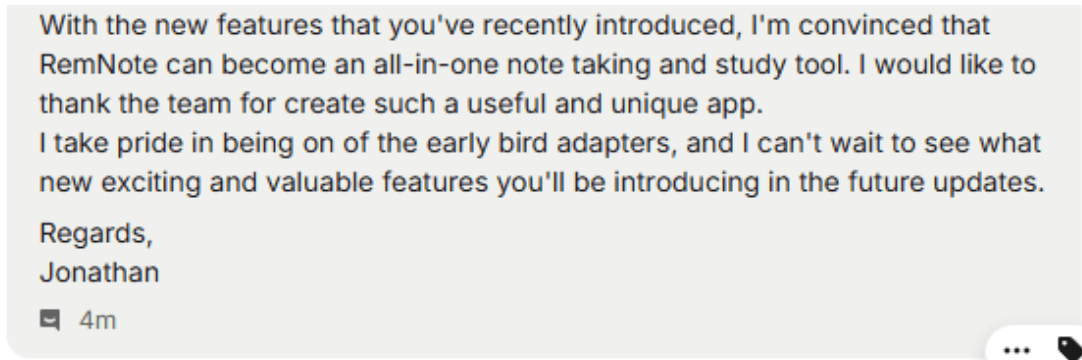
The app automatically generates flashcards from your notes and makes you study them in a spaced repetition manner.
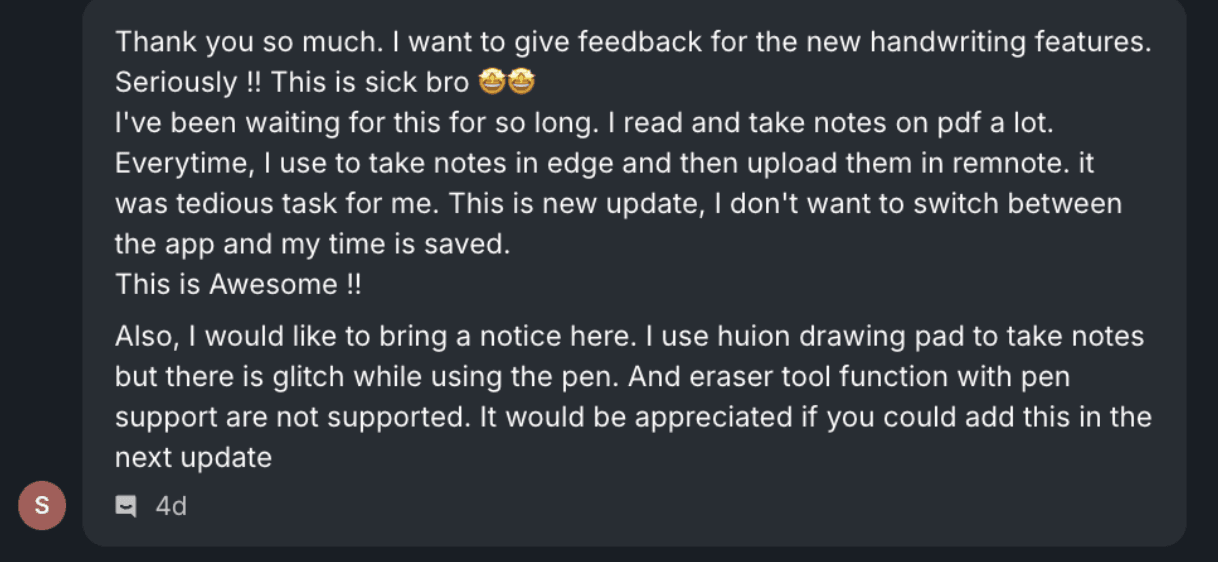
RemNote itself schedules cards based on what concepts you’re weak at or good at. Cards you’re weak at are put into circulation more frequently. This is all handled by the app. You just have to flip the cards and study.
Sign up for RemNote for free now and see for yourself.

