5 Best AI Note-Taking Apps for Students


The problem of taking notes on paper while also paying attention to the lecture was long solved by apps that could listen to the lecture and transcribe it for you.
But the actual struggle wasn’t taking notes. It was revisiting your notes afterward and learning the material.
Modern note-taking apps are trying to fix this problem with AI.
In this guide, we'll go through the best AI note-taking apps for students in 2026. You’ll learn about their key features, pros and cons, and pricing.
But before we start, here’s an overview of what is meant by an AI note taker app.
What is an AI note taker app?
A note-taking app lets you create notes digitally during lectures or study sessions. They support both typing and handwriting, but many modern ones also let you draw on the screen with a stylus.
The text formatting options aren’t as rich as a full-fledged text editor like Google Docs. But the essential options are all there.
Many of these apps now also come with built-in AI features. The most common purpose that AI serves in these apps is organizing notes or summarizing them.
However, different apps implement AI for unique purposes. For instance, there are tools that use AI to listen to a lecture and generate its transcript. Some other tools specialize in understanding messy handwriting and correcting spelling with the use of AI.
Some AI note-taking apps can also generate quizzes, flashcards, podcasts, infographics, etc from your raw notes.
In short, the best AI note-taking apps implement AI in a number of different ways. And the list of apps you’re going to explore covers the entire spectrum.
5 Best AI note-taking apps for students
| AI Note-Taking App | Best For | Standout AI Feature | Free Plan | Pricing | Rating |
| RemNote | Turning notes into study material | AI Tutor builds flashcards and quizzes directly from your written notes | ✅ | Pro from $10/mo | 4.7/5 (Google Play) |
| Notion | Organizing and condensing notes | Summarizes messy lecture notes into clean bullet points | ✅ | Plus from $12/mo (free for students) | 4.6/5 (G2) |
| GoodNotes | Handwritten notes and math | Reads your handwritten notes and works through math problems step-by-step | ✅ | From $11.99/yr (+$9.99/mo for AI) | 3/5 (Google Play) |
| OneNote | Free-form handwritten note-taking | Turns handwritten notes into searchable text and pulls out to-dos | ✅ | Microsoft365 from $9.99/mo | 4.6/5 (Google Play) |
| Notability | Note-taking during live lectures | Links every note to the exact audio moment it was written | ✅ | Lite from $3.99/mo | 4.8/5 (Apple Store) |
1. RemNote (Best for its comprehensive notes and flashcards manager)
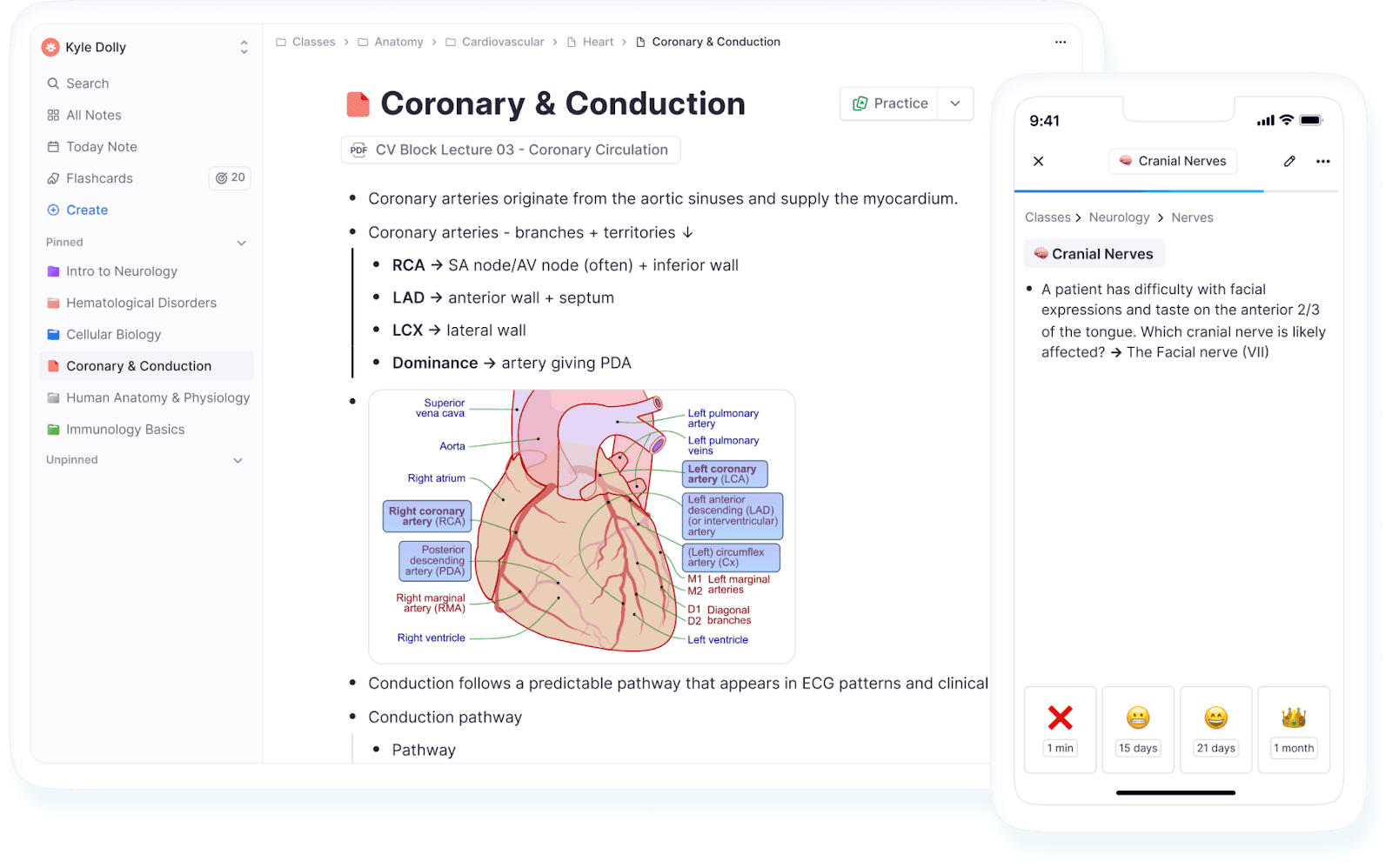
RemNote is an all-in-one note-taking and knowledge management app.
It allows you to take notes in an outliner format where every piece of information you write turns into a bullet point that you can nest under other bullets to create a hierarchy of concepts.
Once you have created notes, you can make a deck of flashcards from them using the AI Tutor feature. The app then uses a spaced repetition algorithm to help you practice those cards.
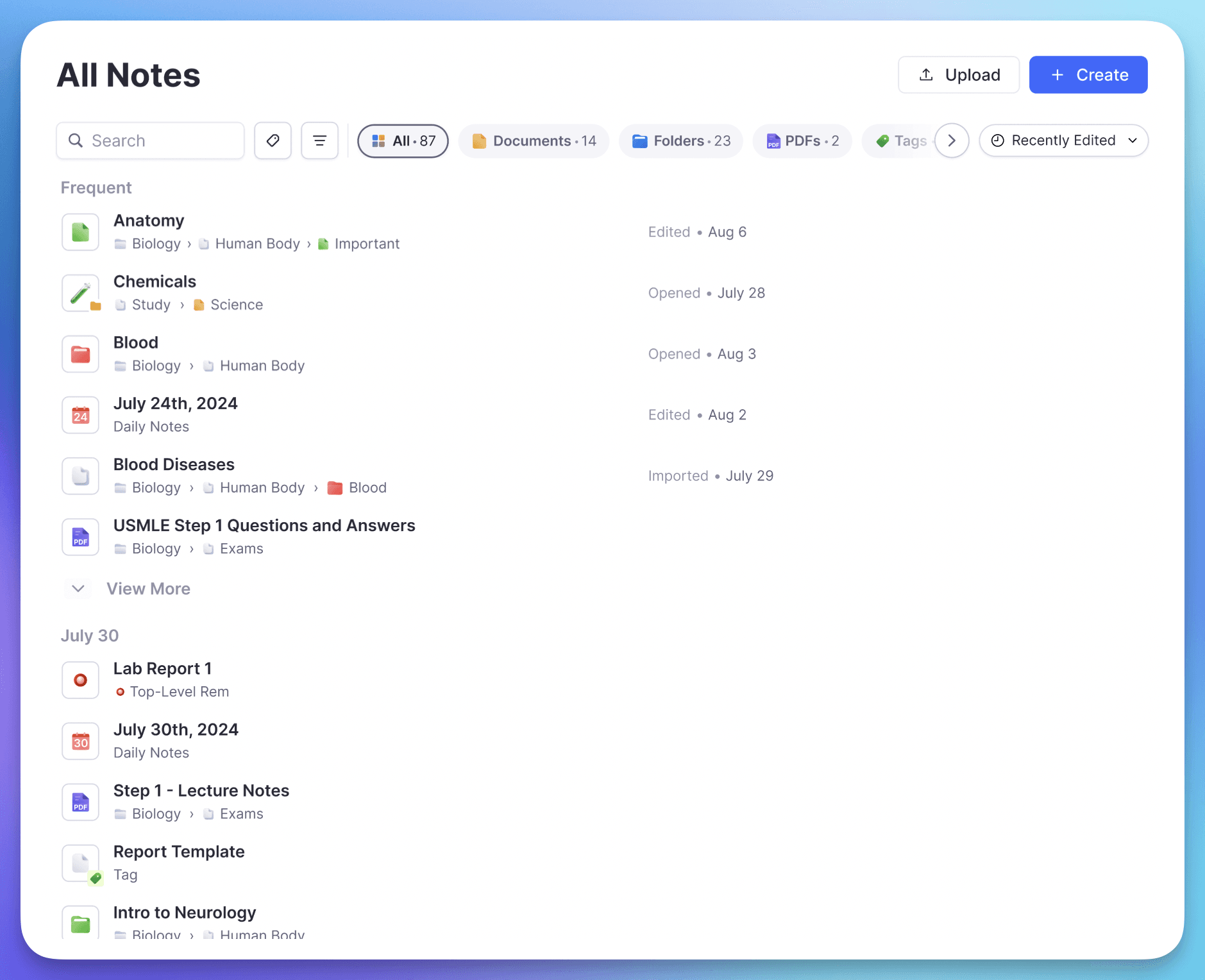
You can also ask the AI tutor to quiz you on your notes or generate a study guide for you. You can prompt it like the following:
- Make a comparison table [of two concepts]
- Quiz me on lecture 3
- Explain like I’m 5
- Summarize [a certain concept] from all the notes where it’s mentioned
If you prefer handwriting, the RemNote app also has support for styluses on an infinite canvas or a standard page document.
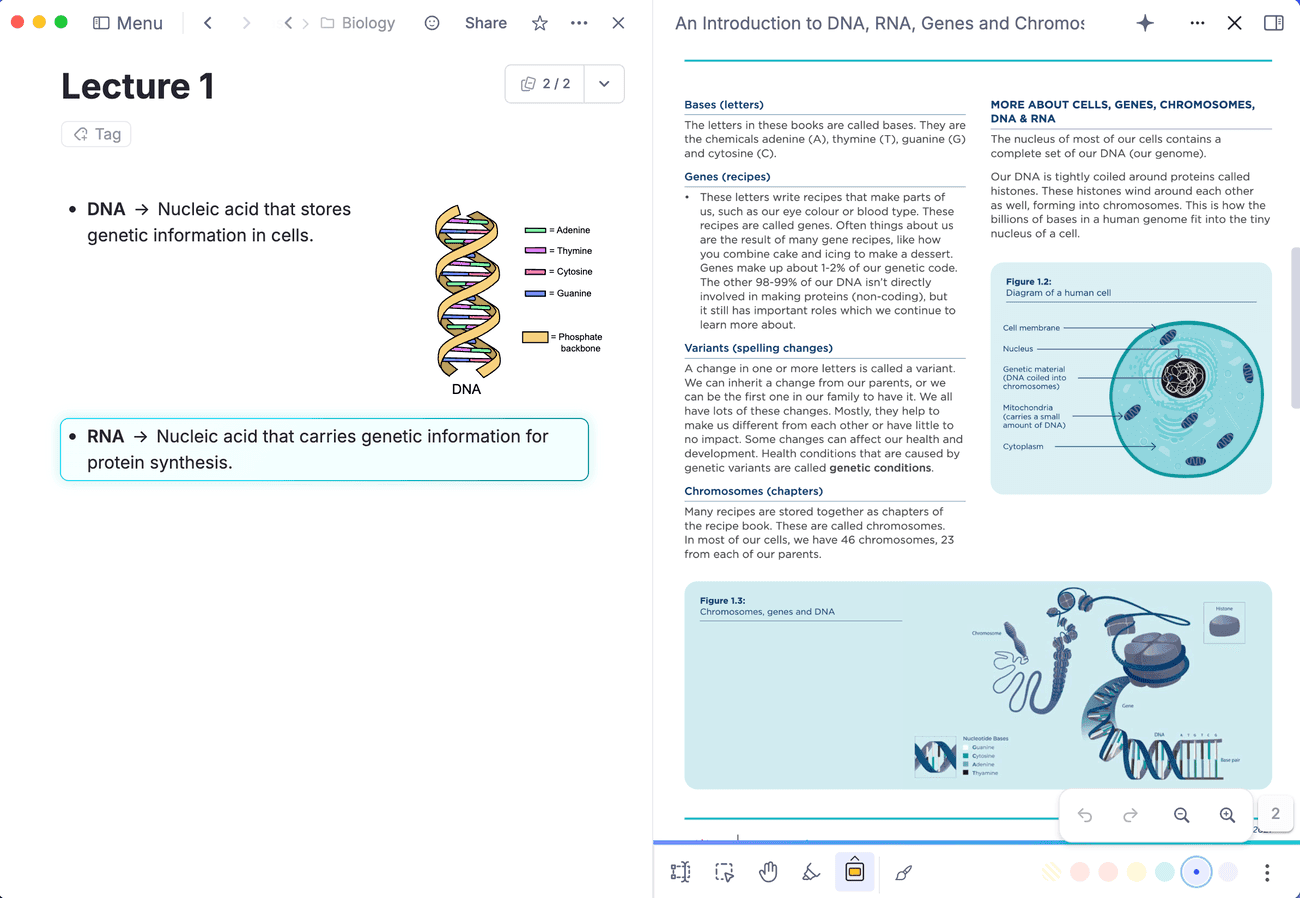
RemNote also has a PDF reader that can read out the text for you. You can also highlight parts or write over the pages.
Try taking notes in RemNote for free today and see the difference yourself.
Key features
- Support for both page and infinite canvas format
- Support for handwriting and drawing
- Built-in PDF annotation that lets you create notes inside books
- AI suggests auto-completions
- The AI Tutor can explain difficult concepts, read out text aloud, create flashcards, quiz you, and more
- AI can transcribe audio recordings
- AI can write the LaTeX markup for complex math equations
- Guided Learn Mode can create small custom quizzes and study plans from dense files
- The app also works and supports most features when offline
Pros
- The free plan includes almost all the core features
- Purpose-made for education, not business-centric like some other note takers
- Perfect data syncing between your devices
- Fastest and easiest flashcard creation compared to any other app
- 25% discount on RemNote Pro plan for eligible students
Cons
- The learning curve for beginners can be a little steep because of the sheer number of features
Pricing
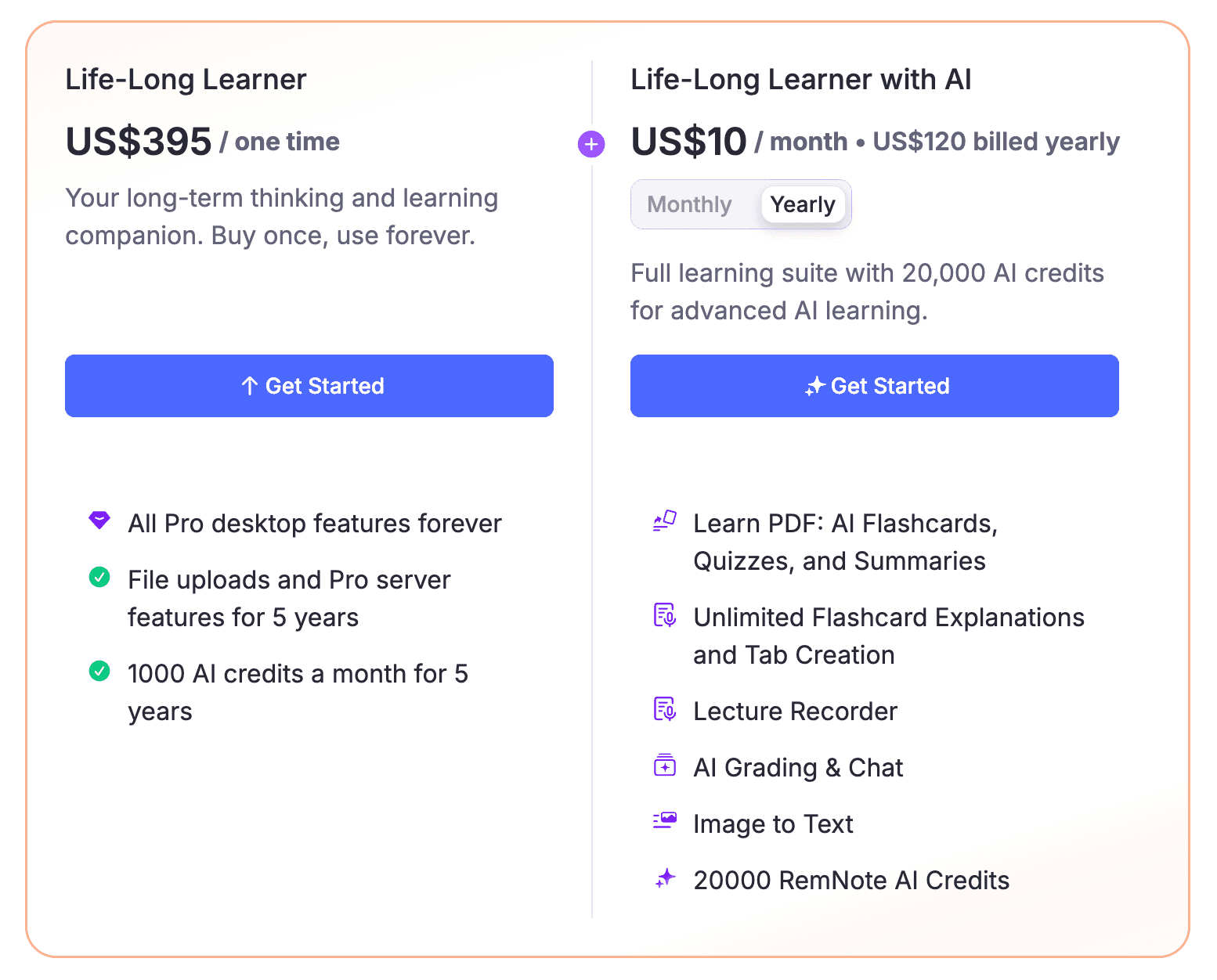
RemNote offers a free plan for casual use and getting started. You can upgrade to the following two paid plans after that:
- Pro: $10 /month (1000 AI credits)
- Pro with AI: $20/month (20000 AI credits)
RemNote provides lifetime access as well.
2. Notion (Best for all-in-one workspace)
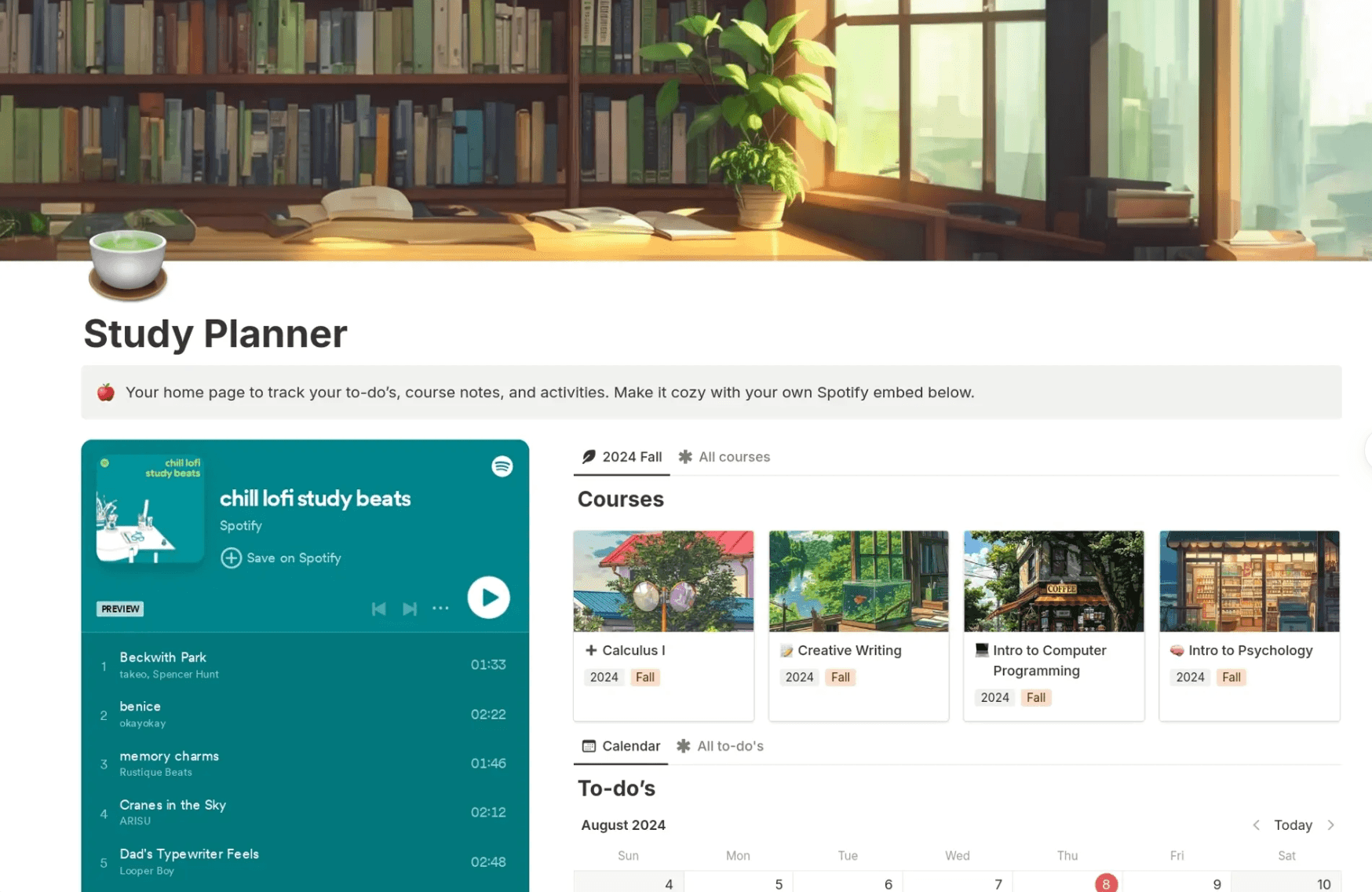
Notion used to be a place for simple typed notes. But now it’s a massive digital workspace.
Notion uses AI to automatically record, transcribe, organize, and summarize your materials. Although it’s targeted towards teams working in corporate, you, as a student, can use it just as well for your study material.
You can highlight messy lecture notes or lengthy textbook chapters and ask the AI to condense them into bullets for you.
The AI can also create quizzes and flashcards from your notes. If you note down an assignment or deadline in your notes, Notion’s AI can detect them and mark them on your calendar or Notion task boards. The lecture recording and transcribing feature is also AI-powered.
Key features
- The AI database builder creates complex trackers for your subjects using just natural language prompts.
- Auto-generate summaries or action items from your notes
- The AI can guide you through tough concepts
- You can switch to a different AI engine (Claude, GPT, etc) depending on the task at hand (e.g., essay, math problem)
Pros
- The Plus Plan is free for verified students with an institutional email
- An all-in-one tool that can replace your task manager and your calendar along with your notes
- You can collaborate with your classmates on group projects in real time
- You have the freedom to customize the layout of the app however you wish
Cons
- Offline mode covers a few features only
- Lacks native handwriting support
- The learning curve is pretty steep
- The mobile app can lag on very large notebooks or complex pages
Pricing
There’s a free plan of Notion with very basic access.
Paid plans are as follows:
- Plus: $12/month (free for verified students)
- Business: $24/month
- Enterprise: Custom
3. GoodNotes (Best for handwriting and math problem-solving)
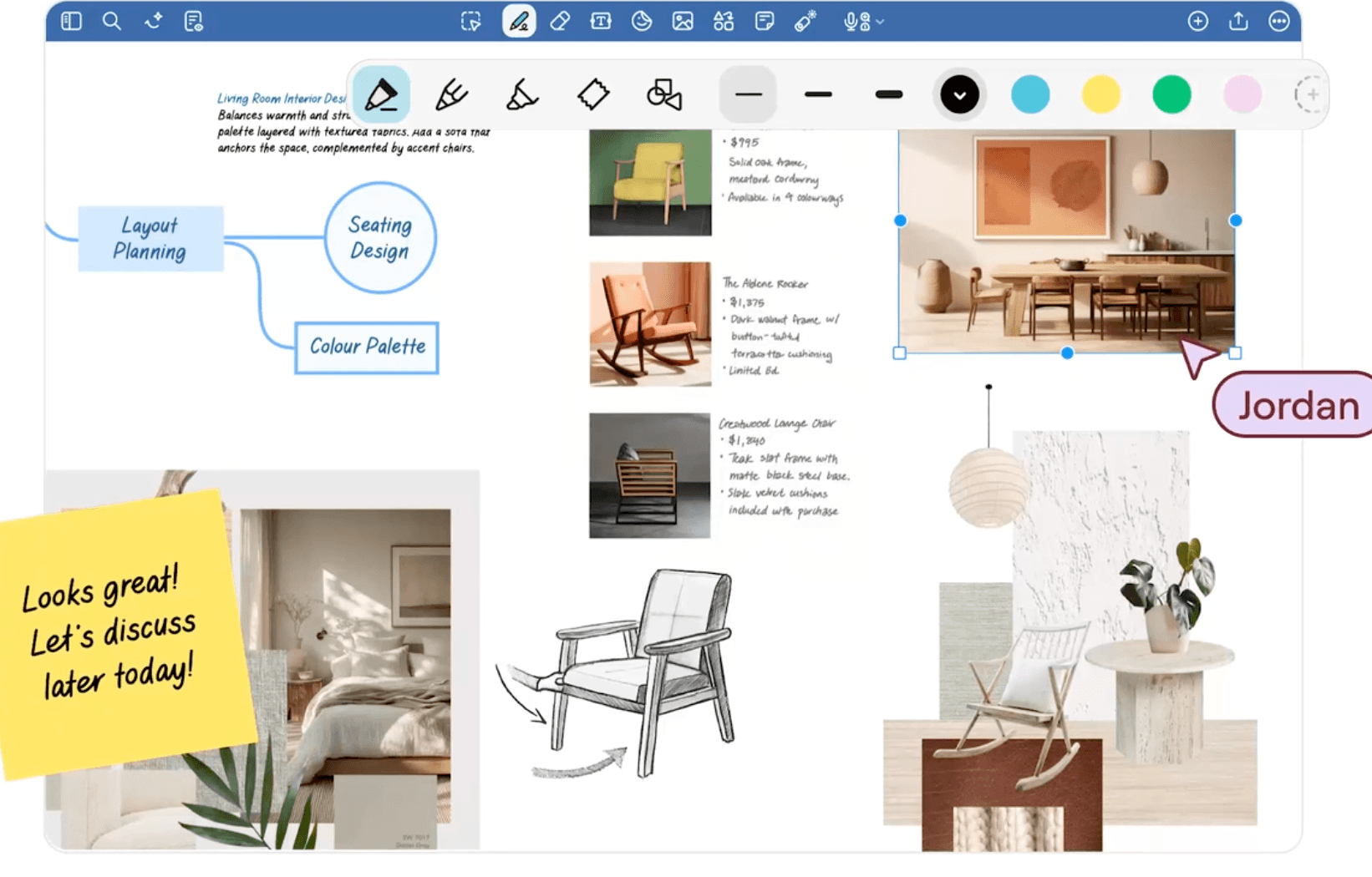
GoodNotes is known for being a handwriting and PDF annotation app for tablets and PCs. But it also supports typed notes.
You can use the AI-powered Ask GoodNotes assistant to query your notes or ask for a summary of a specific lecture.
The app also has a built-in Math Assist that can understand handwritten problems and guide you through solving them. You can also ask this assistant to just solve the problems for you if you are struggling to figure out the steps.
Key features
- AI can explain concepts from your notebook library
- Math Assist provides step-by-step solutions for calculus and algebra
- AI can transcribe audio recordings
- AI-powered flashcard creation
- Handwritten notes are searchable
Pros
- The handwriting experience is very responsive
- You can get started for free with up to three notebooks
- The math support is much more advanced than most other note-taking apps
- Essential features work offline
Cons
- No monthly plans
- Special edition is for Apple users only
- Syncing across Windows or Android can be slower compared to the iPad
Pricing
There’s a free forever plan and four plans that support yearly payments only.
- Essential: $11.99/yearly
- Pro: $35.99/yearly
- Special Edition (one-time purchase, Apple only)
- Teams: $120 per seat/yearly
- Enterprise: Custom price
Advanced AI features can be purchased for these plans separately for $9.99/month.
4. OneNote (Best free option)
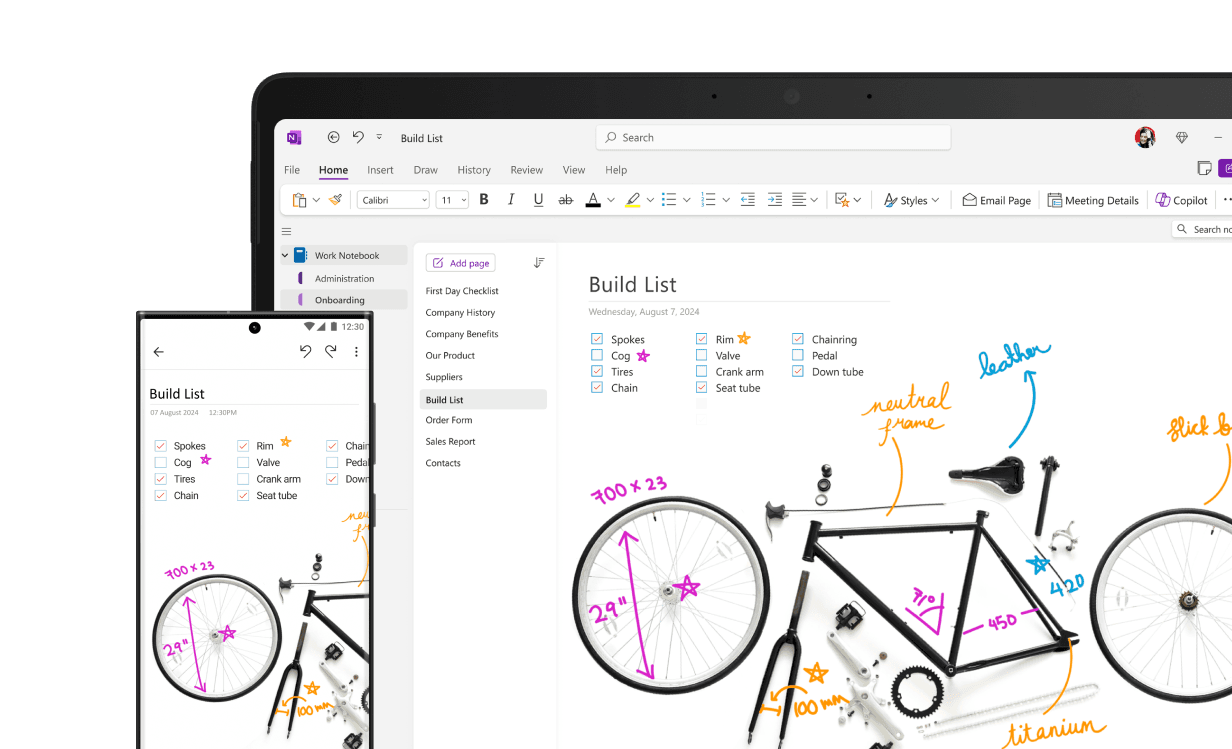
OneNote is a notebook app from Microsoft that uses an infinite canvas approach. An infinite canvas lets you type or draw anywhere on the screen.
Microsoft now offers OneNote with Copilot support built-in. The AI can read your handwritten lecture notes and generate summaries or other materials.
If you have a full Microsoft account, OneNote can also pull data from other Microsoft apps like Word docs, Excel, PowerPoint, etc.
Key features
- The Ink to Math tool can convert handwritten formulas and solve them for you
- You can extract a list of action items or to-dos directly from your notes
- Handwritten notes are searchable
- Audio recording links your notes to the exact timestamp in the recording so you can hear what the professor said while you were writing.
Pros
- The core app is completely free
- 1 TB of free cloud storage for students through their university email
- Native integration with other Microsoft apps
Cons
- Accessing the Copilot AI features requires a separate and expensive monthly subscription
- Lacks built-in study aids like flashcards or quizzes
Pricing
OneNote App is free for anyone with a standard Microsoft account.
The paid features can be accessed through Microsoft subscriptions:
- Microsoft 365 Personal: $9.99/month
- Microsoft 365 Family: $12.99/month
- Microsoft 365 Premium: $19.99/month
5. Notability (Best for budget-friendly lecture recording and transcripts)
Notability is known for its handwriting support on Apple devices. However, the app also offers Android and Windows versions.
The app supports typed and handwritten notes, annotation, live transcription of lectures, flashcard generation, and more.
You can even chat with your notes to get explanations for concepts that you couldn’t fully understand during class.
Key features
- You can tap a specific word in the audio transcript and hear what the lecturer was saying at that exact moment.
- AI can generate summaries and multiple types of quizzes from your notes
- The summary of your notes updates automatically as you continue to add more information
- Action items are automatically extracted from your notes
Pros
- Lecture recording and its transcript are synced and can be reviewed later side-by-side
- Syncing via iCloud is supported
- Budget-friendly pricing
Cons
- More basic compared to other tools in the list
- Importing very large PDF files can sometimes cause the app to lag or experience stability issues
- AI features unlock in the Plus plan
Pricing
There’s a free forever plan and the following paid plans:
- Lite: $3.99/month
- Plus: $5.99/month
- Pro: $15.99/month
Benefit the Most from Your Notes With RemNote
All the apps you just explored cover the essentials of note-taking and some more.
But do they ensure you learn from your notes? Or are they simply platforms where you store notes and then forget them until exams are nearby? Sure, some of these apps generate flashcards to help with learning. But even flashcards have to be scheduled a certain way to ensure proper learning.
RemNote understands that. When you generate flashcards with RemNote, they’re scheduled for you using the spaced repetition algorithm.
With RemNote, the flashcards you make from your notes are automatically scheduled using spaced repetition. This way, you will be able to review each concept right before you're about to forget it. It means the notes you take will actually turn into long-term knowledge, instead of just sitting untouched until exam season.
So if you want organization and learning, all in one place, sign up for RemNote for free now.