What is the Best Spaced Repetition App for Students?


Forgetting is an expected part of learning.
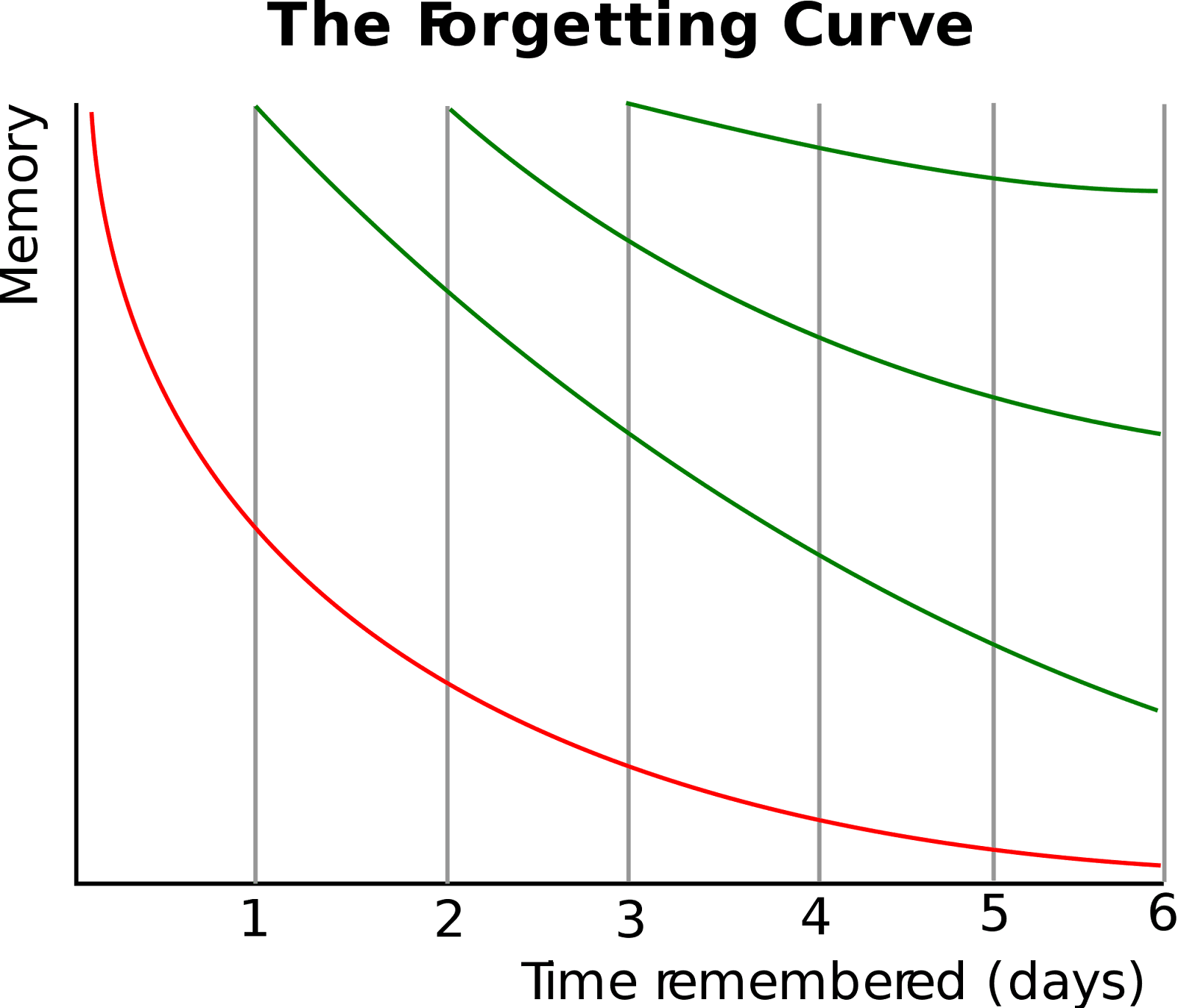
When you learn something new, the likelihood that you will forget most of it is very high in the beginning. As time passes, you keep forgetting the rest of it, but at a slower pace.
This is called the forgetting curve.
According to a study, this curve drops 50% within one hour after fresh information is consumed for the first time. In other words, we usually forget 50% of newly learned information within an hour. Then within 24 hours, we have forgotten around 70% of it. The figure reaches 90% after a week.
But this only happens when you learn things the traditional way. You sit down with your notes one night before an exam or test and try to gobble up everything in one sitting. This method is called cramming.
It involves passively reading everything two or three times and thinking you’ve memorized it just because the material starts looking familiar.
Spaced repetition is the superior alternative to this learning technique. It helps you memorize things for a much longer time and in some cases, permanently.
In this guide, we’ll introduce you to the best spaced repetition app, along with other study tools that also implement spaced repetition.
But first, let’s understand what exactly is spaced repetition technique.
What is spaced repetition exactly?
The spaced repetition method does two things differently from traditional learning. It replaces passive recall with active recall. And instead of consuming everything at once, you review things across multiple sessions, which are spaced out strategically.
For instance, you would review your learning material once today, then again in a few days, then again a week or two after that, and so on. And within each of these sessions, you actively recall things. You put some mental effort, a slight struggle to retrieve the answer. Compare this to simply re-reading your notes in the traditional method.
When you actively test yourself like this across multiple sessions, your memory of the study material consolidates into long-term storage. And once something is in long-term storage, the pace of forgetting it becomes very slow.
What makes spaced repetition work?
Every time you are shown incomplete chunks of information, and you successfully produce the answer from memory, two things happen:
- You stop yourself from forgetting it right now
- You also slow down the future rate of forgetting it
The more times you successfully recall something at the right moment (just when you’re about to forget it or some part of it), the longer its memory sticks.
After each spaced repetition session, you can wait longer before you need to review the information again.
According to a review of spacing effect research, one hour of spaced repetition can produce memory performance equivalent to four months of conventional teaching.
Which is the best spaced repetition app?
RemNote is the best spaced repetition app available in the market.
A spaced repetition app needs your study materials to create spaced repetition material (flashcards most often).
But manually feeding it those study materials every time is a hassle.
RemNote eliminates this hassle by letting you take notes right inside the same app that’ll create flashcards from those notes.
You take notes in RemNote, and the system converts the pieces of information into flashcards.
This also ensures that every card can be traced back to the broader material it came from. Whenever you need elaboration on a specific fact in a card, you can jump back to its original source material, also present inside RemNote.
Let’s talk a little about how spaced repetition works in RemNote.
How spaced repetition works in RemNote
RemNote handles the entire spaced repetition process automatically. It chooses the timing of review sessions and also what cards need to be reviewed in each session.
In RemNote, a card becomes due for review when the system predicts there is approximately a 10% chance you have forgotten it.
The system makes that prediction for a card and decides its next review timing based on how you rated your recall when reviewing that card.
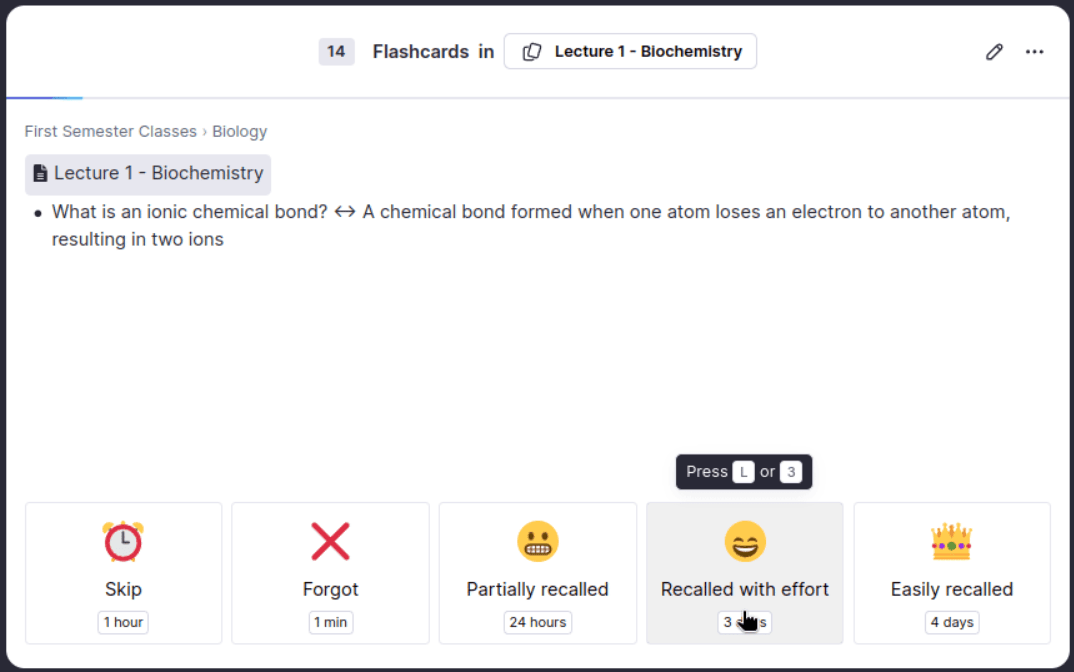
You have the following four options to rate your recall difficulty on a card:
- Forgot: The card is shown again within minutes.
- Partially recalled: This rating means you remembered the answer after struggling, missed details, or were uncertain about the answer. The system will schedule the next review of this card in or after the next 24 hours.
- Recalled with effort: Choosing this option means you remembered the answer, and you had to think about it for a moment, but didn’t struggle. The next interval comes after 3 days.
- Easily recalled: If you rate a card with this, the algorithm will significantly increase the wait time before its next review.
A few other features that make RemNote particularly well-suited for students are as follows:
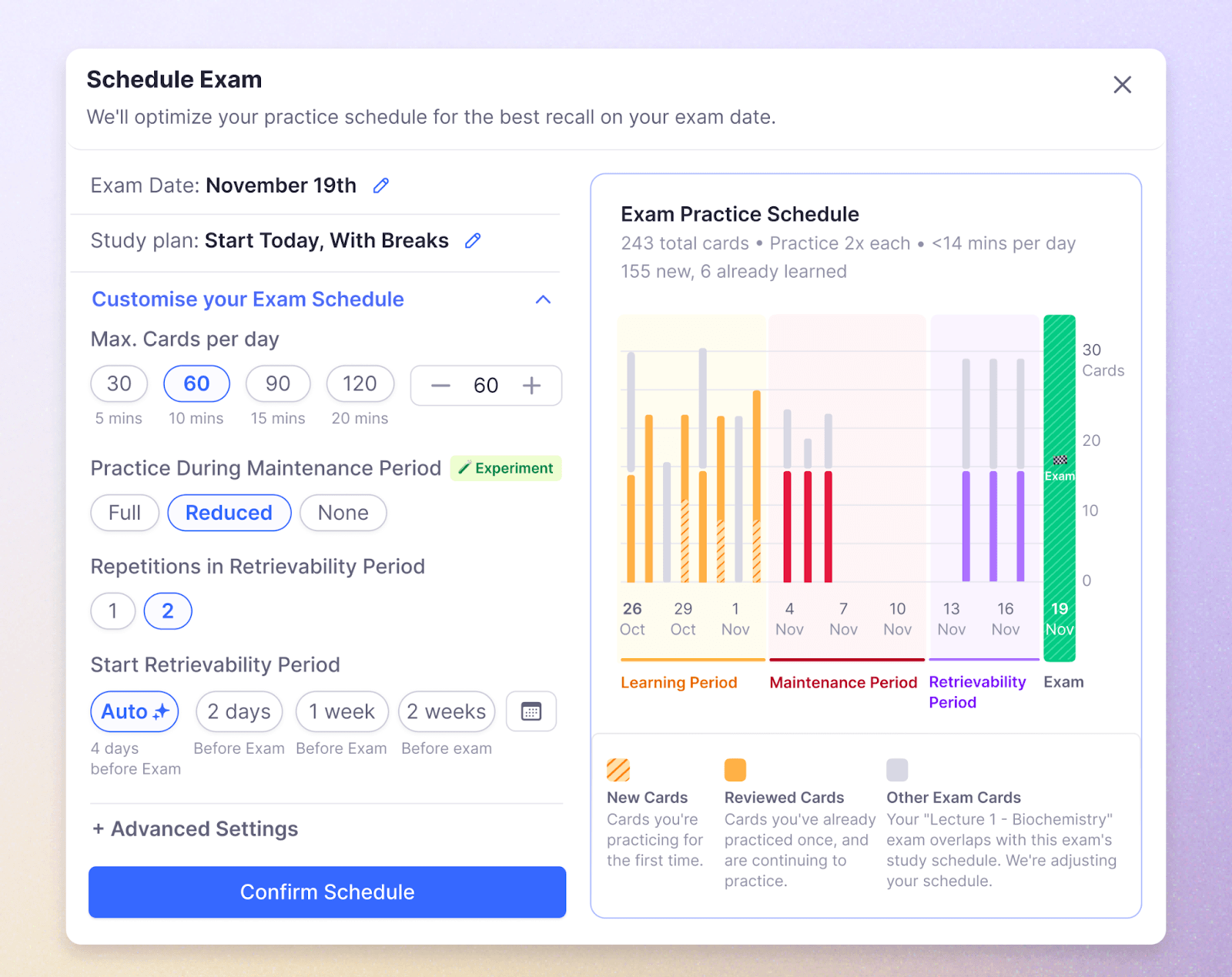
- Exam scheduler: In RemNote, you can simply set your exam date and pick a study plan, and the app then adjusts your daily practice to ensure you are maximally prepared for test day.
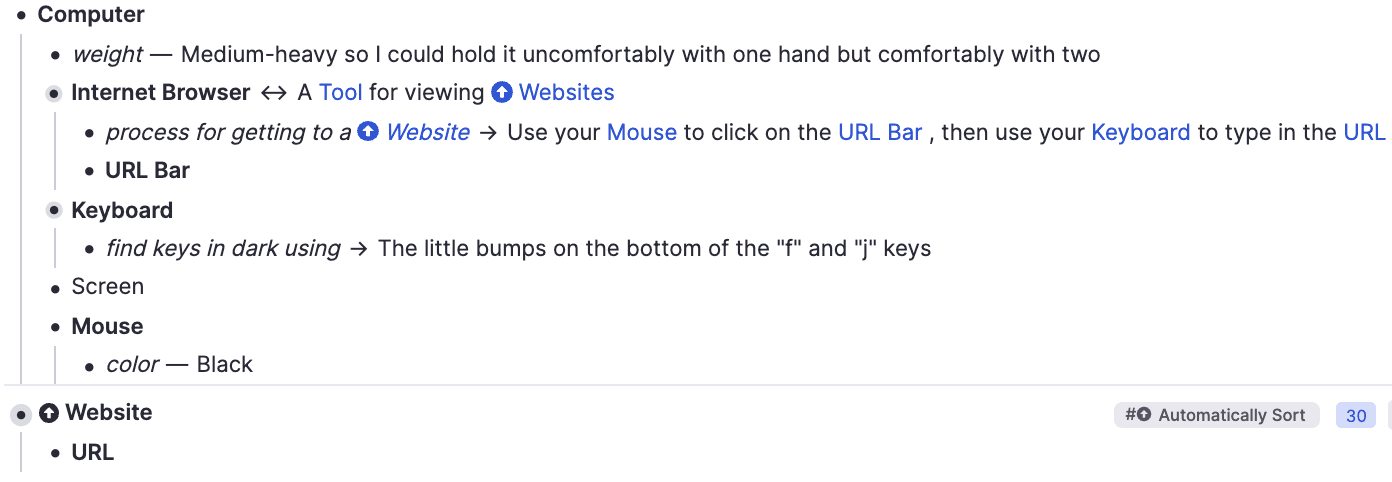
- Concept-descriptor framework: To prevent knowledge from becoming a giant list of cards, RemNote lets you organize ideas by what they are (e.g., tagging "Shingles" as a "Disease") and see bidirectional connections between related concepts.
- AI and PDF integration: You can create flashcards while annotating PDFs or use AI generation to instantly turn your notes into a practice deck.
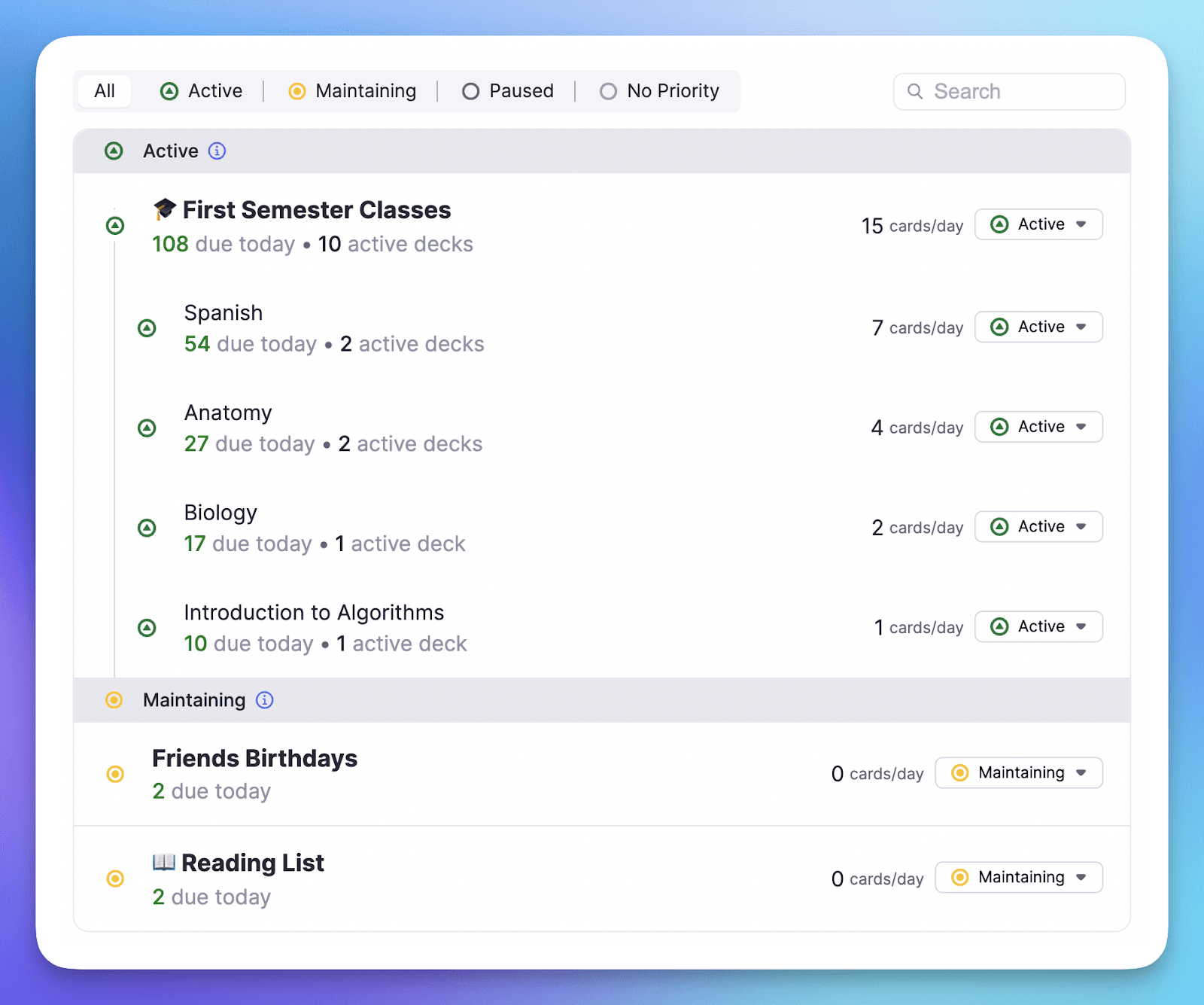
- Daily learning feature: You tell RemNote how many cards you’re willing to practice every day, and it prompts you to reach that goal.
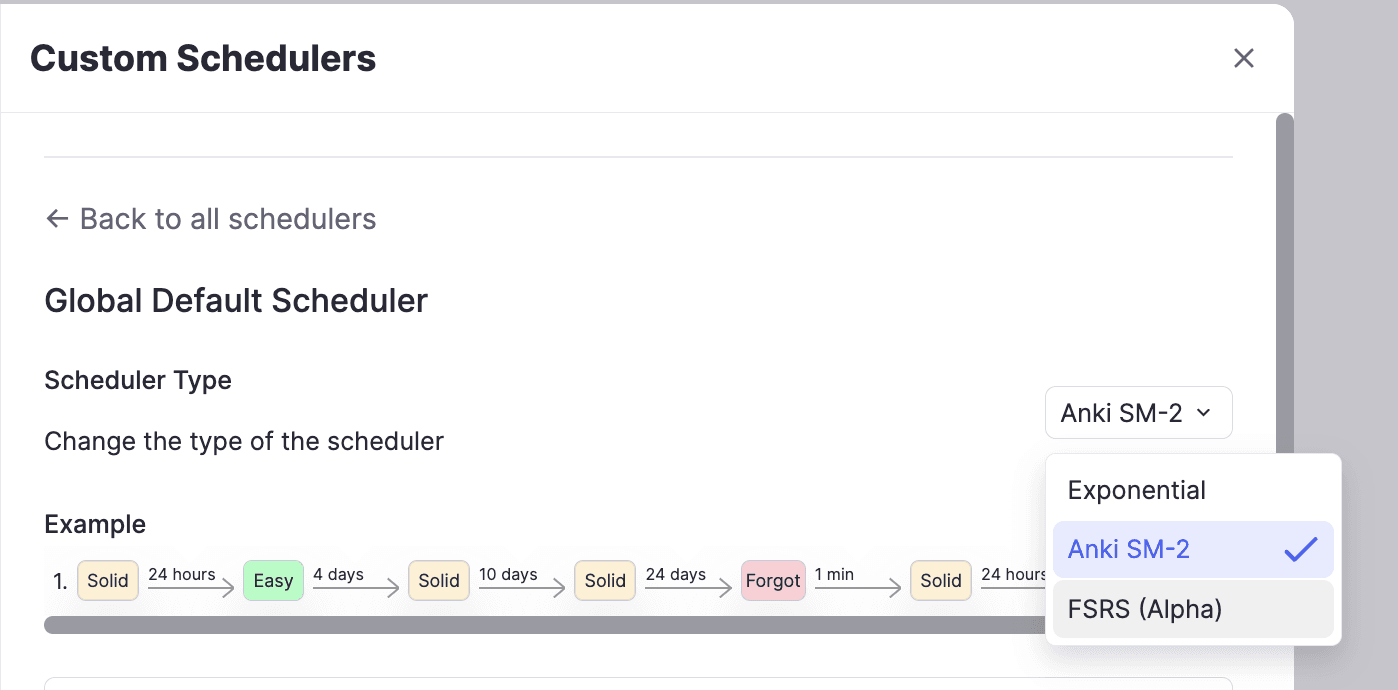
- Two spaced repetition algorithms: RemNote supports the classic Anki SM-2 algorithm used by millions, as well as the more modern FSRS (Free Spaced Repetition Scheduler), which uses machine learning to adapt to your unique memory patterns over time.
Key Features of RemNote
| Feature | RemNote | Typical SRS app |
| Notes and flashcards in one place | Yes | No |
| Modern FSRS algorithm | Yes | Rarely |
| Exam scheduler | Yes | No |
| AI flashcard generation | Yes | Rarely |
| PDF annotation with card creation | Yes | No |
| Mobile app | Yes | Sometimes |
Other spaced repetition apps available online
1. Anki
Anki is probably the most popular flashcard software. It’s free and open source, too.
It is particularly popular with medical students who need to memorize and retain an enormous volume of facts over years of training.
The tool uses the SM-2 spaced repetition algorithm, which was originally developed in 1987. But Anki also supports FSRS now, the same modern algorithm available in RemNote.
FSRS is more efficient at learning your memory patterns and scheduling reviews than SM-2. Generally, you can expect FSRS to reduce the number of reviews needed by 20% to 30% while maintaining the same retention rate as SM-2.
Anki is also liked for the depth of its customisation and the size of its community. You can create basic front-and-back cards, but also close deletions, image occlusions, and embed audio or LaTeX formulas.
2. SuperMemo
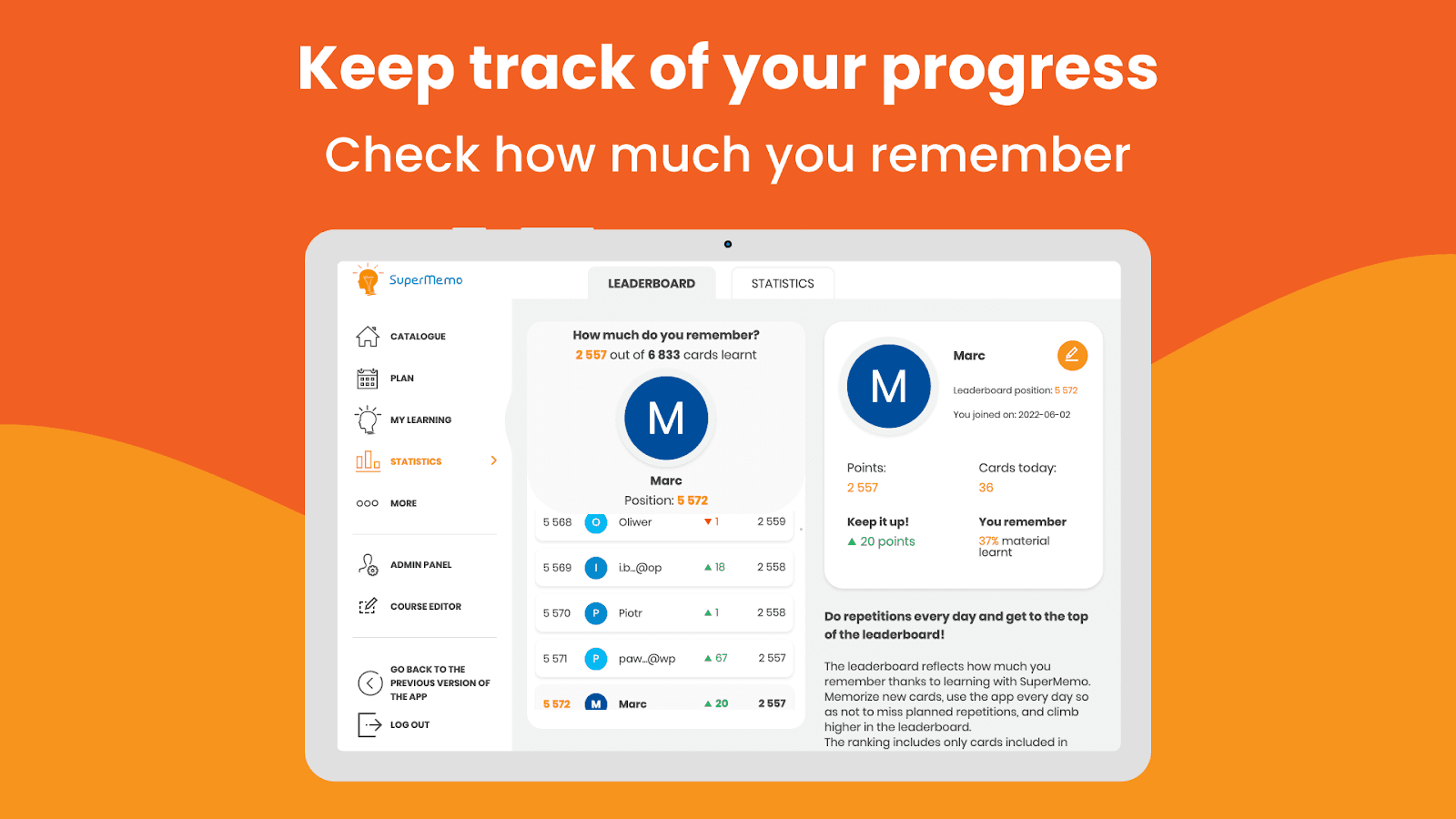
SuperMemo is a dedicated spaced repetition app for language learning. But it’s also the reason why the spaced repetition technique even exists.
SuperMemo’s developer, Piotr Woźniak, introduced the first computational spaced repetition algorithm in 1987. The SM-2 that keeps popping up in this article stands for SuperMemo-2.
The latest spaced learning algorithm from SuperMemo is called SM-19. It is highly complex and uses a two-component model of memory, namely:
- Stability: how firmly something is stored in memory
- Retrievability: how easy it is to recall at any moment
The system tracks these two components to schedule each review.
SuperMemo also has a feature called Incremental Reading. The feature lets you import large articles or texts, read them in small portions across multiple sessions, and gradually extract the most important fragments for further review using question-answer flashcards.
If you’re an avid reader, you can retain a lot from this feature.
However, despite SuperMemo being the pioneer of spaced repetition, it’s still not as popular as RemNote or Anki.
3. Quizlet
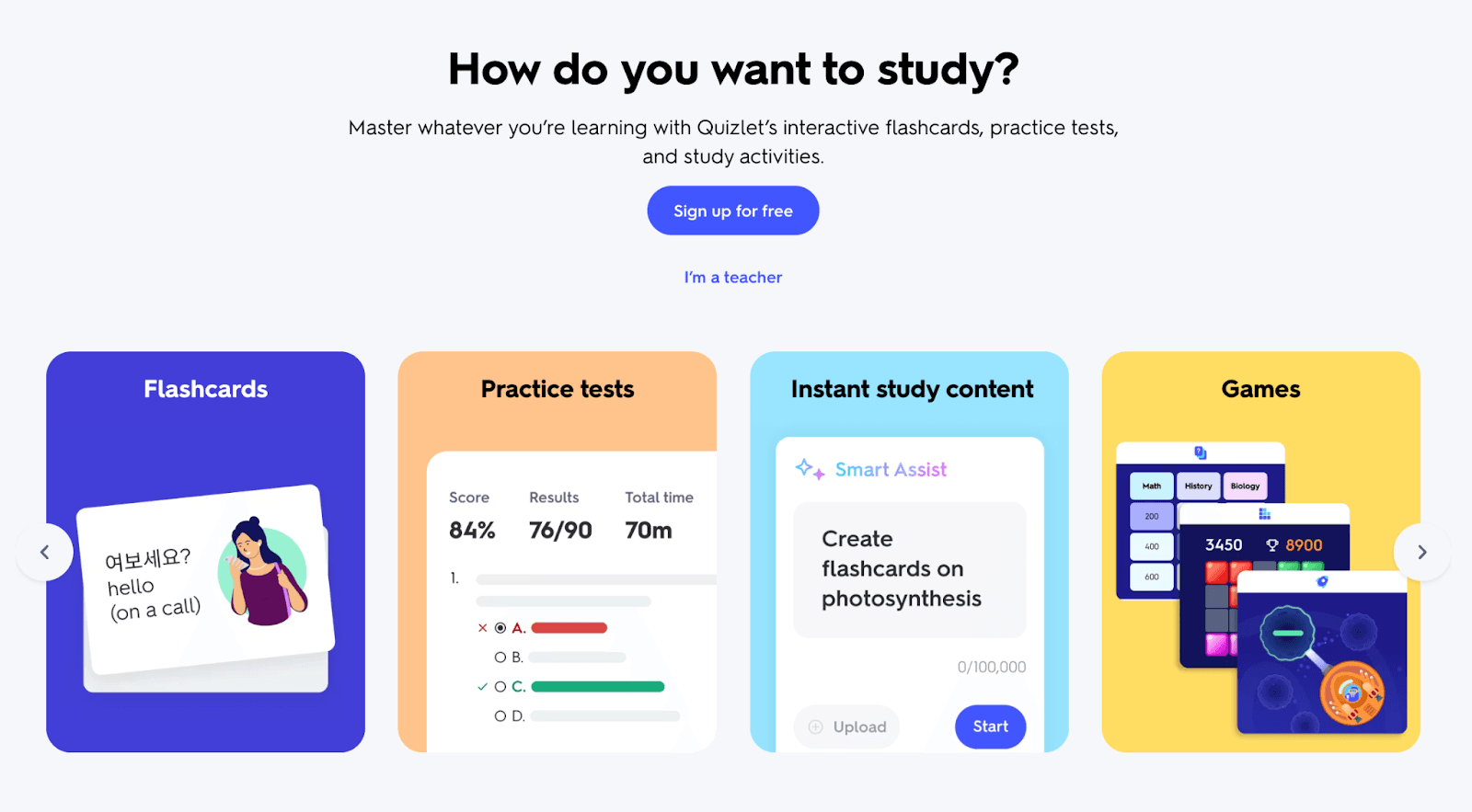
Quizlet is a learning platform for students to learn through flashcards and games.
Unlike other spaced repetition apps in this guide, Quizlet isn’t strictly based on spaced repetition. It also supports cramming and is less scientifically rigorous about spaced repetition than Anki, RemNote, or SuperMemo
The platform dates back to 2005, but it didn’t adopt spaced repetition until 2015. In 2015, it decided to focus more on long-term retention and ended up adopting a variant of SM-2.
SuperMemo also credits Quizlet for exposing its large user base to the SM-2 algorithm.
But what is Quizlet liked for?
The main reason for its popularity is probably its enormous library of user-created study sets (containing pre-made flashcards and more which Quizlet alternatives typically don’t offer) across almost every subject imaginable.
There’s always a decent chance someone has already made a flashcard deck for a given topic.
If a deck isn’t available, you can import your study materials and make new flashcards from scratch.
Another thing people like about Quizlet is its various modes of studying and testing yourself, including:
Standard flashcard flip
Flashcard flipping with spaced repetition
- Read the question and type the answer
- Listen and type the correct spelling
AI-generated multiple-choice test
Matching game and more
How RemNote compares with others
Here’s a comparison table among RemNote, the best spaced repetition app, and its alternatives.
| Feature | RemNote | Anki | SuperMemo | Quizlet |
| Algorithm | FSRS + SM-2 | SM-2 + FSRS | SM-2, SM-17, SM-18, SM-19 | Memory Score (proprietary) |
| True spaced repetition | Yes | Yes | Yes | Partial |
| Notes + flashcards in one place | Yes | No | No | No |
| Exam scheduler | Yes | No | No | No |
| AI flashcard generation | Yes | No | No | Limited |
| PDF annotation with cards | Yes | No | Via incremental reading | No |
| Pre-made deck library | Growing | Very large | No | Very large |
| Mobile app | iOS + Android | Android free, iOS paid | Separate app | iOS + Android |
| Ease of getting started | Moderate learning curve | Steep | Very steep | Very easy |
| Free plan available | Yes | Yes (fully free) | Trial only | Limited |
Try RemNote for free today and see the difference yourself.