Free vs Paid Flashcard Apps: 8 Best Options for Students

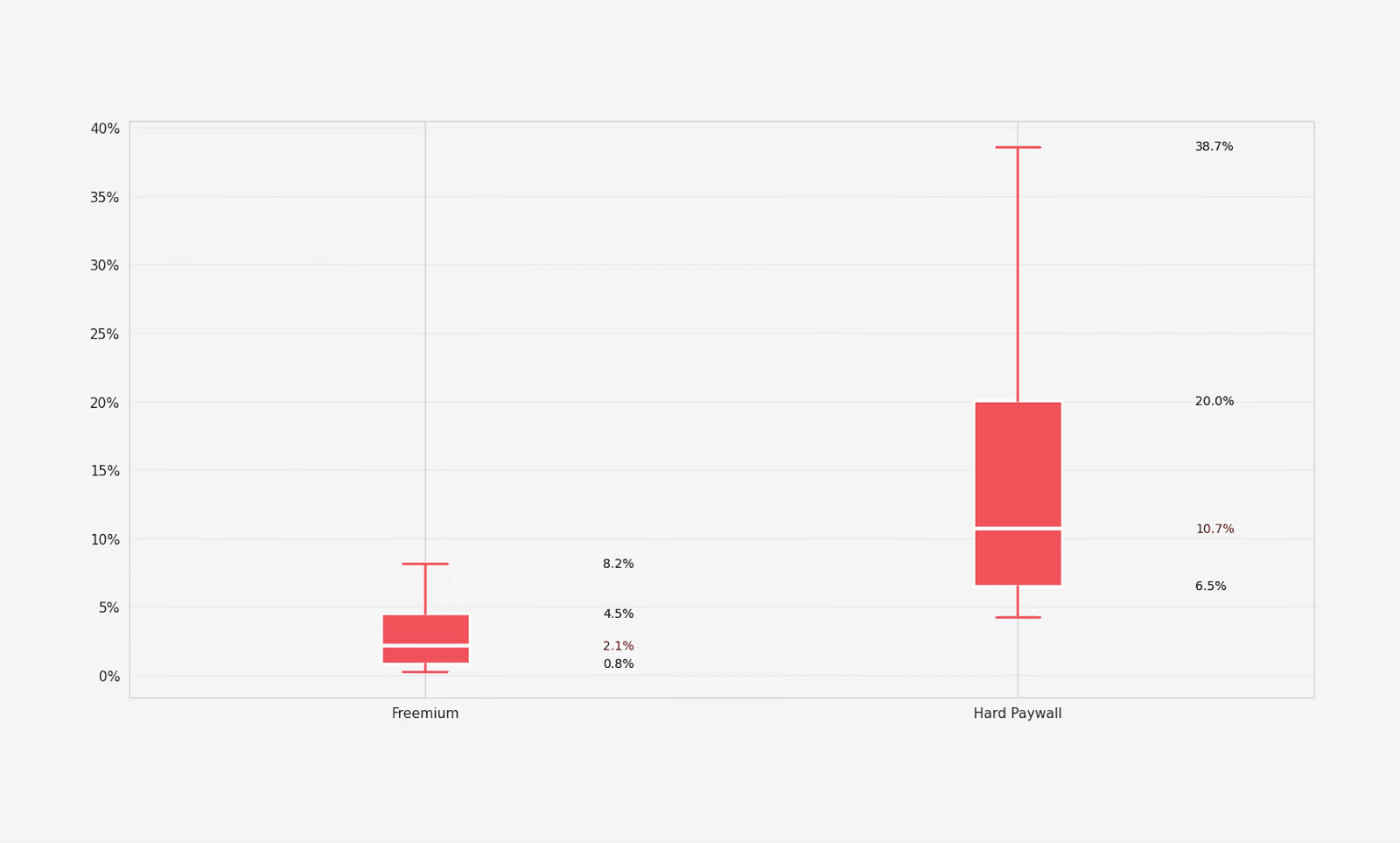
RevenueCat recently studied more than 115,000 subscription apps and found that freemium apps have a median Day-35 conversion rate of just 2.1%.
This suggests that when students look for a flashcard app, they want its free plan to be genuinely useful. Or at least the paid plan should be cheap.
But flashcard apps that offer a useful free plan are a rarity.
In this article, I have curated a list of those rare free flashcard apps and included some paid apps, too.
Read further and explore.
5 Best free flashcard apps
The apps in this section give you the core flashcard experience without asking for money.
Most of them do have paid plans too. But the free versions are usable enough that plenty of students might not feel the need to upgrade.
1. RemNote (Best free plan for notes + flashcards in one place)
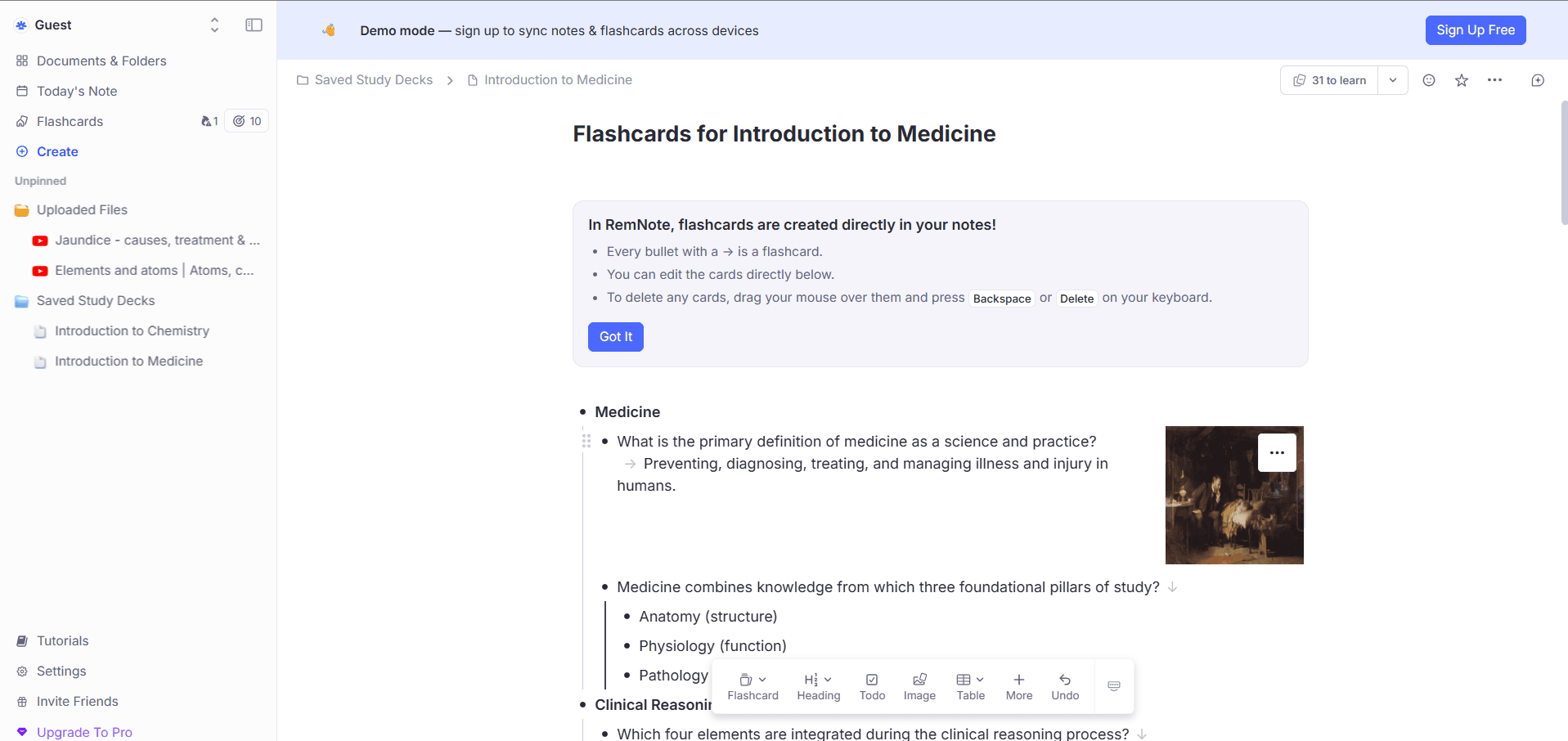
RemNote is a note-taking app and a flashcard app at the same time.
You can use the app for free to create and practice unlimited flashcards every month. Most beginner users don’t feel the need to buy the paid plan initially because the free plan allows them to use all the essential features they need to study with flashcards. Almost all premium features are also available in the free plan, albeit for limited tries.
For instance, you can annotate only 3 PDFs and make 5 image occlusion cards. The exam scheduler, which is a premium feature, can also be used on the free plan to prepare for 1 exam.
RemNote is also well-known for its true implementation of both FSRS and the classic Anki SM-2 spaced repetition algorithm. Free users get to study with the same advanced algorithm as paid users.
By default, the algorithms are set to help you maintain 90% desired retention. But you can decrease or increase the desired retention in the settings based on what you’re studying.
You can sign up for RemNote's forever free plan and test these features.
Key Features
Supports both flashcards and note-taking
Real-time flashcard creation while taking notes
All flashcard types:
- Q&A
- Cloze
- MCQs
- Image occlusion
- Audio
- Multiline
- Concept cards
Two spaced repetition algorithms: FSRS and SM-2
AI can generate flashcards from typed and handwritten notes, uploaded files, lecture records and web pages.
PDF annotation & flashcard creation from highlighted text
Import decks from Anki, Quizlet, and other apps
Offline mode
Detailed statistics on your flashcard review history
Available on iOS, Android, Windows, Mac, Linux, and the web
Pricing
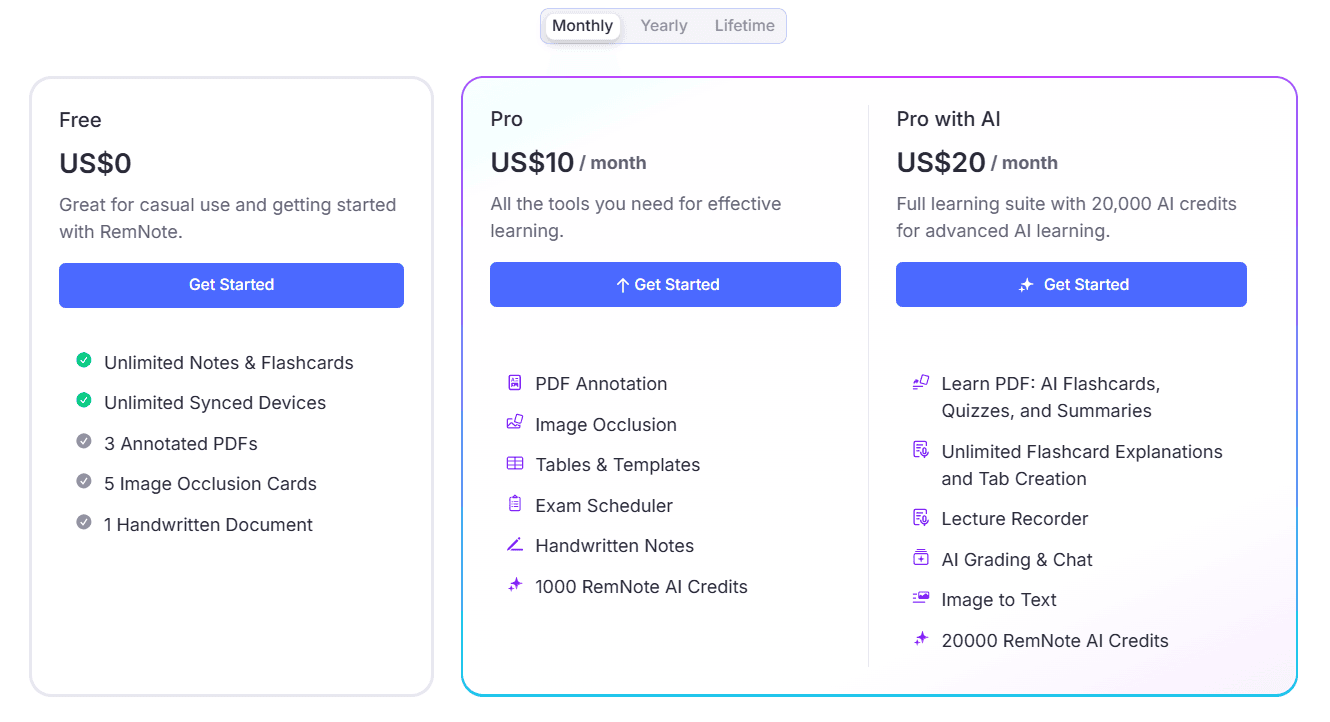
RemNote offers a forever-free plan that supports unlimited note-taking and flashcard creation. You can also use an account from an unlimited number of devices on the free plan.
Paid plans unlock unlimited PDF annotations, image occlusion cards, exam scheduler, lecture recorder, AI grading, etc.
Here’s what the two paid plans cost:
- Pro: $10/month when billed monthly, and $8/month when billed annually
- Pro with AI: $20/month when billed monthly, and $18/month when billed annually
There's also a lifetime plan of $395. RemNote also offers a 25% discount on the Pro plan to eligible students and educators.
When it’s worth upgrading
You’ll know it’s time to upgrade your RemNote plan when the free limits start getting in your way. For instance, if you study from more than 3 PDFs, need more than 5 image occlusion cards, or take most of your notes by hand, the Pro plan removes those caps. It also gives you the exam scheduler and 1,000 AI credits. If you rely heavily on AI, Pro with AI is the better pick. It adds a lecture recorder, AI grading and chat, and 20,000 AI credits to turn your PDFs into flashcards, quizzes, and summaries.
Pros
- Free plan is genuinely useful
- True implementation of FSRS and SM-2 spaced repetition algorithms on free plan
- The content of cards can be traced back to the relevant document they were generated from
- No ads on the free or paid plans
- 250 AI credits to use AI features for all free users
- Almost all premium features are available in the free plan
Cons
- Takes some time to learn simply because of the amount and quality of features
- Some advanced features can be used a limited number of times on the free plan
2. AnkiDroid by Anki (Best completely free option)
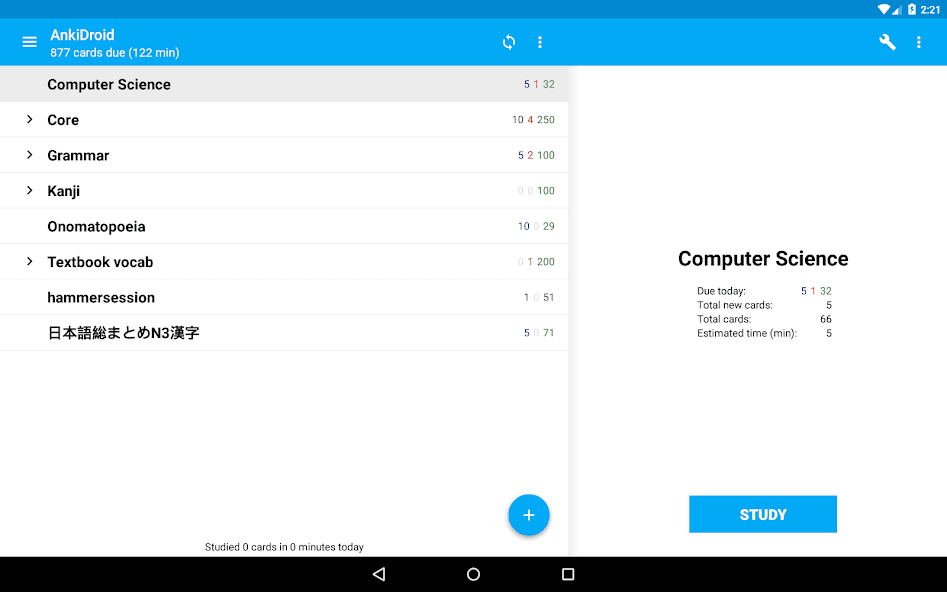
As the name suggests, AnkiDroid is the Android app of the classic Anki platform.
If you have used Anki, you know that the platform is free in its truest sense. There are no paid plans. You aren’t forced to make in-app purchases either.
For spaced repetition, the AnkiDroid app supports both SM-2 and FSRS algorithms. You can switch between the two at any time. The best part about Anki is that it allows you to customize almost every part of how the algorithm behaves. For instance, you can set your own desired retention rate, daily limits for new cards, learning steps, and a lot more.
Anki’s only downside is its outdated, rather slow flashcard creation process. It also has no built-in AI to create flashcards. You have to plug in add-ons to get that capability. But most of those add-ons work only in the desktop app.
Keep in mind that AnkiDroid is only for Android. The iOS app is a paid purchase, which I cover in the paid flashcard apps section below.
Key Features
- All flashcard types
- SM-2 and FSRS algorithms
- Customization of algorithms
- Free sync with Anki desktop through AnkiWeb
- Access Anki's huge library of shared decks for free
- Works fully offline
Pricing
- Android & desktop: Completely free
- The iOS app (AnkiMobile): One-time purchase of $24.99
Pros
- 100% free
- No ads or upsells
- True spaced repetition implementation
- Massive library of ready-made decks
- Full control and ownership of your data
Cons
- Steep learning curve
- Slow and manual card creation
- iOS app isn’t free
3. Brainscape (Best for unlimited card creation & study)
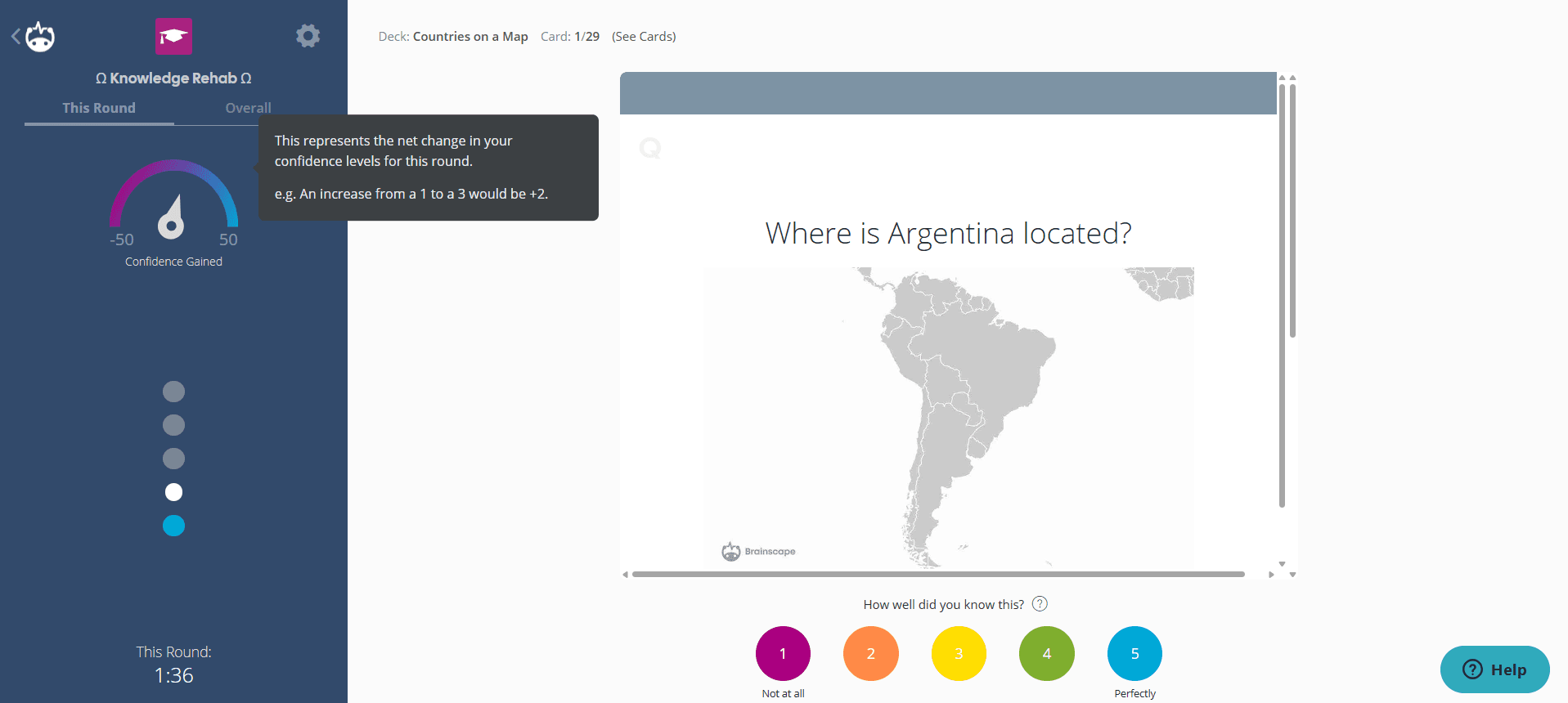
Brainscape is an underrated flashcard app that offers a generous free plan.
You can make serious use of the platform before buying a paid plan.
For instance, you can manually create unlimited flashcards, import them, share your cards with others, study unlimited flashcards you made or were shared with you, and create a limited number of flashcards with AI.
In short, you can create, study, and track progress without a paid plan. That’s the full platform experience.
The main reasons to pay for Brainscape, though, are getting access to unlimited AI for card creation and expert-certified flashcards. Adding sound and images to your flashcards is also a premium feature. Also, by default, the flashcards you create with the free plan remain public. If that doesn’t suit you, you will have to buy the Pro plan to make them private.
Key Features
- Confidence-based flashcards rating
- Shared decks are certified by domain experts
- AI-powered flashcard generation from uploaded materials
- Flashcards support images, audio, and animated GIFs
- Others can view and edit shared decks
- Available as a web and mobile app for iOS and Android
Pricing
Brainscape offers a generous free plan that supports unlimited flashcard creation and practice.
Paid plans mainly unlock AI features and expert-certified flashcards.
Brainscape’s pricing models are also the most flexible. You can pay monthly, half-yearly, yearly, or for a lifetime.
- Pro plan for individuals: $19.99 (monthly), $9.99/month (semester), $7.99/month (yearly), $199.99 (lifetime)
- Enterprise plan: Custom price
Pros
- Free plan is packed with features
- Create 100 AI-powered flashcards on the free plan
- 2,500 freely available flashcards on several subjects
- Flexible billing options
- Tidy interface
- Users can earn royalties on their shared decks
Cons
- Expensive monthly charges
- The confidence-based algorithm isn’t true spaced repetition
- Flashcards created by free users are public by default. They will have to pay to make their flashcards private.
4. Knowt (Best free Quizlet-style experience)
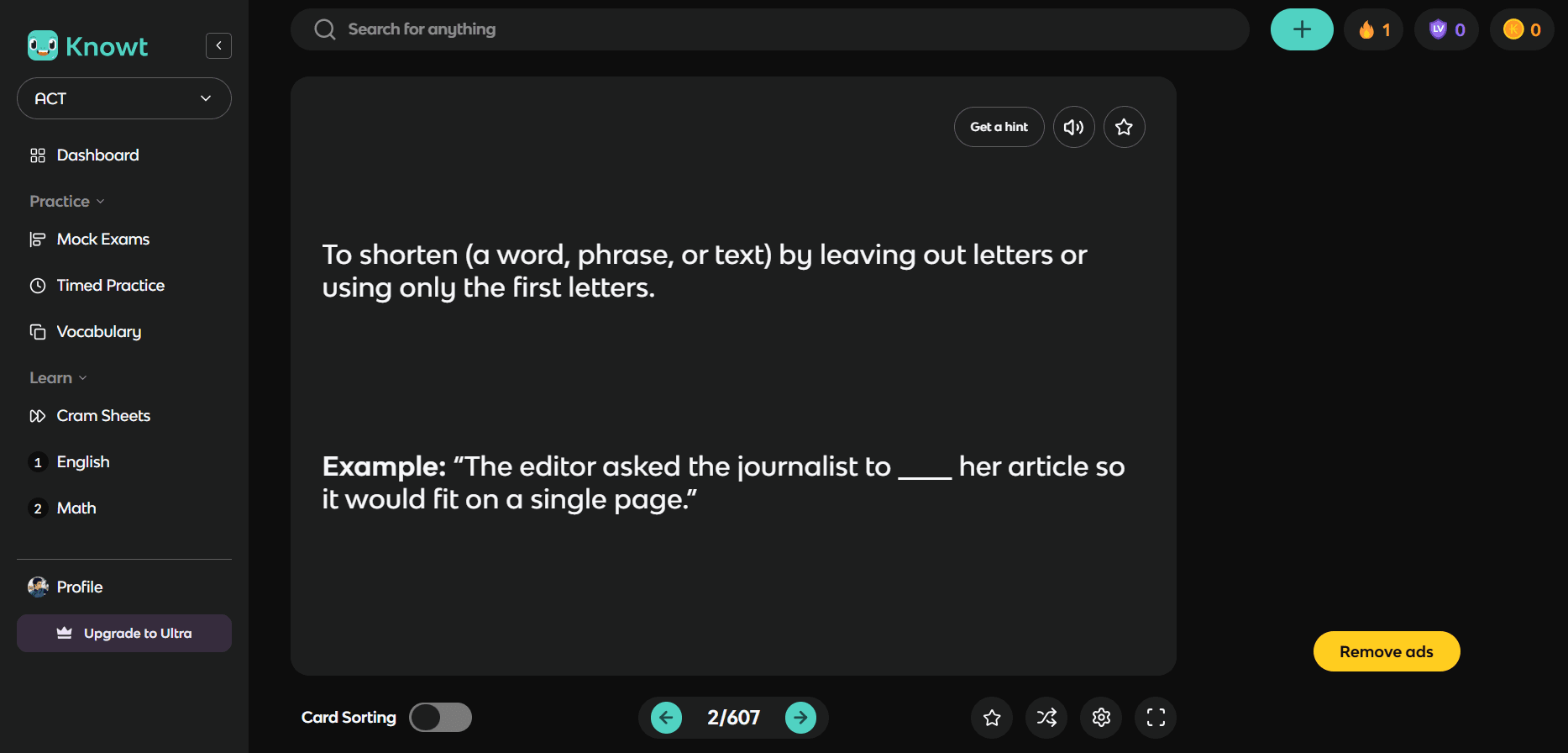
Knowt’s free plan is also generous enough to make serious use out of it.
The platform markets itself as a Quizlet alternative. It has both an iOS and an Android app.
The free plan lets both teachers and students access the full 5 million resource pool of notes and flashcard decks.
Students can even create an unlimited number of files and collaborate live with others. Teachers get to create only 20 files on the free plan, though.
The AI features are mostly part of the paid plan, but students can access them through their teacher’s free plan.
However, Knowt doesn’t have a true spaced repetition algorithm. You review cards in a queue, and the cards you got wrong keep coming back.
Another major downside is that the free plan isn’t ad-free.
Key Features
- Supports note-taking and flashcards
- Some study modes are available in the free plan
- Library of user-made notes and flashcard sets
- AI study tools are available on paid plans
- Available on the web, iOS and Android
Pricing
Knowt offers a limited free-forever plan.
Serious usage is possible with paid plans:
- Students Ultra: $12.99/month when billed annually, and $24.99/month when billed monthly
- Teachers Ultra: $16.99/month (annual billing)
- Schools: Custom pricing
Pros
- Easy-to-learn interface if you have used Quizlet
- Large shared library of decks and other resources
- Helpful additional features other than flashcards
- Available on both Android and iOS
Cons
- Light implementation of spaced repetition
- Basic flashcards
- Expensive paid plan
5. Mochi (Best for minimalist UI and Markdown-based flashcards)
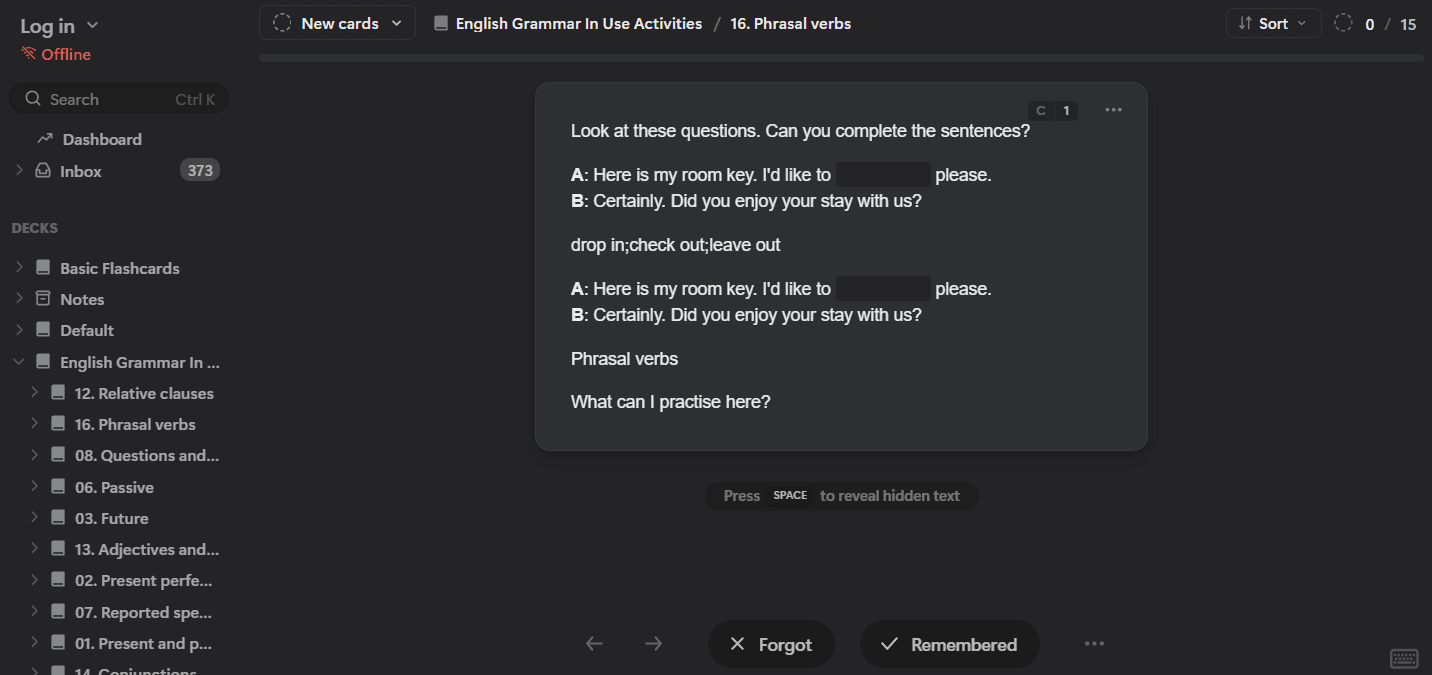
Mochi is a lesser-known flashcard app, but it offers a full experience of essential features on the free plan.
Even its paid plan is cheap.
In Mochi, you write your cards and notes in Markdown by typing characters such as # for a heading or ** for bold text. The cards you create use your phone’s storage.
You can also create bidirectional and image occlusion cards. There’s native support for importing decks from Anki. Language learners also get integrated dictionaries and auto-translate.
So where does the free plan draw the line?
On the free plan, you have to create all cards manually. Making them with AI is a premium feature.
On top of that, the free tier is limited to a single device. Cards you create on one device won’t be available on another unless you get the Pro plan.
Key Features
- Simple process to create markdown-based cards and notes
- Proprietary spaced repetition algorithm as well as FSRS
- Image occlusion cards
- Cards are linked to notes they were sourced from
- Imports Anki decks
- Dictionaries, text-to-speech, and auto-translate for language learners
- Available on Windows, Mac, Linux, iOS, and Android
- Offline study on mobile
Pricing
Mochi offers a free-forever plan with unlimited flashcards and offline use. However, as a free user, you can use it on only one device at a time.
The paid plan unlocks access to AI, dynamic fields, and the ability to publish your decks:
- Mochi Pro: $6/month (monthly billing) or $5/month (yearly billing)
Pros
- Distraction-free interface
- Card creation is easy
- Many Anki add-on features come built in
- App is available on both iOS and Android
Cons
- Sync across devices is paid
- Small library of shared decks
- Basic flashcard types
- Markdown takes a little getting used to for non-technical users
3 Best paid flashcard apps
The apps in this section might also have free plans. But those free versions are either very limited or missing some core flashcard features.
So if you pick one of these, it's safer to assume you'll be paying for it at some point. That’s why I have added them in the paid apps section.
1. AnkiMobile by Anki (Best one-time purchase for iPhone users)
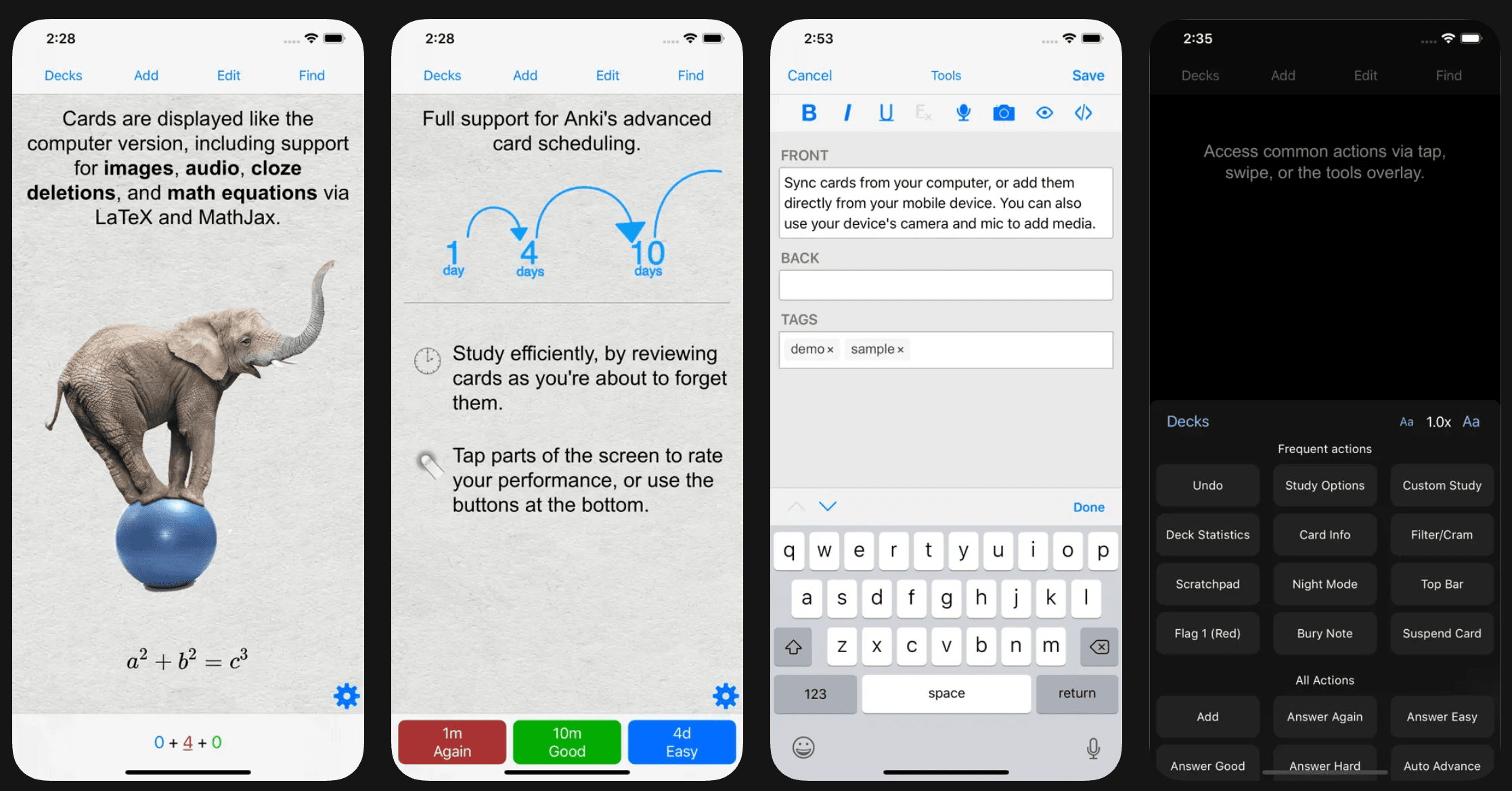
AnkiMobile is Anki’s app for iPhone and iPad. It is also the only version of Anki that costs money.
However, you only make a one-time purchase, after which the app is free forever. The one-time purchase costs $24.99, which you have to pay at the time of downloading the app from the App Store.
Once you’re in, the features are the same as the Android app.
You can even scribble on your cards with a finger or an Apple Pencil while answering flashcards.
That being said, paying doesn't change Anki's usual drawbacks. Card creation is still slow and manual. The interface still feels dated, and desktop add-ons still don't work on mobile.
Pricing
- One-time purchase over the App Store: $24.99
2. Quizlet Plus (Best for access to a massive shared library)
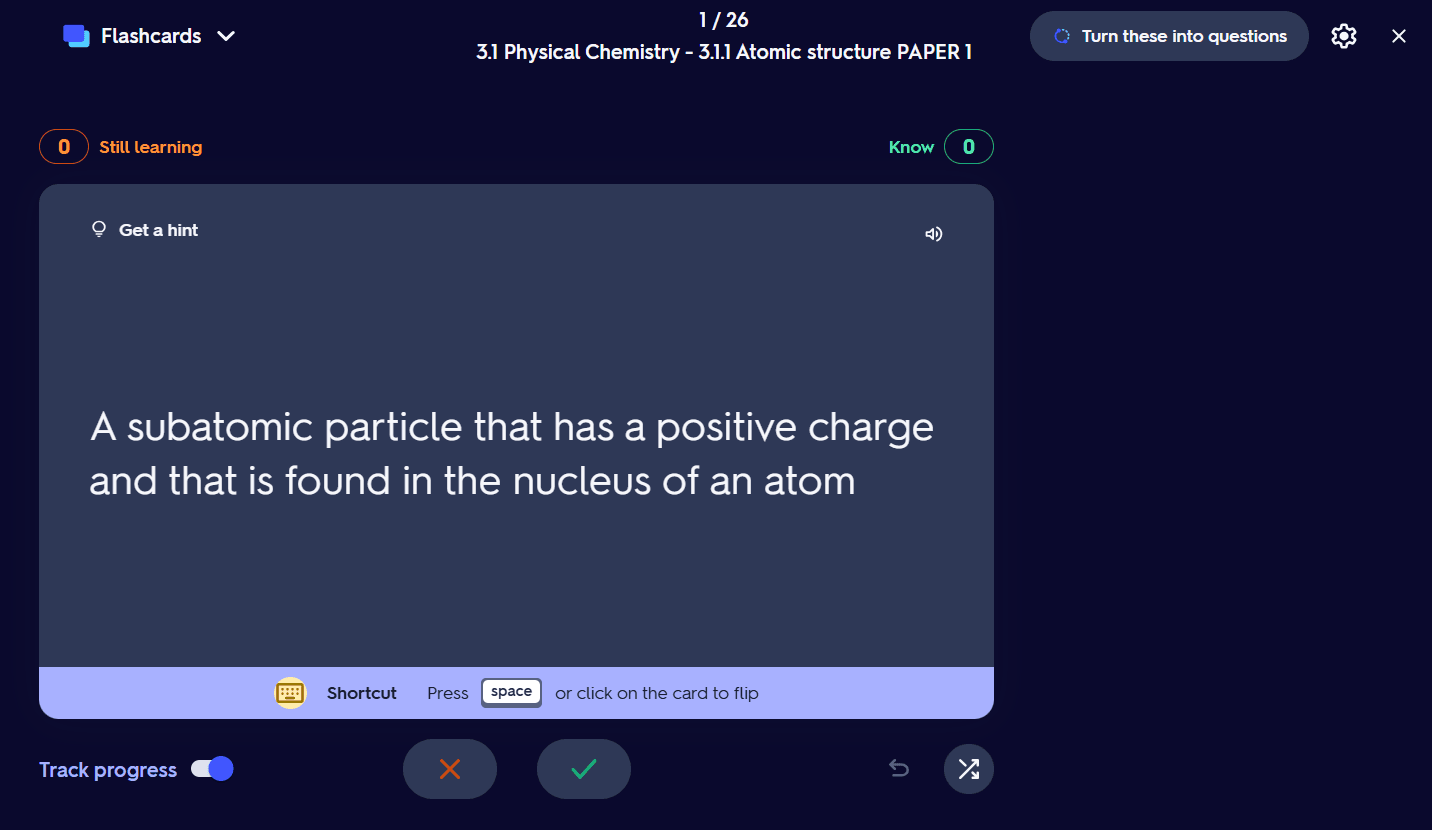
Quizlet used to have a generous free plan. But not long ago, it moved its truly useful features behind a paywall. Now, if you use the app for free, you keep seeing ads.
When you buy Quizlet Plus or Plus Unlimited, you get access to textbook solutions and a full version of the Learn mode.
The paid plan also lets you create diagram cards.
But even the paid plans might feel limited. For instance, the Quizlet Plus plan allows 3 practice tests and 20 rounds of Learn questions per month. You can also access 3 textbook solutions per month. The Quizlet Plus Unlimited removes the cap on textbook solutions but limits you to English textbooks only.
Quizlet also doesn't have a true spaced repetition algorithm. The flashcard review system is better for test prep than long-term retention.
One thing worth commending Quizlet for is that its paid plan for teachers comes with a 30-day free trial and costs $35.99 for the entire year.
Key Features
- Massive library of community-made flashcard decks and other resources
- Multiple study modes to practice and then test yourself
- Both manual and AI-powered flashcard creation
- AI-powered flashcards generation from typed and handwritten notes, uploaded docs, or simply prompts
- Gamified study modes
- Available on the web, iOS, and Android
Pricing
Quizlet no longer offers a free plan. Individuals get a 7-day free trial, and teachers get 30 days.
Here’s what Quizlet plans cost:
- Quizlet Plus: $7.99/month (monthly billing) or $2.99/month (annual billing)
- Quizlet Plus Unlimited: $9.99/month (monthly billing) or $3.75/month (annual billing)
The Quizlet Plus for teachers is only available on annual billing. The total per year cost is $35.99.
Pros
- The largest library of ready-made flashcard sets, past papers and other resources
- Beginner friendly
- Cheap prices
- Teachers’ annual plan is unusually cheap
- Multiple study modes and games
- Teachers get a 30-day free trial
Cons
- A basic implementation of spaced repetition
- Supports basic flashcard types (term and definition, and diagram)
3. SuperMemo (Best for algorithm purists and language learners)
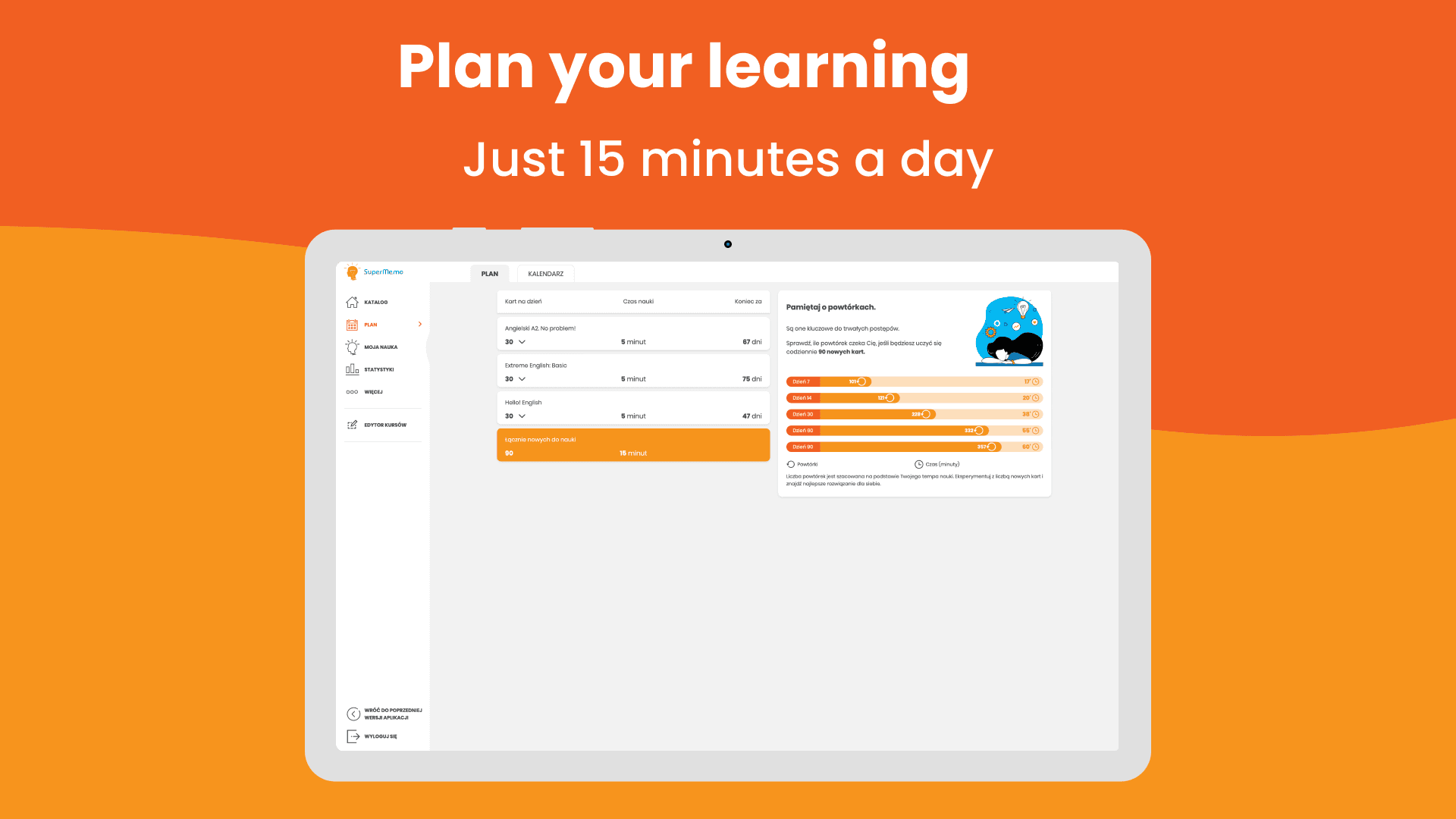
SuperMemo is made by the developers of the first computer-based spaced repetition. It is the oldest spaced repetition system on this list. The SM-2 spaced repetition algorithm, created by SuperMemo in the 1980s, is still used by many leading spaced repetition apps.
Today, the SuperMemo mobile app is mostly a language-learning app. It has a catalog of more than 300 ready-made courses at levels from A1 to C2.
The flashcard rating system gives you three options to choose from:
- Know
- Almost
- Don’t know
SuperMemo AI also trains users through role-play conversations.
One major benefit of SuperMemo is that you get the latest version of its spaced repetition algorithm, which isn’t available in other apps yet.
SuperMemo doesn't really have a free plan. You get the first month for free, and then you have to subscribe to the only paid plan.
Key Features
- Advanced and latest spaced repetition algorithms developed by the platform
- 300+ language courses from A1 to C2
- AI assistant provides explanations and corrections
- MemoChat lets you practice conversations with AI through role-play dialogues
- Both light and extreme language courses
- MemoTranslator can provide voice translations for words and phrases
- Progress tracking and learning statistics
- Offline mode
Pricing
SuperMemo doesn’t offer a free plan.
You have to buy their premium, which is available on both monthly and yearly payment:
- Monthly Premium: 35.99 PLN/month (~ $9 to $10) with a 30-day free trial
- Yearly Premium: 359.00 PLN/year (~ $90 to $100)
Pros
- Pioneer of spaced repetition
- A large catalog of expert-made courses
- The courses cover every proficiency level
- Native speaker recordings to help with the pronunciation of words/phrases
Cons
- No free plan
- Mainly for language learning
- Less user-made content
- Flashcard creation support is limited
RemNote works whether you pay or not
Almost every flashcard app is freemium now. They offer a limited free plan that keeps pushing you to buy premium.
However, very few apps pack that much value into their free plans.
One of the best ones in that category is RemNote.
You get all the core flashcard features, plus limited access to some advanced premium features.
If you want to study for an exam or a test, you can definitely do it on RemNote’s free plan.
And when it ever comes to getting the paid plan, that’s also quite affordable, starting at just $10.