7 Best Obsidian Alternatives for Students


Does quizzing yourself actually improve your grades? A 2021 meta-analysis in Psychological Bulletin combined data from 48,478 students across 222 classroom studies to find out.
Students who were regularly quizzed on course material scored about half a standard deviation higher than students who weren’t. The researchers estimate that's a GPA increase of roughly 0.3 points, enough to move an average student from the 50th to the 69th percentile.
The more times the same material was tested, the bigger the gains.
Obsidian is a great place to write and connect notes, but it doesn't have a built-in way to quiz yourself on them. So students who want both are looking for alternatives.
This article reviews the 7 best alternatives to Obsidian.
TL;DR
The best Obsidian alternatives in 2026 are:
- RemNote: best for exam prep through the spaced repetition method
- Notion: best for course planning and group projects
- Logseq: best for free, open-source linked notes
- OneNote: best for handwritten notes
- Capacities: best for knowledge management
- Zettlr: best for academic writing and citations
- Joplin: best for private, encrypted notes
Why Listen to Us
RemNote was founded by MIT researchers and is used by 1,000,000+ students worldwide. Our team focuses on learning science to help students worldwide get the best access to study tools that maximize productivity.
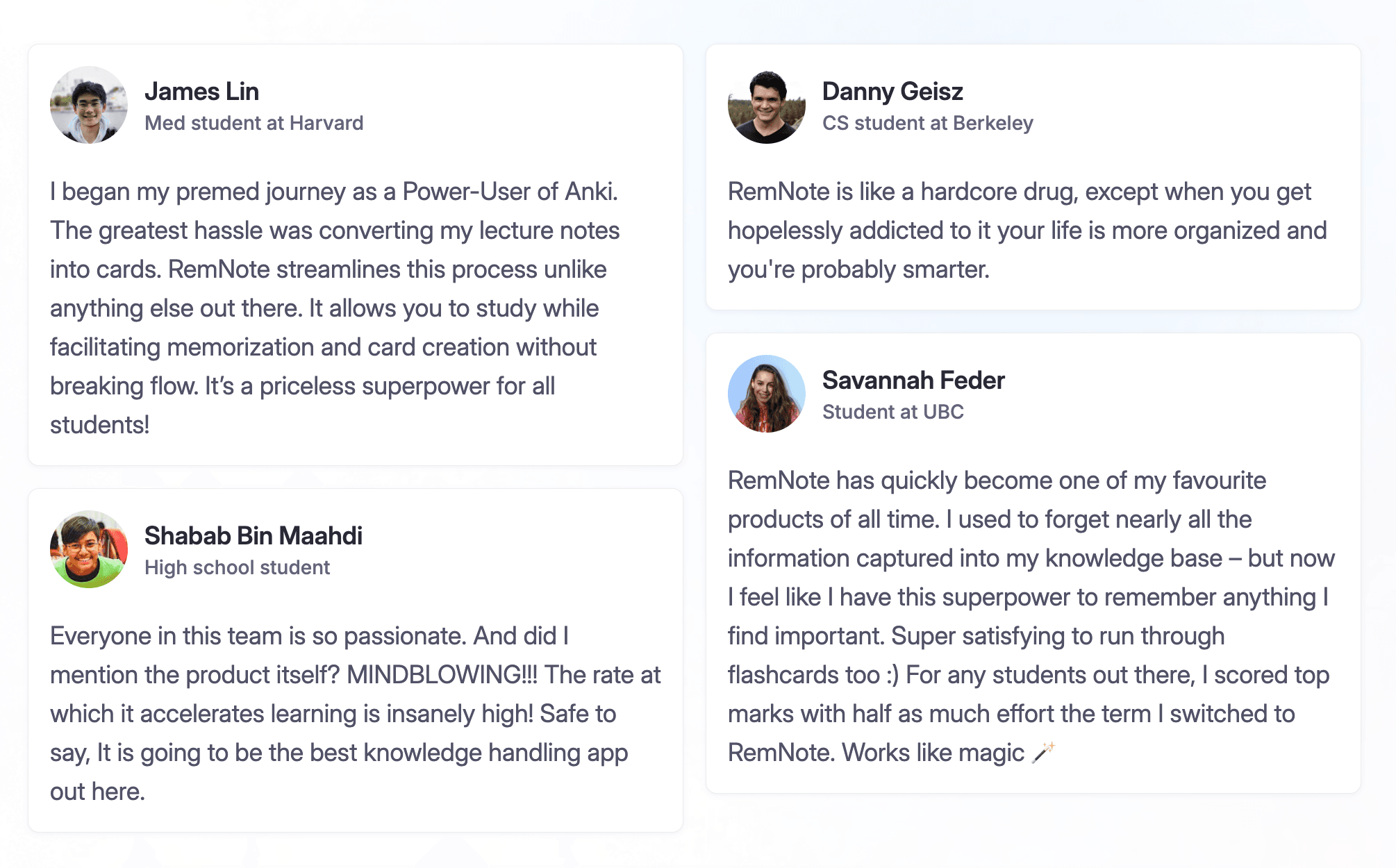
We created RemNote. We also tested hundreds of study tools hands-on to see which ones do certain features better.
The pros and cons you see in the reviews ahead come from real user sentiment on G2, Capterra, the App Store, and Google Play.
What Is Obsidian?
Obsidian is a local-first note-taking app that connects your thoughts through bidirectional links, a graph view, a canvas view, and community plugins.
It stores your notes on your device for online and offline access, ensuring 100% privacy. Its linking works much like Wikipedia interlinking, and the graph view displays relationships between your notes as a visual map.
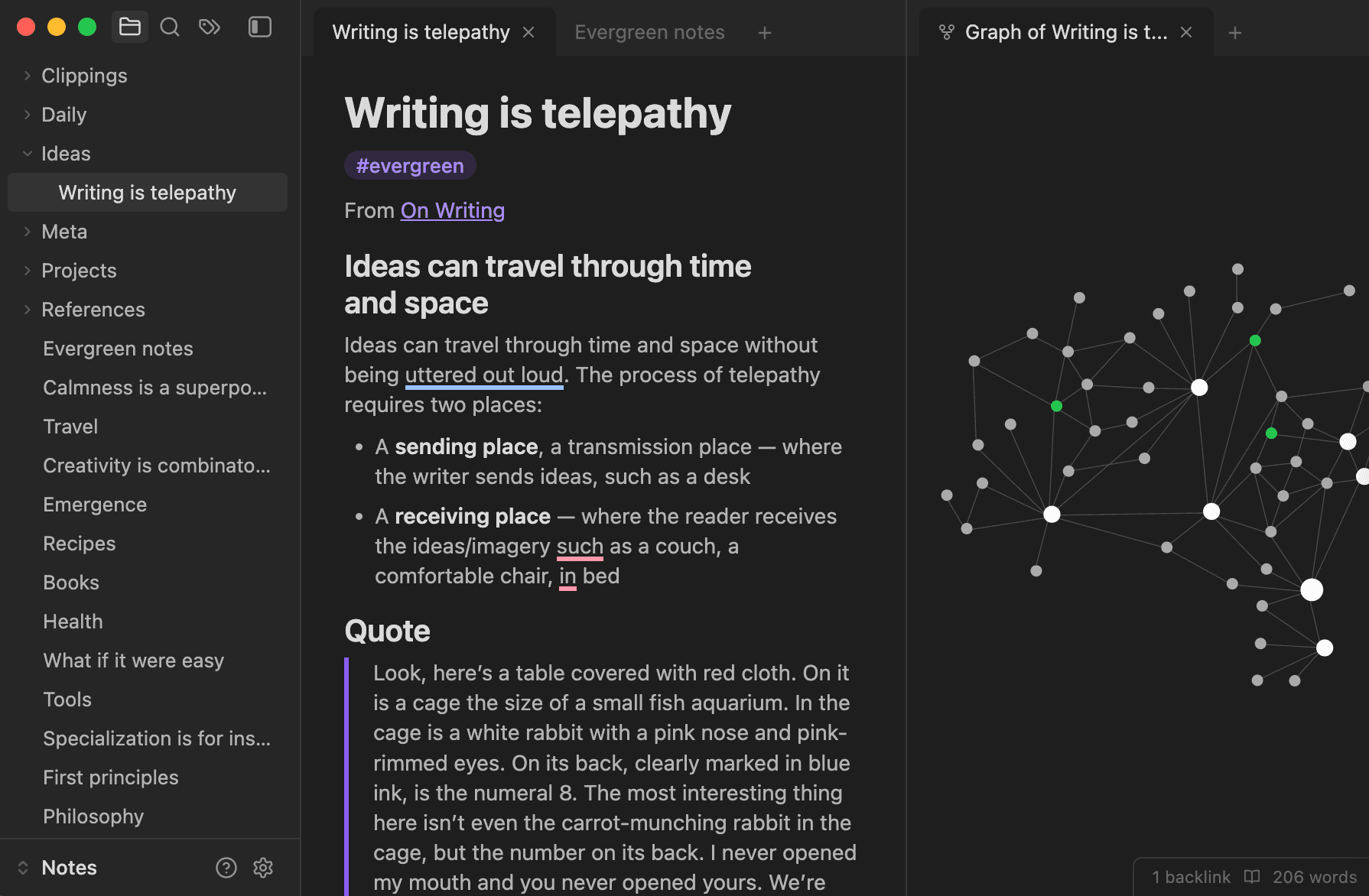
As of October 21, 2026, Obsidian hosts 9,000+ community plugins and 900+ themes to help customize your notes however you like.
The tool is free for personal use. However, if you want to sync your notes across devices, it costs $4 per user per month (billed annually). And publishing your notes online requires signing up for $8 per site per month on annual billing.
Obsidian also offers two optional licenses:
- Catalyst license for a one-time $25 to get early access to beta versions
- Commercial license which organizations can buy to support Obsidian's development.
The app, however, is not open-source except for its plugin API.
Why Students Look for Obsidian Alternatives
Despite its incredible interlinking features, Obsidian doesn't offer built-in flashcards or a spaced repetition system for studying your notes. Although your notes stay on one device for free, you must sign up for a paid plan to sync them across devices.
Obsidian is a great place to host original notes. But if you want to annotate PDFs or lecture slides, it doesn’t offer many features.
Therefore, many students turn to Obsidian alternatives to effectively study from the notes they take.
How We Evaluated These Obsidian Alternatives
We tested each of the following alternatives to Obsidian for features students want to see in an ideal note-taking app. The following things were accounted for before adding an app to our list:
- The features the tool offers for active recall, flashcards, spaced repetition, and note-taking
- How fast you can take notes on it during a live class
- How it handles PDFs/lecture-slides for annotation
- Its note-linking and organization structure
- Its syncing capability for devices students use, i.e., Windows/Mac, phone, iPad, etc
- How affordable it is
- How steep the learning curve is for students
- What the real user sentiment is like on review sites (G2, Capterra, Play Store, App Store)
7 Best Obsidian Alternatives for Students
Here is a breakdown of the 7 best Obsidian alternatives we found after extensive testing:
| Tool | Best for | Starting price | Why it's a good Obsidian alternative | App Store rating | Google Play rating | Open-source? |
| RemNote | Studying for exam prep, long-term memory | $10/mo | Flashcards with SM-2 and FSRS spaced repetition | 4.8 | 4.5 | No |
| Notion | All-in-one course planning and group projects | $12/user/mo | Block-based pages, templates, real-time collaboration | 4.8 | 4.6 | No |
| Logseq | Open-source outliner for linked notes | Free | Bidirectional links, private local Markdown files | 4.4 | N/A | Yes |
| Microsoft OneNote | Handwritten notes | Free | Stylus support with palm rejection, PDF annotation, OCR | 4.7 | 4.6 | No |
| Capacities | Object-based notes with sync | $11.99/mo | Two-way linking, several visual views, and free cross-device sync | 4.3 | 4.8 | No |
| Zettlr | Academic writing | Free | Zettelkasten-style linking, 9,000+ citation styles | N/A | N/A | Yes |
| Joplin | Private, encrypted notes on a budget | Free (Joplin Cloud starts from €2.99/mo) | Offline-first, end-to-end encryption, plugins and themes | 4.1 | 4.4 | Yes |
1. RemNote: Best for studying, exam prep, and long-term memory
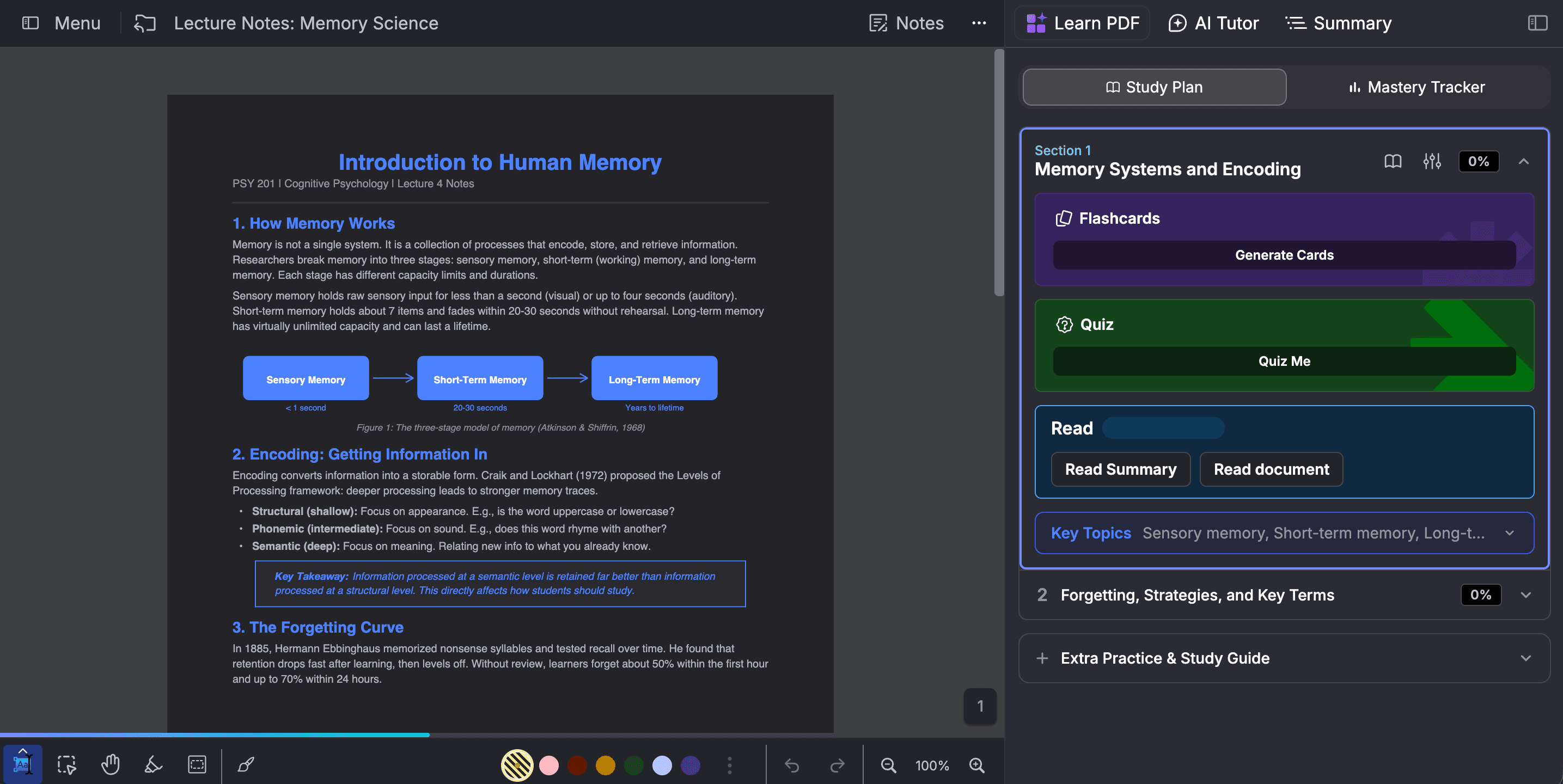
RemNote is an AI-powered knowledge management system. It lets you take notes and make flashcards at the same time. You can also schedule your flashcards for spaced repetition-based learning.
It uses the best-in-class SM-2 and Free Spaced Repetition Scheduler (FSRS) spaced repetition algorithms.
For notes, RemNote offers mind-mapping features and a rich text editor.
Key features
- Built-in comprehensive flashcard functionality
- Integrated note-taking consisting of hierarchical bullet points, documents, folders, etc
- The linking for notes includes tags, aliases (for acronyms and synonyms), portals, and more
- AI study assistant that generates study material for you and explains difficult concepts
- Exam scheduler to create a personalized daily study structure
Pricing
- Free plan with unlimited note-taking and flashcards
- Paid plans starting from $10/ month
Pros
- Free syncing between mobile and desktop/web
- Allows importing notes from Obsidian
- One common workflow for all study materials
- No need for community-built or third-party plugins
- True implementation of spaced repetition algorithms
- Exam mode gets you prepared in time
- Less than 3 hours of turnaround time on customer support
Cons
- Cloud-dependent in contrast to Obsidian’s local markdown files
- PDF annotation is a pro plan feature
2. Notion: Best for all-in-one course planning and group projects
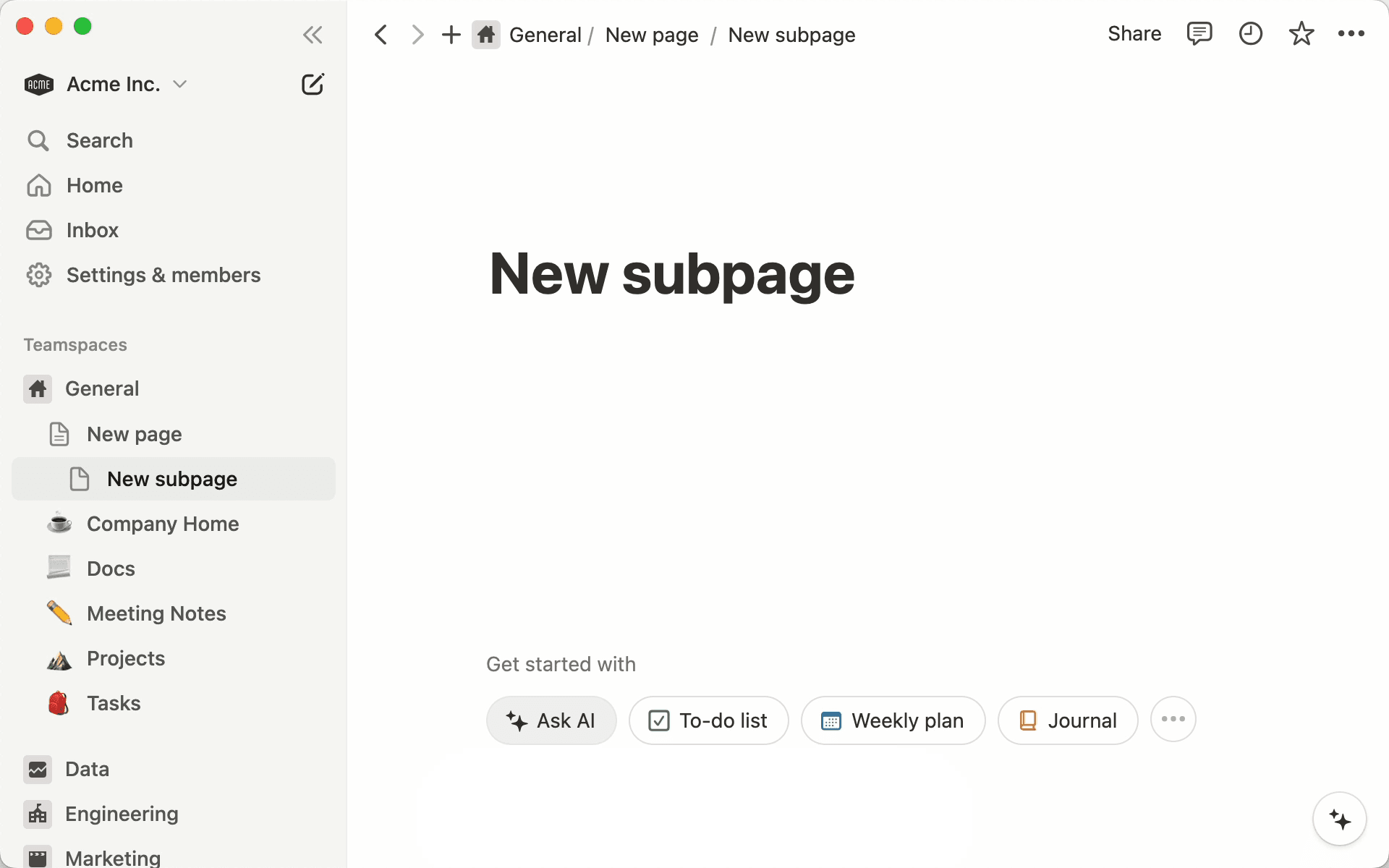
Notion offers a block-based workspace where you build notes using movable text, images, code, videos, and bookmark blocks. It creates nested note-taking pages by creating subpages to zoom from broad to specific topics.
Beyond lecture notes, Notion gives you a space to organize assignments, upcoming deadlines, timetables, reading lists, grade trackers, extracurriculars, and more.
Key features
- Multiple ways to organize your notes into tables, boards, or calendar mode
- Hundreds of community-created templates and layouts
- Real-time collaboration for co-editing pages
- Notion AI can create automated AI meeting notes and help with summarizing, understanding, creating quizzes, generating action items, etc
- Web Clipper allows you to save webpages into your Notion workspace
Pricing
- Free plan with basic features
- Paid plans start from $12 per user per month for collaborative note-taking
- Notion offers a free Education Plus Plan for students signing in through their institutional email
Pros
- Notion supports multi-user editing
- The drag-and-drop block interface is more intuitive for beginners
- Massive template library
- Your notes sync across different devices automatically
Cons
- Exporting Notion data structures like relations, formulas, and rollups is difficult
- Notion does not have an in-house spaced repetition system to help you study your notes for long-term retention
- Not a dedicated study tool
3. Logseq: Best free, open-source outliner for linked notes
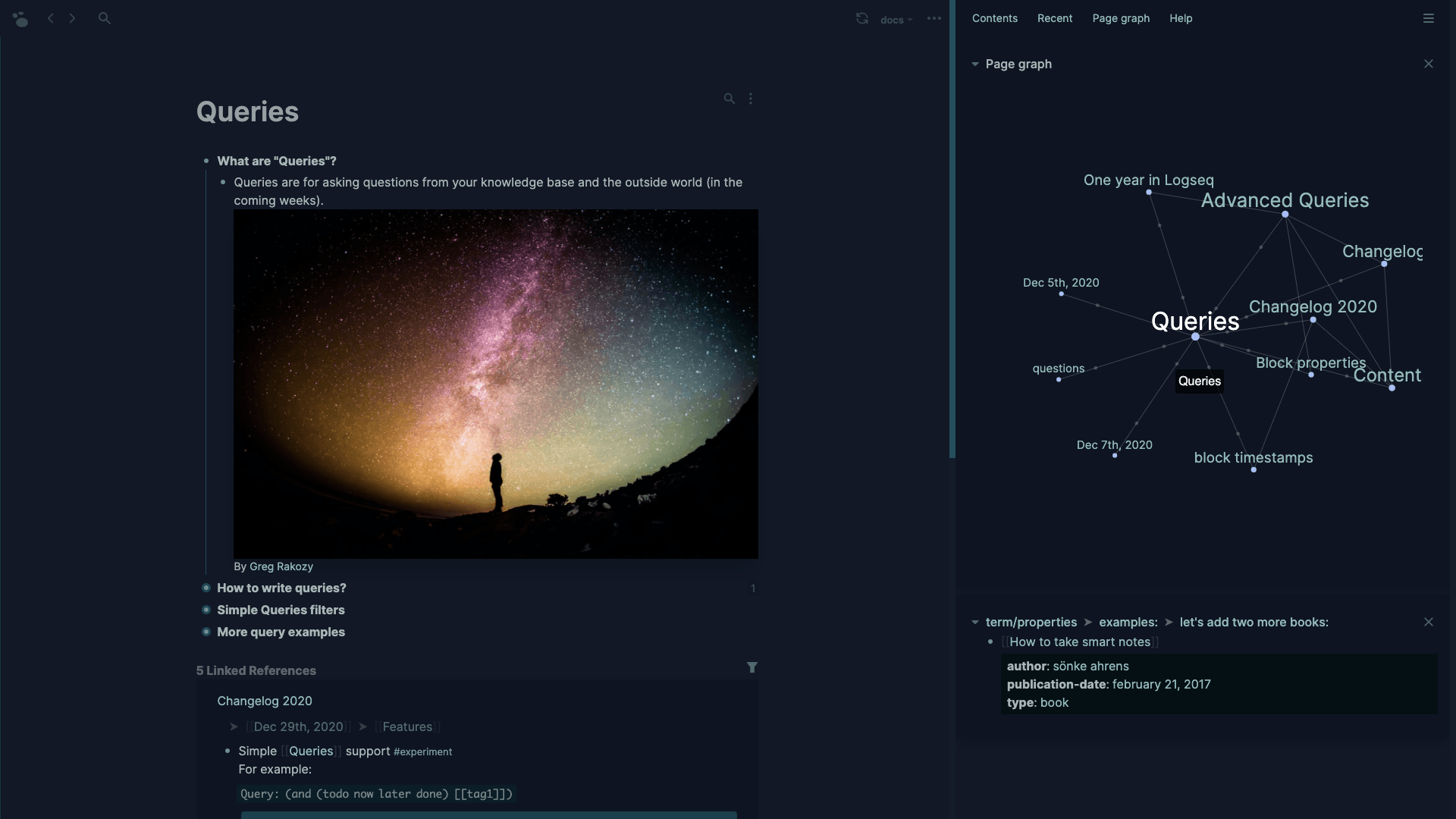
Logseq is an open-source solution with an outliner format to take hierarchical notes using bullet points. It has a desktop app and a web app.
It is one of the very few completely free apps that doesn’t hide any core features behind a paywall.
Logseq’s GitHub repository has claimed over 45k stars. The ecosystem consists of 150+ custom plugins and 30+ community themes.
Key features
- Organizes your notes as collapsible bullet points (blocks) that you save in a hierarchical tree structure
- You can import PDFs of academic papers via the Zotero reference manager to annotate them
- Related topics can be connected by bidirectional linking
- Your notes are stored as plain text Markdown files on your computer privately
Pricing
Currently, Logseq is completely free for personal use. Logseq Sync is a beta feature that requires current contributors to donate $15 per month. Once Logseq Sync is made public, it will have a subscription-based payment model.
Pros
- Includes native flashcards (spaced repetition) and PDF/video highlighting for better retention
- Your data stays private
- Built-in task management tools rather than having to find relevant community plugins
- The core software is fully open source
Cons
- The outliner/bullet format is too restrictive for long-form writing
- There are no nested folders, which feels disorganized to some students
- Logseq can slow down with heavy databases
4. Microsoft OneNote: Best for handwritten and stylus notes
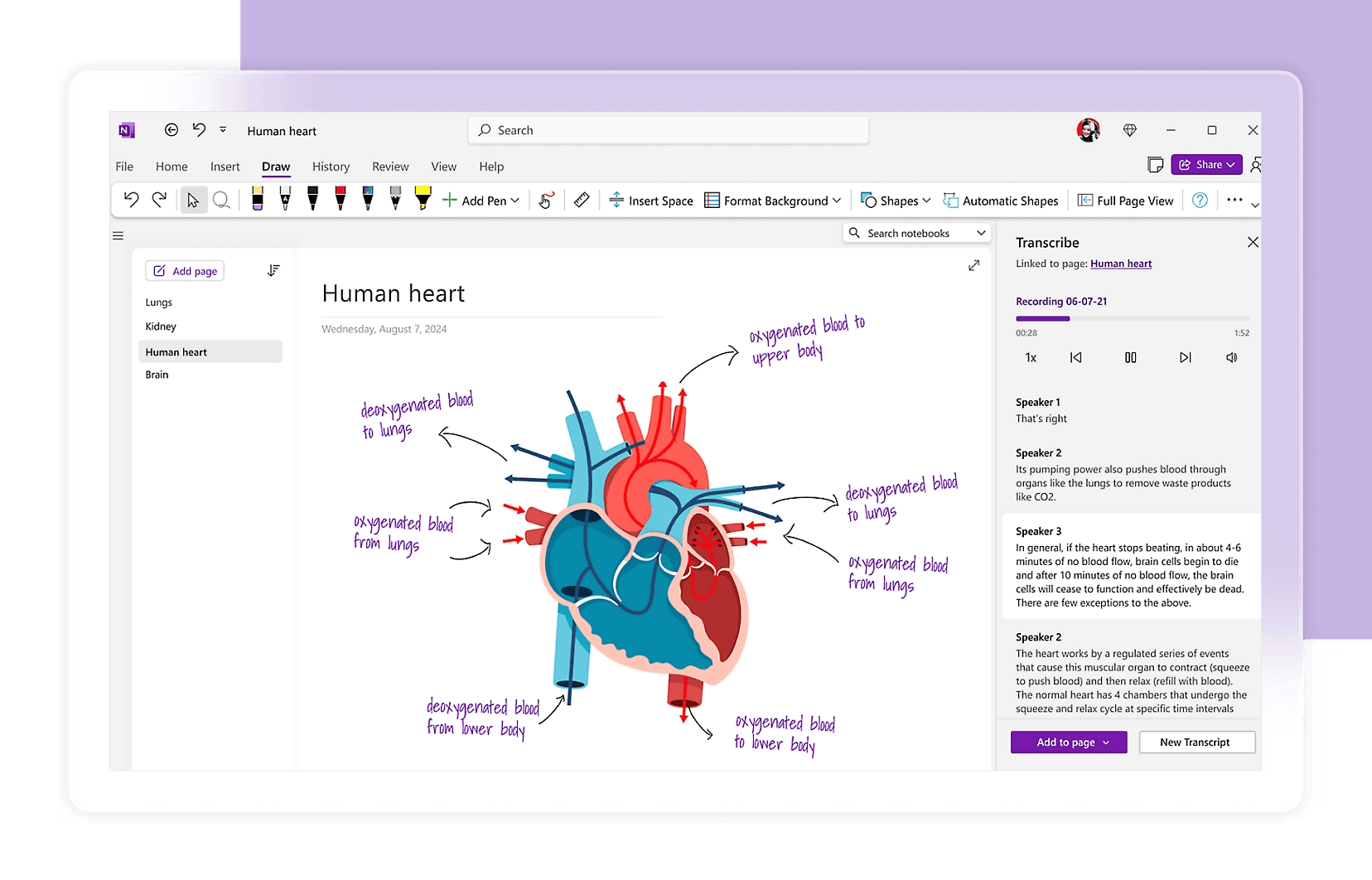
OneNote for Education is a free note-taking product that supports a stylus/pen to take handwritten notes and annotate PDFs.
It is one of the oldest apps on this list. The first version of the app came out in 2003. Being a Microsoft product, OneNote works best in coordination with Outlook, OneDrive, Teams, and other Microsoft workspace apps.
Key features
- Allows multimedia note-taking, i.e., handwritten notes, images, videos, audio recordings, etc
- OneNote has optical character recognition (OCR) through which you can read text from images
- Autosaves and syncs your notes through OneDrive
- Allows real-time shared collaboration for group projects
Pricing
- OneNote is free with up to 5 GB of storage space
- You can upgrade to Microsoft 365 for up to 1TB of storage and to access Copilot AI features starting at $8.49 per month
Pros
- OneNote syncs your notes on Windows, Mac, iOS, and Android using Microsoft OneDrive for free
- It is a freeform space where you click, type, draw, paste media, or do anything you want
- There’s native palm rejection for stylus-supported handwritten note-taking
- Multiple users can edit the same OneNote page at the exact same time
Cons
- Exporting data from the Microsoft ecosystem to other software is complicated
- It follows a top-down structure of organization (Notebooks → Sections → Pages) rather than bidirectional linking
- You can not customize the interface
5. Capacities: Best for object-based knowledge with sync included
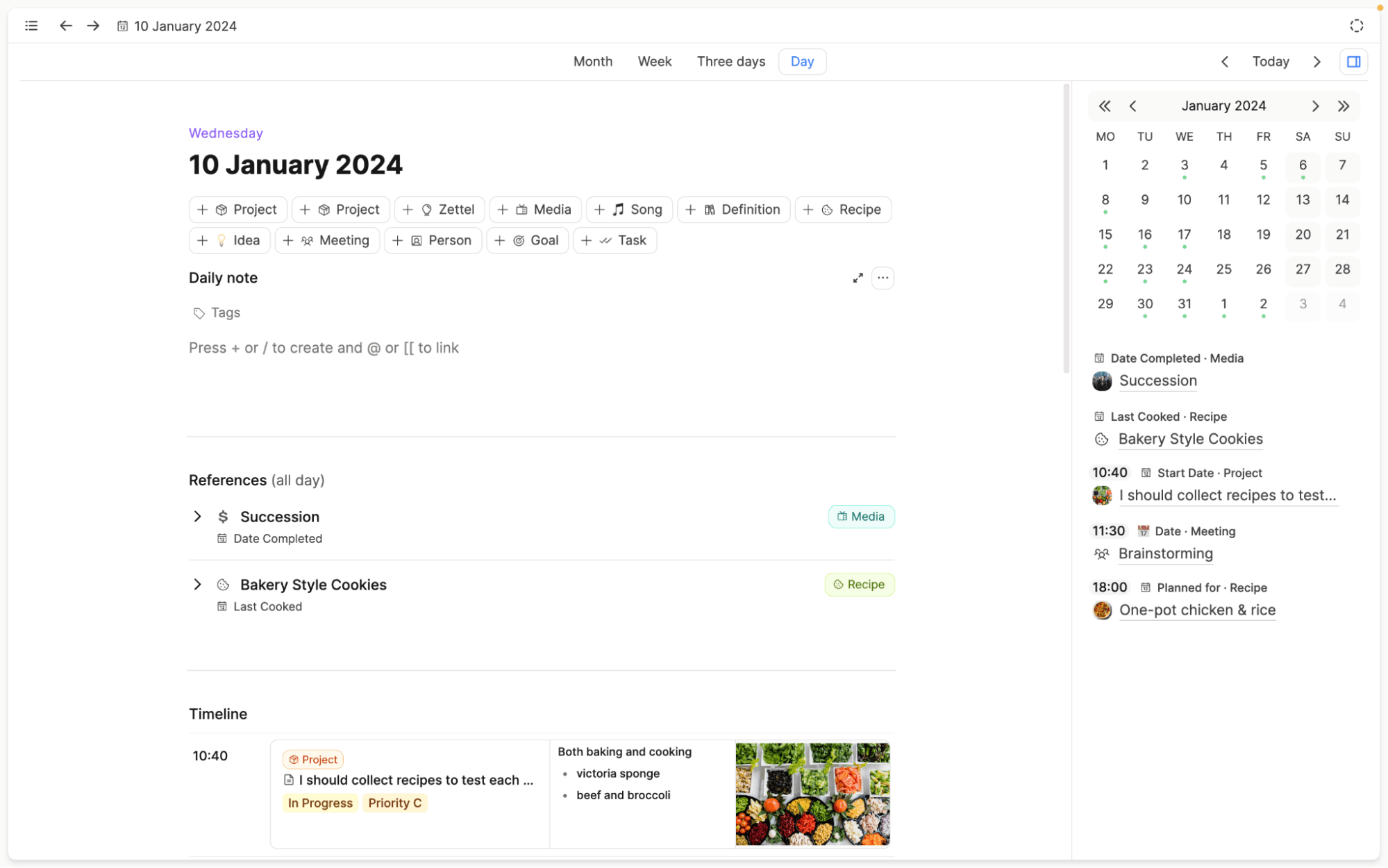
Capacities organizes your notes using connected objects (individual notes) and object types (categories for your notes) instead of files in folders.
It has a minimalistic, clutter-free interface that the tool describes as “studio for your mind.” The linking structure is very similar to how the human brain naturally clusters information together bidirectionally.
Key features
- Object-based note-taking with custom layouts for each type of note and two-way linking
- There’s a central daily calendar dashboard for everyday task tracking
- It allows you to embed images, audio files, and PDFs in notes
- The deep universal search feature is great for finding exact phrases from your notes
Pricing
- The basic plan is free forever, with media uploads limited to 5GB
- Paid plans start from $11.99 per month
Pros
- You don't have to configure external plugins in Capacities
- It allows multiple different visual views of your tagged notes as clean card galleries, lists, wall layouts, etc
- Capacities syncs across multiple devices completely for free
- The Pro plan has an integrated AI that answers any question you have about your connected notes and backlinks
Cons
- There is no spaced repetition algorithm or flashcards feature to retain your notes
- It requires an active internet connection for full functionality
- Your data on Capacities cannot be end-to-end encrypted because of cloud-based hosting
6. Zettlr: Best for academic writing, theses, and citations
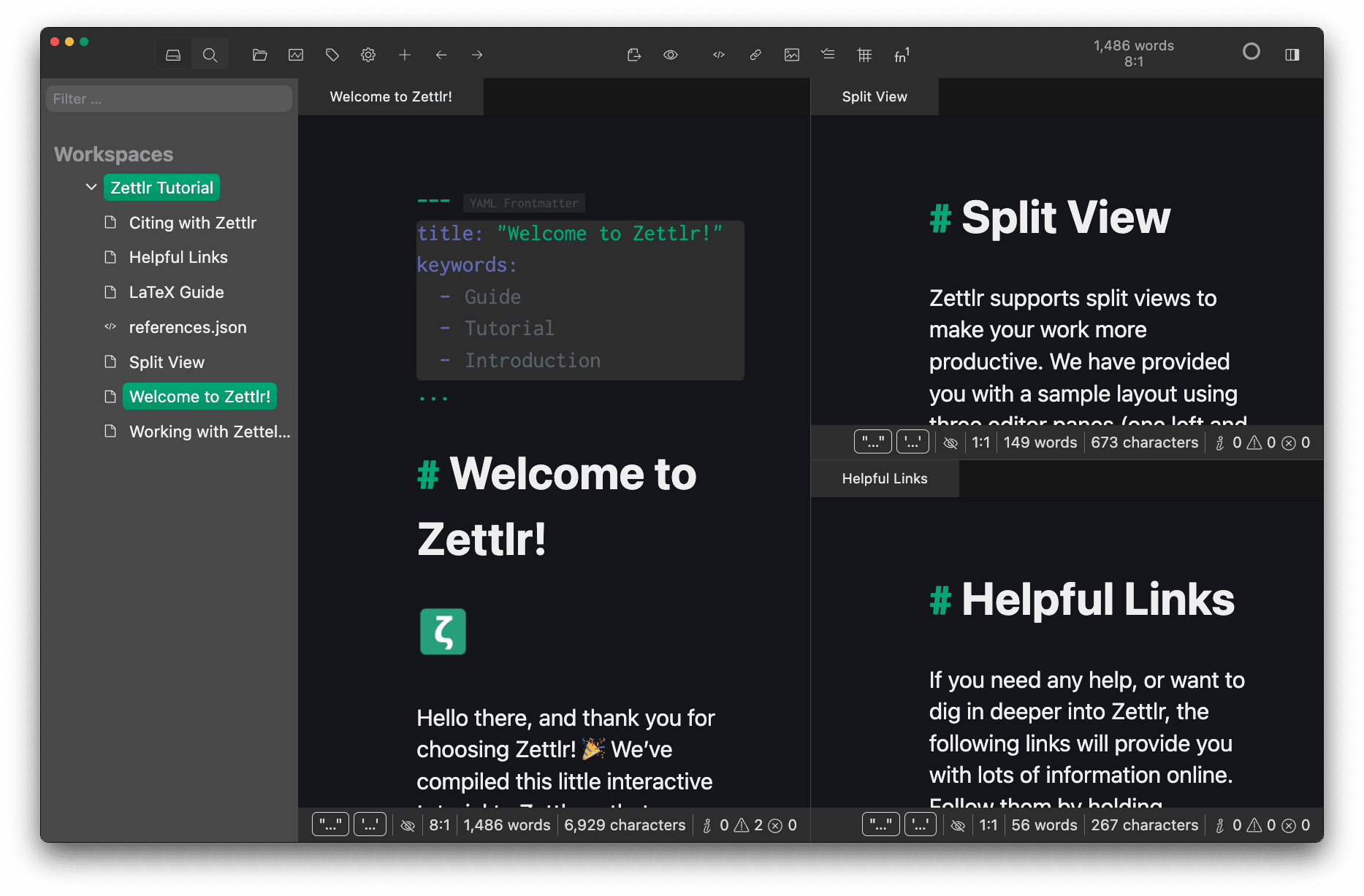
Zettlr is a free and open-source software (FOSS) for markdown-based note-taking best suited to students in academia.
It ensures strict data privacy for anything you record on it and also connects with reference managers for citations. Since Zettlr does not force cloud synchronization, all your data stays on your local computer.
Key features
- Zettlr supports over 9,000 different citation styles through Zotero, JabRef, Juris-M, or any other reference manager
- It integrates LanguageTool for grammar and spelling checks
- You can create different profiles to prepare conference presentations according to their strict submission requirements
- It uses the Zettelkasten method to organize your text using note IDs, internal Wiki-style links, related files, and a graphical view
Pricing
Zettlr is 100% free for both Windows and macOS. It stores files locally on your hard drive so you don’t even need to pay for cloud storage.
Pros
- Excellent native workflow for researchers in one place
- You keep full ownership of Markdown files
- Being an open-source solution, Zettlr’s source code is fully transparent
- Handles long-form note-taking better
Cons
- There is no native mobile (iOS or Android) app
- You have to rely on built-in features only. If a feature is not native to the app, you cannot install a community plugin to add it
- The graphical views are less interactive than other tools
7. Joplin: Best for private notes on a budget
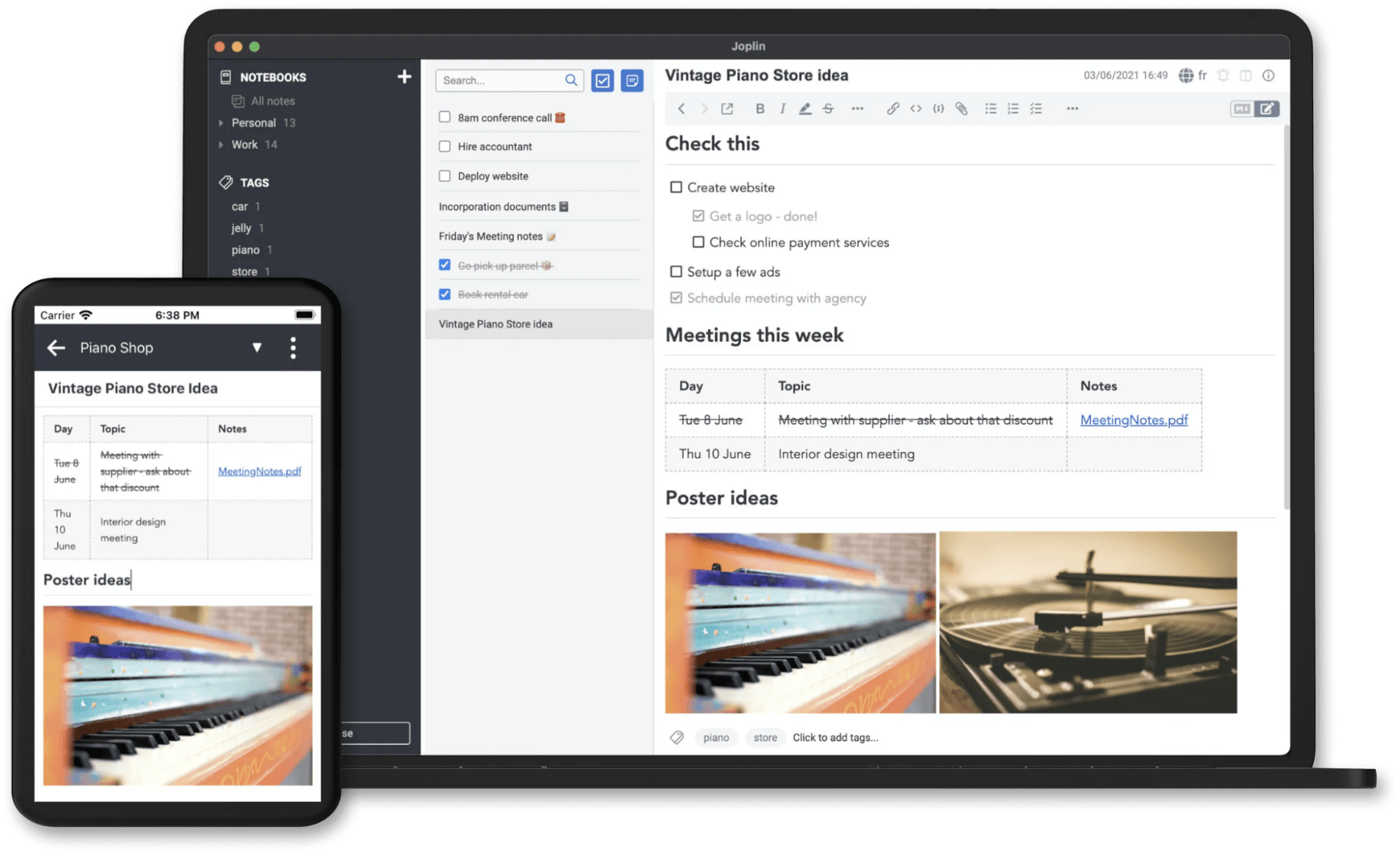
Joplin is also an open-source note-taking and to-do app for students looking for Obsidian alternatives. It was created out of personal frustration when the mainstream note-taking app Evernote increased its pricing.
Joplin allows you to save your notes on your own hardware through its self-hosted server, or you can connect it with your personal cloud services (Dropbox, OneDrive, Nextcloud, WebDAV). It also has its own paid cloud service.
Key features
- Joplin ensures strict end-to-end encryption of your notes
- The web clipper extension allows you to save Chrome/Firefox webpages into your notes
- Joplin allows geotagging by attaching GPS coordinates to notes created on the go
- It has a search engine consisting of advanced operators to find text from any of your notes
Pricing
- Joplin is free to download and use if you host your notes on your own drive
- You can upgrade to Joplin Cloud starting at €2.99 / mo
Pros
- It has offline-first software
- The notes can be toggled into checklists/tasks with specific deadline alarms
- You can customize the interface as you like with plugins and themes
- It allows unlimited layers of sub-notebooks within each note
Cons
- It does not include a native flashcard feature to learn your notes
- The structure of notes follows a strict hierarchy. You can’t create conceptual relations
- It does not currently support handwritten text
How to Choose the Right Alternative to Obsidian
All the alternatives to Obsidian we just talked about cater to the needs of different types of students. The table below should help you decide what fits best to your academic needs according to the type of student you are:
| Student type | Best pick | Why |
| Heavy memorization (med, law, languages, STEM exams) | RemNote | Built-in spaced repetition flashcards, AI-supported quizzes, and PDF annotation |
| Group projects and course planning | Notion | Shared real-time collaboration on notes |
| Handwritten notes with a tablet and stylus | OneNote | Palm rejection feature for stylus-based handwritten notes |
| Budget or privacy-conscious | Joplin or Logseq | Completely free, hosted on your hardware |
| Thesis and research papers | Zettlr | Integrated citation tracking |
| Connected personal knowledge base | Capacities or Logseq | Open-source solution (only Logseq) with a strong contributor community, note-taking + to-do list management |
Choose RemNote If You Want Notes That Help You Remember
You might not want to try out all the Obsidian alternatives if you’re looking for a study-focused tool.
Every app reviewed on this page has a specific set of features targeting specific users. For example, Zettlr’s features are entirely useful for those writing theses and research papers.
But if you are looking for a tool that will help you memorize things for the long run, you can check out RemNote. Its flashcards and quiz-creation features both use spaced repetition, which research shows improves long-term retention.
Test RemNote’s study features for free today!
FAQs
Is Obsidian open source?
No, Obsidian is closed-source and proprietary software, so you can not modify the code under an open-source license. However, its API for plugins is open-source. All notes on Obsidian are stored as plain Markdown files on your local hardware. Obsidian is free for both personal and work use. Organizations can choose to buy Commercial license(s) to support its development, but it's optional.
What are the best alternatives to Obsidian for students?
RemNote is the best alternative to Obsidian because of its heavy study features, such as FSRS-supported spaced repetition software for built-in flashcards, PDF annotation, multimedia note-taking support, and an AI tutor to understand difficult notes.
What are some open source alternatives to Obsidian?
Some open-source Obsidian alternatives include Logseq, Joplin, and Zettlr. Logseq uses a block-based outliner note-taking model along with a flashcard feature. Joplin is a better alternative for cross-platform sync on desktop and mobile apps, Zettlr supports long-form writing for students in academia.