


Handwritten Notes to Flashcards: Remember Anything Forever
Take beautiful handwritten notes on your iPad, then turn them into spaced repetition flashcards. RemNote's algorithm schedules your reviews so you never forget what you learned.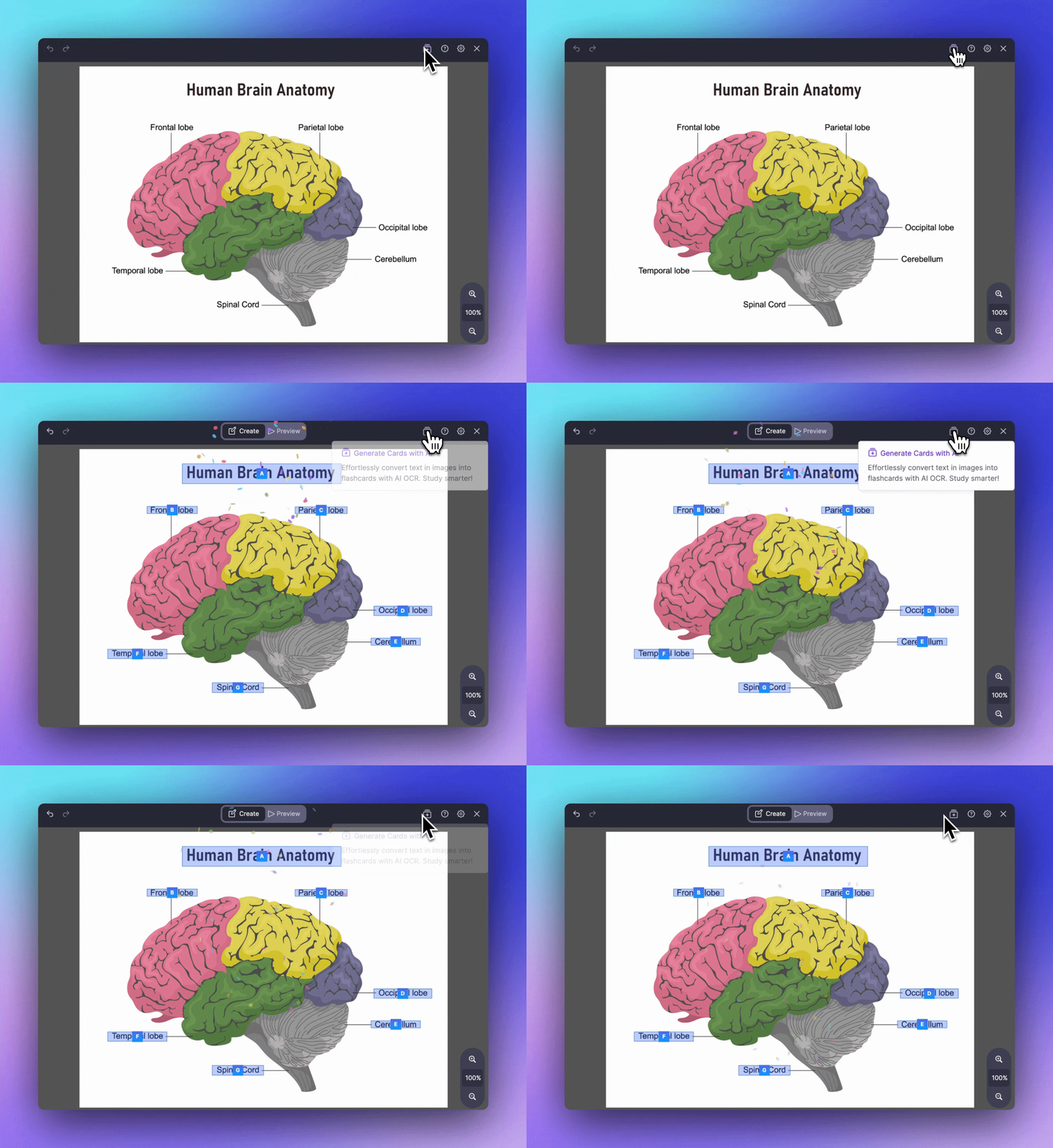
Join 1,000,000+ students getting higher grades!
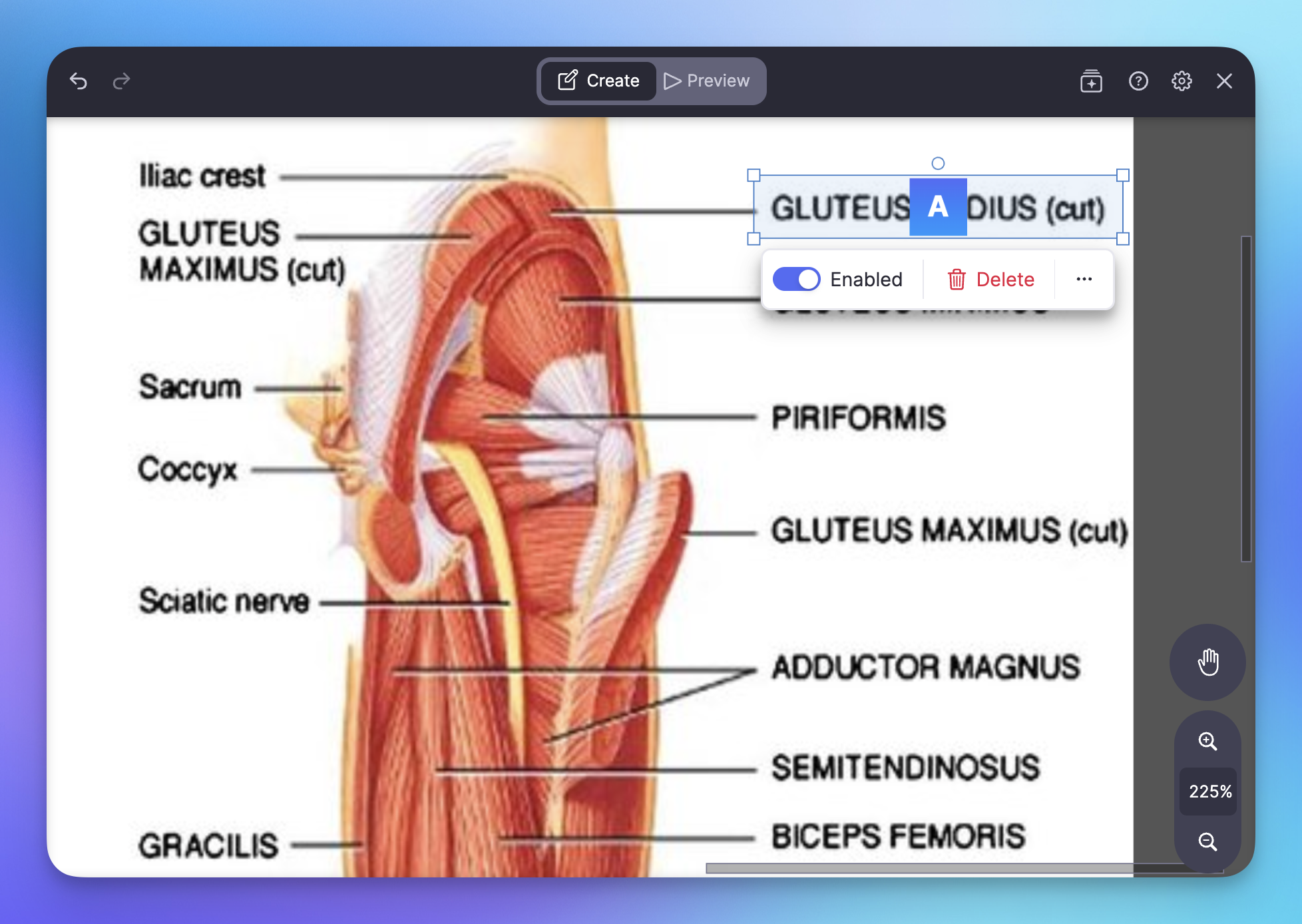
Create Flashcards Directly In Your Notes
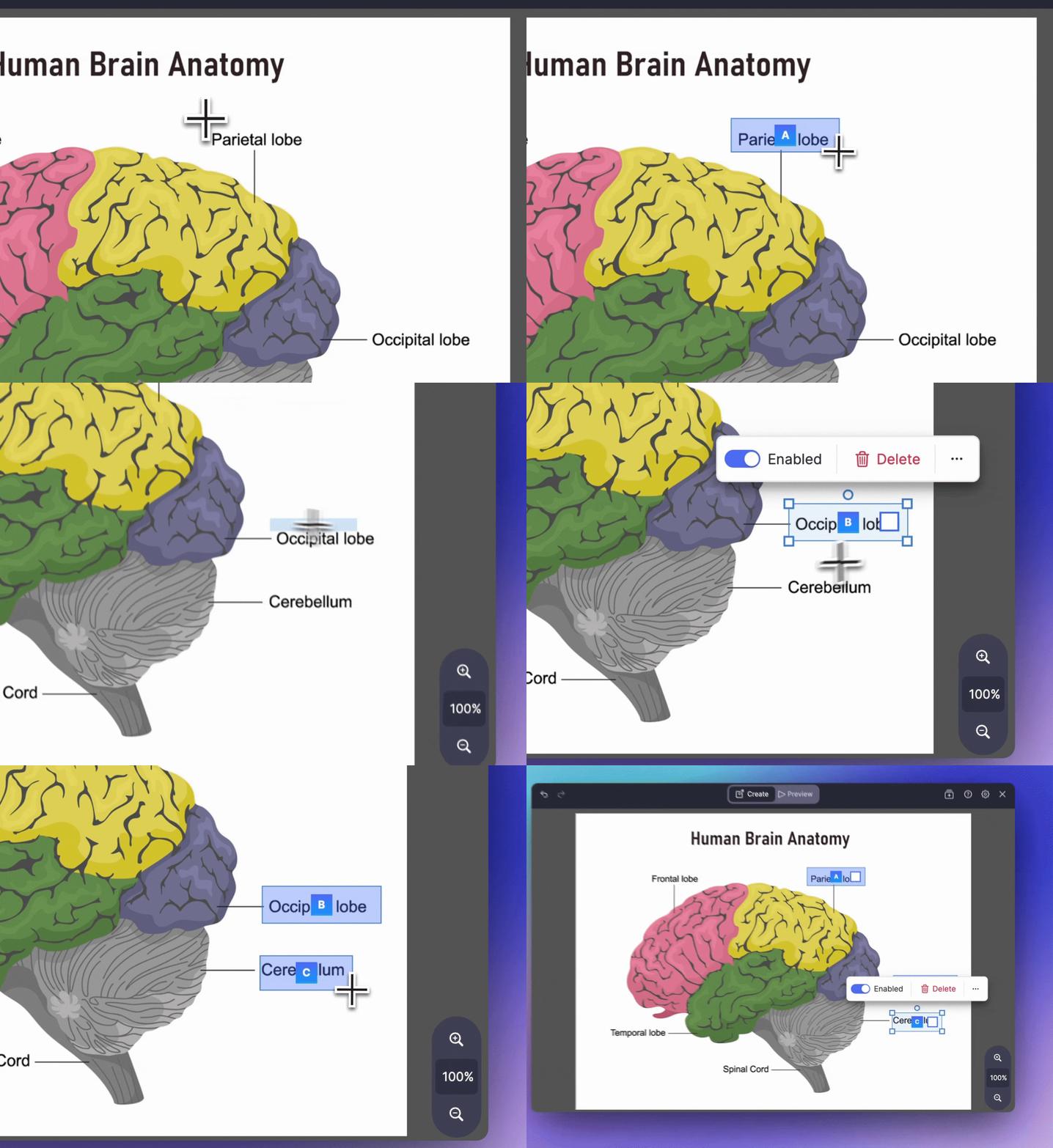
Drag an occlusion box over any part of your handwritten notes to create a flashcard instantly. No copying, no app switching - your flashcards live directly in your notes.
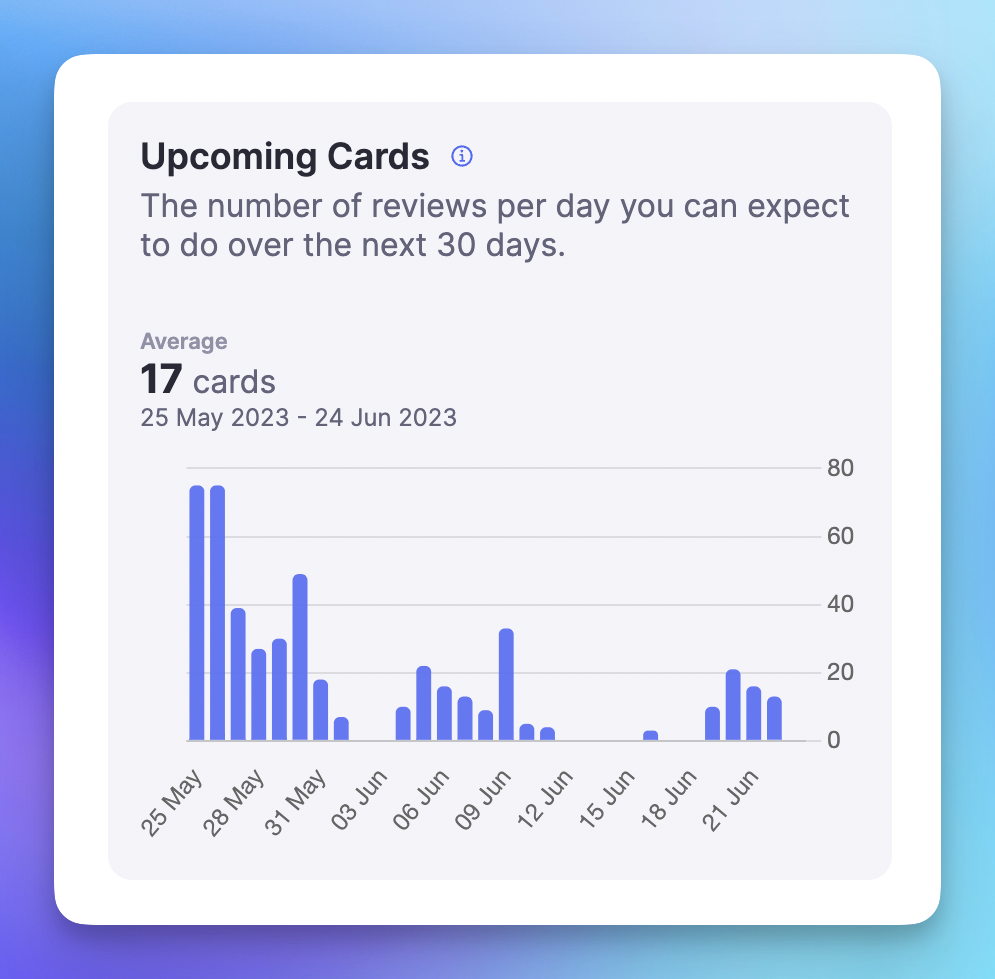
Fight the Forgetting Curve
Spaced repetition is the only effective way to prevent forgetting. RemNote's algorithm shows you each flashcard at the perfect time - right before you'd forget it.
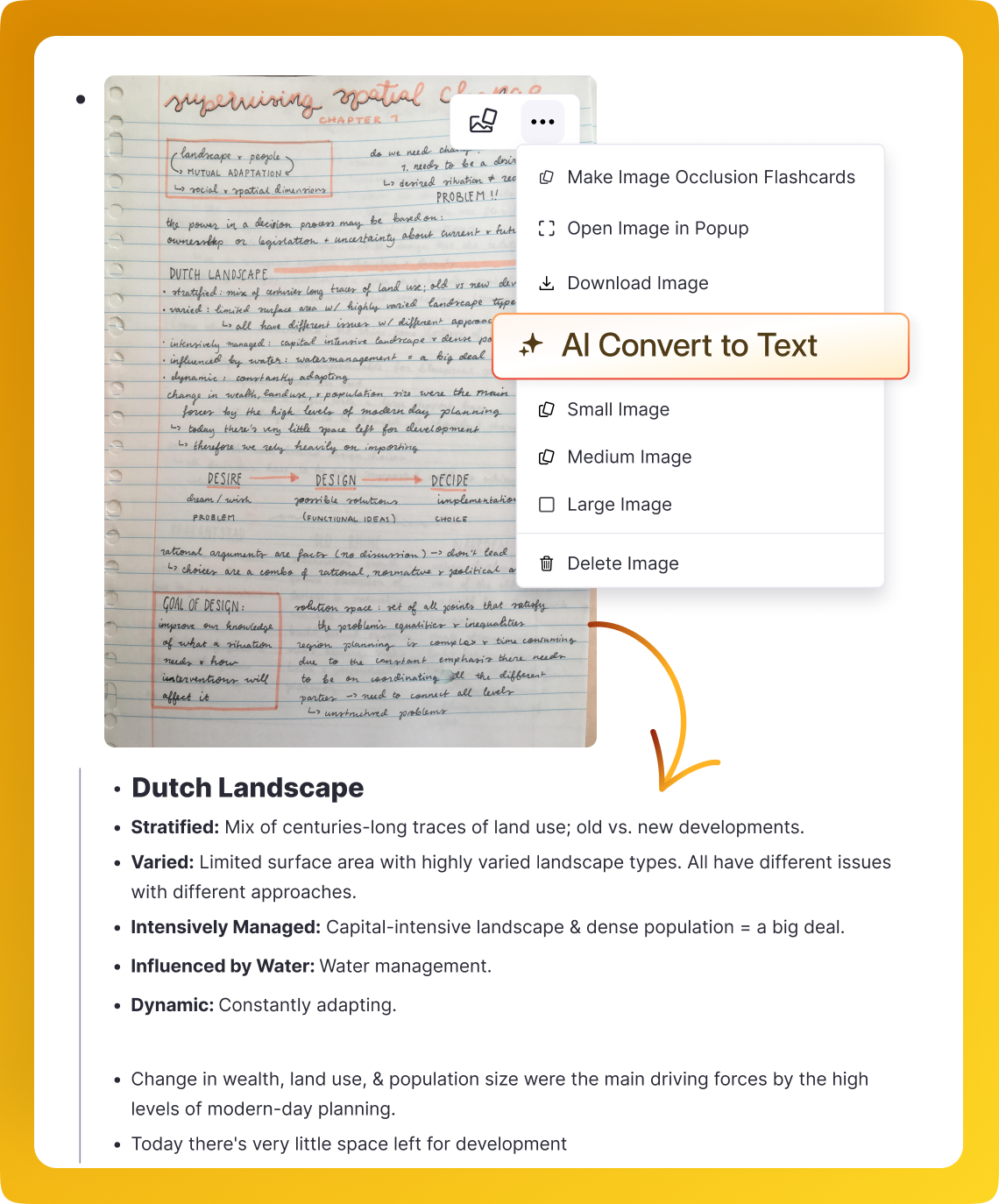
Convert to Text, Flashcards, and Quizzes
Use AI to instantly convert entire handwritten notes into text documents, flashcards, and quizzes. Study your handwritten content in any format you prefer.
Beautiful Drawing Tools
Every tool you need: customizable pen, highlighter, eraser, shapes, images, sticky notes, and more. Create notes that are beautiful to look at and easy to remember.
Review Anywhere With Instant Syncing
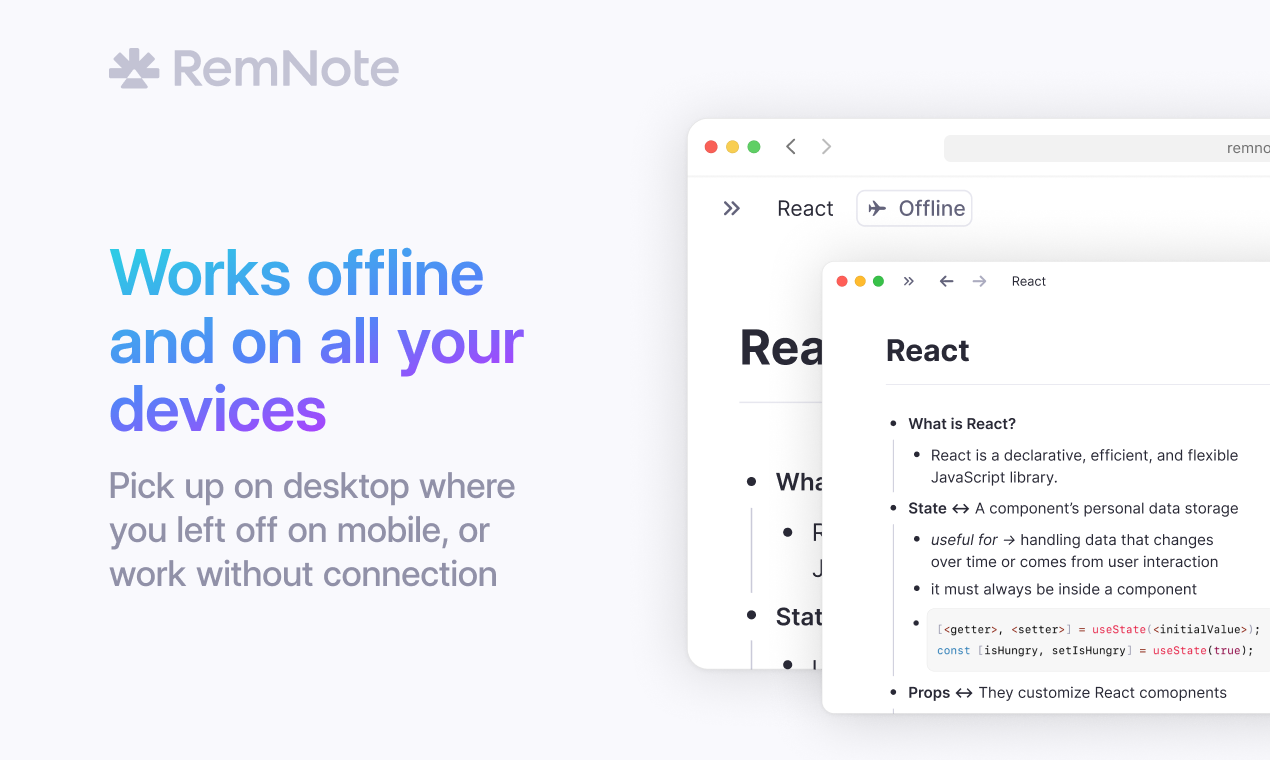
Create flashcards on your iPad, then review them on your phone during your commute or on your computer at home. Everything syncs instantly across all your devices.
Join 1,000,000+ students getting higher grades!
Frequently Asked Questions
How do I convert handwritten notes into flashcards?
RemNote gives you two ways to turn handwritten notes into flashcards. You can drag occlusion boxes over any part of your notes to hide diagrams, formulas, or labels during review. You can also use AI to convert your handwriting into editable text and then generate flashcards automatically.
Both methods let you create cards without leaving your notes, so your study materials stay connected to the original content.
Does spaced repetition work with handwritten flashcards?
Yes. Flashcards created from handwritten notes use the same spaced repetition algorithm as every other card type in RemNote. The system tracks how well you know each card and schedules reviews at the optimal time, right before you would otherwise forget the material.
This applies to both occlusion-based cards made from drawings and diagrams, and text-based cards generated by AI from your handwriting. You spend your study time where it matters most instead of reviewing content you already know.
Can I create flashcards on iPad and review them on my phone?
Yes. RemNote syncs all your notes and flashcards across every device automatically. You can write handwritten notes and create flashcards on your iPad with Apple Pencil, then review those same cards on your phone during a commute or on your computer at home.
The sync happens instantly, so your latest cards are always available wherever you study. This makes it easy to fit flashcard review into spare moments throughout your day.
How accurate is the handwriting-to-text conversion?
RemNote uses advanced AI to recognize and convert handwritten notes into editable text. The conversion handles a wide range of handwriting styles and preserves the structure of your notes, including headings, lists, and key terms.
The resulting text is fully editable, so you can correct any errors and refine the output before generating flashcards. This gives you clean, searchable study materials from content you originally wrote by hand.
Is my data private and secure?
Yes. Your handwritten notes, converted text, and flashcards are securely stored with clear privacy protections. Your content stays in your personal workspace and is not shared publicly or used to train AI models.
RemNote is designed as an offline-first application, meaning your notes are stored locally on your device and available even without an internet connection. When you do connect, data syncs securely across your devices so you always have access to your study materials.

