


Tab Completion: Make Cards 2x Faster
AI-powered suggestions complete your flashcards as you type. Just press Tab to accept. Works with your notes, PDFs, and tables.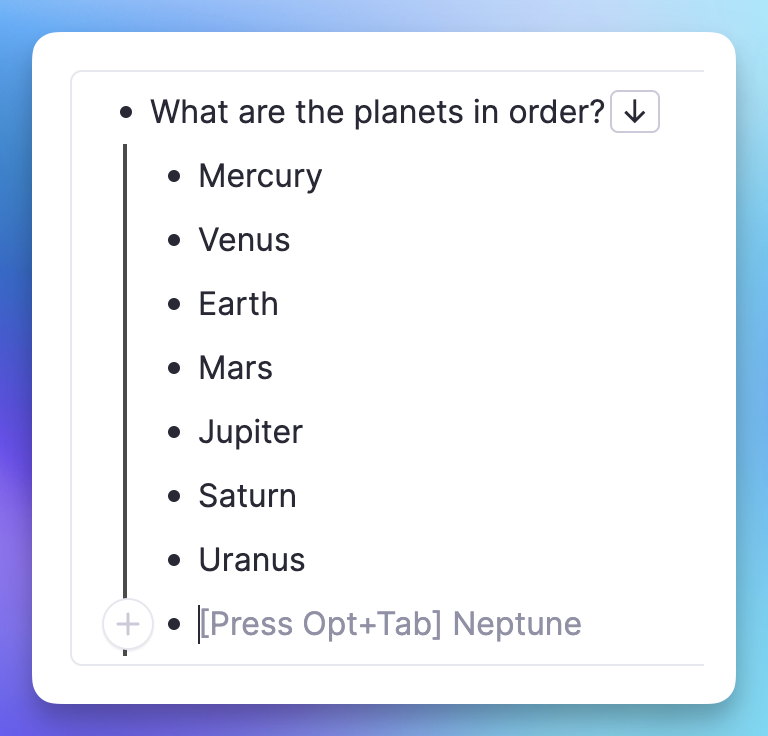
Join 1,000,000+ students getting higher grades!
Context-Aware Suggestions
Tab Completion reads your notes and open PDFs to suggest relevant answers. No more copying and pasting: just type your question and let AI fill in the rest.
Works With Everything You Study
Whether you are studying from lecture notes, textbook PDFs, or building vocabulary tables, Tab Completion adapts to your content.
Notes & Outlines
Turn your lecture notes into flashcards instantly. AI suggests answers based on what you have already written.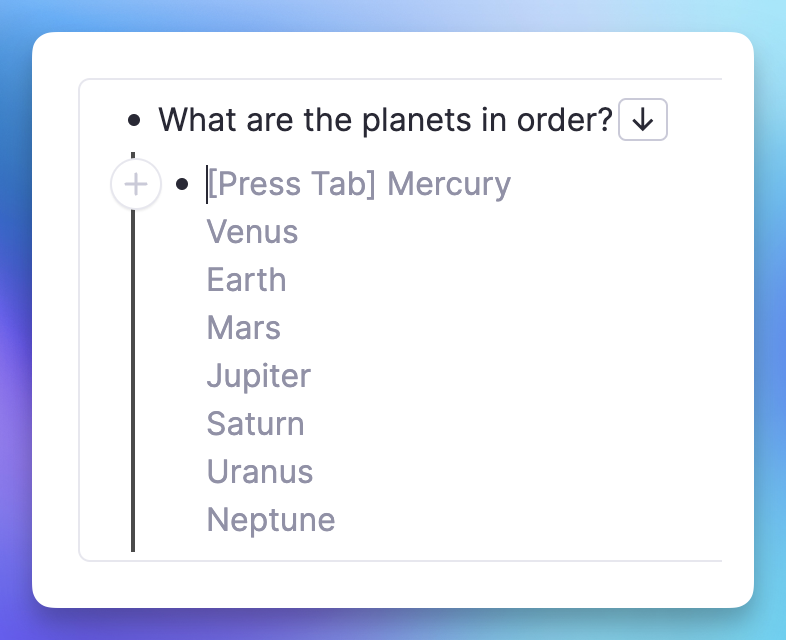
PDF Source Linking
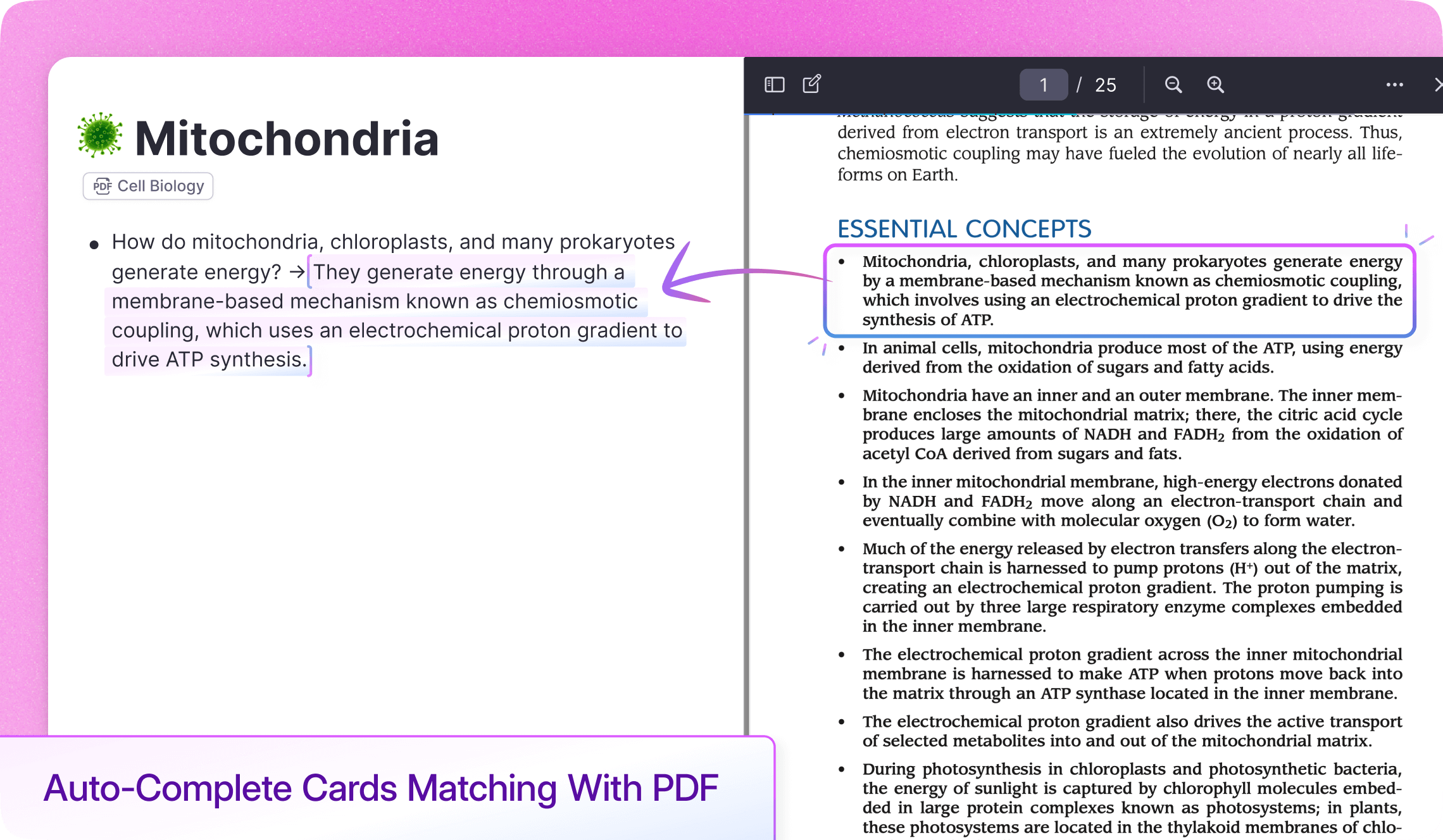
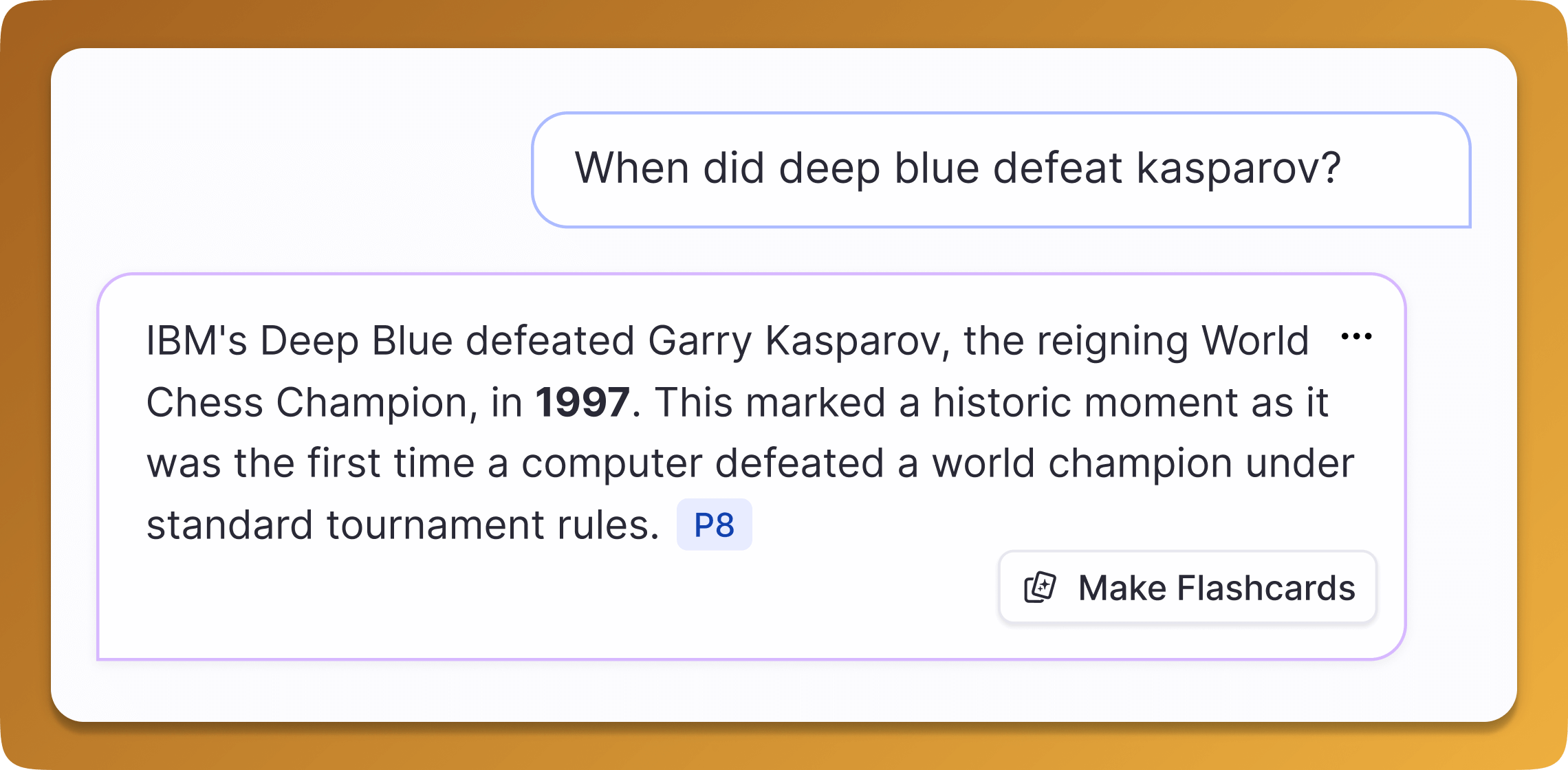
Suggestions from PDFs include automatic citations linking back to the source page.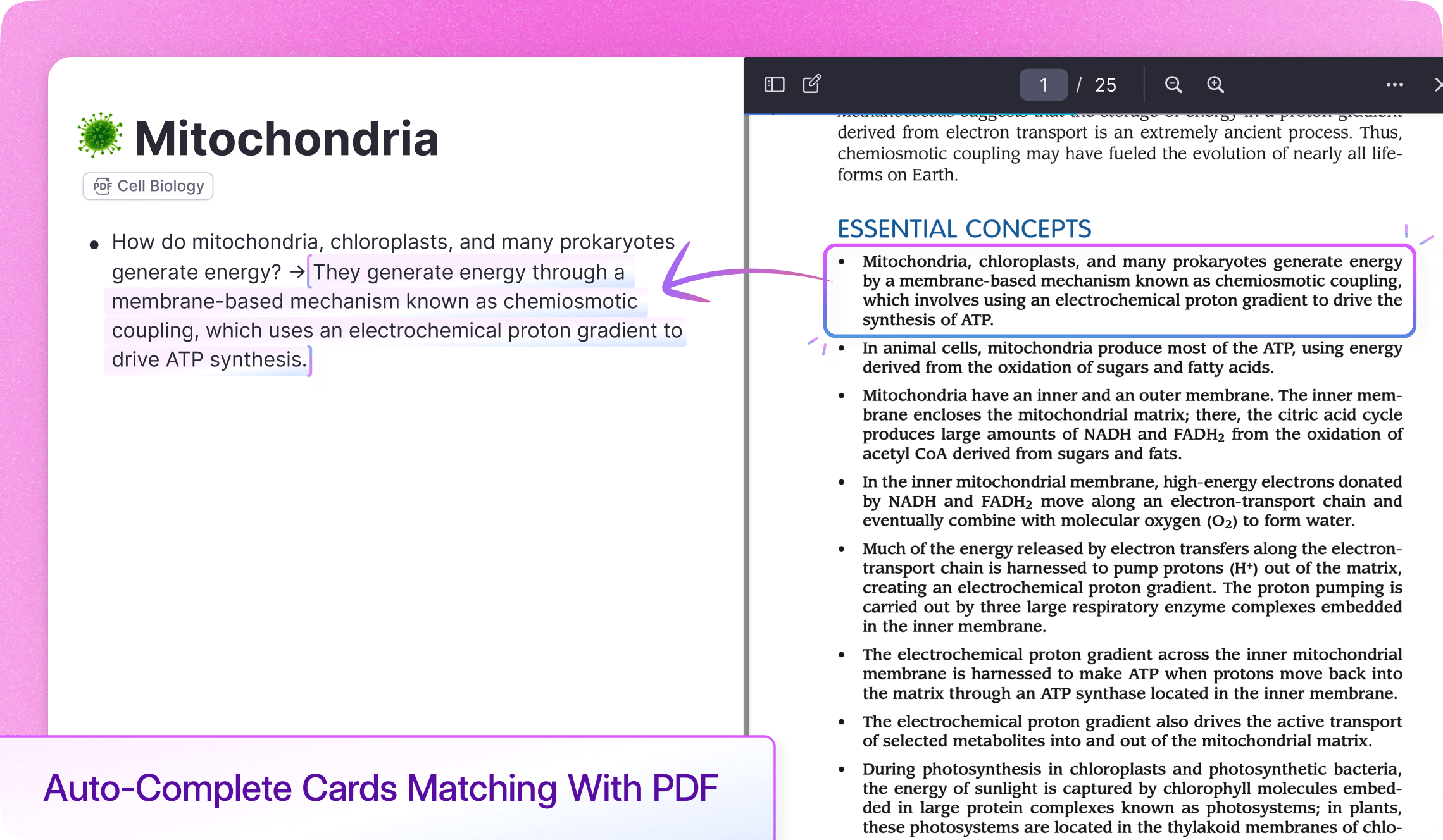
Table Auto-Fill
Build vocabulary tables, medication charts, and more. Tab fills in columns, rows, or entire structures.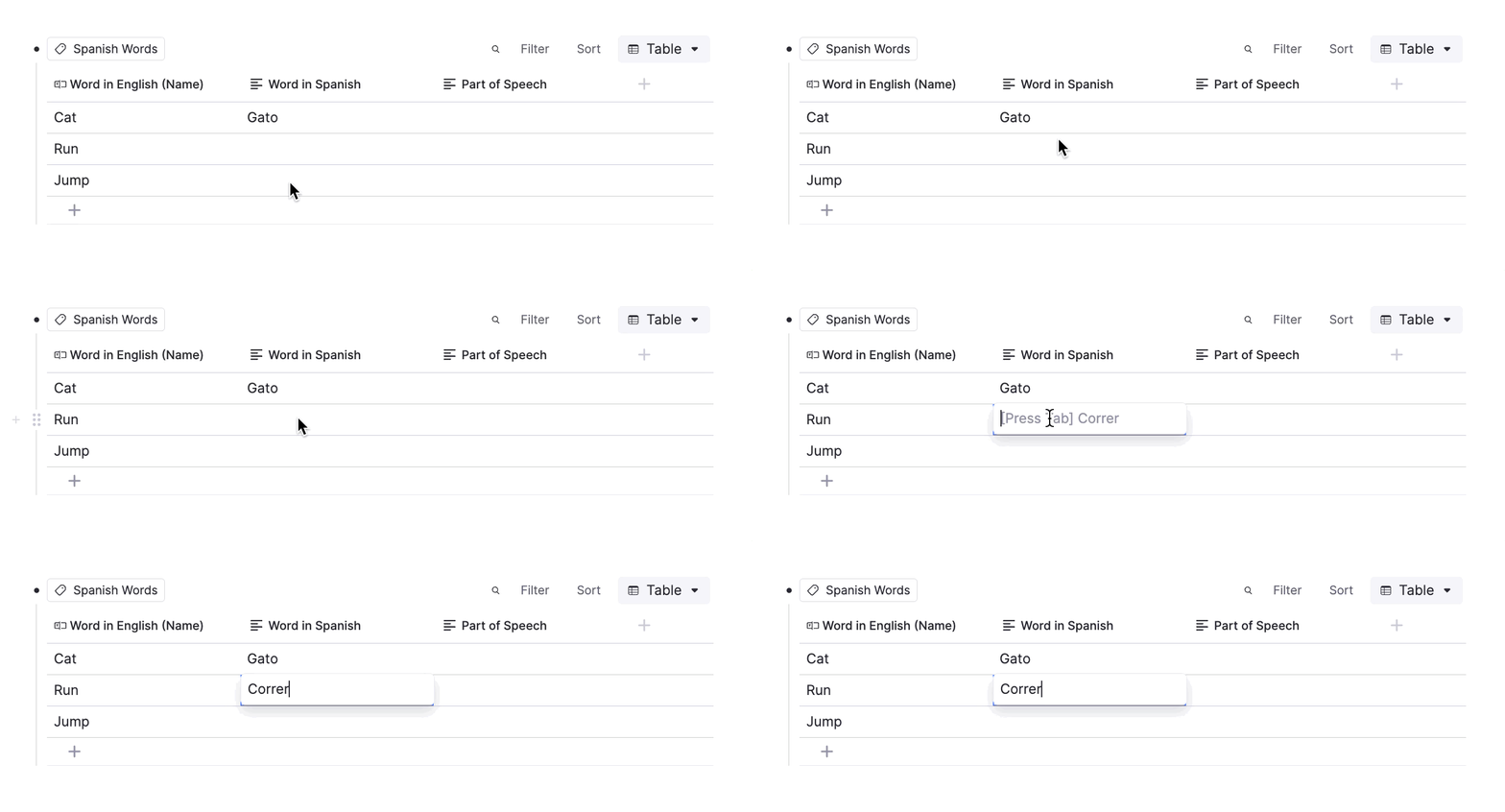
Automatic Citation Linking
When Tab Completion pulls from a PDF, it can automatically add a citation to the back of your card. Click the citation to jump directly to the source.
Perfect For Any Subject
Medical students, law students, language learners: Tab Completion accelerates flashcard creation for any field.
Medical Students
Create drug cards, anatomy flashcards, and pathology questions faster than ever.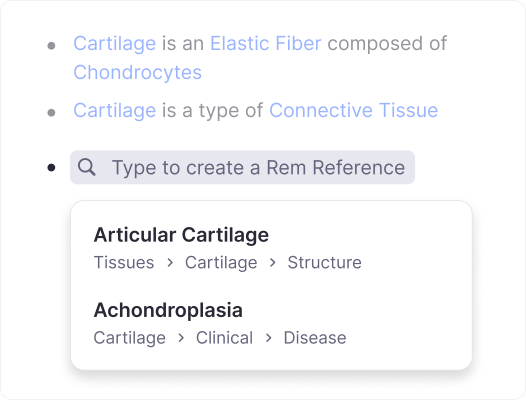
Language Learners
Build vocabulary lists with translations, conjugations, and example sentences.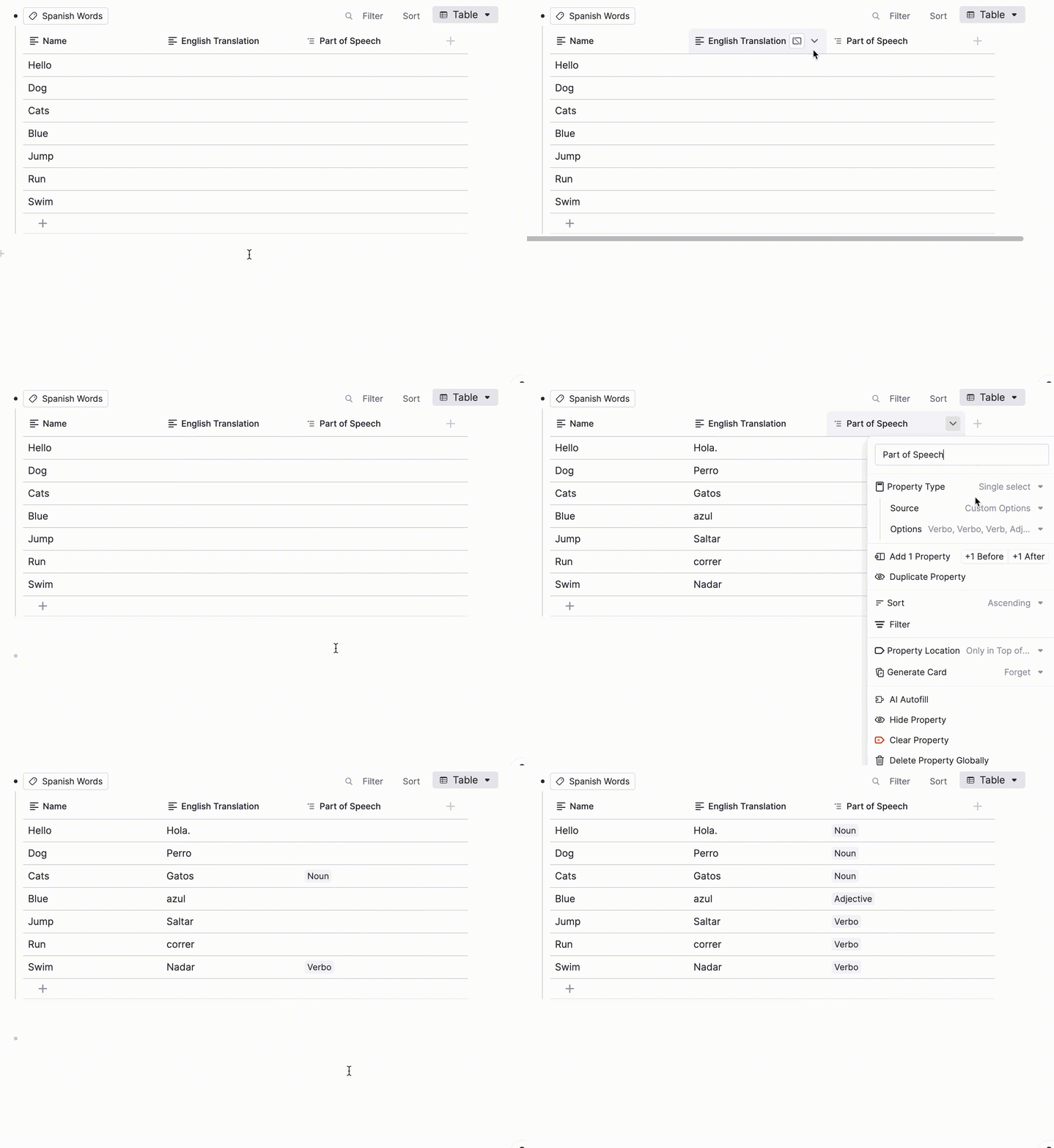
Law Students
Quickly create case briefs, statute flashcards, and legal definitions.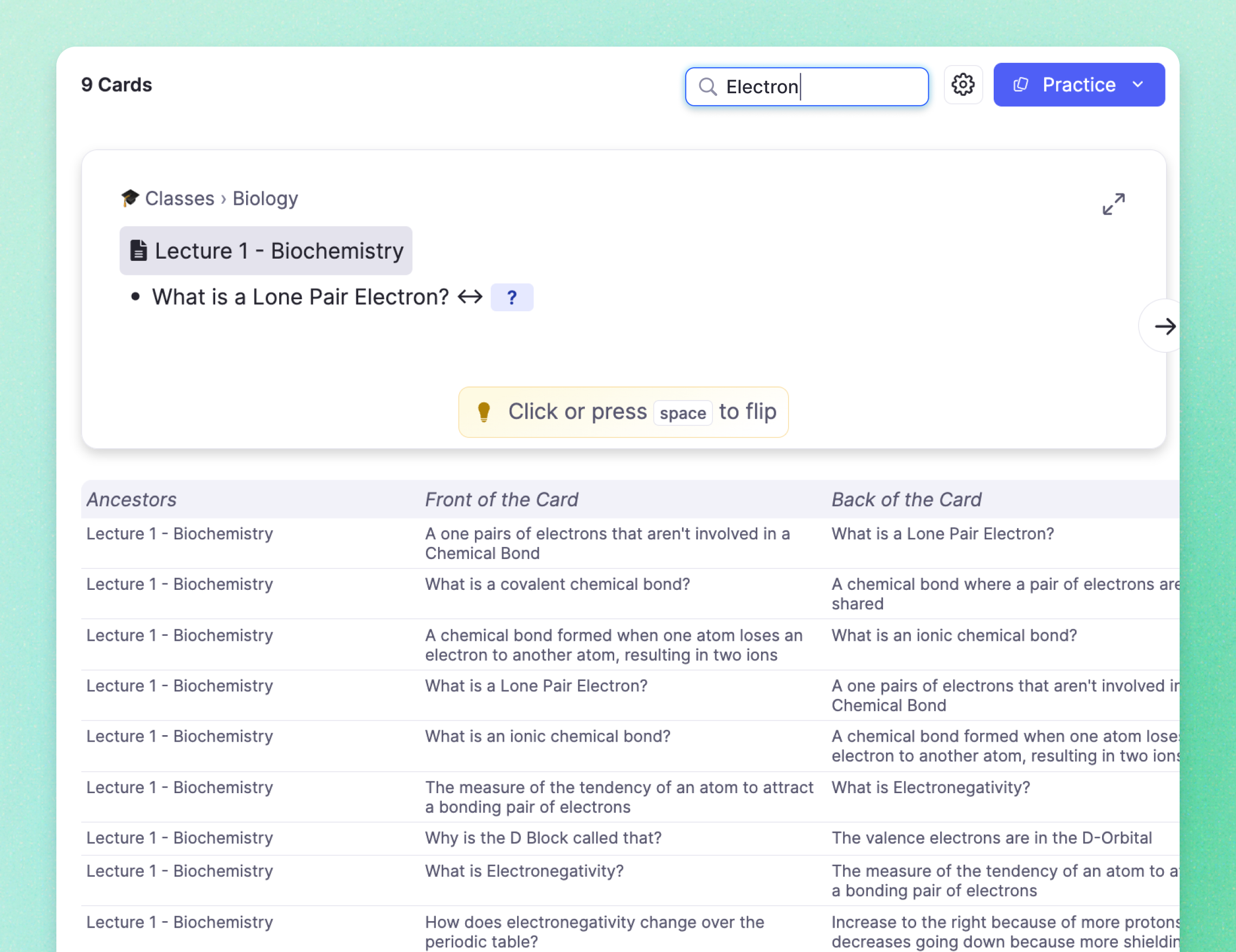
Join 1,000,000+ students getting higher grades!
Frequently Asked Questions
What is card tab completion and how does it work?
Card tab completion is an AI-powered feature in RemNote that suggests the back of your flashcard as you type. When you create a flashcard using the >> or == syntax, the AI analyzes your existing notes and any open PDFs to generate a relevant answer suggestion that appears in gray text.
To accept a suggestion, simply press Tab. If the suggestion is not what you want, keep typing and the AI will update its prediction. This makes flashcard creation significantly faster because you spend less time manually writing answers that already exist in your study material.
How does tab completion make flashcard creation faster?
Tab completion eliminates the need to manually type answers that already exist in your notes or PDFs. Instead of copying and pasting definitions, facts, or explanations, you type the question and the AI instantly suggests the answer based on your study material. This can cut flashcard creation time in half or more, especially when working through dense lecture notes or textbook chapters.
The feature also works with tables, where it can auto-fill columns, rows, and entire structures. This is particularly useful for vocabulary lists, medication charts, comparison tables, and any other structured data you need to memorize.
Does tab completion work with all flashcard types?
Yes. Tab completion works with standard front-back flashcards, cloze deletions, multi-line cards, and table-based cards. Whether you are creating simple question-and-answer pairs or complex multi-row tables, the AI adapts its suggestions to the card format you are using.
When you have a PDF open alongside your notes, tab completion draws from that document to suggest answers and can automatically add citations that link back to the exact source page. This means your flashcards stay connected to their original material, making it easy to review context when studying.
Can I customize or control tab completion suggestions?
Tab completion suggestions are context-driven, meaning they automatically adapt based on the notes and PDFs you have open. The more detailed your source material, the more accurate the suggestions become. You can always ignore a suggestion by continuing to type your own answer.
Tab completion uses AI credits from your monthly allowance. Pro users receive a generous monthly allocation, and Pro with AI add-on users receive significantly more. Credits reset each month, so you can use tab completion consistently throughout your tutoring sessions.
Is my data private and secure?
Yes. Your notes, PDFs, and flashcards are securely stored with encryption in transit and at rest. AI features operate within your workspace to help you create cards faster, and your content is not used to train models without your explicit consent.
RemNote follows industry-standard privacy and security practices. Your study material stays in your account, and you retain full control over your data at all times.

