


Track Everything in One Place
Build your own databases for projects, research papers, reading lists, and more. Add due dates, status tags, and priorities. Filter and sort to see exactly what you need.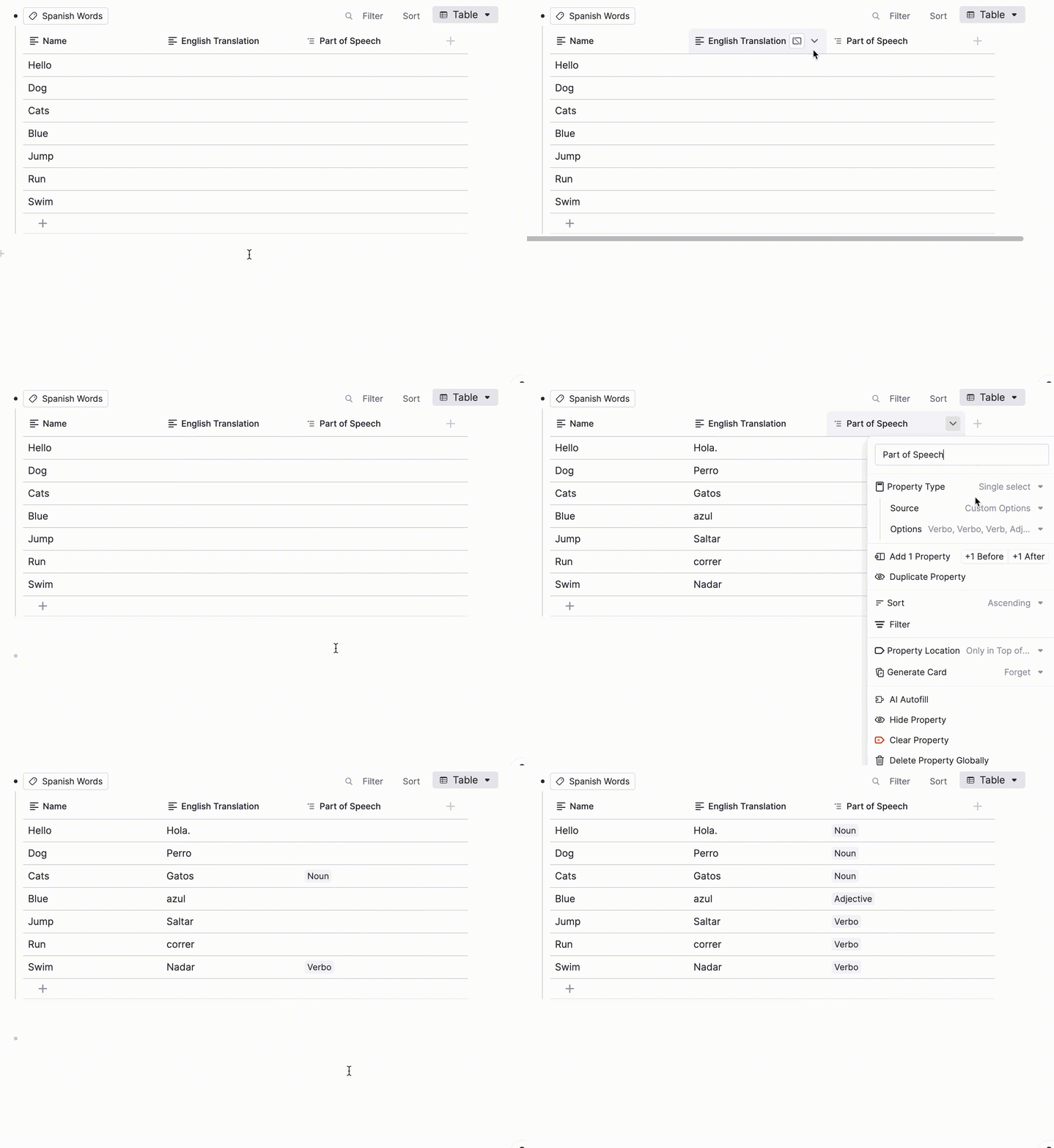
Join 1,000,000+ students getting higher grades!
Manage Projects Like a Pro
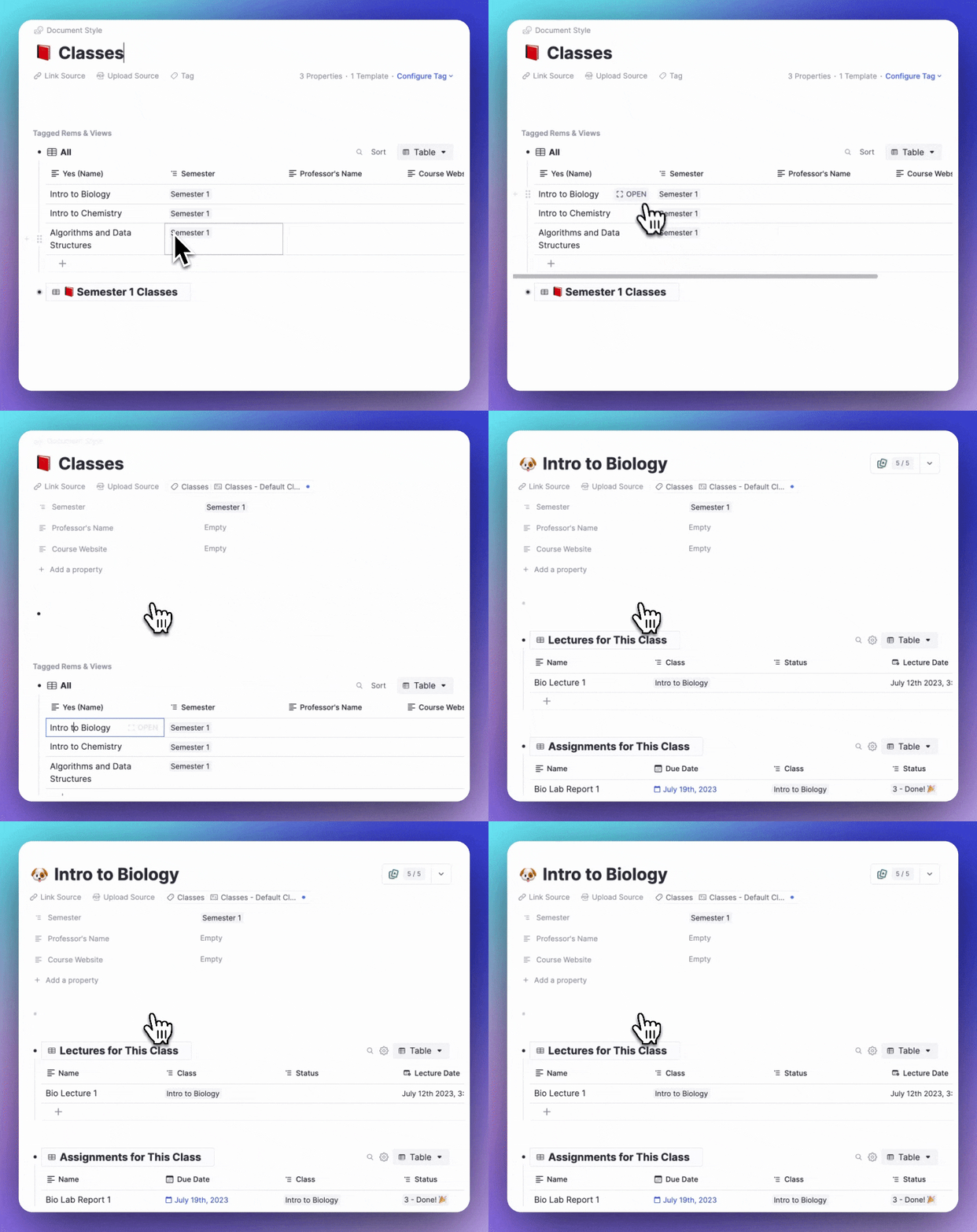
Track assignments, research papers, and group projects with due dates, priorities, and status. Click any row to open it as a full document with your notes, outlines, and drafts.
Organize Any Kind of Data
Add dates for deadlines, checkboxes for completion, dropdowns for categories, and links to related notes. Build the perfect system for your workflow.
Due Dates & Deadlines
Never miss an assignment with calendar-based due dates.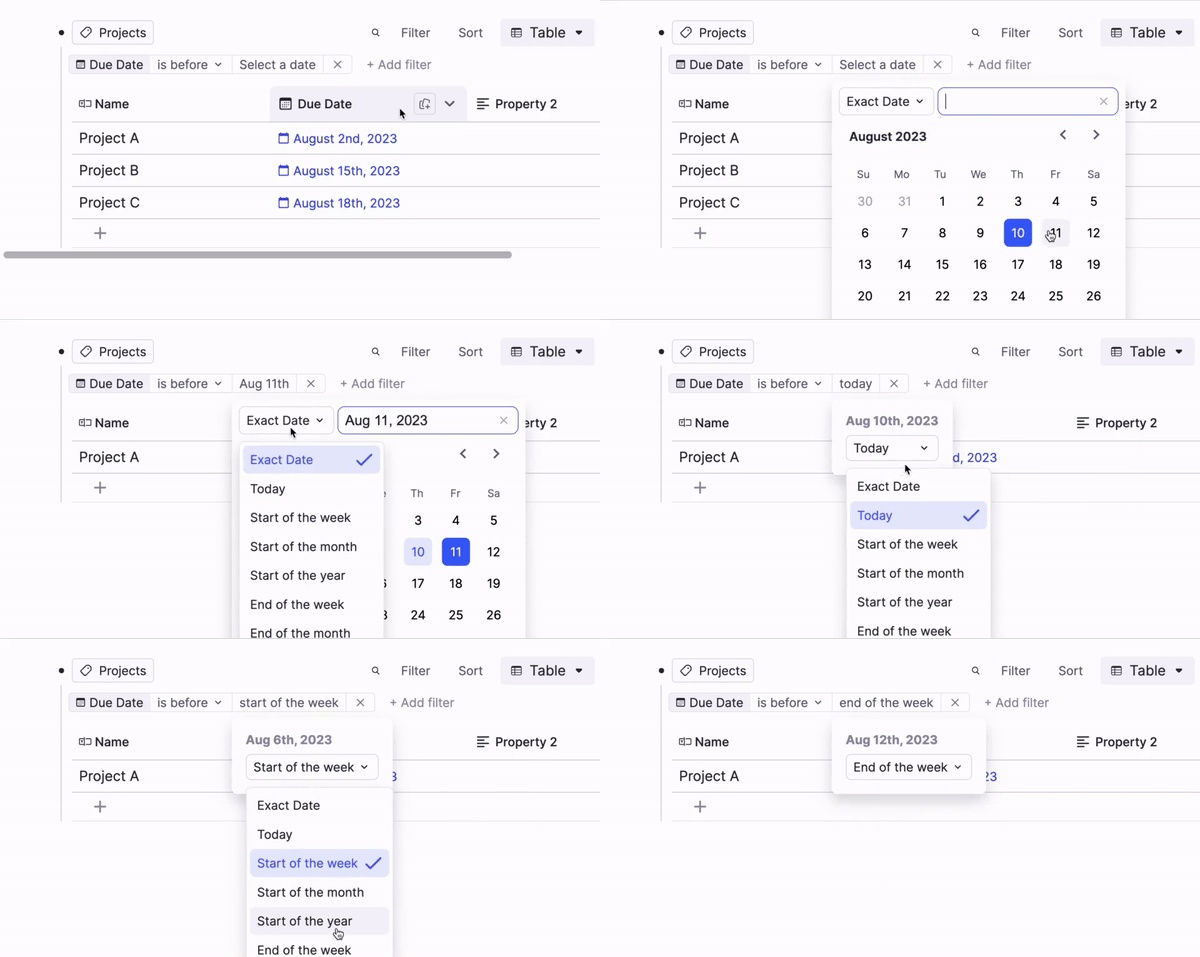
Status & Priority
Track progress with custom status tags and priority levels.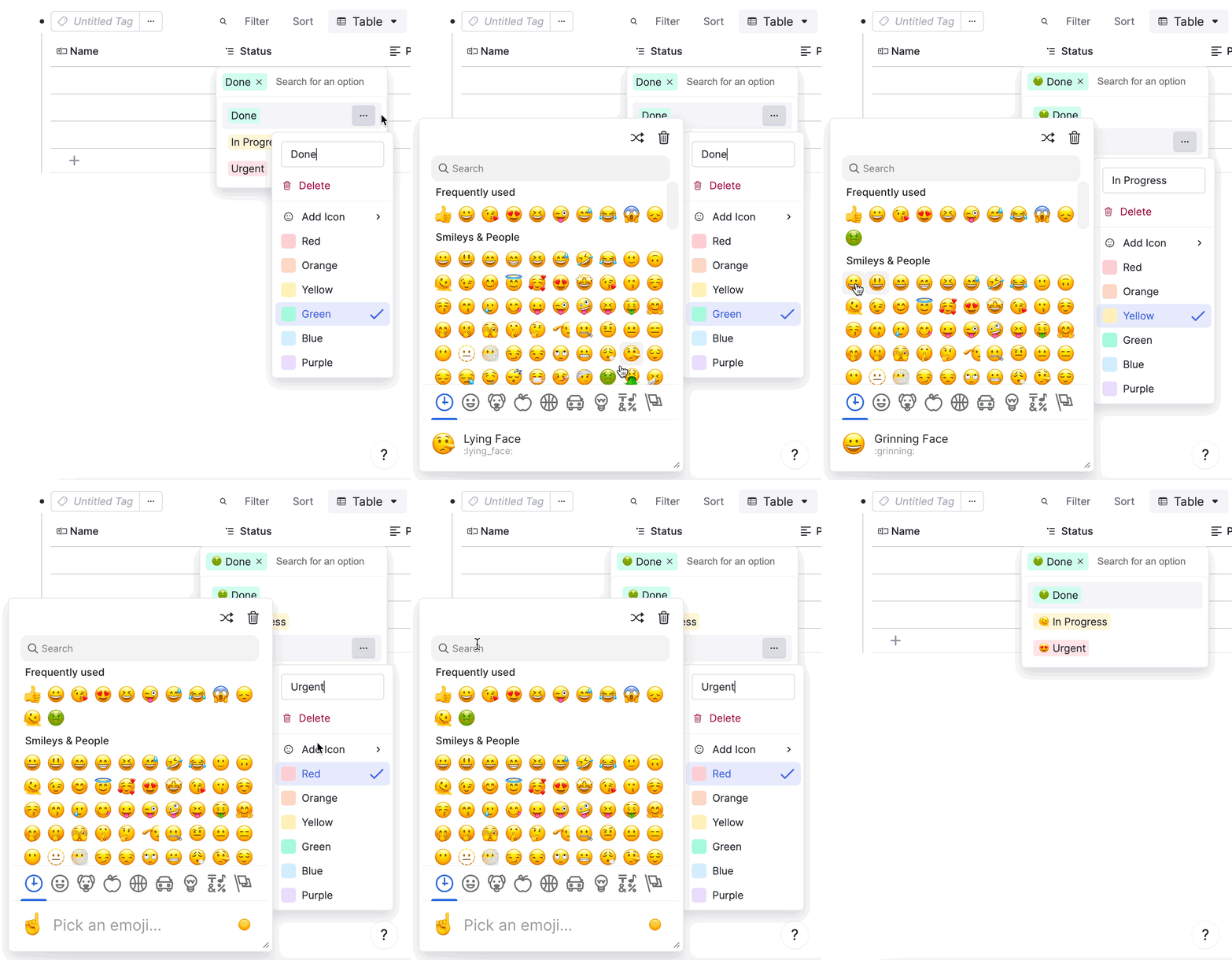
Linked Notes
Connect table rows to your notes, sources, and research.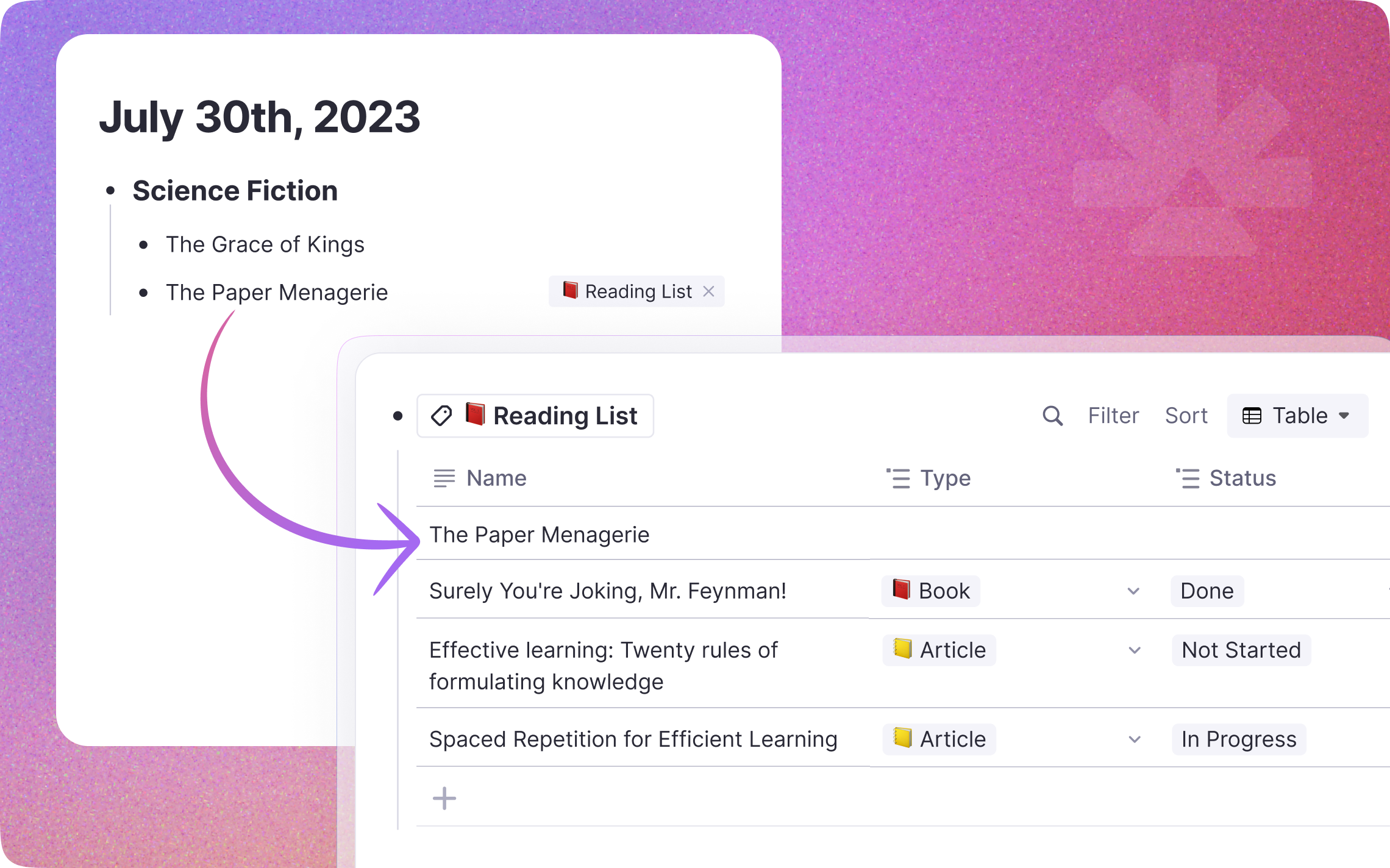
Find What Matters Instantly
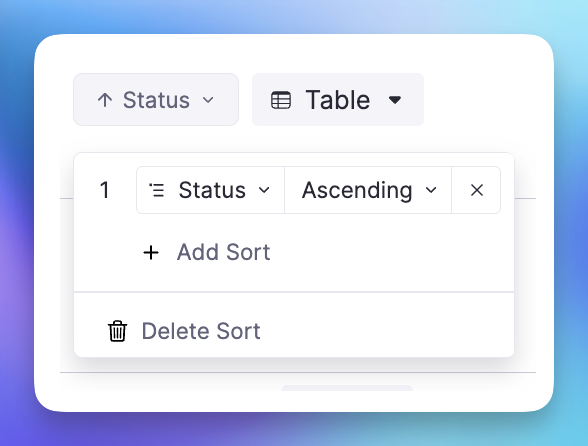
Filter to see only assignments due this week, or sort by priority to focus on what is most important. Dynamic filters like "due before next Monday" update automatically.
Every Row Is a Full Document
Each row can hold unlimited notes, outlines, and nested content. Click to expand any row into a full document, perfect for research papers, project briefs, or detailed notes.
Research Databases
Track papers with summaries, key findings, and citations.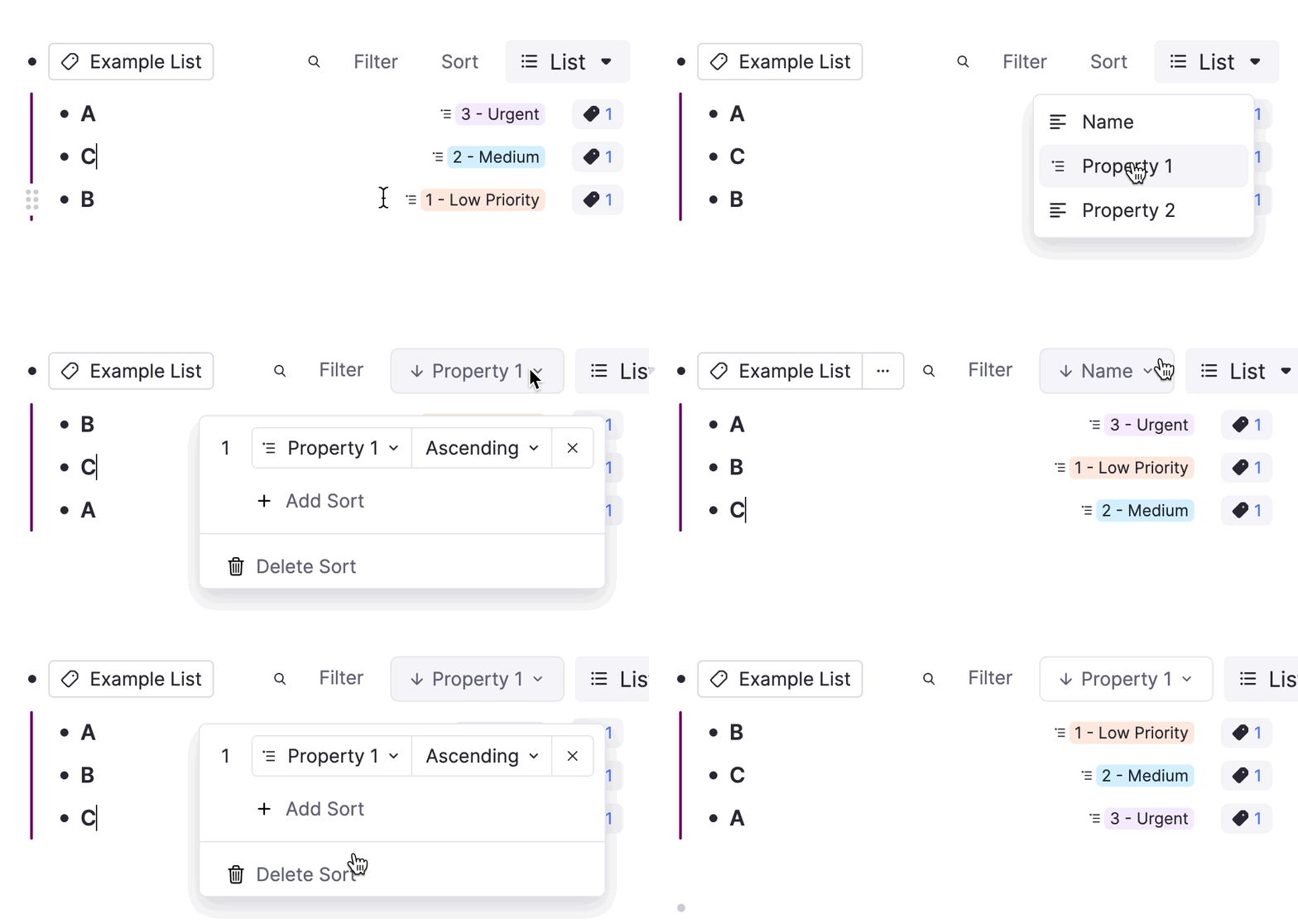
Reading Lists
Organize books and articles with ratings, notes, and quotes.Course Planners
Plan your semester with courses, assignments, and grades.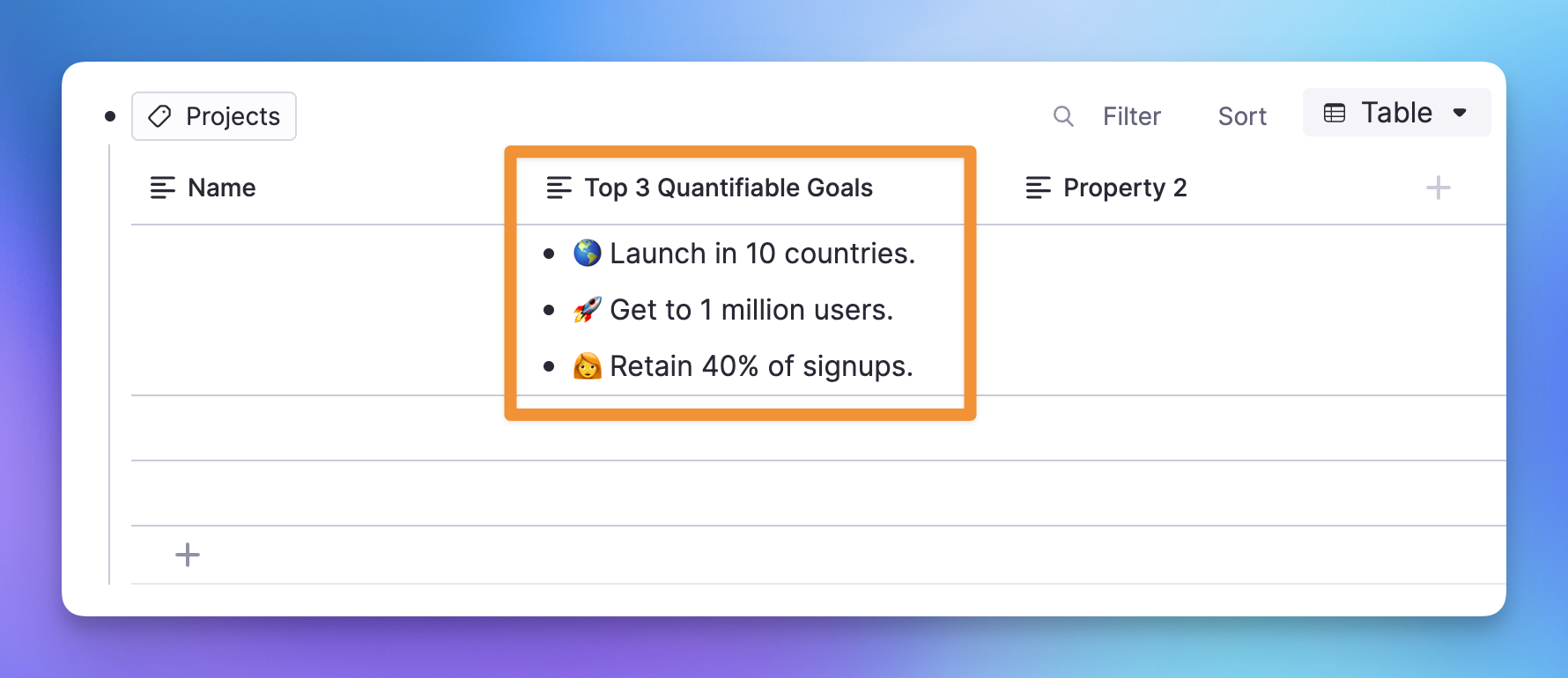
Join 1,000,000+ students getting higher grades!
Frequently Asked Questions
What can I do with Advanced Tables in RemNote?
Advanced Tables in RemNote give you powerful database-like capabilities directly inside your notes. You can sort rows by any column, filter by dates or tags, and use formulas to calculate totals or averages, all without leaving your note-taking environment. They support multiple column types including text, numbers, dates, checkboxes, and dropdown selectors.
For students and researchers dealing with complex study material, Advanced Tables provide a structured way to organize information that would otherwise be scattered across separate documents. Whether you are comparing historical events, cataloguing scientific data, or mapping out a literature review, tables keep everything visible and logically arranged in one place.
Can I turn table data into flashcards?
Yes. Rows in your Advanced Tables can become flashcards automatically. When you designate columns as question and answer fields, RemNote generates flashcards from each row so you can review the structured data you have already organized without any extra setup.
This integration with spaced repetition means that the tables you build for organizing information also serve as a long-term study tool. RemNote schedules reviews at optimal intervals based on how well you recall each item, turning a simple project tracker or research database into an active learning resource.
How do Advanced Tables compare to Notion databases?
Advanced Tables offer many of the same organizational features you would find in Notion databases, including sorting, filtering, multiple column types, and the ability to open any row as a full document. The key difference is that RemNote tables are purpose-built for learning. They integrate directly with flashcard generation and spaced repetition, so the data you organize also becomes study material.
This study-focused design means you do not need to copy information between a project management tool and a separate flashcard app. Everything lives in one place, and the transition from organizing to reviewing is seamless. For students and lifelong learners, this eliminates a significant source of friction in the study workflow.
Can I use Advanced Tables for tracking study progress?
Yes. Advanced Tables are well suited for tracking assignments, topics, and deadlines throughout a semester or study plan. You can add date columns for due dates, checkbox columns for completion status, and dropdown columns to categorize items by subject or priority. Filters let you view only what is due this week or what remains incomplete.
Beyond simple task tracking, each row expands into a full document where you can store lecture notes, reading summaries, or draft work. This means your progress tracker doubles as a knowledge base, keeping both your schedule and your study materials organized in a single view.
Is my data private and secure?
Yes. RemNote uses encryption in transit and at rest to protect your notes, tables, and all associated data. Your information is stored securely and is never sold to third parties or used for advertising purposes.
RemNote is designed as a personal knowledge tool, and your data remains under your control. You can export your notes at any time, and the platform follows industry-standard security practices to ensure that your study materials, project data, and personal information stay private.

